
Introduction
This manual provides detailed instructions for the assembly, operation, and maintenance of your Softa Adjustable Bed Frame with 10-inch Gel Memory Foam Mattress. This adjustable bed system is designed to enhance comfort and support through features like independent head and foot incline, Zero Gravity mode, and a whisper-quiet motor. Please read this manual thoroughly before setup and use to ensure proper function and safety.
Important Safety Information
- Weight Capacity: Do not load more than 900 pounds on the bed frame. Exceeding this limit may cause damage to the product and void the warranty.
- Assembly: Follow all assembly instructions carefully to ensure stability and safe operation. Incorrect assembly can lead to injury or product malfunction.
- Electrical Safety: Ensure all electrical connections are secure and properly plugged into a grounded outlet. Do not operate the bed with damaged cords or plugs. Keep liquids away from electrical components.
- Children and Pets: Keep children and pets away from the adjustable bed's moving parts during operation.
- Clearance: Ensure there is adequate clearance around the bed when adjusting positions to prevent obstruction or damage.
Setup and Assembly
The Softa Adjustable Bed Frame is designed for straightforward assembly. It comes in three main panels for easy handling and features adjustable legs. The following steps and visual aids will guide you through the process.
Assembly Video Guide
Video Description: This video demonstrates the assembly process of the Softa Adjustable Bed Frame. It shows how to connect the three main frame pieces, attach the adjustable legs, connect the wiring, and secure the mattress with the provided retainer bar. The video also briefly showcases the remote control functionality for head and foot adjustments.
Step-by-Step Assembly
- Unpack Components: Carefully unpack all components. You will find three main frame pieces, an accessory box with bolts and an Allen wrench, and adjustable legs.
- Position Frame Pieces: Lay the three main frame pieces upside down on a clean, flat surface.
- Connect Frame Sections: Use the provided Allen wrenches and bolts to securely attach the frame sections together. Ensure all connections are tight.
- Attach Legs: Screw the adjustable legs into the designated points on the frame. The legs are segmented, allowing you to adjust the bed's height as needed.
- Connect Wiring: Plug in the power cord to a wall outlet. Connect all motor and remote control wiring as indicated in the instructions. The wiring is designed to follow the frame for a neat setup.
- Test Functionality: Before placing the mattress, test the head and foot incline functions using the remote control to ensure all motors are working correctly.
- Apply Cover (Optional): A fabric cover is provided to conceal the metal frame. Secure it using the Velcro attachments.
- Install Mattress Retainer Bar: Insert the metal retainer bar at the foot of the bed into the designated holes to prevent the mattress from sliding.
- Place Mattress: Carefully place the 10-inch Gel Memory Foam Mattress onto the adjustable bed frame.
Visual Aids for Assembly

Image Description: An illustration showing the dimensions of the Queen size Softa Adjustable Bed Frame (58.7" W x 78.7" L x 12" H) and its material (Carbon Steel) and weight capacity (900 lbs).

Image Description: A diagram illustrating the robust construction of the Softa Adjustable Bed Frame, highlighting its 900 lbs maximum weight capacity and showing various adjustable positions like Deep Sleep, Anti-Snore, Leisure Mode, and Watching Movies, along with the remote control.
Operating Instructions
Your Softa Adjustable Bed Frame comes with a wireless remote control for easy adjustment of positions and features.
Remote Control Functions
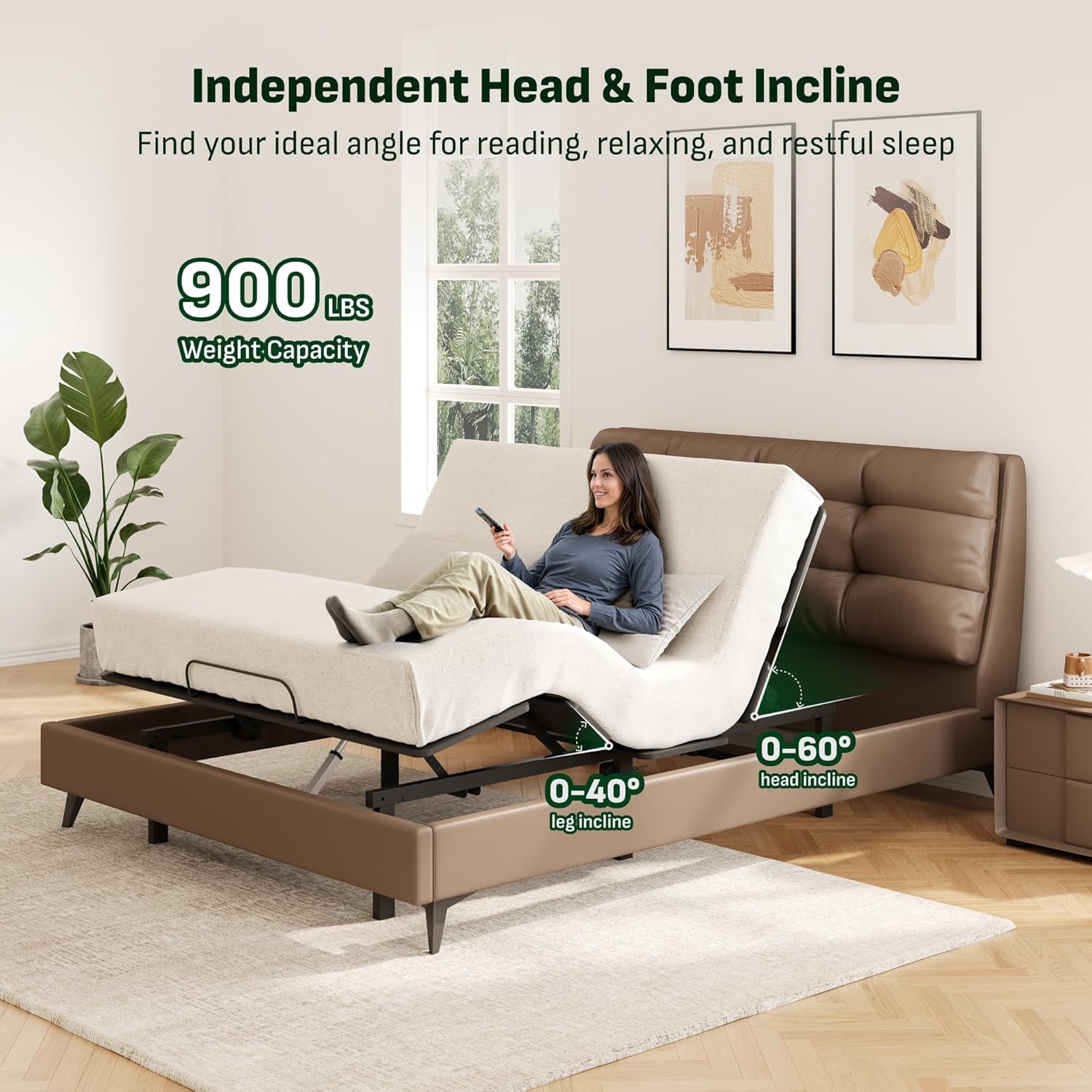
Image Description: A person using the remote control to adjust the head and foot incline of the Softa Adjustable Bed. The image shows the head incline ranging from 0-60 degrees and leg incline from 0-40 degrees.
- Head Incline (0-60°): Use the dedicated buttons on the remote to raise or lower the head section of the bed.
- Foot Incline (0-40°): Use the dedicated buttons on the remote to raise or lower the foot section of the bed.
- Zero Gravity Mode: Press the "Zero Gravity" button to automatically adjust the bed to a position that elevates your legs above your heart, promoting pressure relief and improved circulation.
- Anti-Snore Position: Activate the "Anti-Snore" preset to slightly elevate the head, which can help open airways and reduce snoring.
- Reading Position: Select the "Reading" preset for an optimal upright position for reading or watching TV.
- Flat Position: Press the "Flat" button to return the bed to a completely flat position.
Additional Features
- Underbed Ambient Light: The soft, built-in night light provides gentle illumination for safety and convenience without disturbing sleep.
- USB Ports: Utilize the integrated USB ports for convenient charging of your electronic devices.
- Whisper-Quiet Motor: The high-performance motor operates quietly, ensuring minimal disturbance during adjustments.
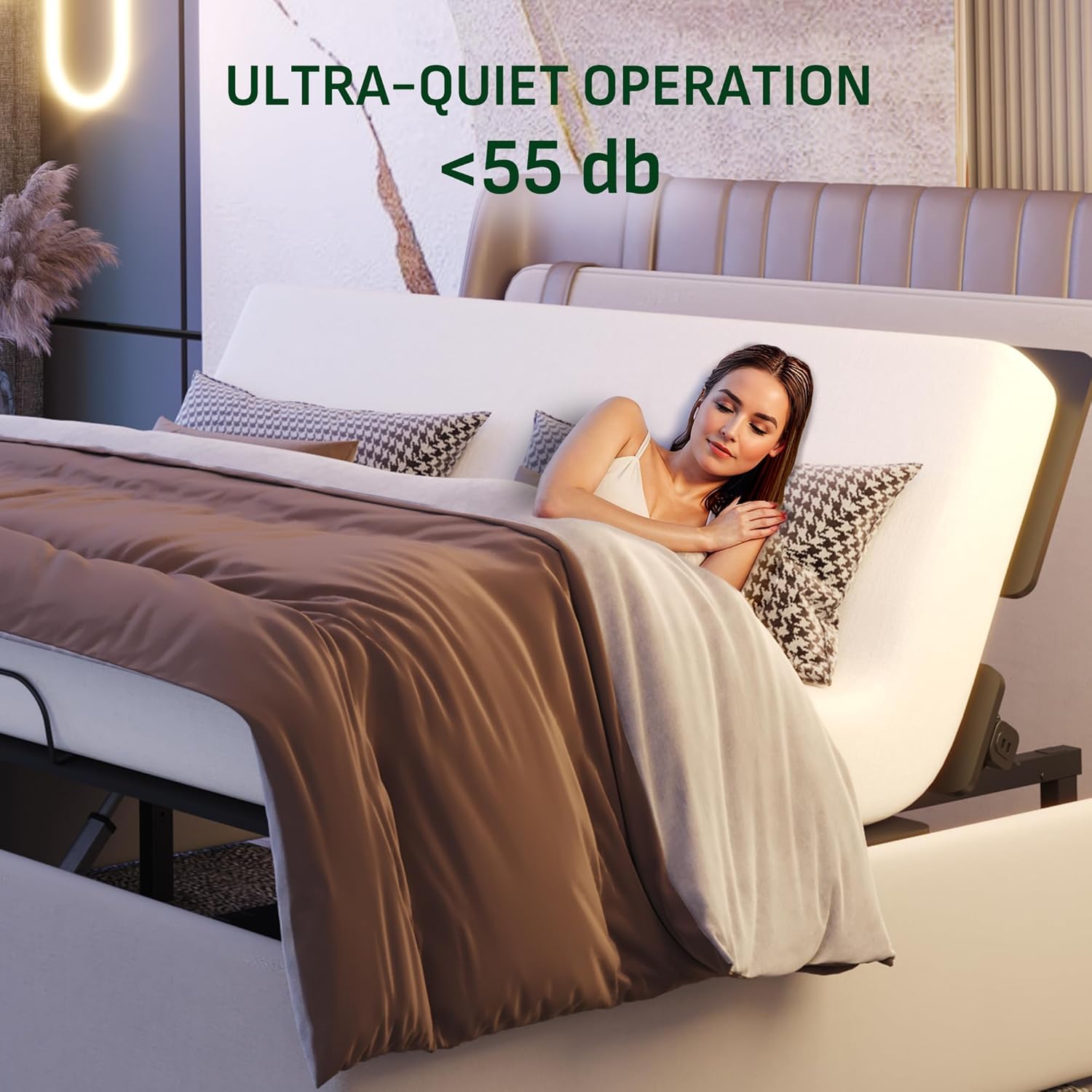
Image Description: A person comfortably resting on the Softa Adjustable Bed, illustrating its ultra-quiet operation, indicated by "<55 db".
Maintenance
Mattress Care
- Washable Cover: The 10-inch Gel Memory Foam Mattress features a durable zipper, allowing the cover to be easily removed for machine washing. Follow the care instructions on the mattress label for best results.
- Non-Slip Bottom: The mattress has a non-slip bottom fabric to keep it securely in place on the adjustable base.

Image Description: A cross-section diagram of the 10-inch Gel Memory Foam Mattress, detailing its five layers: 1) Skin-friendly knitted fabric, 2) Memory foam quilting, 3) High-density convoluted foam comfort layer, 4) Individually wrapped coil system, and 5) Base layer for support and durability.

Image Description: A close-up of the mattress surface, highlighting its breathable mesh design that absorbs body sweat and promotes evaporation to maintain comfort. CertiPUR-US certified.
Troubleshooting
If you encounter any issues with your Softa Adjustable Bed Frame, please refer to the following common troubleshooting steps:
- No Power:
- Check if the power cord is securely plugged into a working electrical outlet.
- Ensure all motor and remote control cables are properly connected to the control box.
- Verify that the outlet is receiving power by testing it with another device.
- Remote Not Responding:
- If the remote is wired, check for any kinks or damage in the cable.
- If wireless, ensure batteries are correctly inserted and not depleted.
- Try re-pairing the remote with the bed frame according to the specific instructions provided in the full product manual (if applicable).
- Motor Noise:
- While the motor is designed to be whisper-quiet, slight operational sounds are normal.
- Ensure no objects are obstructing the moving parts of the bed frame.
- Uneven Adjustment:
- Check that the bed frame is placed on a level surface.
- Ensure all legs are securely tightened and evenly adjusted.
For persistent issues, please contact Softa customer support.
Specifications
| Feature | Detail |
|---|---|
| Brand | Softa |
| Model Number | S2 |
| Size | Queen |
| Product Dimensions | 79"L x 59"W x 9"H |
| Material | Alloy Steel |
| Special Features | Adjustable, Ergonomic, No Box Spring Needed, Remote Control, Zero Gravity, Memory Positions, Underbed Light, USB Ports, Anti-Snore |
| Color | Grey |
| Finish Type | Painted |
| Included Components | Dual Motor, 10" Gel Memory Foam Mattress |
| Compatible Mattress Size | Queen |
| Assembly Required | Yes |
| Item Weight | 101.4 pounds |
| UPC | 840460470148 |
Warranty and Support
For specific warranty details, please refer to the documentation included with your product packaging or contact Softa customer support directly. Softa is committed to providing quality products and excellent customer service.
Customer Support: For assistance with assembly, operation, troubleshooting, or warranty claims, please visit the Softa Store on Amazon or refer to the contact information provided in your product documentation.