
1. Introduction
This manual provides essential information for the safe and efficient operation of your MICOE 35000 BTU Inverter Pool Heater. Please read all instructions carefully before installation and use. This unit is designed to heat and cool water for above-ground and in-ground pools up to 12,000 gallons, operating on 220-240V power.
2. Safety Information
WARNING: Failure to follow these safety instructions could result in fire, electric shock, or other injury or damage.
- Installation must be performed by a qualified professional in accordance with all local and national electrical and plumbing codes.
- Ensure the power supply matches the unit's requirements (220-240V).
- Do not operate the unit if any part is damaged or if the power cord is frayed.
- Keep children and pets away from the unit during operation.
- Ensure proper ventilation around the unit. Do not block air inlets or outlets.
- Always disconnect power before performing any maintenance or service.
- This unit contains refrigerant R32. Servicing should only be performed by certified personnel.
3. Product Overview
The MICOE 35000 BTU Inverter Pool Heater is designed for efficient and quiet pool temperature control. Key features include:
- High Efficiency: 35000 BTU heating capacity for pools up to 12,000 gallons.
- Inverter Technology: Provides variable speed operation for optimal energy savings.
- Heating & Cooling: Capable of both heating and cooling pool water.
- Smart Control: Control via integrated touch panel or dedicated mobile application.
- Quiet Operation: Operates at a low noise level of approximately 50dB.
- Durable Construction: ABS material housing resists corrosion and weathering.
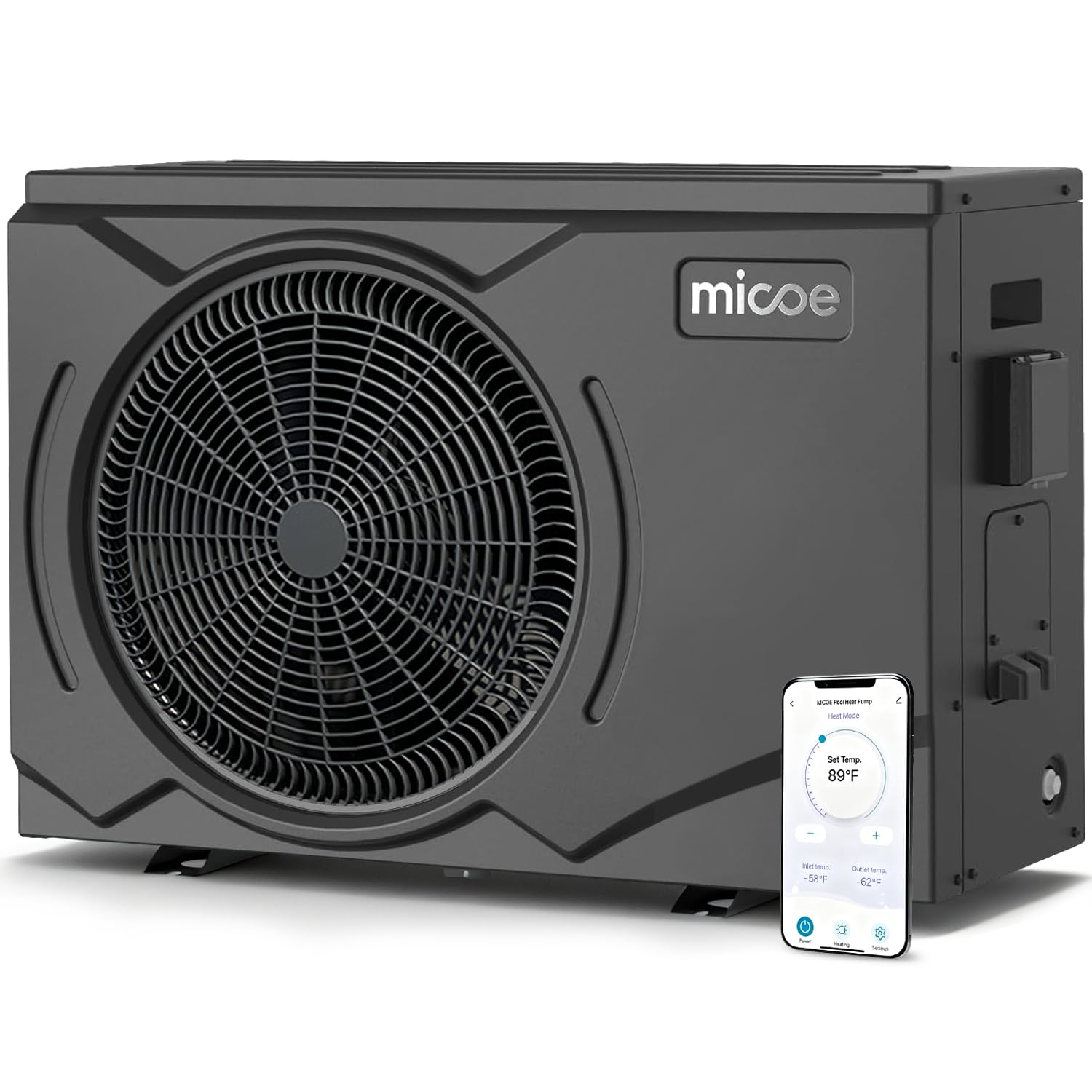
Figure 3.1: MICOE 35000 BTU Inverter Pool Heater (Model MSHP-010Y1)
4. Setup
4.1 Placement
Place the unit on a stable, level surface outdoors, ensuring adequate airflow around all sides. Avoid enclosed spaces or areas with poor ventilation. Maintain sufficient clearance from walls and other obstructions.
4.2 Electrical Connection
The unit requires a 220-240V AC power supply. Electrical installation must be performed by a licensed electrician to ensure compliance with all safety standards and local codes. Ensure proper grounding.
4.3 Plumbing Connection
Connect the pool's filtration system to the heater's inlet and outlet ports. The water flow direction is critical for proper operation. Use appropriate pipe joint diameters (1.57" / 50mm) and ensure all connections are secure and leak-free. The unit should be installed after the pool filter and before any chlorinator or chemical feeder.

Figure 4.1: Typical Pool Heat Pump Connection Diagram. Water flows from the pool pump, through the filter, into the heat pump, and then back to the pool.
4.4 Initial Control Panel Settings
Upon initial power-up, configure the control panel settings:
- Set Date & Time: Navigate to 'Settings' > 'Date & Time' to adjust the current date and time.
- Display & Sound: In 'Settings' > 'Display and Sound', adjust screen brightness and toggle sound alerts.
- Temperature Unit: Select your preferred temperature unit (Celsius or Fahrenheit) under 'Settings' > 'Temp. display'.
Video 4.1: This video demonstrates the initial setup of the control panel, including setting date and time, adjusting display and sound, and selecting temperature units.
4.5 App Connection (Wi-Fi Distribution)
To enable smart control via the mobile app, follow the Wi-Fi distribution instructions provided in the full user manual. This allows remote temperature adjustment and scheduling.

Figure 4.2: The unit features both a TFT screen control panel and smart APP control for convenient operation.
5. Operating the Unit
5.1 Power On/Off
Press the 'ON/OFF' button on the control panel or within the mobile app to turn the unit on or off. The unit will begin operating according to the last set mode and temperature.
5.2 Mode Selection
Access the 'Mode' menu on the control panel or app to select from the following operating modes:
- Heating: Heats the pool water to the set temperature.
- Cooling: Cools the pool water to the set temperature.
- Automatic: Automatically switches between heating and cooling to maintain the set temperature.
- ECO Heating/Cooling: Energy-saving modes for heating or cooling.
- Boost Heating/Cooling: Provides faster heating or cooling when needed.
5.3 Temperature Adjustment
Adjust the desired water temperature using the '+' and '-' buttons on the control panel or by dragging the slider in the mobile app. The heating range is 46-104°F (8-40°C), and the cooling range is 45-82°F (7-28°C).

Figure 5.1: The MICOE pool heater offers a wide temperature setting range for both heating and cooling.
5.4 Timer Function
The unit includes a timer function to schedule specific operating times. Access 'Function' > 'Timing function' to set desired on/off times for different days of the week. This allows for automated operation and energy management.
5.5 Monitoring Operating Status
The control panel and app provide real-time information on the unit's operating status. Navigate to 'Query' to view 'User Parameters' (set temperatures, temperature differences) and 'System Parameters' (compressor frequency, fan speed, input voltage, power consumption, and various internal temperatures).


