
YONHAN 12V/24V Intelligent Pulse Repair Charger
YONHAN 12V/24V Intelligent Pulse Repair Battery Charger User Manual
Model: 12V/24V Intelligent Pulse Repair Charger
Brand: YONHAN
Introduction
This manual provides comprehensive instructions for the safe and effective operation, maintenance, and troubleshooting of your YONHAN 12V/24V Intelligent Pulse Repair Battery Charger. Please read this manual thoroughly before using the device to ensure optimal performance and longevity.
Safety Instructions
- Always connect the charger to the battery terminals before plugging it into an AC power outlet.
- Ensure proper ventilation during charging to prevent heat buildup.
- Do not charge frozen batteries. Allow them to thaw before charging.
- Avoid charging non-rechargeable batteries.
- Keep the charger away from flammable materials and liquids.
- Wear appropriate personal protective equipment, such as eye protection and gloves, when handling batteries.
- In case of short circuit, the charger is equipped with protection and will automatically stop charging.
- The charger features temperature detection to prevent overheating.
- Disconnect the AC power before disconnecting the battery terminals.
Package Contents
Verify that all items are present in the package:
- YONHAN 12V/24V Intelligent Pulse Repair Battery Charger Unit
- Battery Clamp Connectors (Red for positive, Black for negative)
- AC Power Cord
- User Manual
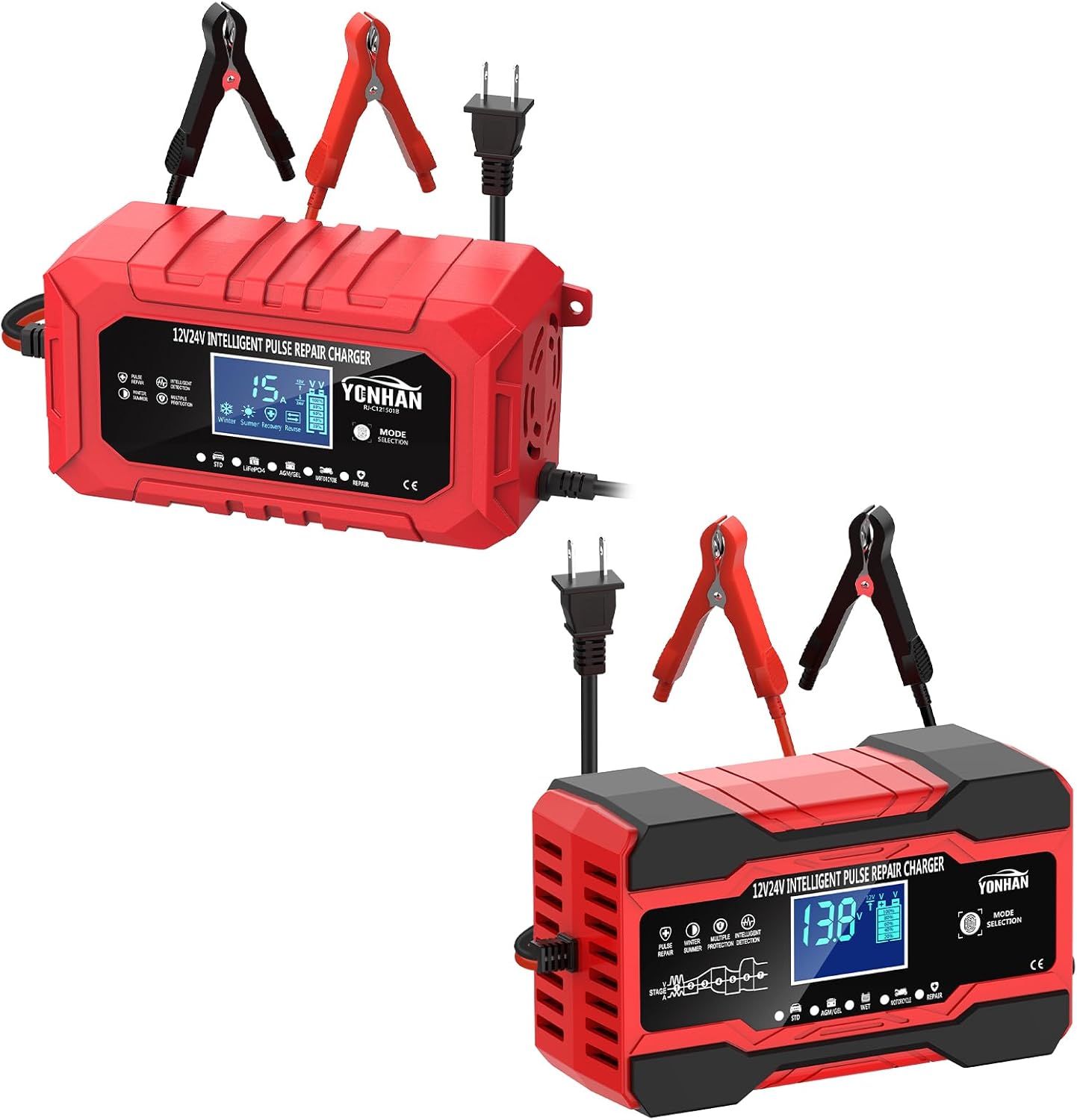
Image: The YONHAN 12V/24V Intelligent Pulse Repair Battery Charger, showing the main unit, red and black battery clamps, and the power cord. Two charger units are shown, one with a digital display showing "15A" and the other showing "13.8V".
Product Features
- Versatile Charging: Supports 12V and 24V batteries, with charging currents up to 15 Amps for 12V and 8 Amps for 24V.
- Multi-Battery Compatibility: Suitable for Lead-Acid, LiFePO4, AGM, and GEL batteries.
- Intelligent Pulse Repair: Features a repair mode to help restore sulfated or undercharged batteries.
- Automatic Detection: Automatically detects battery voltage (12V or 24V) upon connection.
- Temperature Compensation: Built-in temperature detection adjusts charging parameters for optimal performance in various climates (Winter/Summer modes).
- Safety Protections: Includes short-circuit protection, reverse polarity protection, overcharge protection, and over-temperature protection.
- LCD Display: Clear digital display shows voltage, current, temperature, and charging status.
- Full Power Auto-Stop: Automatically stops charging when the battery is fully charged to prevent overcharging.
- 9-Stage Charging Process: Advanced charging algorithm for efficient and safe charging (LiFePO4 model uses a 5-stage process).
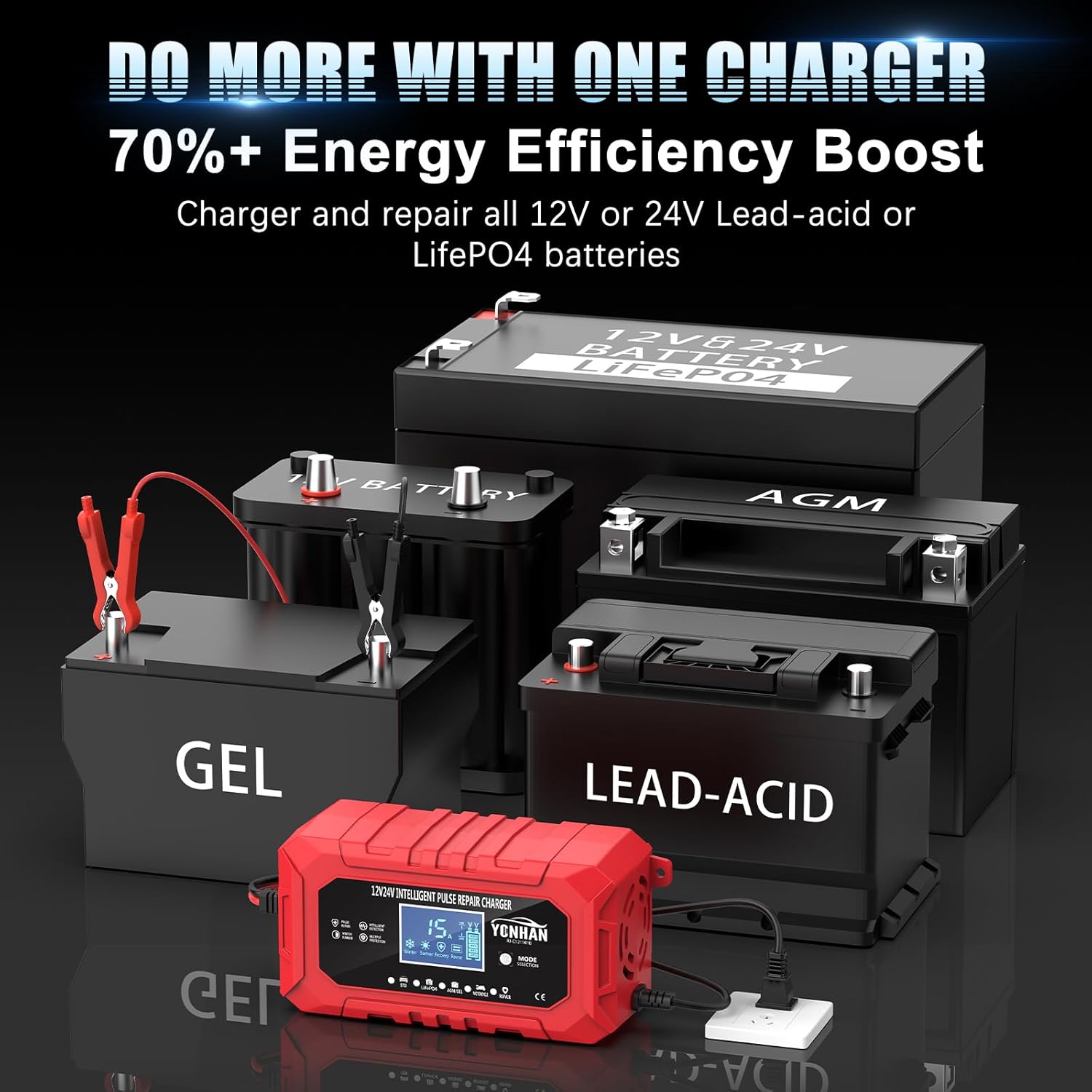
Image: The YONHAN charger positioned among different battery types, illustrating its compatibility with 12V and 24V Lead-acid, LiFePO4, AGM, and GEL batteries.
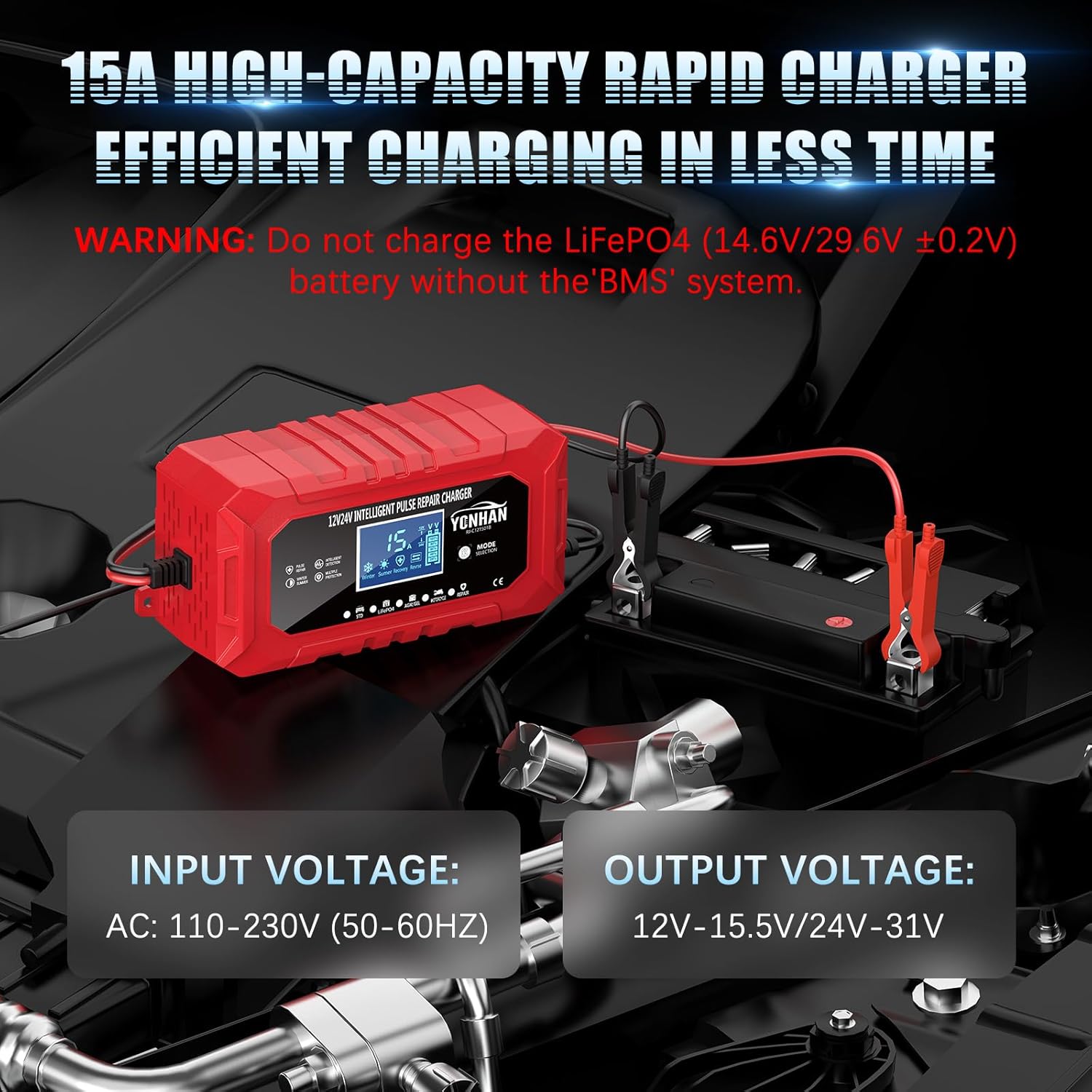
Image: A close-up of the YONHAN charger showing its input voltage (AC: 110-230V, 50-60Hz) and output voltage (12V-15.5V / 24V-31V) specifications.
Setup
- Prepare the Battery: Ensure the battery terminals are clean and free of corrosion.
- Connect Battery Clamps:
- Connect the RED (+) clamp to the positive battery terminal.
- Connect the BLACK (-) clamp to the negative battery terminal.
The charger will automatically detect the battery voltage (12V or 24V) once connected.
- Connect to AC Power: Plug the AC power cord into a standard wall outlet (110-230V, 50-60Hz). The charger's display will illuminate.
Operating Instructions
The YONHAN charger features a "MODE" button to select the appropriate charging program for your battery type. The LCD display will show real-time charging information.
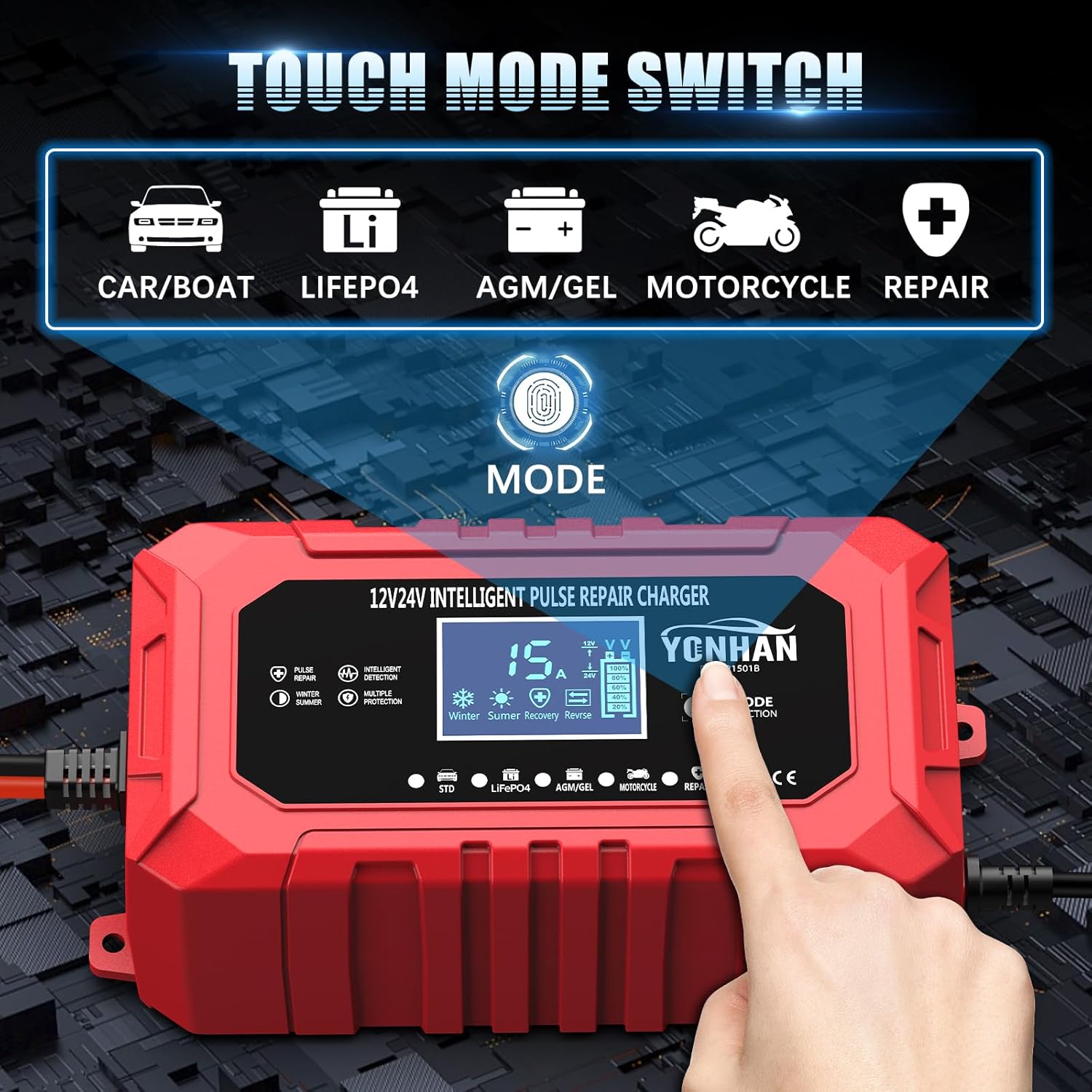
Image: The YONHAN charger's control panel, highlighting the "MODE" button and the various battery type indicators (Car/Boat, LiFePO4, AGM/GEL, Motorcycle, Repair) that can be selected.

Image: A detailed view of the YONHAN charger's LCD screen, illustrating various display indicators such as temperature, voltage, current, charge completion, pulse repair, system off, reverse/abnormal display, and desulfurization status. A battery charge level indicator is also visible.
Mode Selection:
Press the "MODE" button repeatedly to cycle through the available charging programs:
- STD (Standard): For standard Lead-Acid batteries (Car/Boat).
- LiFePO4: Specifically for Lithium Iron Phosphate batteries.
- AGM/GEL: For Absorbed Glass Mat and Gel cell batteries.
- Motorcycle: For smaller 12V motorcycle batteries.
- Repair: A pulse repair mode for deeply discharged, sulfated, or old batteries. Consult the manual for specific repair procedures.
Charging Process:
- Once the correct mode is selected, the charger will begin its multi-stage charging process.
- The LCD will display the current voltage, amperage, and internal temperature.
- The battery icon on the display will show the charging progress.
- When the battery is fully charged, the charger will automatically stop charging and enter maintenance mode. The display will indicate "FUL" (Full).
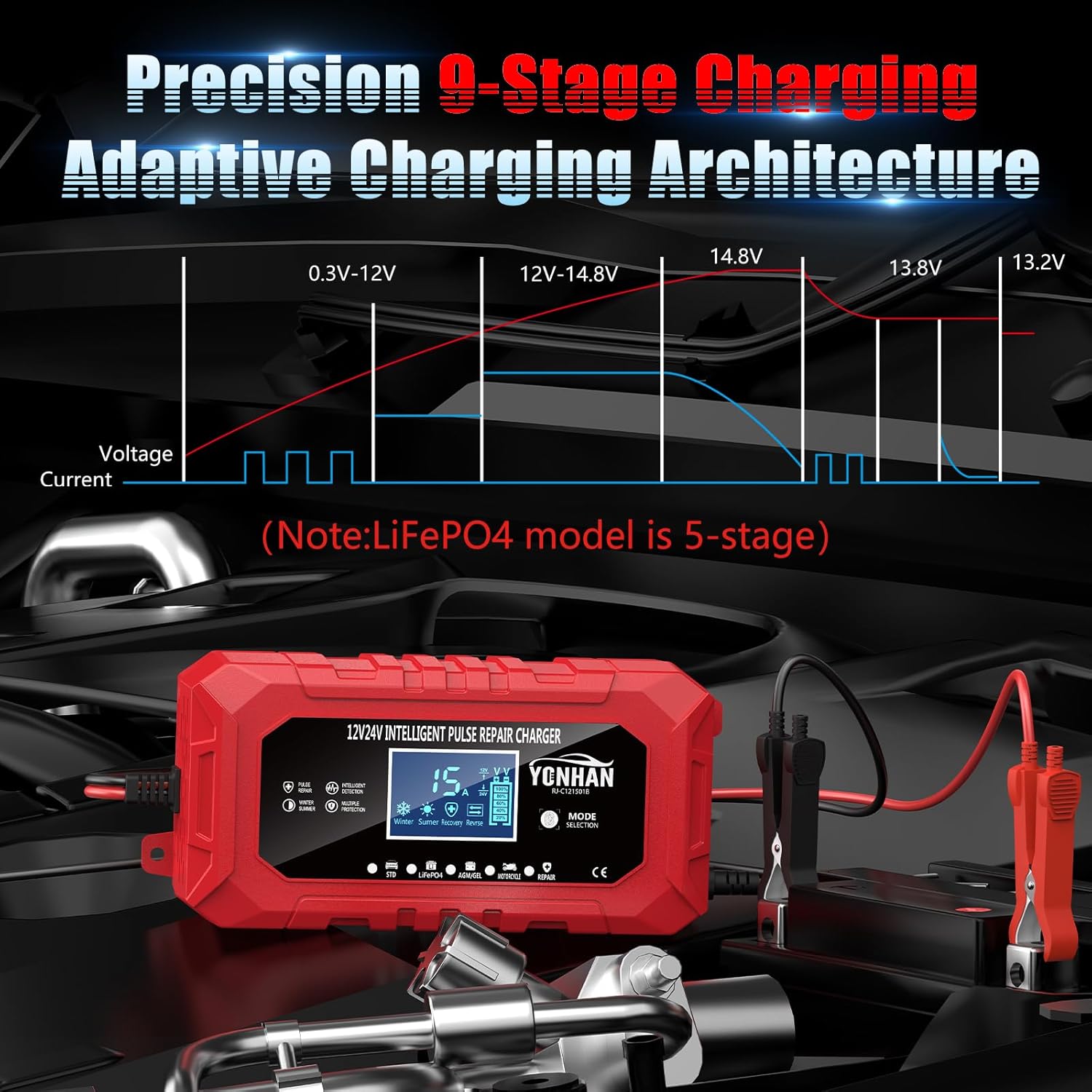
Image: A graph depicting the 9-stage charging architecture, showing how voltage and current vary throughout the charging cycle. A note indicates that the LiFePO4 model uses a 5-stage process.

Image: The YONHAN charger's display showing temperature icons for Winter (0-10°C) and Summer (>28°C), indicating its weather-resilient charging system with enhanced environmental adaptability. Normal temperature is 10°-27°C.
Maintenance
- Keep the charger clean and dry. Wipe with a soft, damp cloth.
- Store the charger in a cool, dry place when not in use.
- Regularly inspect the cables and clamps for any damage. Replace if necessary.
- Ensure good ventilation around the charger during operation. The internal fan helps maintain optimal temperature.
Troubleshooting
| Problem | Possible Cause | Solution |
|---|---|---|
| Charger not turning on. | No AC power; loose connection; faulty outlet. | Check AC power cord connection; test outlet with another device; ensure battery clamps are properly connected. |
| "ERR" or "Reverse Polarity" displayed. | Incorrect battery clamp connection. | Disconnect charger, then reconnect RED (+) to positive and BLACK (-) to negative. |
| Charger stops prematurely or doesn't reach "FUL". | Battery severely discharged/damaged; incorrect mode selected. | Try "Repair" mode for deeply discharged batteries; verify correct battery type mode is selected. If issues persist, battery may need replacement. |
| Charger feels warm. | Normal operation; poor ventilation. | Some warmth is normal. Ensure adequate airflow around the charger. The internal fan should operate to cool it. |
Specifications
| Feature | Detail |
|---|---|
| Brand | YONHAN |
| Input Voltage | AC 110-230V (50-60Hz) |
| Output Voltage | 12V-15.5V / 24V-31V (DC) |
| Current Rating | 15 Amps (for 12V), 8 Amps (for 24V) |
| Battery Types Supported | Lead-Acid (STD), LiFePO4, AGM, GEL, Motorcycle |
| Charging Stages | 9-Stage (Standard), 5-Stage (LiFePO4) |
| Protection Features | Short Circuit, Reverse Polarity, Overcharge, Over-temperature, Voltage Detection |
| Display | LCD (Voltage, Current, Temperature, Status) |
| Connector Type | Ring Terminal or Battery Clamp Connector |

Image: The YONHAN charger connected to a large 12V/24V battery, illustrating its capabilities as a quick battery charger, battery maintainer, and a device that provides stronger engine starts and extended battery life.
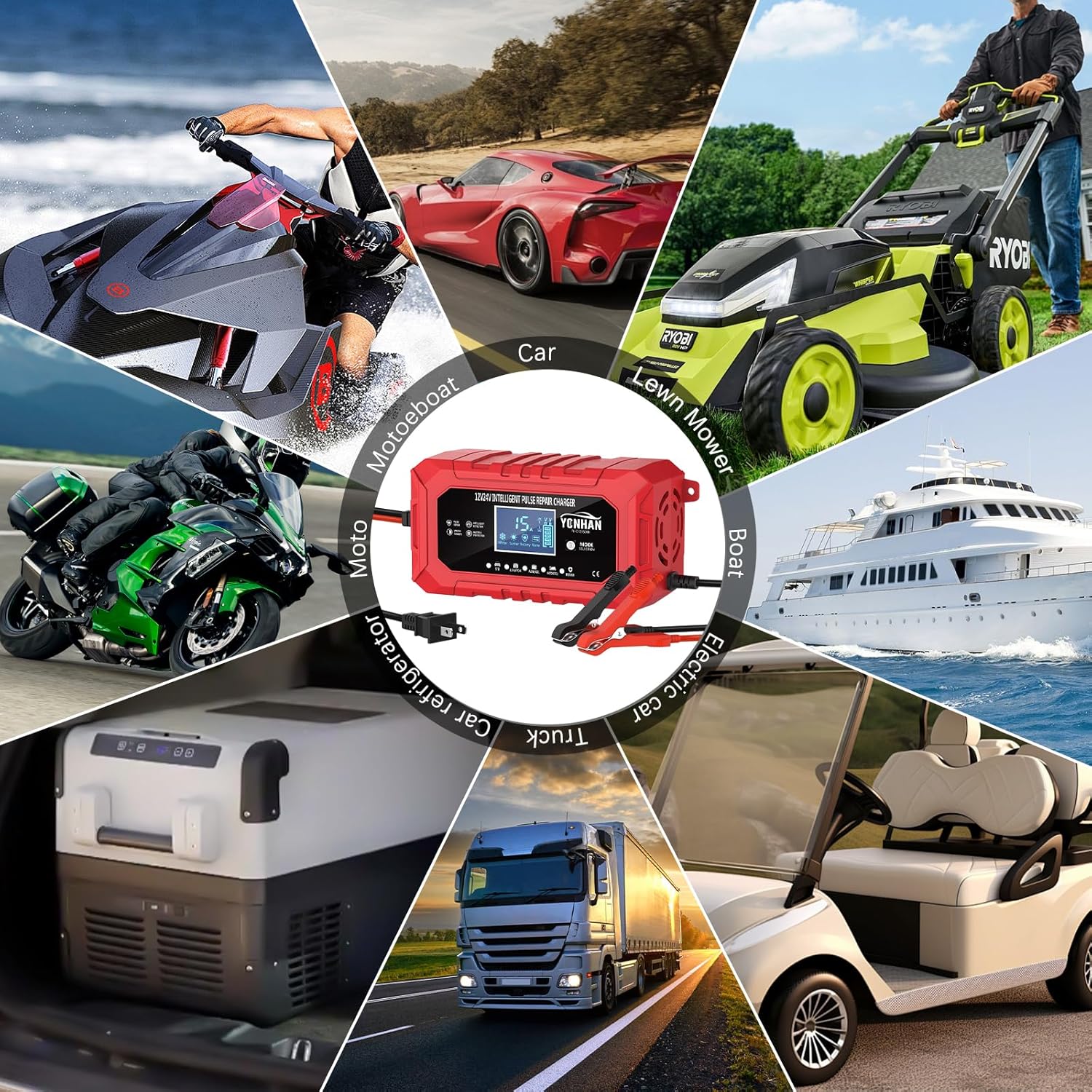
Image: A collage showcasing diverse applications for the YONHAN charger, including cars, boats, motorcycles, lawn mowers, trucks, and golf carts, highlighting its wide compatibility.
Warranty and Support
YONHAN products are designed for reliability and performance. For warranty information, technical support, or service inquiries, please refer to the contact information provided on the product packaging or visit the official YONHAN website. Keep your purchase receipt for warranty claims.
Ask a question about this manual
Ask about setup, troubleshooting, compatibility, parts, safety, or missing instructions. Manuals+ will review the question and use this page’s manual context to help answer it.