
MTALOUYES T8
MTALOUYES T8 Wireless Earbuds User Manual
Model: T8
1. Introduction
Thank you for choosing the MTALOUYES T8 Wireless Earbuds. This manual provides essential information for setting up, operating, and maintaining your earbuds to ensure optimal performance and longevity. Please read this manual thoroughly before use.
Package Contents
- MTALOUYES T8 Wireless Earbuds (Left and Right)
- Charging Case
- USB-C Charging Cable
- Eartips (S, M, L sizes)
- User Manual
2. Product Overview
The MTALOUYES T8 Wireless Earbuds are designed for an active lifestyle, featuring secure earhooks, IPX7 waterproofing, and a long-lasting battery. The charging case includes a dual LED display for real-time power monitoring.
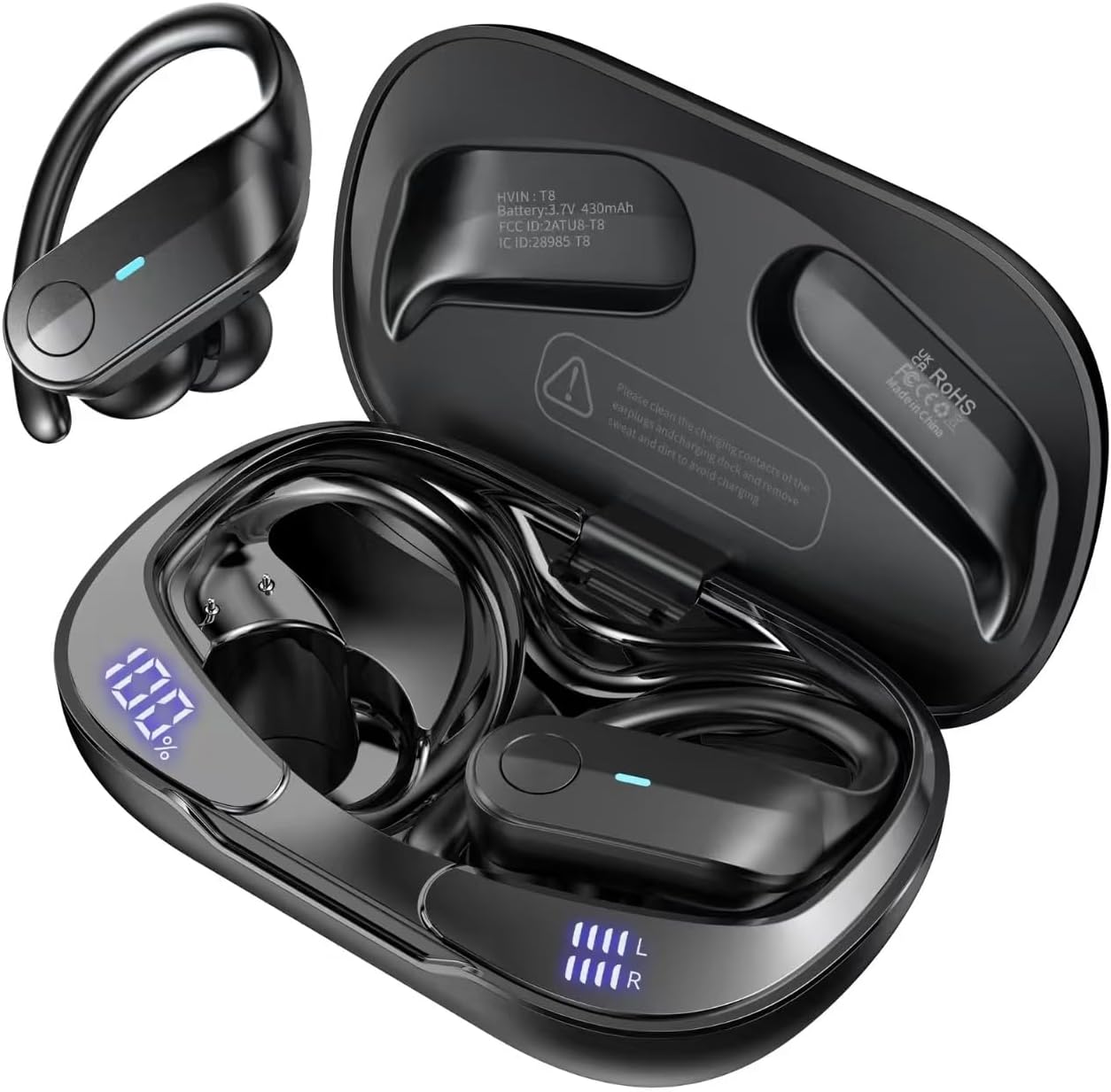
Image: The MTALOUYES T8 Wireless Earbuds shown with their charging case. One earbud is displayed separately to highlight its design.
Key Features
- Extended Playtime: Up to 10 hours on a single charge, with a total of 75 hours using the charging case.
- Dual LED Power Display: Real-time display of charging case and earbud battery levels.
- High-Fidelity Audio: Equipped with 13mm double-layer diaphragm drivers for clear sound and strong bass.
- HD Voice Technology: Environmental Noise Cancelling (ENC) microphones for clear calls.
- Bluetooth 5.3: Ensures stable and fast wireless connectivity.
- Secure Fit: Ergonomic design with flexible earhooks and multiple eartip sizes (S/M/L).
- IPX7 Waterproof: Resistant to sweat, rain, and minor water splashes.
- Easy Button Control: Physical buttons for precise control of music, calls, and voice assistant.
- USB-C Fast Charging: Quick charging capability for minimal downtime.

Image: Diagram illustrating the 75-hour total playtime with the charging case and 9 hours on a single earbud charge.

Image: Close-up of the charging case showing the dual LED display for both the case's battery percentage and individual earbud charging status.
3. Setup
Initial Charging
- Before first use, place both earbuds into the charging case.
- Connect the provided USB-C charging cable to the charging port on the case and a compatible USB power source.
- The LED display on the charging case will show the battery percentage, and the earbud indicators will show charging status. Ensure both the case and earbuds are fully charged. A full charge for the case takes approximately 1.5 hours.
Bluetooth Pairing

Image: Illustration of the one-step pairing process, showing the earbuds in the charging case and a smartphone's Bluetooth settings screen.
- First-Time Connection: Open the charging case and remove both earbuds. They will automatically power on and enter pairing mode.
- On your device (smartphone, tablet, laptop), enable Bluetooth.
- Search for available Bluetooth devices and select "T8" from the list.
- Once connected, you will hear an audible confirmation, and the earbud indicator lights will turn off.
- Subsequent Connections: After the initial pairing, the earbuds will automatically connect to the last paired device when removed from the charging case, provided Bluetooth is enabled on your device.
4. Operating Instructions
Wearing the Earbuds

Image: A person wearing the T8 earbuds, demonstrating the secure fit with earhooks. Also shown are the different eartip sizes (S, M, L) and an IPX7 waterproof icon.
- Choose the eartip size (S, M, L) that provides the most comfortable and secure fit for your ears.
- Place the earbud into your ear canal.
- Gently hook the flexible earhook over your ear to secure the earbud in place. Adjust for comfort.
Button Controls
The T8 earbuds feature physical buttons for precise control. The controls are identical for both the left and right earbuds unless specified.

Image: Diagram illustrating the various functions of the earbud buttons, including power, play/pause, call management, volume, and track control.
| Action | Function |
|---|---|
| Long press L/R earbud for 1 second | Power ON/OFF |
| Click L/R earbud once | Play/Pause music |
| Click L/R earbud once | Answer/Hang up call |
| Long press L/R earbud for 2 seconds | Reject incoming call |
| Click L earbud twice | Previous song |
| Click R earbud twice | Next song |
| Click L earbud three times | Volume - |
| Click R earbud three times | Volume + |
| Triple click L/R earbud | Activate Voice Assistant |
5. Maintenance
Cleaning
- Regularly clean the earbuds and charging case with a soft, dry, lint-free cloth.
- Remove eartips and clean them with mild soap and water, then dry thoroughly before reattaching.
- Avoid using harsh chemicals or abrasive materials.
Storage
- Store the earbuds in their charging case when not in use to protect them and keep them charged.
- Keep the device in a cool, dry place, away from extreme temperatures and direct sunlight.
Water Resistance (IPX7)
The MTALOUYES T8 earbuds are IPX7 waterproof, meaning they can resist sweat, rain, and minor water splashes. They are not designed for swimming or prolonged submersion. Ensure the earbuds are dry before placing them back in the charging case to prevent damage.
6. Troubleshooting
| Issue | Possible Solution |
|---|---|
| Earbuds not pairing with device |
|
| No sound from one or both earbuds |
|
| Charging case not charging |
|
| Earbuds fall out during activity |
|
7. Specifications
| Feature | Detail |
|---|---|
| Model | T8 |
| Bluetooth Version | 5.3 |
| Connectivity Technology | Wireless |
| Audio Driver Size | 13 mm |
| Single Earbud Playtime | Up to 10 hours |
| Total Playtime (with charging case) | Up to 75 hours |
| Charging Port | USB-C |
| Water Resistance Rating | IPX7 |
| Ear Placement | In Ear with Over Ear Hooks |
| Controller Type | Button |
| Weight | 0.14 Kilograms (approx. 5 ounces) |
| Included Components | T8 wireless earbuds, Eartip, Cable, User Manual |
8. Warranty and Support
Warranty Information
Please refer to your purchase documentation or the product packaging for specific warranty details and terms. Standard warranty typically covers manufacturing defects for a specified period from the date of purchase.
Customer Support
If you encounter any issues or have questions not covered in this manual, please contact MTALOUYES customer support through the platform where you purchased the product or visit the official MTALOUYES website for assistance.