
1. Introduction
Thank you for choosing the WAMOVAL Smart Glasses G200. These smart glasses integrate advanced technology to provide a seamless audio and translation experience. Featuring Bluetooth 5.4 connectivity, real-time translation for over 160 languages, UV400 protection, and high-quality audio, these glasses are designed for versatile use in various scenarios. This manual provides essential information for setup, operation, and maintenance to ensure optimal performance.
2. What's in the Box
- WAMOVAL Smart Glasses G200
- User Manual
- Magnetic Charging Cable
- Cleaning Cloth

Image: WAMOVAL Smart Glasses G200, charging cable, and cleaning cloth neatly arranged.
3. Setup
3.1 Powering On/Off
To power on the glasses, press and hold the touch-sensitive area on both temples for approximately 5 seconds until you hear a power-on prompt. To power off, repeat the same action.
3.2 Bluetooth Pairing
- Ensure your smart glasses are powered on.
- On your smartphone or tablet, enable Bluetooth and search for available devices.
- Select 'WAMOVAL G200' from the list to pair.
- Upon successful pairing, the glasses will provide an audio confirmation. The glasses will automatically connect to the last paired device when powered on.
3.3 App Installation
Download the exclusive companion app for your WAMOVAL Smart Glasses. Scan the QR code provided in the user manual or search for 'eyewear elite' in your device's app store (compatible with iOS/Android). The app is essential for utilizing advanced features like real-time translation and voice notes.

Image: Close-up of the smart glasses highlighting the power button, dual directional speakers, magnetic charging port, and high-definition sun protection lenses.
4. Operating Instructions
4.1 Music Playback
- Play/Pause: Tap the touch-sensitive area on either temple once.
- Next Song: Double-tap the touch-sensitive area on the right temple.
- Previous Song: Double-tap the touch-sensitive area on the left temple.
4.2 Voice Assistant (Siri)
To activate your device's voice assistant (e.g., Siri), long-touch the touch-sensitive area on both temples for 2 seconds. You will hear a prompt indicating the assistant is active. You can then issue voice commands for navigation, information queries, or music playback.
4.3 Real-time Translation
The WAMOVAL Smart Glasses support real-time voice and text translation for over 160 languages via the exclusive app. Open the app and select the desired translation mode (e.g., Free Talk, Translation Machine, Audio/Video Translation). Speak into your phone's microphone, and the app will quickly translate and play the audio through the glasses' built-in speakers, while also displaying text on the app interface.
Video: A demonstration of the WAMOVAL Smart Glasses G200, showcasing their design and basic functionality. This video provides a general overview of the product.
4.4 Photo Translation
Within the app, select the 'Photo Translation' feature. Use your phone's camera to capture text from menus, signs, or documents. The app will translate the text and display it on your screen, with audio output through your glasses.
4.5 Audio/Video Call Translation
The app allows for audio and video call translation. Initiate a call through the app, and it will translate spoken words in real-time, enabling communication across language barriers. This feature is particularly useful for international calls or meetings.
4.6 Voice Notes / Meeting Assistant
Utilize the voice notes feature in the app to record spoken words, which can then be transcribed and translated. This is beneficial for meetings, lectures, or personal reminders, providing a convenient way to capture and review information.
5. Maintenance
5.1 Charging
The smart glasses feature magnetic charging. Simply bring the provided charging cable close to the magnetic charging port on the temple, and it will automatically connect. A 1.5-hour charge provides approximately 4-6 hours of continuous use. Low-battery voice alerts will notify you when charging is needed.
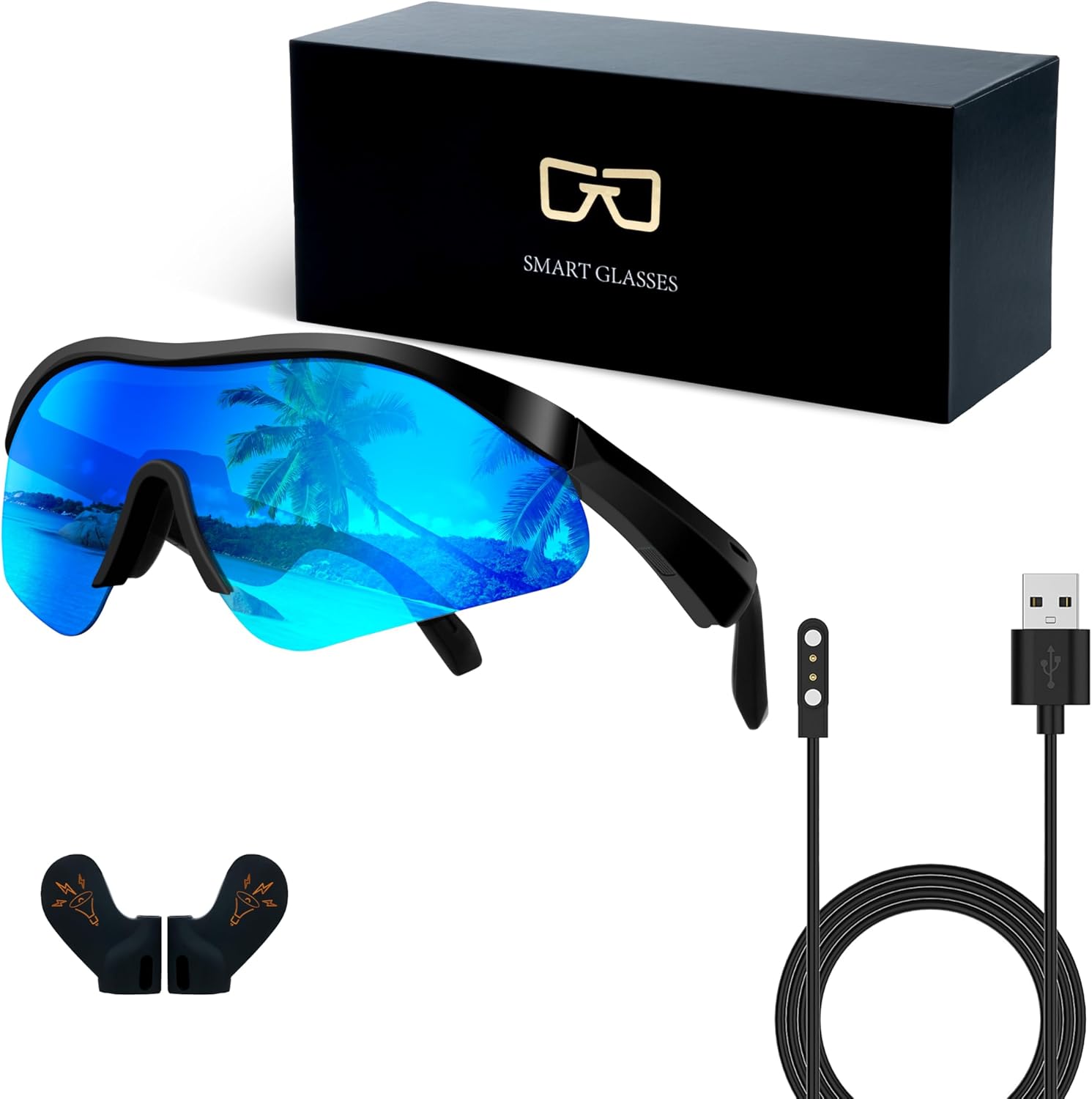
Image: The WAMOVAL Smart Glasses G200 displayed with its magnetic charging cable and a protective pouch.
5.2 Cleaning
Use the provided cleaning cloth to gently wipe the lenses and frame of the glasses. Avoid using harsh chemicals or abrasive materials that could damage the lenses or electronic components.
6. Features & Benefits
- HD Voice Calls: High-quality speakers and microphones ensure clear calls even in noisy environments.
- Bluetooth 5.4: Provides fast and stable connection with major smartphones and tablets.
- UV400 Protection & Polarized Lenses: Professional-grade polarized lenses offer UV400 protection, reducing glare and protecting your eyes.
- Lightweight & Durable Design: Weighing approximately 1.5 ounces, the frame is made of high-strength lightweight alloy and flexible memory plastic for comfort and durability.
- Versatile Use: Suitable for outdoor sports, travel, daily driving, and business, adapting to various scenarios.
- Certifications: Certified by EU CE and US FCC for premium quality and safety.

Image: An exploded view of the smart glasses' temple, illustrating the internal speaker components and the Bluetooth 5.4 chip for full-range surround sound.
7. Specifications
| Feature | Detail |
|---|---|
| Model Number | G200 |
| Connectivity Technology | Bluetooth 5.4 |
| Battery Capacity | 100 Milliamp Hours |
| Charging Time | Approx. 1.5 hours |
| Continuous Use Time | 4-6 hours |
| Item Weight | 1.5 Ounces |
| UV Protection Level | UV400 |
| Translation Languages | 160+ (via app) |
| Operating System | Android Wear 2.8 (compatible with iOS/Android) |
8. Troubleshooting
If you encounter any issues with your WAMOVAL Smart Glasses, please refer to the detailed troubleshooting section in the full user manual or contact customer support for assistance. Common issues may include pairing difficulties, audio problems, or app connectivity. Ensure the glasses are fully charged and within Bluetooth range of your device.
9. Warranty and Support
WAMOVAL Smart Glasses G200 come with a 7-day return/exchange policy for non-human faults, a 15-day exchange period, and a 1-year repair warranty. Exclusions apply for unauthorized repairs, human damage, label tampering, expired warranty, force majeure, and improper use. For support, please refer to the contact information provided in your product packaging or visit the WAMOVAL official website.