
1. Product Overview
The Haewon White Vanity Desk is designed to provide a functional and elegant space for makeup application and personal care. It features a mirror with adjustable LED lighting, integrated power outlets, and ample storage solutions.
Key Features:
- Adjustable LED Mirror: 10 LED bulbs with three color modes (cool white, warm white, warm yellow) and adjustable brightness.
- Integrated Power Outlets: Includes 1 standard AC outlet and 2 USB ports for charging devices and powering beauty tools.
- Ample Storage: Two spacious drawers and six open shelves for organizing cosmetics, tools, and accessories.
- Comfortable Stool: A padded stool with hidden storage for smaller items.
- Durable Construction: Made from FSC-certified engineered wood for stability and longevity.

Image 1.1: Overview of the Haewon Vanity Desk highlighting its main features.
2. Safety Information
Please read and understand all safety instructions before assembly and use. Failure to follow these instructions may result in injury or damage to the product.
- General safety precautions apply.
- Refer to the specific assembly instructions provided in the packaging for detailed guidelines.
- Exercise caution when handling components with sharp edges.
- Seek assistance for heavy lifting to prevent injury.
- Ensure all electrical components (LED lights, power outlets) are handled according to electrical safety standards. Do not overload outlets.
- Keep small parts away from children during assembly.
3. Assembly Instructions
The Haewon Vanity Desk requires assembly. Detailed, step-by-step instructions are included in the product packaging. Please ensure all parts are present before beginning assembly.
General Assembly Steps:
- Unpack Components: Carefully remove all parts from the packaging and verify against the parts list in the manual.
- Organize Hardware: Separate and identify all screws, dowels, and other hardware.
- Assemble Base Structure: Follow the numerical or alphabetical sequence in the provided manual to assemble the main desk frame.
- Install Drawers and Shelves: Securely attach drawer slides and assemble drawers. Insert shelves into designated slots.
- Attach Mirror Unit: Mount the mirror unit to the desk base, ensuring it is stable and aligned.
- Connect Electrical Components: Install LED bulbs into the mirror frame and connect the power cord to the integrated power station.
- Assemble Stool: Follow instructions to assemble the vanity stool.
- Final Check: Ensure all connections are tight and the desk is stable before use.

Image 3.1: Product dimensions for assembly planning.
Video 3.1: Official Haewon video demonstrating the assembly and features of the vanity desk.
4. Operating Instructions
4.1. LED Mirror Operation
The vanity mirror is equipped with 10 LED bulbs offering customizable lighting for various needs.
- Power On/Off: Locate the touch sensor or button on the mirror surface. Press once to turn the lights on or off.
- Change Color Mode: With the lights on, press the touch sensor/button repeatedly to cycle through the three color modes: cool white, warm white, and warm yellow.
- Adjust Brightness: To adjust brightness, press and hold the touch sensor/button. The brightness will gradually increase or decrease. Release when the desired brightness is reached.
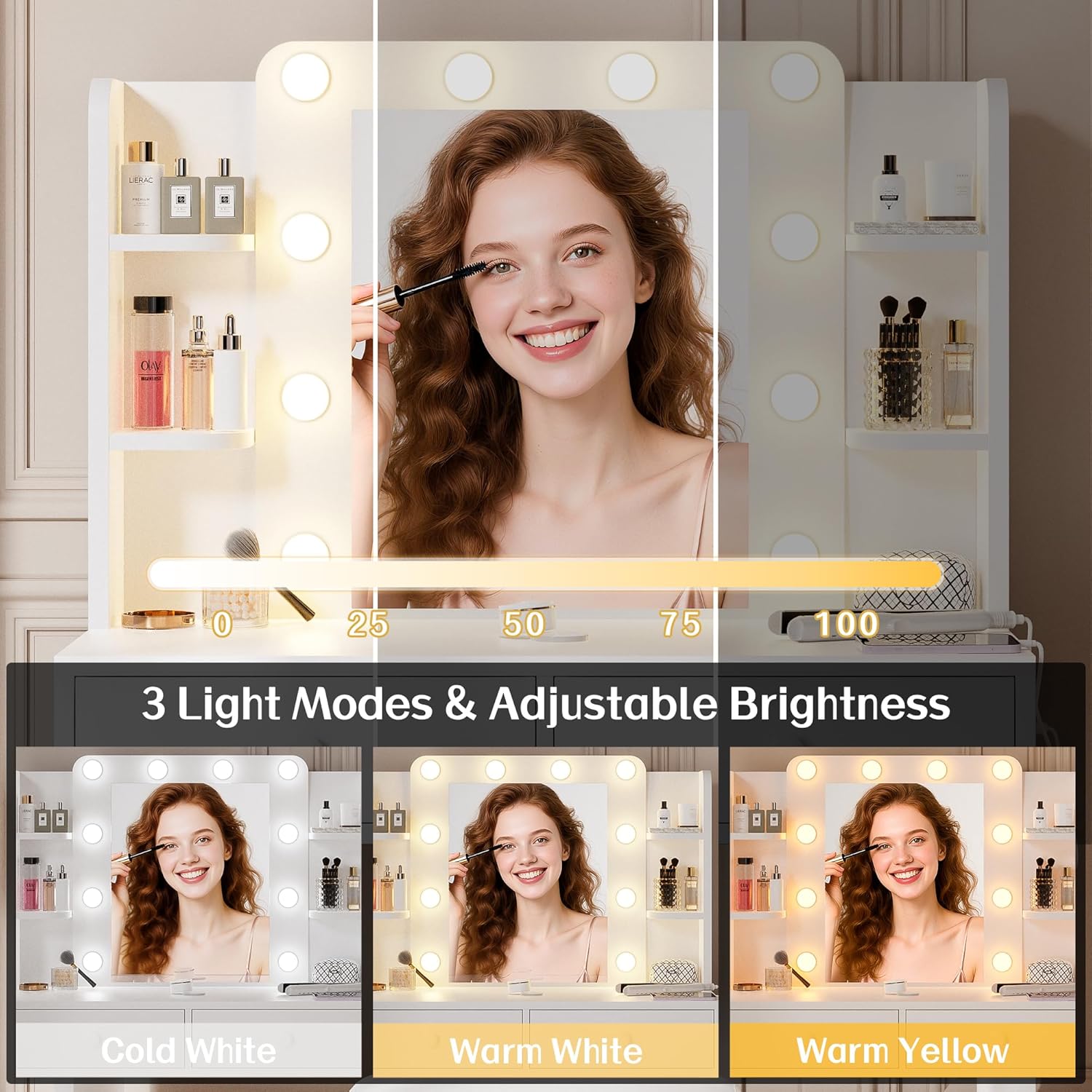
Image 4.1: Demonstrates the three adjustable light modes and brightness control of the LED mirror.
4.2. Power Outlet Usage
The integrated power station provides convenient access to power for your devices.
- AC Outlet: Plug in hair dryers, curling irons, or other AC-powered beauty tools into the standard 120V/12A AC outlet.
- USB Ports: Use the two 5V/2A USB ports to charge smartphones, tablets, or other USB-powered devices.
- Power Cord: Ensure the vanity desk's main power cord (approximately 4.9 ft) is securely plugged into a wall outlet.

Image 4.2: Detail of the built-in power station with AC and USB ports.
5. Maintenance and Care
Proper care will ensure the longevity and appearance of your vanity desk.
- Cleaning: Wipe the surfaces of the vanity desk with a dry, soft cloth. Avoid abrasive cleaners or harsh chemicals that may damage the finish.
- Mirror Care: Clean the mirror surface with a glass cleaner and a lint-free cloth.
- Spills: Immediately wipe up any spills to prevent staining or damage to the engineered wood.
- Bulb Replacement: If an LED bulb needs replacement, refer to the original assembly manual for specific bulb type and replacement instructions.
- Stool Care: The PU leather upholstered seat can be wiped clean with a damp cloth.
6. Troubleshooting
If you encounter issues with your Haewon Vanity Desk, refer to the following common solutions:
| Problem | Possible Cause | Solution |
|---|---|---|
| LED lights do not turn on. |
|
|
| Power outlets (AC/USB) are not working. |
|
|
| Drawers are stiff or do not slide smoothly. |
|
|
7. Specifications
| Feature | Detail |
|---|---|
| Brand | Haewon |
| Model Number | 024 |
| Color | White |
| Material | Engineered Wood (FSC Certified), PU leather upholstered (stool seat) |
| Product Dimensions (D x W x H) | 15.7"D x 31.5"W x 51.2"H |
| Item Weight | 37 Pounds |
| Number of Drawers | 2 |
| LED Bulbs | 10, with 3 color modes (cool white, warm white, warm yellow) and adjustable brightness |
| Power Outlets | 1 AC (120V/12A), 2 USB (5V/2A) |
| Power Cord Length | 4.9 ft |
| Assembly Required | Yes |
8. Warranty and Support
Specific warranty information for the Haewon Vanity Desk is typically provided with the product packaging or can be obtained by contacting the manufacturer directly. Please retain your proof of purchase for any warranty claims.
For technical support, missing parts, or further assistance, please contact Haewon Home customer service through their official channels. Refer to the contact information provided in your product documentation.