
1. Product Overview
The ANJIELO SMART Wired Video Intercom System provides advanced security and communication for your home or office. This system features a 7-inch HD IPS touch screen monitor and a 1080P doorbell camera, offering clear video and two-way audio communication. With WiFi connectivity, motion detection, night vision, and anti-tamper alarm capabilities, it ensures comprehensive monitoring and peace of mind. The system integrates with the Tuya Smart app for remote access and control.
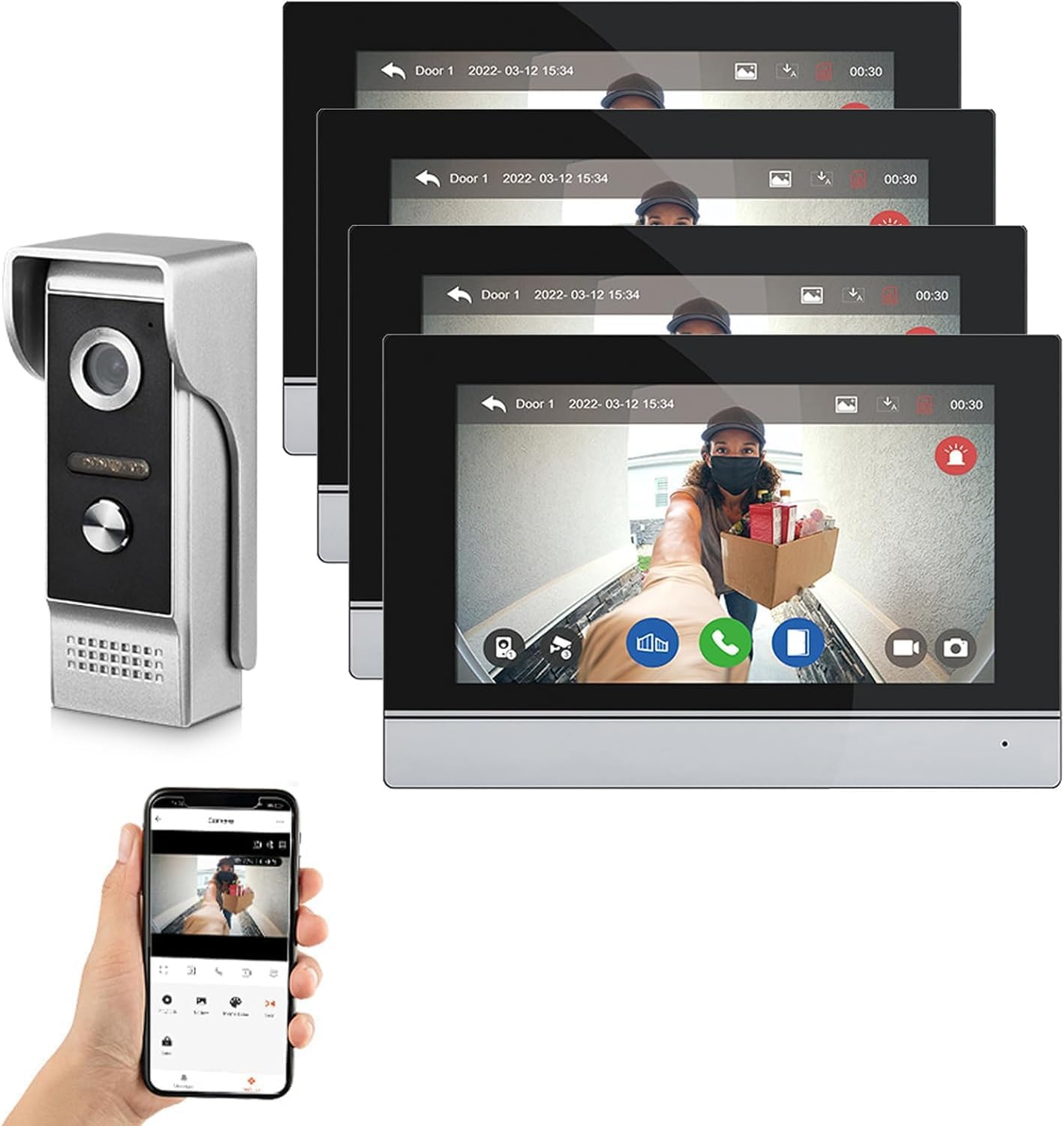
Figure 1.1: ANJIELO SMART Wired Video Intercom System components.
2. Package Contents
Please verify that all items are present in your package:
- 1 Doorbell Unit
- Indoor Monitor(s) (Quantity varies by package, e.g., 4 monitors for this model)
- Mounting Screws and Anchors
- Wiring Cables
- Power Adapter(s)
- User Manual (This document)
3. Technical Specifications
| Feature | Specification |
|---|---|
| Video Capture Resolution | 1080p |
| Number of Items | 2 (Doorbell + Monitor) |
| Installation Type | Screw In |
| Item Dimensions (L x W x H) | 7 x 5 x 0.7 inches |
| Item Weight | 14.4 ounces |
| Control Method | Remote |
| Connectivity Technology | Wired |
| Power Source | Corded Electric (DC15V 1.2A) |
| Outdoor Doorbell Camera | 1080P FHD, 140° wide angle, Night Vision, IP65 Weatherproof |
| Indoor Monitor | 7-inch HD IPS Touch Screen, WiFi, Tuya Smart App support |
| Storage | Built-in memory (86 pictures), supports external Max. 128GB SD Card (not included) |
| System Capacity | Supports 2 door panels + 4 indoor monitors + 2 IP cameras |
4. Installation and Setup
4.1 System Components and Wiring
The system is designed for wired installation to ensure stable performance. Carefully plan the placement of your outdoor doorbell unit(s) and indoor monitor(s). Ensure all wiring is done according to local electrical codes and safety guidelines.
- Mounting: Securely mount the outdoor doorbell unit(s) and indoor monitor(s) using the provided screws and anchors. The outdoor unit is IP65 weatherproof, suitable for exterior installation.
- Wiring Connections: Connect the doorbell unit(s) to the indoor monitor(s) using the provided wiring cables. The system supports up to 2 door panels and 4 indoor monitors.
- CCTV Camera Integration (Optional): If integrating additional 1080P AHD CCTV cameras, connect the BNC male connector of the camera to the BNC female connector on the monitor. Then, connect the 2P wire between the '+' and '-' terminals of the BNC male connector to the CAM1 or CAM2 port on the monitor.
- Power Supply: Connect the power adapter(s) to the indoor monitor(s) and plug them into a standard electrical outlet.

Figure 4.1: System wiring diagram for multiple door stations, monitors, and CCTV cameras.
4.2 App Integration (Tuya Smart)
To enable remote access and control, download the Tuya Smart app on your mobile phone or tablet.
- Download the 'Tuya Smart' app from the App Store (iOS) or Google Play Store (Android).
- Register or log in to your Tuya Smart account.
- On the indoor monitor, navigate to the WiFi settings and ensure it is connected to your home WiFi network.
- In the Tuya Smart app, follow the on-screen instructions to add a new device. Scan the QR code displayed on your indoor monitor to link the system to your smartphone.
- Once connected, you can manage and monitor your intercom system remotely.
5. Operating Your Intercom System
5.1 Indoor Monitor Functions
The 7-inch HD IPS touch screen monitor serves as the central control unit for your intercom system.
- Touch Operation: Navigate menus and control functions directly on the touch screen.
- Room-to-Room Intercom: Communicate between multiple indoor monitors within your property.
- Door Answering & Monitoring: When a visitor presses the doorbell, the monitor will display their video feed. You can answer the call and speak with the visitor.
- Door Unlocking: The monitor supports dual electric lock unlocking. Press the unlock icon on the screen to grant access.

Figure 5.1: One-button operation for double-lock mode on the indoor unit.
- Photo/Video Playback: Review recorded photos and videos saved to the internal memory or external SD card.
- Adjustable Settings: Customize color, brightness, and volume settings to your preference.
- Ringtones: Choose from 6 available ringtones.
5.2 Outdoor Doorbell Functions
The outdoor doorbell unit is equipped with advanced features for visitor management and security.
- Two-Way Audio: Engage in hands-free, dual-way communication with visitors at your door.

Figure 5.2: Two-way audio communication via the doorbell and app.
- Night Vision: Equipped with 2 white LEDs, the doorbell provides clear night vision, ensuring visibility even in dark conditions.

Figure 5.3: IR Night Vision capability of the doorbell camera.
- IC Card Access: The doorbell supports 13.56khz IC cards for convenient unlocking.
5.3 Security Features
The system incorporates several security features to protect your property.
- Motion Detection: When motion is detected, the doorbell camera automatically records videos or takes snapshots, saving them to the SD card. You will receive alerts on your mobile device.
- Anti-Tamper Alarm: The system includes an anti-tamper alarm function, providing an additional layer of security against unauthorized interference.
- Siren Alarm Support: The monitor supports a siren alarm, which can be triggered in response to security events.

Figure 5.4: Siren alarm integration for enhanced security.
5.4 Remote Access via Tuya Smart App
The Tuya Smart app allows you to manage your intercom system from anywhere.
- Instant Notifications: Receive alerts on your mobile device when the doorbell is pressed or motion is detected.
- Remote Viewing: View live video feeds from your doorbell and connected CCTV cameras.
- Remote Unlocking: Unlock doors remotely through the app.
- Video Playback: Access and review recorded footage directly from your smartphone.

Figure 5.5: App view and remote unlock functionality.
6. Care and Maintenance
Proper care ensures the longevity and optimal performance of your ANJIELO SMART intercom system.
- Cleaning: Use a soft, dry cloth to clean the indoor monitor screen and the outdoor doorbell unit. Avoid abrasive cleaners or solvents that could damage the surfaces.
- Outdoor Unit: The outdoor doorbell is IP65 weatherproof, designed to withstand various weather conditions. However, regular inspection for debris or obstructions around the camera lens and microphone is recommended.
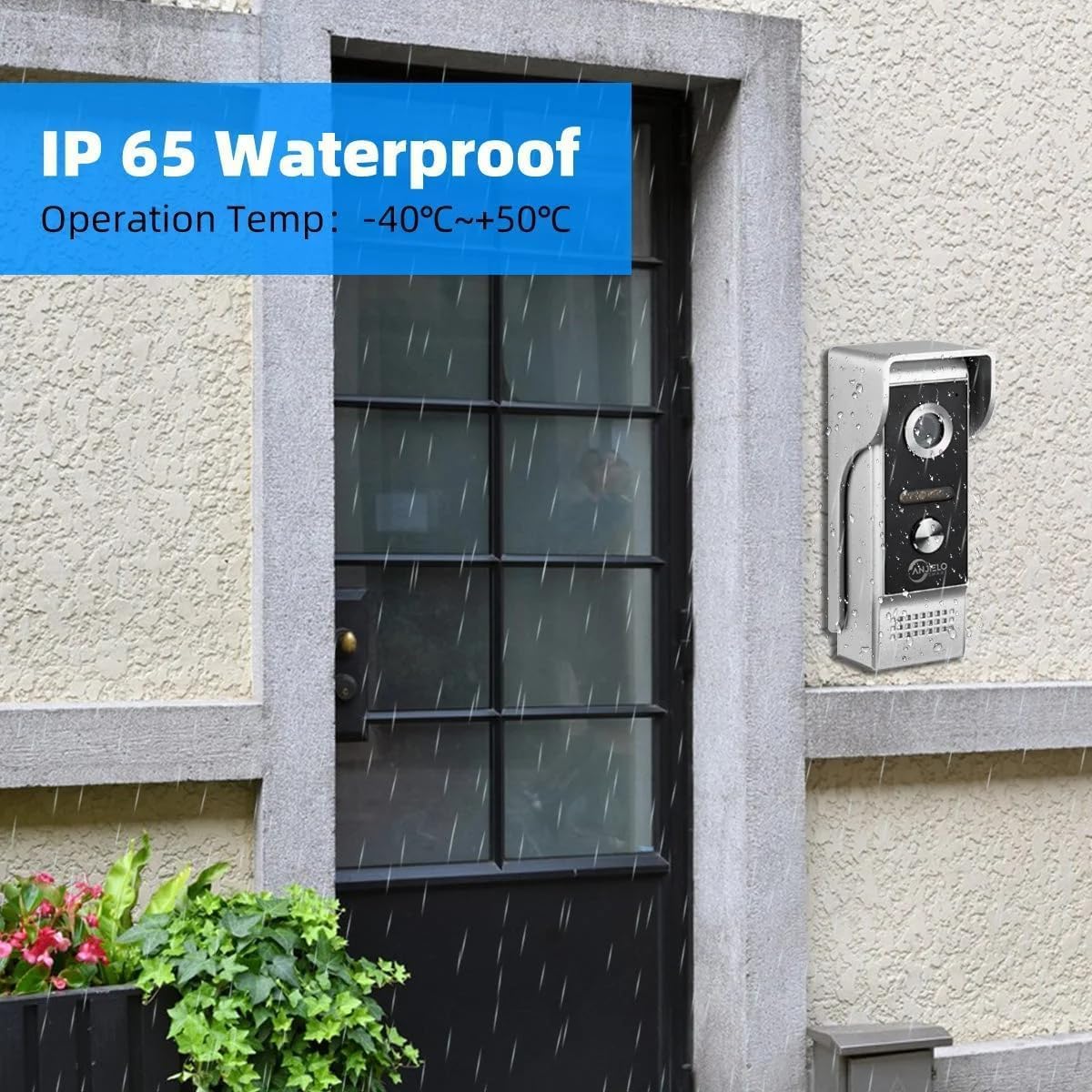
Figure 6.1: The outdoor doorbell unit features an IP65 waterproof rating.
7. Troubleshooting Common Issues
If you encounter any issues with your intercom system, refer to the following troubleshooting tips:
- No Video/Audio: Check all wiring connections between the doorbell and monitor. Ensure both units are receiving power. Verify camera lens is clean and unobstructed.
- No App Connectivity: Ensure your indoor monitor is connected to a stable 2.4GHz WiFi network. Restart your router, monitor, and smartphone. Re-link the device in the Tuya Smart app if necessary.
- Door Unlocking Failure: Verify that the electric lock is correctly wired to the doorbell unit and receiving power. Check the unlock settings on the monitor and app.
- Motion Detection Not Working: Ensure motion detection is enabled in the monitor's settings and the detection sensitivity is appropriately configured. Check that an SD card is inserted for recording.
- Poor Night Vision: Ensure the doorbell's night vision LEDs are not obstructed and are functioning correctly.
If problems persist after attempting these solutions, please contact customer support.
8. Warranty and Customer Support
Your ANJIELO SMART Wired Video Intercom System is covered by a manufacturer's warranty. Please refer to the warranty card included in your package for specific terms and conditions.
For technical assistance, troubleshooting, or warranty claims, please contact ANJIELO SMART customer support through the retailer where you purchased the product or visit the official ANJIELO SMART website for contact information.
When contacting support, please have your product model number (66012+67024B) and purchase details readily available.