
ANJIELO SMART 66012+67024B
ANJIELO SMART Wired Video Intercom System User Manual
Model: 66012+67024B
1. Introduction
The ANJIELO SMART Wired Video Intercom System provides advanced security and communication for your home. Featuring a 7-inch HD IPS touch monitor and a 1080P doorbell camera, this system offers clear video, two-way audio, motion detection, and remote access via the Tuya Smart/Smart Life app. It supports multiple indoor monitors and outdoor doorbells, enhancing your property's security.
2. Package Contents
- 7-inch HD IPS Touch Monitor (Quantity: 2 for this model)
- 1080P Outdoor Doorbell Camera (Quantity: 2 for this model)
- Mounting Brackets
- Power Adapters (DC15V 1.2A)
- Connection Cables
- Screws and Wall Plugs
- User Manual (This document)
- 32GB Micro SD Card (Included with some models)
3. Setup and Installation
3.1 System Overview and Wiring Diagram
The system supports connections for up to 2 outdoor doorbells, 4 indoor monitors, and 2 CCTV cameras. Plan your wiring layout before installation.

Figure 3.1: System capacity and wiring diagram. This diagram illustrates how multiple outdoor units, indoor monitors, and optional CCTV cameras can be interconnected within the ANJIELO SMART intercom system.
3.2 Outdoor Doorbell Installation
Ensure the outdoor doorbell is installed in a location protected from direct heavy rain, though it is IP65 weatherproof. Mount it at an appropriate height for clear viewing of visitors.

Figure 3.2: Outdoor doorbell unit. This image shows the compact design of the outdoor doorbell, suitable for wall mounting near an entrance.
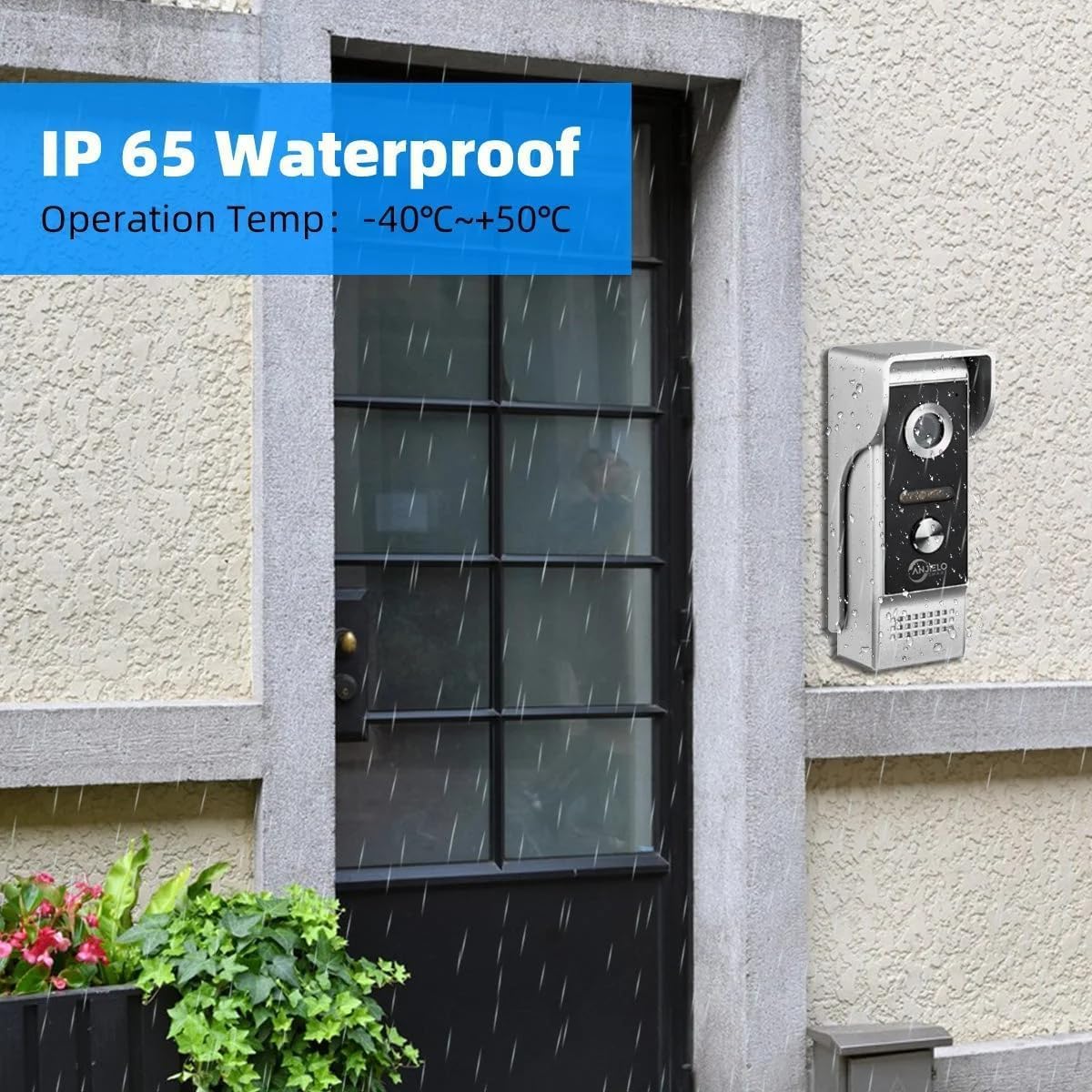
Figure 3.3: IP65 Waterproof. This image demonstrates the outdoor doorbell's IP65 weatherproof rating, showing it functioning reliably even under rainfall.
3.3 Indoor Monitor Installation
Mount the indoor monitor at a convenient height for easy access and viewing. Connect it to the power supply and the outdoor unit using the provided cables.

Figure 3.4: Indoor monitors and app view. This image showcases the indoor monitors displaying live video from the doorbell, alongside the mobile app interface for remote access.
3.4 App Connection (Tuya Smart / Smart Life)
To enable remote monitoring and control, connect your indoor monitor to the Tuya Smart or Smart Life app.
- Download the "Tuya Smart" or "Smart Life" app from your device's app store.
App Store (iOS)Google Play (Android) - Register or log in to your account.
- On the indoor monitor, navigate to the network settings to find the QR code.
- Open the app and use the scan function to scan the QR code displayed on the monitor.
- Follow the on-screen prompts in the app to complete the connection.

Figure 3.5: Easy internet connection via QR code. This image demonstrates the simple process of scanning a QR code on the monitor with your smartphone to bind the device to the Tuya or Smart Life app.
4. Operation
4.1 Two-Way Intercom
When a visitor presses the doorbell, the indoor monitor will ring and display the visitor's video. You can communicate with the visitor using the two-way audio feature.

Figure 4.1: Two-Way Audio. This image illustrates the two-way audio communication feature, allowing interaction with visitors at the doorbell from both the indoor monitor and a connected smartphone.
4.2 Remote Unlock
The system supports unlocking electric locks connected to the doorbell unit. You can unlock doors directly from the indoor monitor or remotely via the app.

Figure 4.2: One-button operation to switch on the double-lock mode of the indoor unit. This image shows the indoor monitor's interface with dedicated buttons for unlocking both patio and main door locks.

Figure 4.3: APP View and Remote Unlock. This image displays the mobile application interface, highlighting the remote unlock feature, allowing users to open doors from anywhere.
4.3 Motion Detection and Automatic Recording
The doorbell camera features motion detection. When motion is detected, the system can automatically record videos or capture snapshots and save them to the inserted Micro SD card. You will also receive alerts on your connected smartphone.

Figure 4.4: Support Siren Alarm. This diagram illustrates how the system's motion detection can trigger a siren alarm and send notifications to your smartphone, enhancing security.
4.4 Night Vision
The outdoor doorbell is equipped with 2 white LEDs for enhanced night vision, ensuring clear visibility even in low-light conditions.
Figure 4.5: IR Night Vision. This image demonstrates the infrared night vision capability, ensuring clear details are captured even in complete darkness with a 135-degree wide angle.
5. Maintenance
- Clean the monitor screen and doorbell camera lens regularly with a soft, dry cloth.
- Avoid using abrasive cleaners or solvents.
- Ensure all cables are securely connected.
- Periodically check for firmware updates through the Tuya Smart/Smart Life app to ensure optimal performance and security.
6. Troubleshooting
- No video on monitor:
- Check power supply to both monitor and doorbell. Ensure all connection cables are properly seated.
- No audio during intercom:
- Verify microphone and speaker settings on the monitor. Check cable connections.
- App connection issues:
- Ensure your Wi-Fi network is stable. Re-scan the QR code or restart the monitor and app. Check if the app has necessary permissions on your smartphone.
- Doorbell not ringing:
- Check doorbell wiring and ensure it's receiving power. Verify ringtone settings on the indoor monitor.
7. Specifications
| Feature | Detail |
|---|---|
| Model Number | 66012+67024B |
| Monitor Display | 7-inch HD IPS Touch Screen |
| Doorbell Camera Resolution | 1080P FHD |
| Camera Viewing Angle | 140° Wide Angle |
| Night Vision | 2 pcs White LEDs |
| Connectivity | Wired, WiFi (for app connection) |
| App Support | Tuya Smart / Smart Life |
| Max. System Capacity | 2 Doorbell Panels + 4 Indoor Monitors + 2 IP Cameras |
| Power Supply | DC15V 1.2A (External) |
| Operating Temperature | -45°C to +60°C (Outdoor unit) |
| Weatherproof Rating | IP65 (Outdoor unit) |
| Storage | Built-in memory (86 pictures), Supports external Max. 128GB SD Card |
8. Warranty and Support
ANJIELO SMART products typically come with a manufacturer's warranty. Please refer to your purchase documentation or contact ANJIELO SMART customer support for specific warranty terms and conditions.
For technical support or inquiries, please visit the official ANJIELO SMART store on Amazon or contact their customer service directly.
ANJIELO SMART Store: https://www.amazon.com/stores/ANJIELOSMART/page/BC5859F8-AE5A-49FA-ADDE-25BCB75DECF6
9. Important Safety Information
- Do not attempt to disassemble or repair the device yourself.
- Keep the device away from water and extreme temperatures.
- Use only the provided power adapter.
- Ensure proper wiring to avoid electrical hazards.
Related Documents - 66012+67024B
 |
anjielosmart HD Wireless Video Door Phone User Manual User manual for the anjielosmart HD Wireless Video Door Phone system, detailing product features, safety warnings, installation guide, setup instructions, network configuration with Tuya Smart app, device pairing, packing list, product parameters, and troubleshooting tips. |
 |
Anjielo Smart Video Intercom System - Outdoor Camera User Manual Comprehensive user manual for Anjielo Smart video intercom systems, detailing operation, installation, and specifications for outdoor camera units. Covers models 94209, 94207, and 94206-IC, including wiring, video mode selection, RFID keyfob usage, and AHD compatibility. |
 |
Anjielo SMART 2-Wire Digital Video Doorbell Intercom System User Manual User manual for the Anjielo SMART 2-Wire Digital Video Doorbell Intercom System, detailing features, installation, wiring, monitor interface, settings, and smartphone app integration for secure home access and communication. |
 |
Anjielo Smart Home Video Intercom System - User Manual & Installation Guide Comprehensive guide for the Anjielo Smart Home hybrid digital-analog 4-wire video intercom system. Learn about installation, configuration, app integration with Tuya Smart/Smart Life, and troubleshooting. |
 |
Anjielo Smart 2-Wire Digital Video Intercom Kit User Manual | Installation & Features User manual for the Anjielo Smart 2-Wire Digital Video Intercom Kit (Model KW06). Covers features of the monitor and intercom panel, connectivity, app integration with Tuya Smart/Smart Life, kit contents, wiring diagrams, installation steps, monitor interface, settings, and smartphone app usage for home security and communication. |
 |
Anjielo Smart 4-Wire Villa Video Intercom System Indoor Monitor User Manual Comprehensive user manual for the Anjielo Smart 4-Wire Villa Video Intercom System, covering installation, operation, wiring, and specifications for the indoor monitor. Learn how to set up and use your video intercom. |
Ask a question about this manual
Ask about setup, troubleshooting, compatibility, parts, safety, or missing instructions. Manuals+ will review the question and use this page’s manual context to help answer it.