
Introduction
The Sonim XP3 Plus XP3900 is a rugged 4G LTE flip phone designed for demanding environments. It features military-grade durability, a long-lasting battery, and specialized buttons for emergency and push-to-talk functions. This manual provides essential information for the proper use and care of your device.
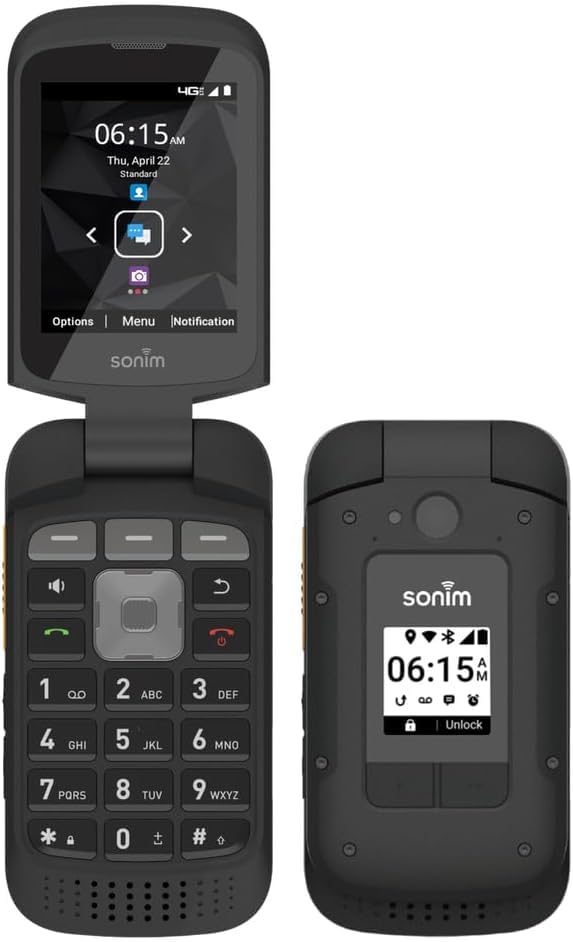
Image: Sonim XP3 Plus XP3900 flip phone in its closed position, displaying the time and network status on its external screen.
What's in the Box
Verify that all items are present in the product packaging:
- Phone
- Battery
- Back Cover
- Charger
Setup
1. Battery and SIM Card Installation
- Remove the back cover of the phone.
- Insert the Nano SIM card into the designated slot. Ensure proper orientation.
- Insert the battery into the battery compartment.
- Replace the back cover, ensuring it is securely latched to maintain the phone's rugged integrity.
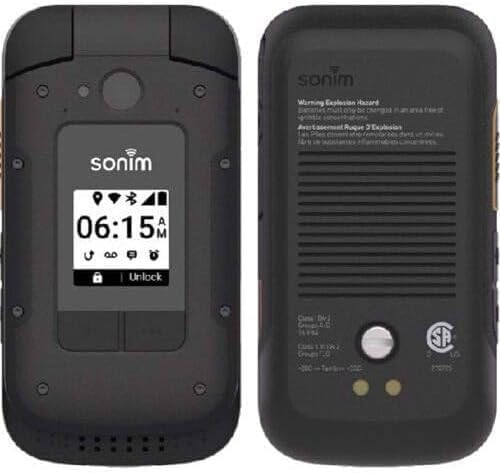
Image: Front and back views of the Sonim XP3 Plus XP3900, illustrating the external display and the removable back cover for battery and SIM access.
2. Charging the Device
Connect the charger to the USB Type-C port on the phone and plug it into a power outlet. The phone will indicate charging status on its display.
3. Powering On/Off
- To power on: Press and hold the Power button until the Sonim logo appears.
- To power off: Press and hold the Power button, then select "Power off" from the options.
Operating the Device
Basic Navigation
The Sonim XP3 Plus features a traditional flip phone design with a physical keypad and a clear internal display.
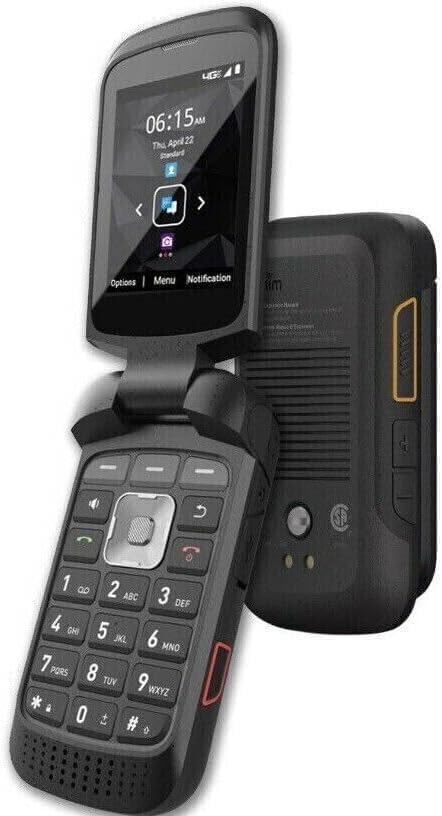
Image: The Sonim XP3 Plus XP3900 flip phone shown open, revealing its internal screen and tactile keypad for navigation and input.
- Use the navigation pad to move through menus and options.
- Press the center button to select an item.
- Use the dedicated call buttons to answer or end calls.
External Buttons
The device includes several external buttons for enhanced functionality:
- Customizable Button: One button can be programmed for user-defined functions.
- Call Management Button: Another button can answer, end, or mute calls, or display the call log.
- Emergency Button: A user-programmable Emergency button is available for quick access to emergency services or contacts.
- Push-to-Talk (PTT) Button: A dedicated PTT button allows for instant communication in compatible networks.
Key Features
- AT&T Locked: This device is designed for use exclusively with AT&T network services.
- Enhanced External Buttons: Features two new external buttons, one customizable and one for call management (answer, end, mute, call log display).
- Extended Battery Life: Equipped with a long-lasting battery, enabling prolonged use without frequent recharging.
- Rugged Durability: Built to MIL-STD-810H and Non-Incendive Class I, II, and III Div 2 standards, ensuring performance in hazardous and extreme conditions.
- Clear Audio: A 100 dB+ speaker and advanced noise cancellation provide loud and clear communication, even in noisy environments.
- Tactile Controls: Large, glove-friendly buttons and volume controls facilitate easy and accurate operation.
- Programmable Safety Buttons: Includes user-programmable Emergency and Push-to-Talk (PTT) buttons for rapid assistance and communication.
Specifications
| Feature | Detail |
|---|---|
| Brand | Sonim |
| Model Name | XP3 Plus |
| Operating System | Sonim OS |
| Wireless Carrier | AT&T |
| Cellular Technology | 4G LTE |
| Form Factor | Flip |
| Screen Size | 2.8 Inches |
| Resolution | 320 x 240 |
| RAM Memory | 2 GB |
| Storage Capacity | 16 GB |
| CPU Model | Snapdragon |
| CPU Speed | 2 GHz |
| Battery Capacity | 2300 Milliamp Hours (Lithium-Ion) |
| Connector Type | USB Type C |
| Headphones Jack | 3.5 mm |
| SIM Card Size | Nano |
| Water Resistance Level | Not Water Resistant |
| Model Year | 2021 |
| UPC | 724129263855 |
Maintenance
- Cleaning: Use a soft, damp cloth to clean the phone's exterior. Avoid harsh chemicals or abrasive materials.
- Environmental Conditions: While rugged, avoid exposing the phone to extreme temperatures or prolonged direct sunlight.
- Port Care: Keep the USB-C port and headphone jack free of dust and debris.
- Battery Care: To prolong battery life, avoid fully discharging the battery frequently.
Troubleshooting
- Phone Not Powering On: Ensure the battery is correctly installed and charged. Connect the charger and attempt to power on again.
- No Network Signal: Verify that the SIM card is properly inserted. Check your AT&T service status in your area.
- Audio Issues: Ensure the speaker is not obstructed. Adjust volume settings.
- Unresponsive Buttons: Restart the device. If the issue persists, contact support.
Official Product Video
Video: An official product video showcasing the Sonim XP3 Plus XP3900, highlighting its rugged features and design. This video is provided by Top-Choice-Imports.
Warranty and Support
The Sonim XP3 Plus XP3900 comes with a 90-day limited warranty. For warranty claims, technical assistance, or further support, please contact the manufacturer or your point of purchase.
For additional information, you may refer to the official Sonim website or contact their customer service.


