
1. Introduction
Thank you for choosing the YONHAN 12V/24V Intelligent Pulse Repair Battery Charger. This device is designed to charge and maintain various 12V and 24V lead-acid batteries, including AGM, GEL, SLA, Flooded, and LiFePO4 batteries. Please read this manual thoroughly before use to ensure safe and efficient operation.
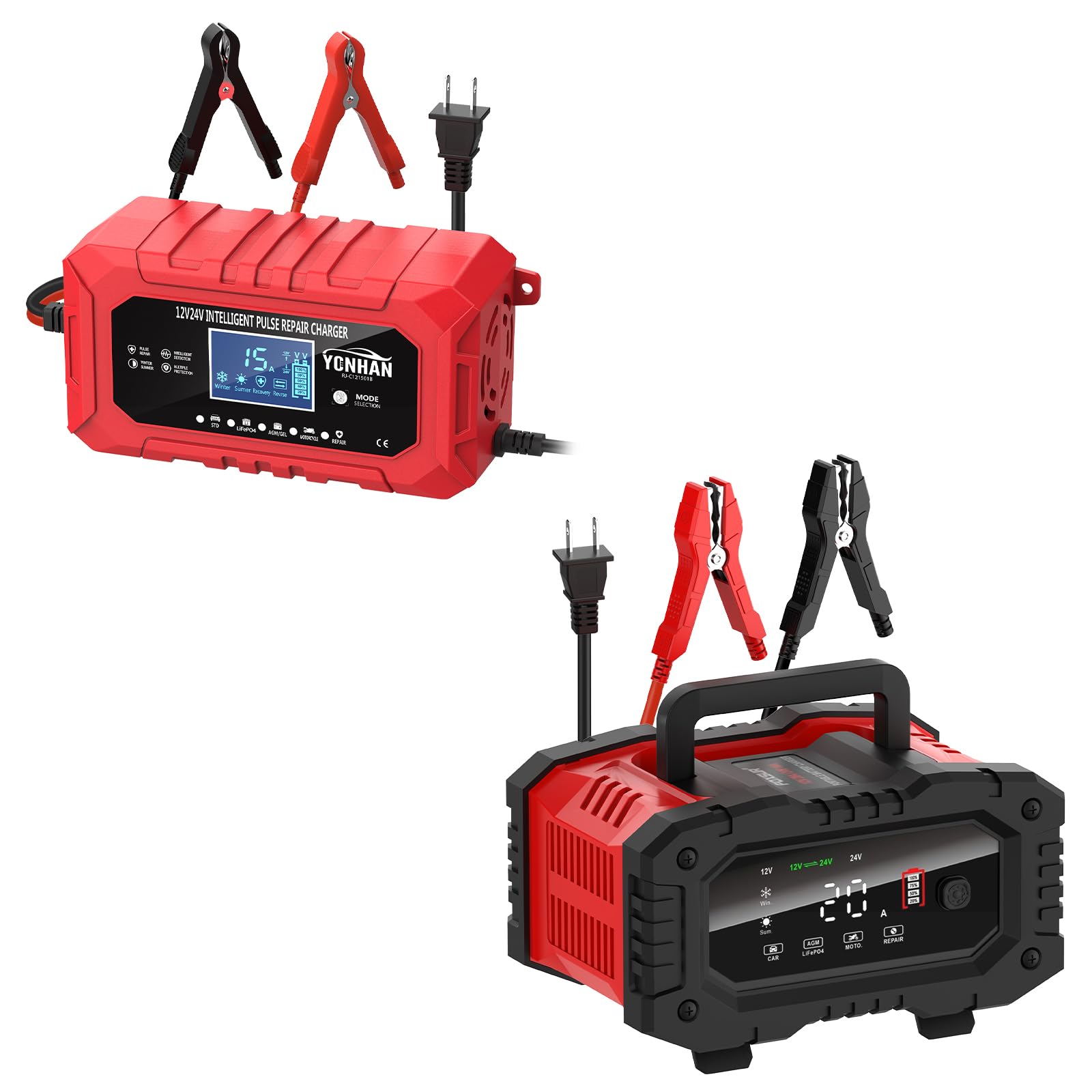
Image 1: YONHAN Intelligent Pulse Repair Battery Charger.
2. Safety Information
Always observe the following safety precautions to prevent injury or damage to the charger or battery:
- Read all instructions before using the charger.
- Do not charge non-rechargeable batteries.
- Ensure the charger is disconnected from the power supply before making or breaking connections to the battery.
- Use the charger in a well-ventilated area.
- Avoid sparks or flames near the battery, as batteries can produce explosive gases.
- Wear eye protection and protective clothing when working with batteries.
- Keep out of reach of children.
- Do not charge LiFePO4 batteries without a Battery Management System (BMS).
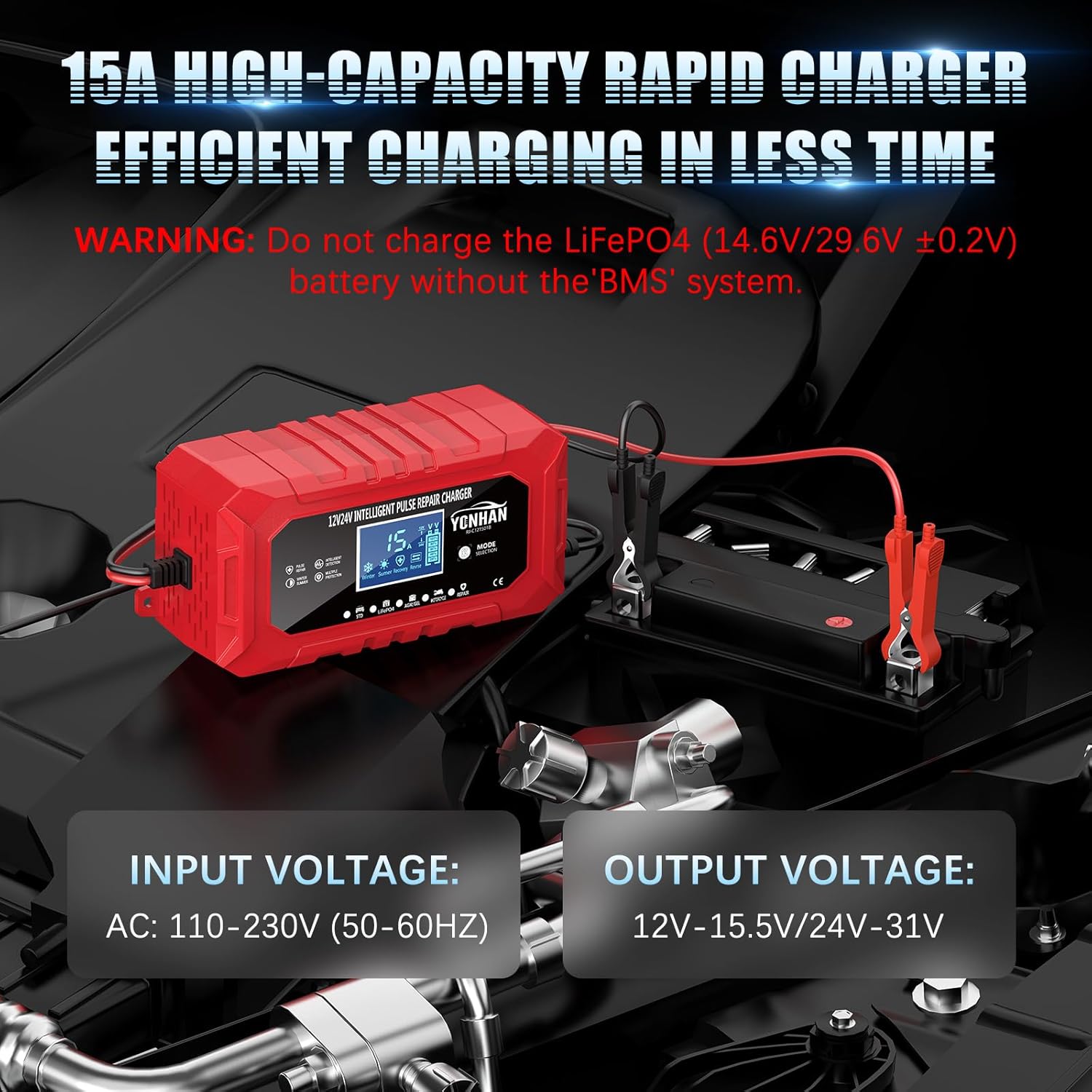
Image 2: Charger connected to a battery, highlighting input and output voltage.
3. Product Overview
3.1 Components
The YONHAN Battery Charger consists of the main charging unit, positive (red) and negative (black) battery clamps, and an AC power cord.

Image 3: Main components of the YONHAN Battery Charger.
3.2 Display Indicators
The charger features an intelligent display that provides real-time information about the charging process and battery status. Refer to the image below for a visual guide:

Image 4: Visual display of battery information and charger status.
- Temperature display: Shows the ambient temperature.
- Voltage display: Indicates the current battery voltage.
- Current display: Shows the charging current in Amperes.
- Finish display: Indicates when charging is complete.
- PUL (Pulse Repair) display: Appears during pulse repair mode.
- OFF (Power Off) display: Indicates the system is powered off.
- Err (Reverse/Abnormal) display: Signals an error, such as reverse polarity connection.
- dFS (Desulfurization) display: Indicates the desulfurization process is active.
- Battery Level Indicator: Shows the approximate charge level of the battery.
4. Setup
- Prepare the Battery: Ensure the battery terminals are clean and free of corrosion. If necessary, clean them with a wire brush.
- Connect the Clamps:
- Connect the red positive (+) clamp to the positive terminal of the battery.
- Connect the black negative (-) clamp to the negative terminal of the battery.
- Ensure a secure connection.
- Connect to Power: Plug the charger's AC power cord into a standard electrical outlet (AC 110-230V, 50-60Hz). The charger will power on and display the current battery voltage.

Image 5: Charger properly connected to a battery.
5. Operating Instructions
5.1 Mode Selection
After connecting the charger, press the MODE button to cycle through the available charging modes. Select the mode that matches your battery type and application:
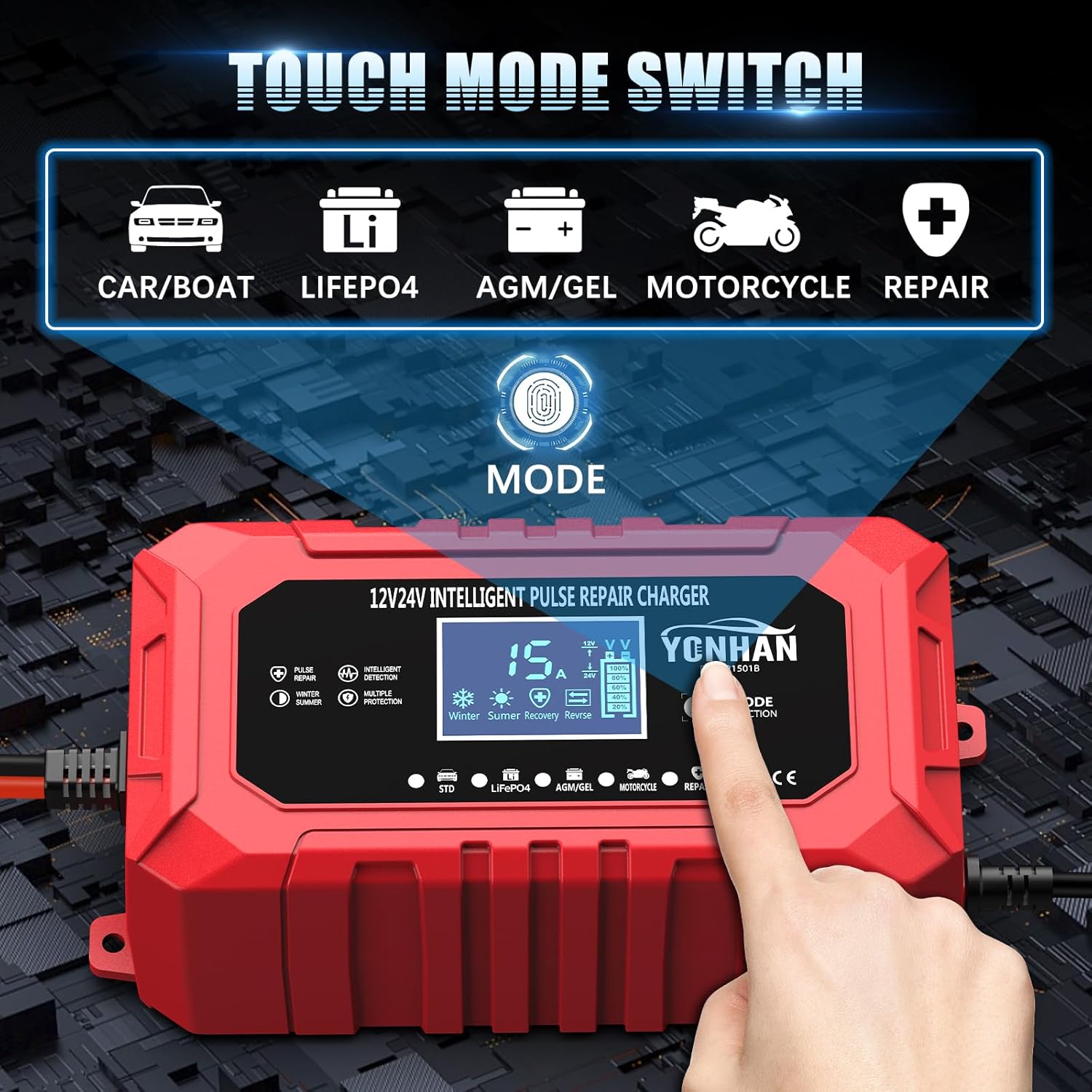
Image 6: Touch mode switch for selecting charging programs.
- CAR/BOAT: For standard 12V/24V lead-acid batteries in cars, boats, SUVs, etc.
- LiFePO4: Specifically for 12V/24V Lithium Iron Phosphate batteries.
- AGM/GEL: For 12V/24V AGM and GEL batteries.
- MOTORCYCLE: For smaller 12V/24V lead-acid batteries typically found in motorcycles.
- REPAIR: For pulse repair of sulfated or deeply discharged batteries.
5.2 Charging Process
The charger utilizes an intelligent multi-stage charging process to optimize battery life and performance.
- 9-Stage Charging: For lead-acid batteries (STD, AGM/GEL, MOTORCYCLE modes). This adaptive architecture ensures precise charging.
- 5-Stage Charging: For LiFePO4 batteries.
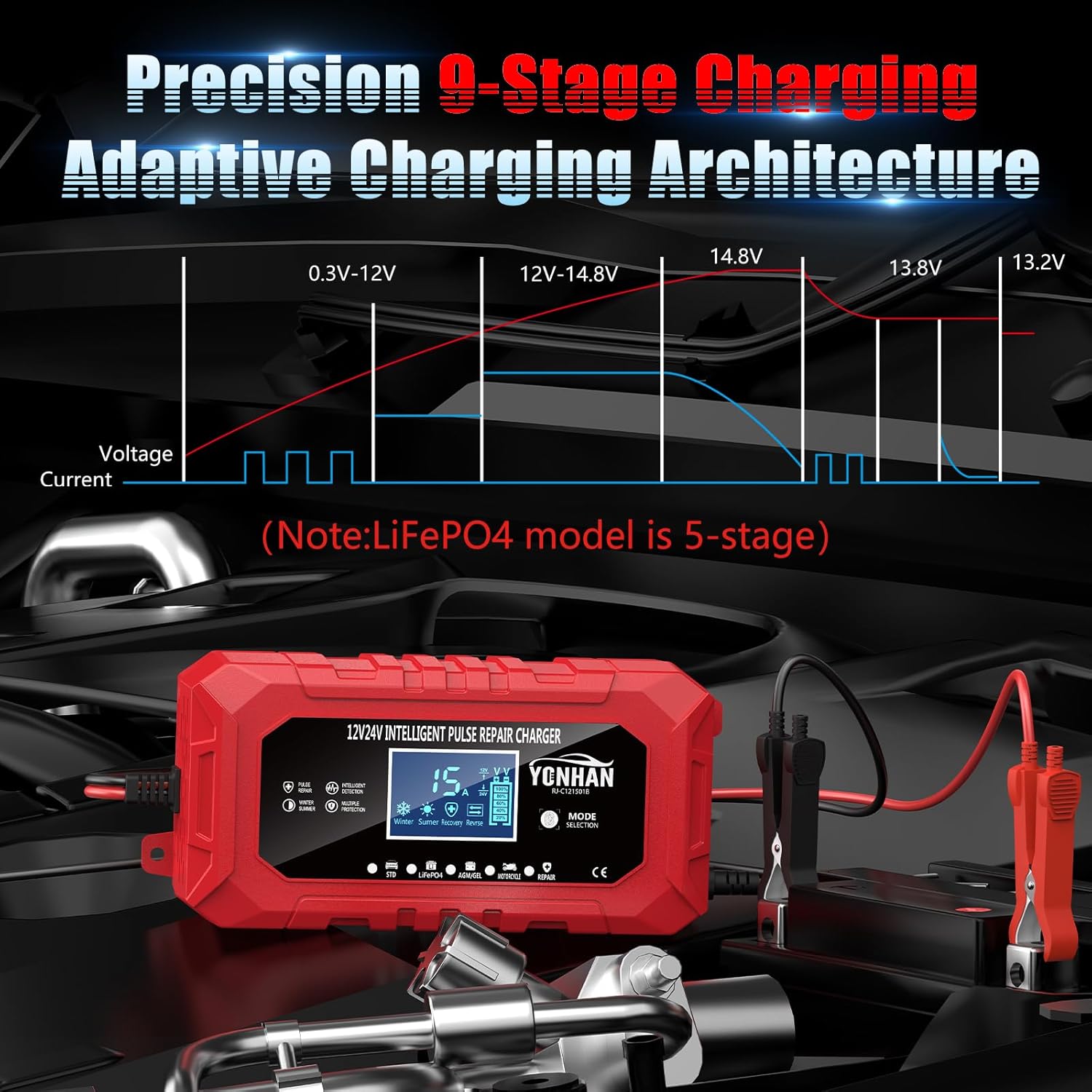
Image 7: Precision multi-stage charging architecture.
5.3 Winter/Summer Mode
The charger automatically adjusts charging parameters based on ambient temperature to ensure optimal charging in different weather conditions.
- Winter Mode: Activates when temperature is between 0-10°C.
- Summer Mode: Activates when temperature is above 28°C.
- Normal Temperature: For temperatures between 10-27°C.

Image 8: Weather-resilient charging system with environmental adaptability.
5.4 Pulse Repair Function
The pulse repair function (REPAIR mode) is designed to desulfate and restore deeply discharged or sulfated batteries, potentially extending their lifespan. Select this mode for batteries that are not holding a charge well or appear to be damaged. The 'PUL' and 'dFS' indicators will appear on the display during this process.
6. Maintenance
- Keep the charger clean and dry. Wipe with a soft, damp cloth if necessary.
- Regularly inspect the charging cables and clamps for any damage. Do not use if cables are frayed or clamps are broken.
- Store the charger in a cool, dry place when not in use.
- Ensure proper ventilation during operation to prevent overheating.
7. Troubleshooting
| Problem | Possible Cause | Solution |
|---|---|---|
| Charger does not power on. | No power from outlet; loose connection. | Check power outlet; ensure AC cord is securely plugged in. |
| "Err" displayed. | Reverse polarity connection; faulty battery. | Disconnect and reconnect clamps ensuring correct polarity (+ to +, - to -). Test battery condition. |
| Charger not charging. | Incorrect mode selected; battery too deeply discharged or damaged. | Select the correct battery type mode. Try REPAIR mode for deeply discharged batteries. If still no charge, battery may be beyond repair. |
| Charger gets warm. | Normal operation; poor ventilation. | Some warmth is normal. Ensure charger is in a well-ventilated area. If excessively hot, disconnect immediately. |
8. Specifications
| Feature | Detail |
|---|---|
| Model | KJ-C121501B |
| Input Voltage | AC 110-230V (50-60Hz) |
| Output Voltage | 12V-15.5V / 24V-31V |
| Current Rating | 15 Amps |
| Compatible Battery Types | 12V/24V Lead-Acid (AGM, GEL, SLA, Flooded), LiFePO4 |
| Charging Stages | 9-stage for Lead-Acid, 5-stage for LiFePO4 |
| Operating Temperature | Adaptive (Winter: 0-10°C, Summer: >28°C, Normal: 10-27°C) |
| Safety Compliance | UL (as per product specifications) |
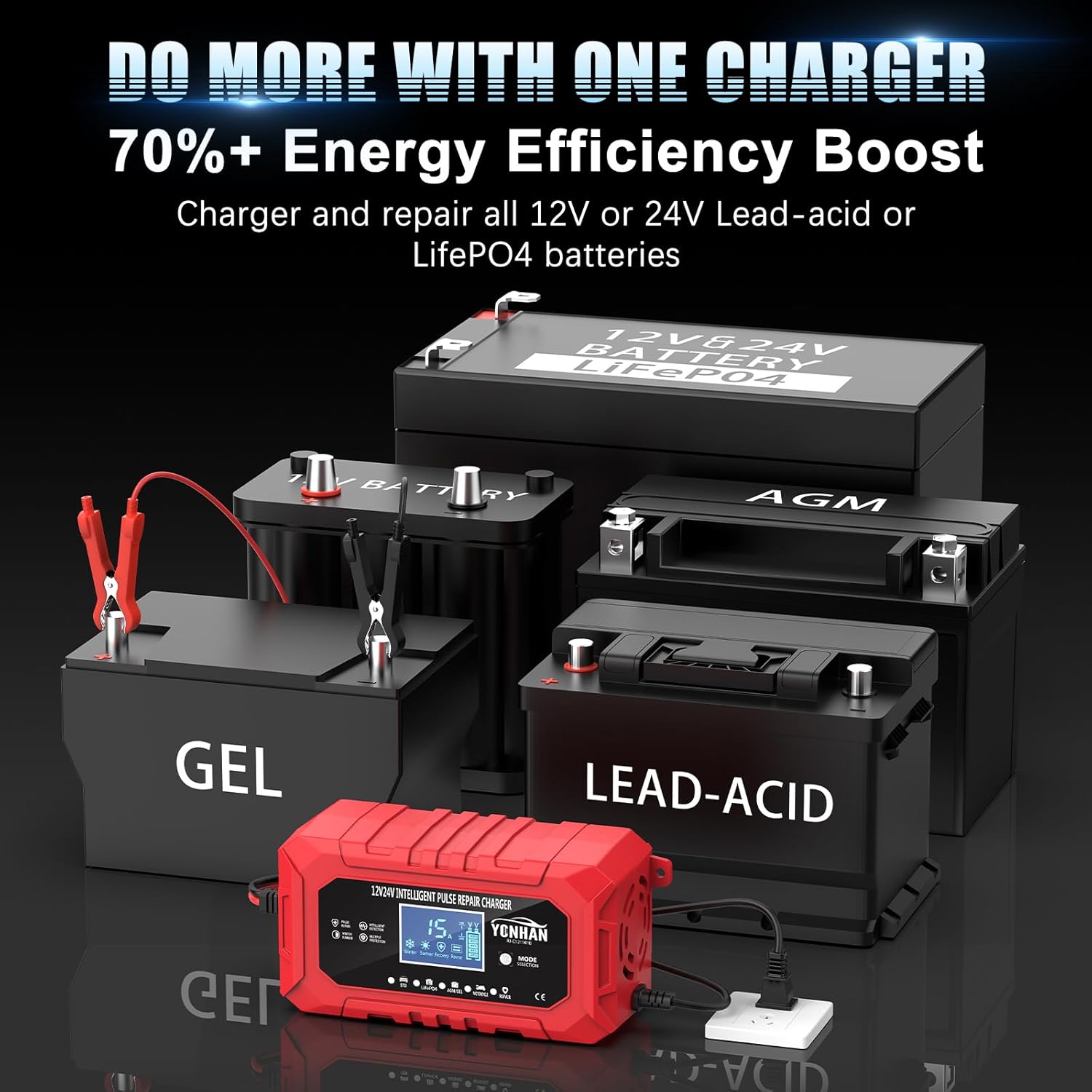
Image 9: Charger compatibility with multiple battery types.
9. Warranty and Support
For warranty information or technical support, please contact YONHAN customer service through the retailer where the product was purchased or visit the official YONHAN website. Please have your model number (KJ-C121501B) and purchase details ready when contacting support.
You can find more information about YONHAN products and support at the YONHAN Store on Amazon.