
Product Overview
This ZORSOME tablet case is designed to provide comprehensive protection and enhanced functionality for your compatible iPad Air 11 M3 A3266 (2025) or iPad Air 11 M2 A2902 (2024). It features a detachable magnetic cover, a built-in pen holder, multi-layer shockproof construction, and a 360-degree rotating stand.
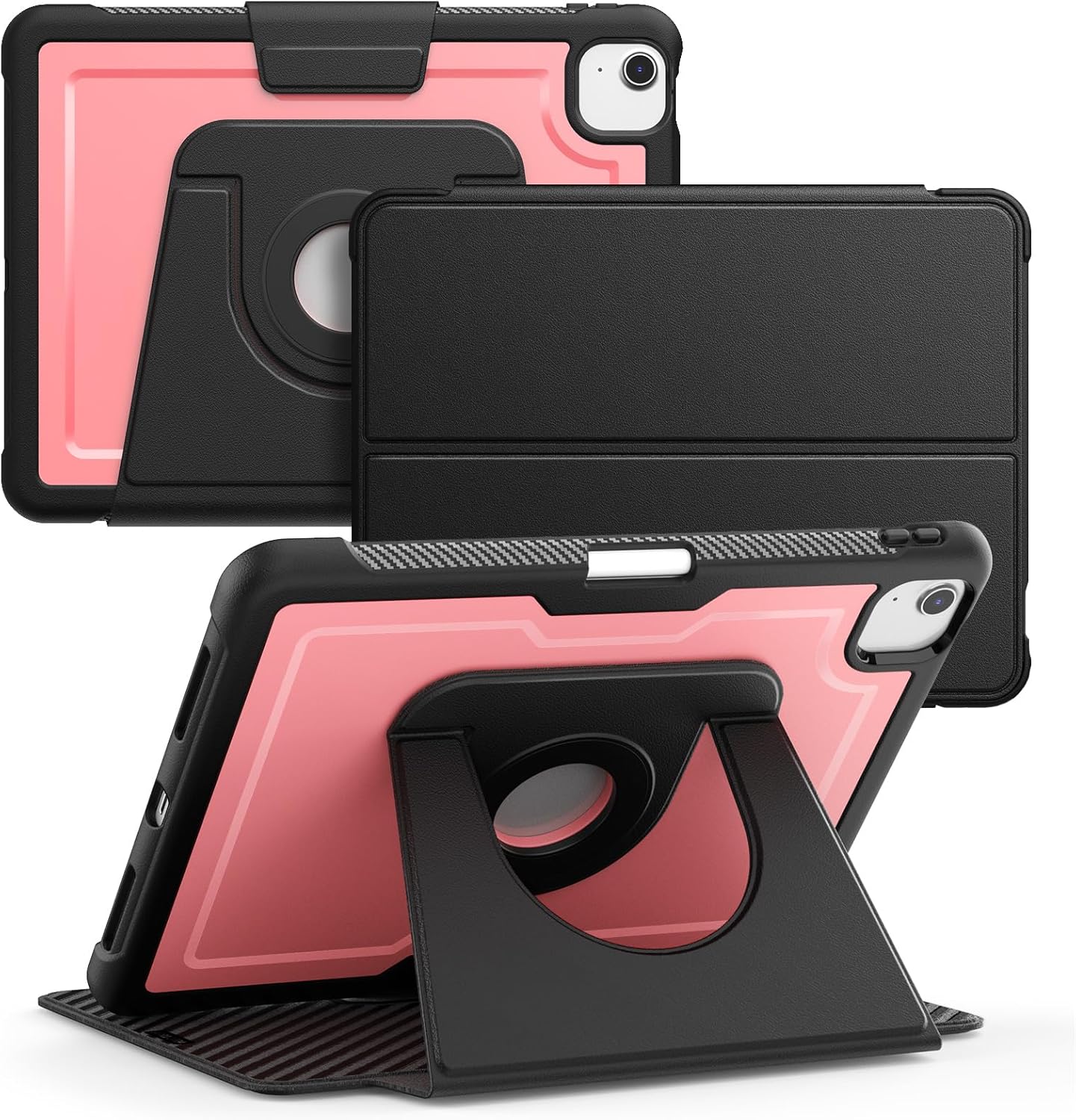
Image: The ZORSOME tablet case showcasing its detachable magnetic cover and the versatile 360-degree rotating stand in various orientations.
Key Features
- Compatibility: Specifically designed for iPad Air 11 M3 A3266 (2025) and iPad Air 11 M2 A2902 (2024).
- Detachable Magnetic Cover: Allows for easy attachment and removal, providing flexible viewing angles and improved ergonomics.
- Built-in Pen Holder: Securely stores your stylus, preventing loss and ensuring it's always accessible.
- 360° Rotation Foldable Stand: Offers multiple landscape and portrait viewing modes for reading, typing, or watching videos.
- Multi-Layer Protection: Constructed with high-quality hard transparent PC and TPE bumper materials for comprehensive protection against shocks, drops, and impacts.
- Automatic Sleep/Wake Function: Magnetic smart cover supports automatic sleep/wake feature to conserve battery life.
- Precise Cutouts: Ensures full access to all ports, sensors, speakers, and cameras without removing the case.

Image: The tablet case illustrating the automatic sleep/wake functionality when the magnetic cover is opened or closed.
Setup and Installation
- Verify Compatibility: Before installation, ensure your iPad model is either iPad Air 11 M3 A3266 (2025) or iPad Air 11 M2 A2902 (2024). The model number is typically found on the back of your iPad.
- Clean Your Device: Gently wipe your iPad with a soft, lint-free cloth to remove any dust or smudges.
- Install the Inner Shell: Carefully align your iPad with the hard transparent PC and TPE bumper inner shell. Press firmly around the edges until the iPad is securely seated within the shell. Ensure all ports and buttons align with the case cutouts.
- Attach the Magnetic Cover: The outer magnetic cover can be easily attached to the back of the inner shell. The strong magnets will snap it into place.
- Utilize the Pen Holder: Insert your stylus into the designated pen holder slot on the side of the case.

Image: A disassembled view of the ZORSOME tablet case, highlighting the inner protective shell and the separate magnetic cover, demonstrating how they fit together.
Operating Instructions
Using the 360° Rotation Stand:
The integrated stand allows for versatile viewing and typing angles. The circular rotating mechanism on the back of the case enables 360-degree rotation, allowing you to switch between landscape and portrait orientations effortlessly. The stand itself can be folded out to prop up your iPad at various angles.
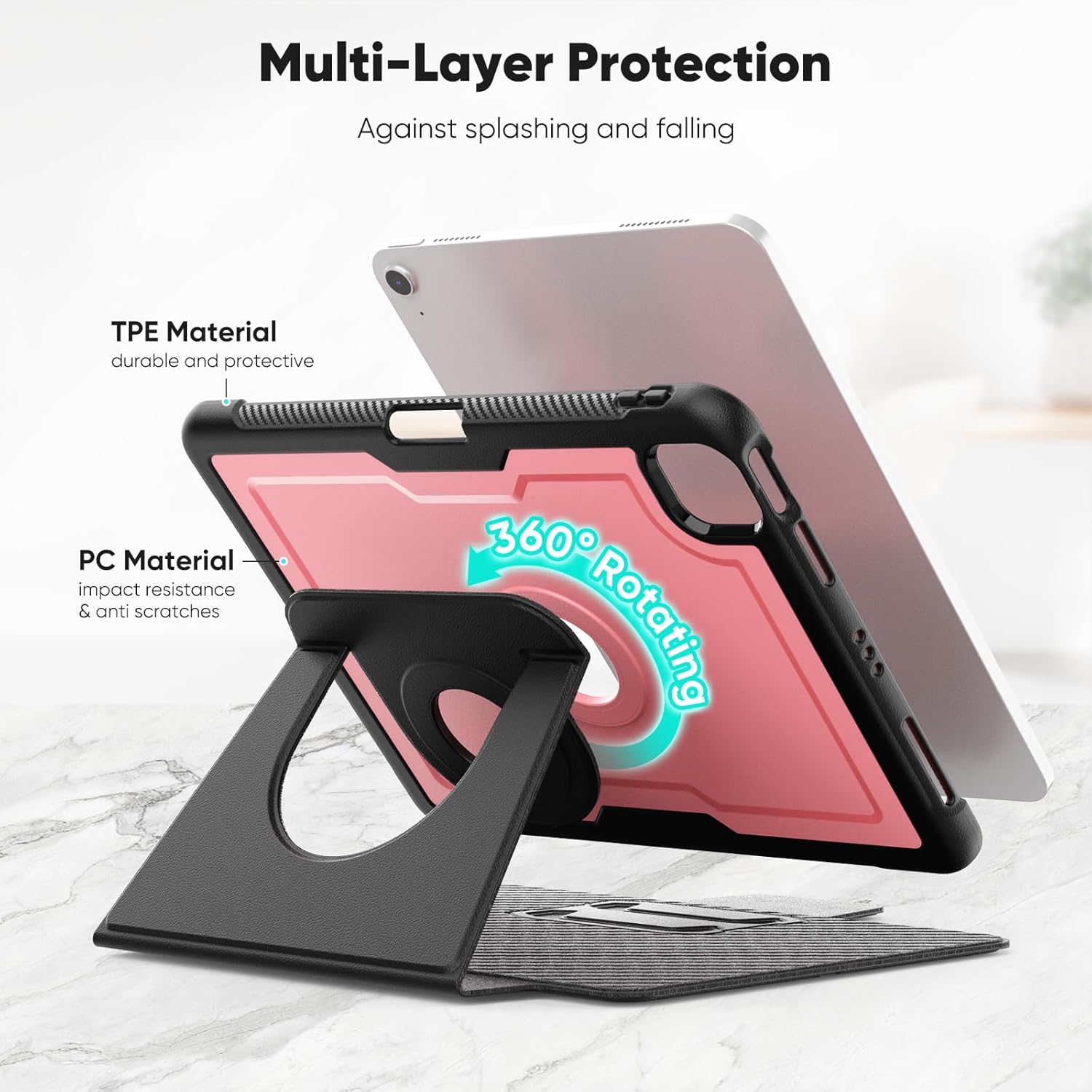
Image: The ZORSOME tablet case with its 360-degree rotating stand extended, showing how it supports the iPad in a stable viewing position.
Detachable Magnetic Cover Functionality:
The magnetic cover can be folded back to create a stable stand for typing or viewing. For gaming or when a lighter profile is desired, the cover can be completely removed by gently pulling it away from the back of the case. When reattaching, simply align it with the back of the case, and the magnets will secure it.
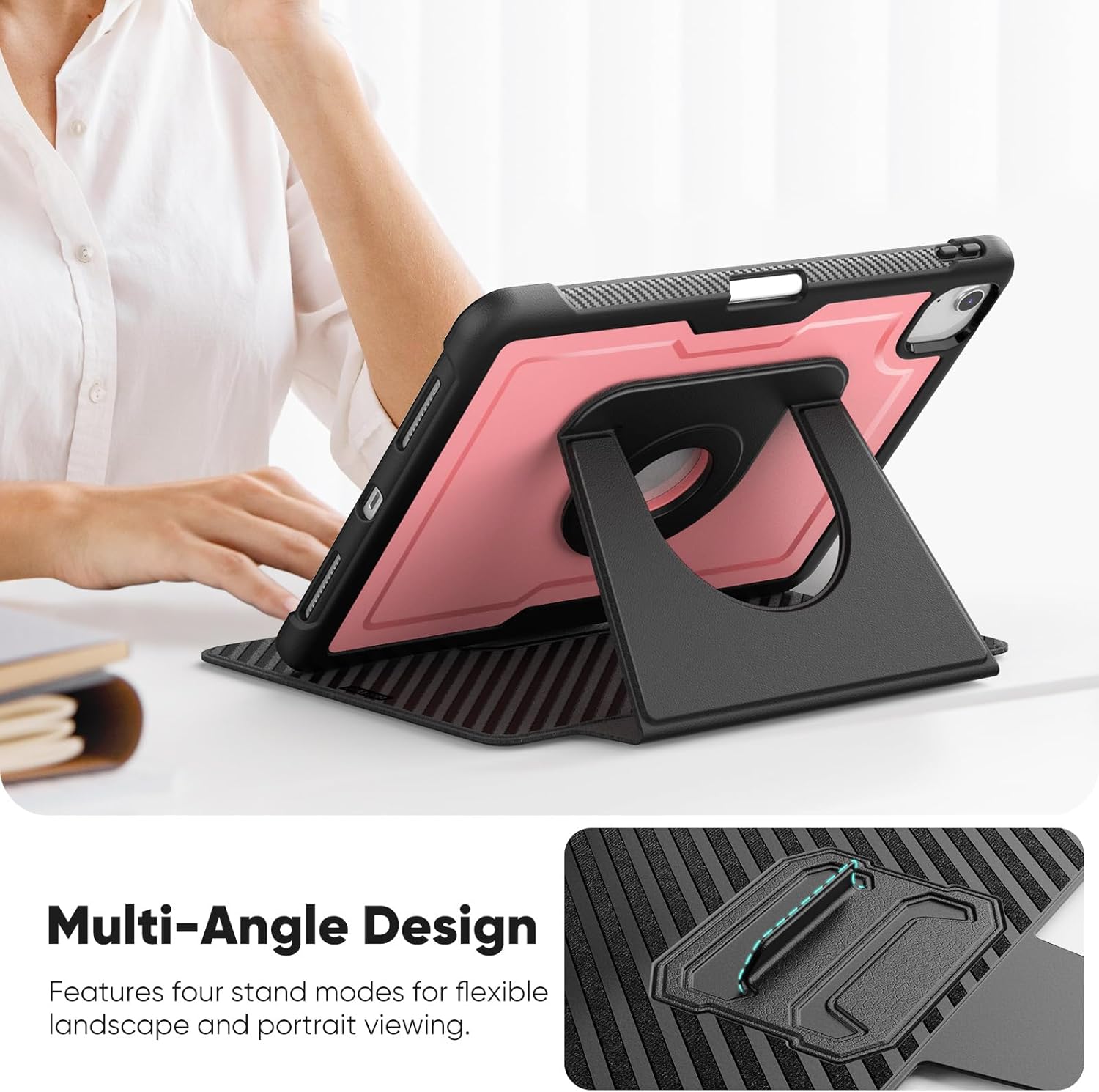
Image: The ZORSOME tablet case with its magnetic cover detached, placed alongside a stylus, illustrating the modular design.
Automatic Sleep/Wake Feature:
The magnetic cover is designed to automatically put your iPad to sleep when closed and wake it up when opened. This feature helps conserve battery life. Ensure the cover is fully closed for the sleep function to activate.
Maintenance and Care
- Cleaning: To clean the case, use a soft, damp cloth. Avoid using harsh chemicals, abrasive cleaners, or solvents, as these may damage the material.
- Storage: Store the case in a cool, dry place away from direct sunlight and extreme temperatures when not in use.
- Handling: While the case offers robust protection, avoid unnecessary drops or impacts. Do not attempt to force the iPad into or out of the case.
Troubleshooting
| Problem | Possible Cause | Solution |
|---|---|---|
| iPad does not fit the case. | Incorrect iPad model. | Verify your iPad model number (A3266 or A2902) against the case's compatibility. This case is specifically designed for iPad Air 11 M3 (2025) and iPad Air 11 M2 (2024). |
| Automatic sleep/wake feature not working. | Cover not fully closed; iPad settings. | Ensure the magnetic cover is fully closed and aligned. Check your iPad's settings under Display & Brightness > Lock/Unlock to ensure the "Lock/Unlock" feature is enabled. |
| Stand feels unstable. | Improper stand setup. | Ensure the stand is fully extended and locked into position. Adjust the angle to find a stable balance point for your desired viewing orientation. |
Specifications
- Model Compatibility: iPad Air 11 M3 A3266 (2025), iPad Air 11 M2 A2902 (2024)
- Material: Hard Transparent PC, TPE Bumper, Synthetic Supple Leather (for magnetic cover)
- Features: Detachable Magnetic Cover, Built-in Pen Holder, 360° Rotation Stand, Automatic Sleep/Wake, Shockproof
- Color: Pink (for this specific model)
- Dimensions: Designed to precisely fit iPad Air 11-inch models.
- Weight: Lightweight design for portability.
Warranty and Support
For any questions, concerns, or warranty inquiries regarding your ZORSOME tablet case, please contact the manufacturer or seller directly through the platform where the product was purchased. Please refer to your purchase receipt for specific warranty terms and contact information.
You can visit the ZORSOME Store on Amazon for more information and product support.