
CHITA B0F93V1LTY
CHITA Genuine Leather Power Recliner Chair User Manual
Model: B0F93V1LTY
Introduction
This manual provides detailed instructions for the assembly, operation, and maintenance of your CHITA Genuine Leather Power Recliner Chair. Please read this manual thoroughly before use to ensure safe and optimal performance of your product.
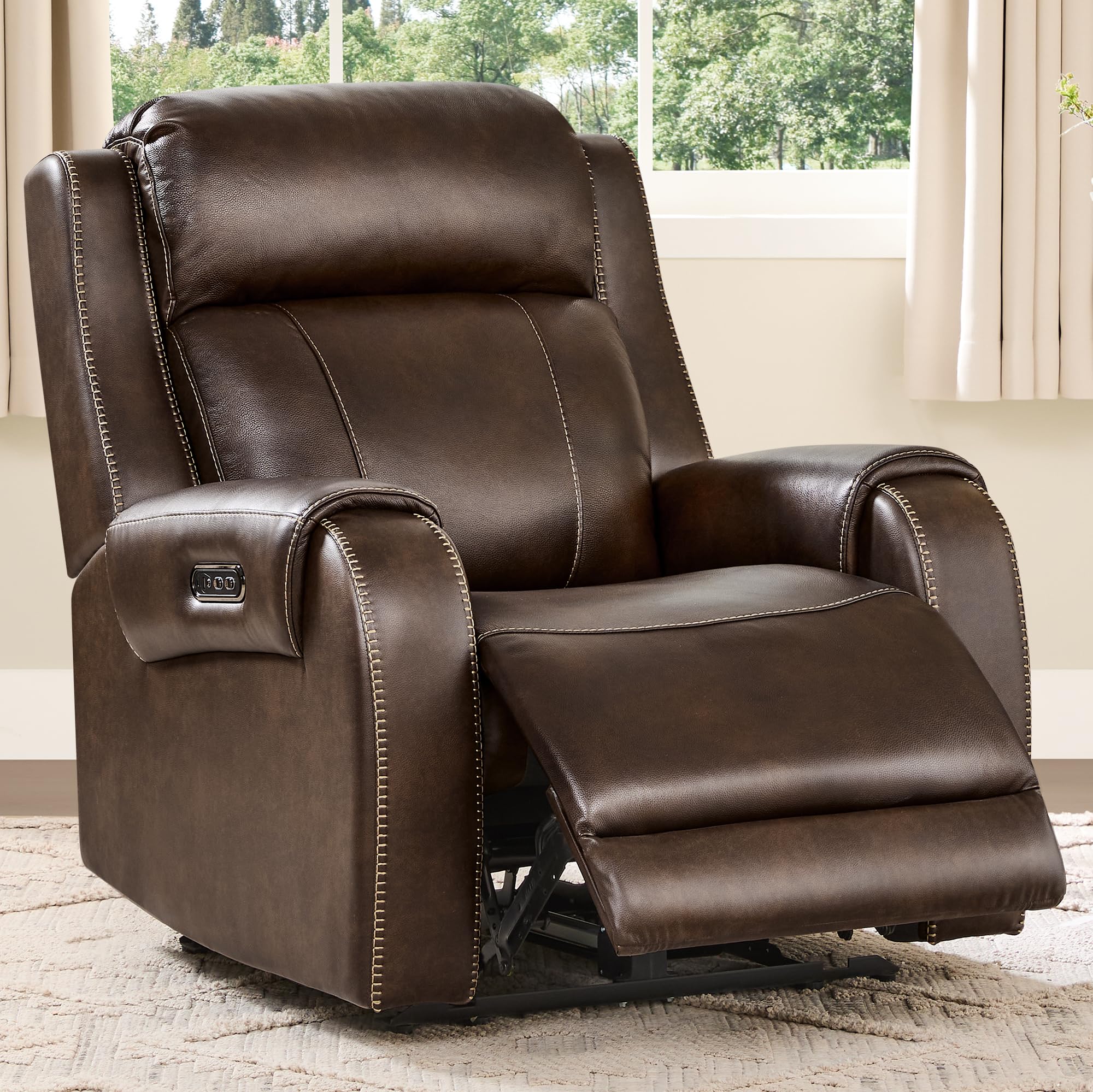
Image: The CHITA Genuine Leather Power Recliner Chair in Dark Brown, showcasing its design.
Safety Information
- Always unplug the power cord when the recliner is not in use.
- Do not leave children unattended while using the recliner.
- Keep the USB ports away from water and other liquids to prevent electrical hazards.
- Always follow the assembly instructions carefully to ensure the stability and safe operation of the chair.
- Do not exceed the maximum weight capacity of 350 lbs (158 kg).
Product Features
- Dual-Motor Reclining System: Allows independent adjustment of the backrest and footrest for personalized comfort.
- Adjustable Power Headrest: Provides neck support and aligns line of sight for various activities.
- Genuine Leather Upholstery: Top-grain leather on all touchpoints, offering a soft, durable, and easy-to-clean surface.
- Space-Saving Wall Hugger Design: Requires minimal wall clearance (approximately 3.9 inches) as the seat moves forward during recline.
- Integrated USB/Type-C Ports: Conveniently located on the armrest for charging electronic devices.
- Sturdy Construction: Built with TSCA Title VI-certified engineered wood and a UL-certified silent motor.
- No-Sag Spring Cushions: Designed to maintain shape and comfort over time.

Image: Detailed view of the recliner's genuine leather texture and durable contrast stitching.
Assembly Instructions
The CHITA Power Recliner Chair is designed for tool-free assembly. Follow these steps to set up your chair:
- Unpack all components from the box. Ensure all parts (base, backrest, armrests, power supply) are present.
- Position the chair base in your desired location. The chair is designed to fit through standard doorways (28.2" + width).
- Align the backrest with the slots on the chair base. Slide the backrest down until it clicks securely into place.
- Connect the power cables from the backrest to the base, ensuring a snug fit.
- Connect the power supply to the chair and then plug it into a wall outlet.
- Test all functions (recline, headrest adjustment) to ensure proper operation.
Video: An assembly demonstration for the CHITA Power Recliner, showing the straightforward, tool-free setup process.
Operating Instructions
Your CHITA Power Recliner features intuitive controls for a customized seating experience.
Reclining and Headrest Adjustment:
- Locate the control panel on the side of the armrest.
- Use the buttons to adjust the backrest and footrest independently. The chair can recline from a 90° upright position to a 135° deep recline.
- The adjustable power headrest can be positioned to support your neck and optimize your viewing angle.
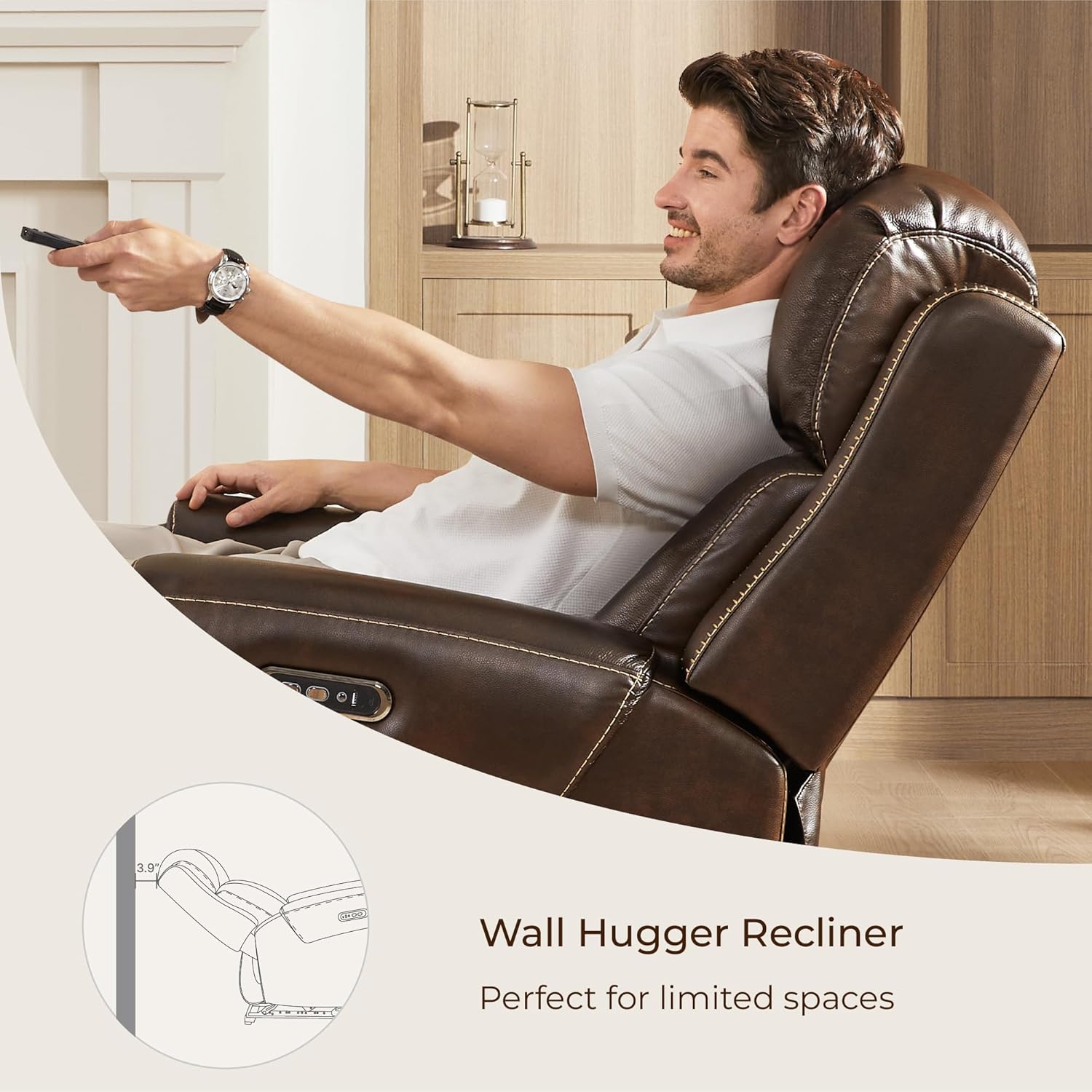
Image: Illustration of the recliner's versatile power reclining feature, showing adjustment from 90° (reading) to 135° (napping).
USB/Type-C Charging Ports:
- The armrest includes built-in USB and Type-C ports.
- Plug your compatible electronic devices into these ports for convenient charging while you relax.

Image: Close-up of the integrated USB and Type-C charging ports on the recliner's armrest.
Video: An overview of the CHITA Genuine Leather Power Wall Hugger Recliner Chair, demonstrating its features and operation.
Maintenance
Proper care will extend the life and appearance of your recliner:
- Periodically dust the leather using a clean, dry, and non-abrasive white cloth.
- For spills, spot-clean immediately with a mild detergent and a soft cloth. Avoid harsh chemicals or abrasive cleaners.
- Keep the recliner away from direct sunlight and heat sources to prevent fading and drying of the leather.
- Regularly check all connections and fasteners to ensure they are secure.
Troubleshooting
If you encounter any issues with your recliner, please refer to the following common solutions:
| Problem | Possible Cause | Solution |
|---|---|---|
| Recliner does not operate. | Power cord is unplugged or loose. | Ensure the power cord is securely plugged into both the chair and the wall outlet. Check the wall outlet for power. |
| Headrest or footrest not moving. | Cable connection is loose or obstructed. | Check all internal cable connections for the motors. Ensure no objects are obstructing the movement of the headrest or footrest mechanism. |
| USB/Type-C ports not charging. | Recliner is unplugged or device is incompatible. | Verify the recliner is powered on. Ensure your device and cable are compatible with the charging ports. |
If the issue persists after attempting these solutions, please contact CHITA customer support.
Specifications
| Feature | Detail |
|---|---|
| Brand | CHITA |
| Model | B0F93V1LTY |
| Color | Dark Brown |
| Product Dimensions | 38.6"D x 37.2"W x 40.9"H |
| Maximum Weight Recommendation | 350 Pounds |
| Reclining Position Count | 2 (90° upright to 135° recline) |
| Wall Clearance Required | Approximately 3.9 inches |
| Material | Genuine Leather (contact surfaces), Premium high-resilient polyfoam |
| Special Features | Adjustable Headrest, USB/Type-C Ports, Wall Hugger Design |

Image: Detailed diagram illustrating the dimensions, weight capacity, and wall hugger clearance of the recliner.
Warranty and Support
CHITA stands behind its products. For any questions, support, or warranty inquiries, please contact CHITA Living customer service. Information regarding specific warranty periods and terms can be found on the official CHITA website or by contacting their support team directly.
CHITA Living is committed to providing quality products and support to ensure customer satisfaction.
Ask a question about this manual
Ask about setup, troubleshooting, compatibility, parts, safety, or missing instructions. Manuals+ will review the question and use this page’s manual context to help answer it.