Product Overview
The Generic MAX 6 is an advanced 2-in-1 automatic card shuffler and dealer designed to enhance your card game experience. It streamlines the process of shuffling and dealing, ensuring fair play and saving time. This device supports various card games including Poker, UNO, Phase 10, Blackjack, Rummy, and Bridge, accommodating up to 12 players.
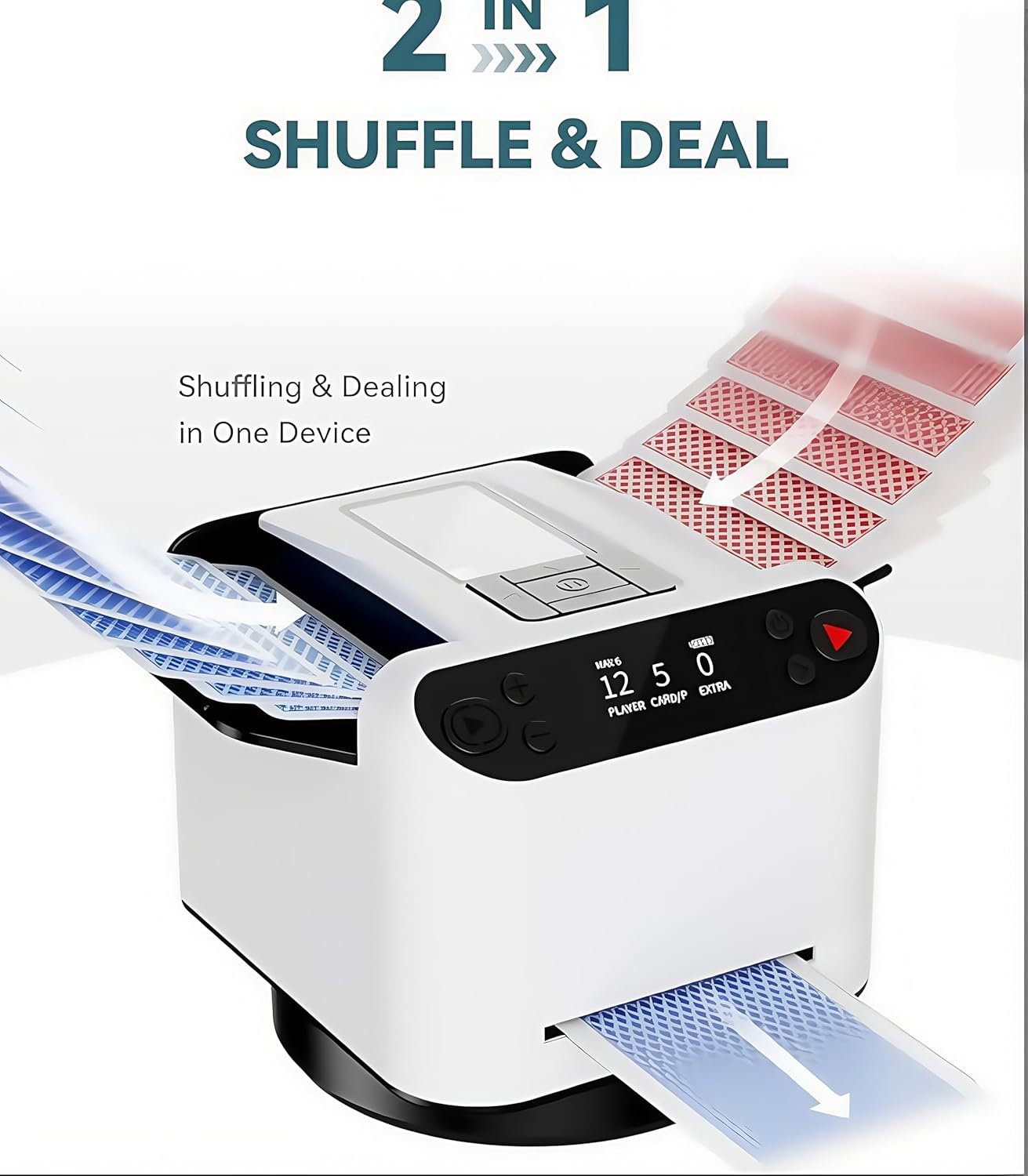
The MAX 6 combines automatic shuffling and dealing functions into a single, efficient unit.

The adjustable baffle allows compatibility with multiple card sizes, from Poker to UNO.
- 2-in-1 Shuffling & Dealing: Automatically shuffles and deals cards with the press of a button, eliminating manual effort and errors.
- Supports up to 12 Players: Ideal for large gatherings, family game nights, and parties, ensuring fair and randomized dealing for all participants.
- Customizable Dealing: Offers adjustable settings for card count, dealing direction (360° or 180°), and dealing distance to adapt to various game rules.
- Wireless Drawing Remotes: Includes four wireless remotes for effortless card drawing, particularly useful for games like UNO and Phase 10.
- Universal Card Compatibility: Designed to fit multiple card sizes with adjustable trays, ensuring versatility.
- Quiet & Rechargeable: Operates quietly for an undisturbed gaming experience and features a rechargeable battery capable of handling over 150 decks per charge.
Setup
Before using your MAX 6 Automatic Card Shuffler and Dealer, please follow these initial setup steps:
- Unboxing: Carefully remove all components from the packaging. Ensure you have the MAX 6 unit, four wireless drawing remotes, a USB-C charging cable, and this user manual.
- Initial Charge: Connect the MAX 6 unit to a power source using the provided USB-C charging cable. Allow the device to fully charge before first use. The battery indicator on the display will show charging status.
- Placement: Place the MAX 6 on a stable, flat surface where you intend to play. Ensure there is enough space around the unit for cards to be dealt and for players to access their dealt hands.
- Card Tray Adjustment: If using non-standard sized cards (e.g., UNO), adjust the card trays inside the machine to fit your deck. Refer to the 'Universal Card Compatibility' section for guidance.

Ensure the device is placed on a stable surface and fully charged before operation.
Operating Instructions
Operating the MAX 6 is intuitive. Follow these steps to shuffle and deal cards for your game:
- Power On: Press the power button on the unit to turn it on. The display will illuminate.
- Load Cards: Insert one or two decks of cards into the input tray at the top of the machine. Ensure cards are neatly stacked and facing the correct direction.
- Select Game Settings: Use the control panel buttons to navigate through the menu on the display. You can adjust:
- Number of Players: Set the number of players for your game (up to 12).
- Cards Per Player: Specify how many cards each player should receive.
- Dealing Direction: Choose between 360° (circular) or 180° (semi-circular) dealing patterns.
- Dealing Distance: Adjust the distance at which cards are dealt from the machine.
- Preset Gameplay Settings: Select pre-configured settings for popular games like Texas Hold'em or Bridge.
- Start Shuffling & Dealing: Once settings are confirmed, press the 'Start' button. The machine will automatically shuffle the cards and then deal them according to your selected parameters.
- Using Wireless Remotes (for drawing cards): For games requiring players to draw additional cards (e.g., UNO, Phase 10), players can press their individual wireless remote. The machine will dispense one card per press. Ensure remotes are paired with the main unit.

Easily select preset gameplay settings for common card games.

Wireless remotes allow players to draw cards effortlessly.

Choose between 360° or 180° dealing directions.
Maintenance
Proper maintenance ensures the longevity and optimal performance of your MAX 6 unit.
- Cleaning: Regularly wipe the exterior of the device with a soft, dry cloth. For internal cleaning, gently remove any dust or card residue from the card pathways using a soft brush or compressed air. Ensure the device is powered off before cleaning.
- Battery Care: To maximize battery life, avoid fully discharging the unit frequently. Recharge the battery when the indicator shows low power. If storing the device for an extended period, charge it to approximately 50% and recharge every few months.
- Storage: Store the MAX 6 in a cool, dry place away from direct sunlight and extreme temperatures.
Troubleshooting
If you encounter any issues with your MAX 6, refer to the following common problems and solutions:
| Problem | Possible Cause | Solution |
|---|---|---|
| Device does not power on. | Low battery or power cable issue. | Ensure the device is fully charged. Check if the USB-C cable is properly connected and the power source is active. |
| Cards are jamming or not feeding properly. | Improper card loading, worn-out cards, or debris in the card path. | Ensure cards are neatly stacked and not bent. Clean the card pathways of any dust or small obstructions. Use new or good condition cards. Adjust card tray if using different card sizes. |
| Wireless remotes are not responding. | Remotes not paired or low battery in remotes. | Ensure remotes are within range of the main unit. Check remote batteries and replace if necessary. Refer to the manual for remote pairing instructions if needed. |
| Dealing is inconsistent or uneven. | Incorrect settings or uneven surface. | Verify that the number of players and cards per player settings are correct. Ensure the device is on a flat, stable surface. |
If the problem persists after trying these solutions, please contact customer support.
Specifications
| Model | MAX 6 |
| Brand | Generic |
| Material | Acrylic |
| Color | White |
| Supported Players | Up to 12 (dealing capacity) |
| Card Compatibility | Standard, Bridge, UNO, Phase 10, Five Crowns, Canasta |
| Battery Life | Approx. 150+ decks per charge |
| Manufacturer Reference | MAX V |
| ASIN | B0F93QG2GC |
Warranty and Support
Your MAX 6 Automatic Card Shuffler and Dealer is designed for reliability and performance. For any issues or inquiries, please refer to the following information:
- Return Policy: This product is eligible for returns within 45 days of purchase, subject to the seller's return policy. Please check your purchase details for specific terms.
- Customer Support: For technical assistance, troubleshooting beyond this manual, or warranty claims, please contact the seller or manufacturer directly through your purchase platform.
Please retain your proof of purchase for any warranty or support claims.


