
LMBGM A9-1
LMBGM A9 UHF Wireless In-Ear Monitor Pro System User Manual
Model: A9-1
Brand: LMBGM
Introduction
The LMBGM A9 UHF Wireless In-Ear Monitor Pro System is designed to provide high-quality, reliable audio monitoring for studio, band rehearsal, and live performance environments. This system features advanced circuit design, a UHF professional chip for clear sound, and a stable signal reception.
Key features include ultra-low latency, high-fidelity sound quality, wide frequency response, and excellent signal-to-noise ratio, ensuring a pure and detailed audio experience. The compact design and long battery life make it ideal for professional use.
Package Contents
Upon opening your LMBGM A9 system, please verify that all components are present:
- XLR Transmitter
- Receiver
- Ear Rest Headphones
- 6.35mm Adapter
- Charging Cable
- User Manual (this document)
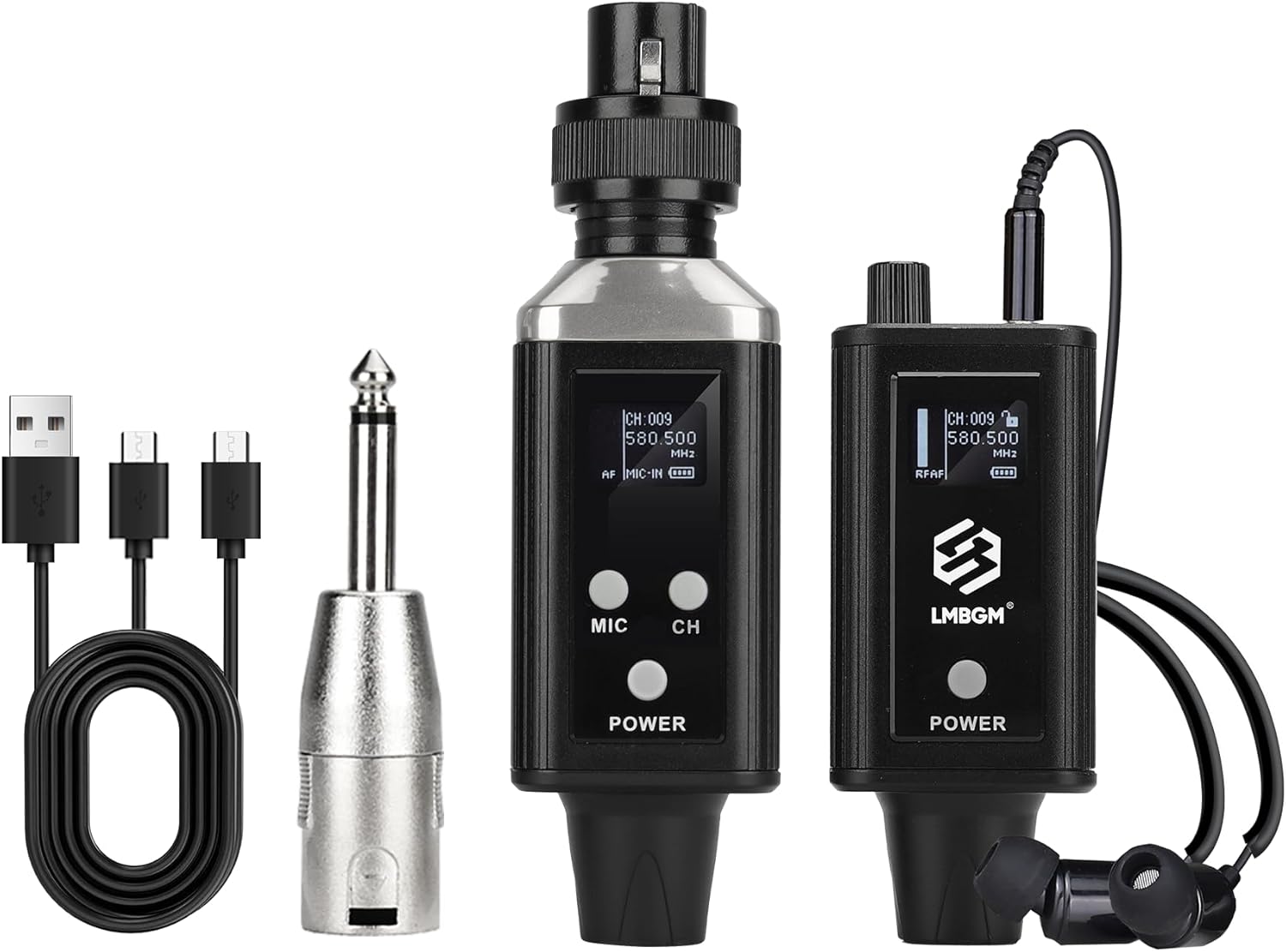
Figure 1: Complete package contents of the LMBGM A9 system.
Setup
1. Charging the Devices
Both the transmitter and receiver units are equipped with rechargeable batteries. Use the provided charging cable to connect them to a USB power source. A full charge typically takes approximately 3 hours, providing 5-7 hours of battery life.

Figure 2: Charging the LMBGM A9 Transmitter and Receiver via USB.
2. Connecting the Transmitter
The A9 transmitter is designed for versatile connectivity. It features a standard XLR plug for direct connection to microphones or mixers. A 6.35mm adapter is also included for compatibility with other audio equipment.

Figure 3: Transmitter input compatibility with various audio sources.

Figure 4: Examples of connecting the transmitter to a microphone and a mixer.
3. Wearing the Receiver and Earbuds
Connect the ear rest headphones to the receiver. The headphones are designed for comfortable wear over long periods, reducing discomfort and preventing them from falling out during performances.
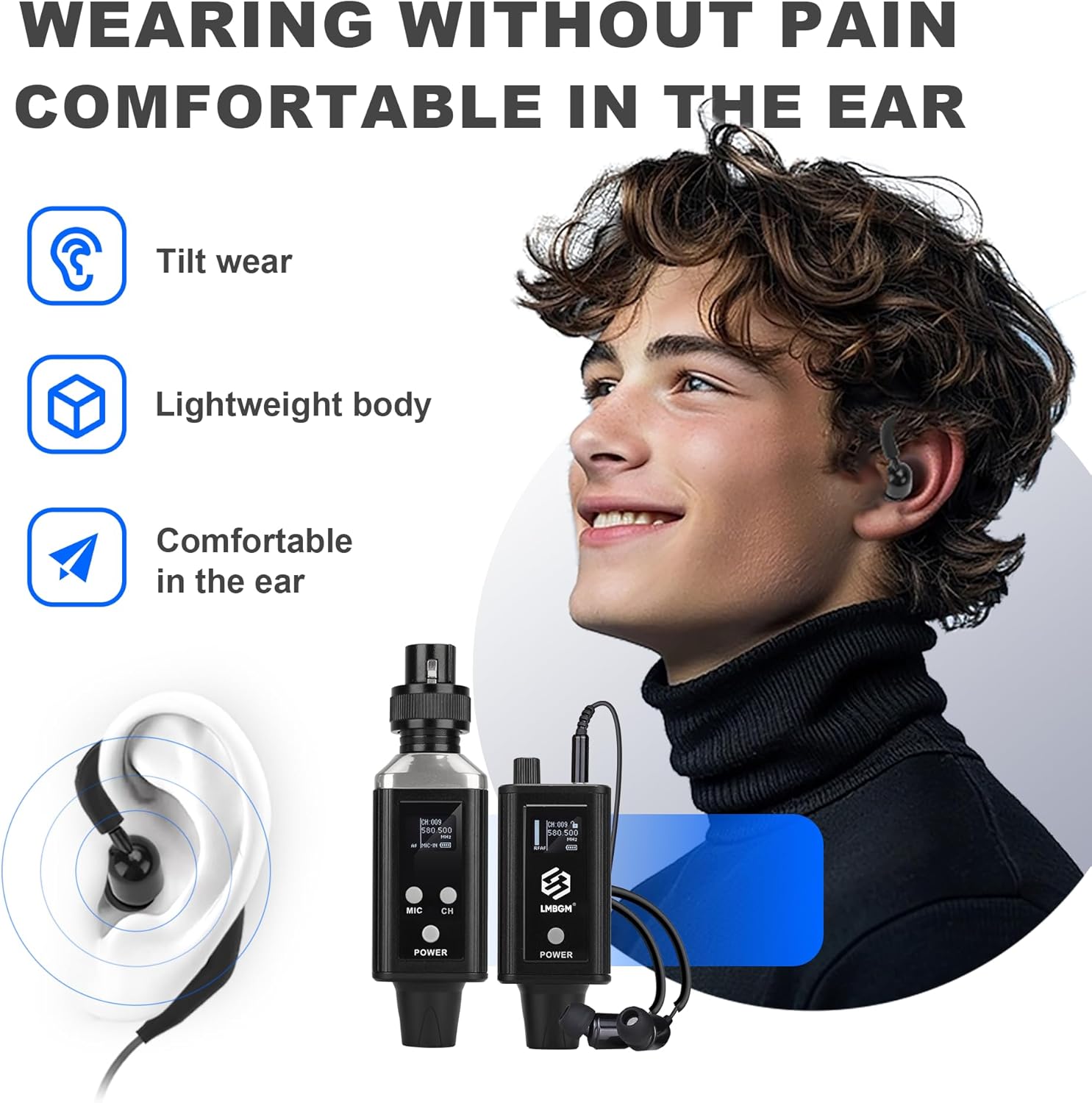
Figure 5: Comfortable wearing of the A9 ear rest headphones.

Figure 6: Flexible wearing options for the A9 receiver.
Operating Instructions
1. Power On/Off
Press and hold the 'POWER' button on both the transmitter and receiver units to turn them on or off. The display will illuminate, indicating the device is active.
2. Channel Selection and Pairing
The A9 system operates on UHF frequencies, providing stable signal transmission. Use the 'CH' button on the transmitter to cycle through available channels. Ensure both the transmitter and receiver are set to the same channel for proper operation.
Figure 7: UHF Transmission for stable signal.
3. ID Lock and Unlock
For multi-channel usage or to prevent accidental changes, you can lock the ID of the receiver and transmitter. To ID Lock, press and hold the power buttons on both the receiver and transmitter simultaneously for 6 seconds until successful locking is indicated. To ID Unlock, press and hold the receiver power button alone for 6 seconds until unlock success is indicated.
Attention: The system can be used in two channels, but be aware of potential signal impact. The optimal signal distance does not exceed 20 meters for stable performance.

Figure 8: ID Lock and Unlock procedures for dual channel usage.
4. Monitoring Features
The bodypack receiver provides real-time feedback and supports earphone monitoring. It offers up to 30 meters of reception range in optimal conditions.
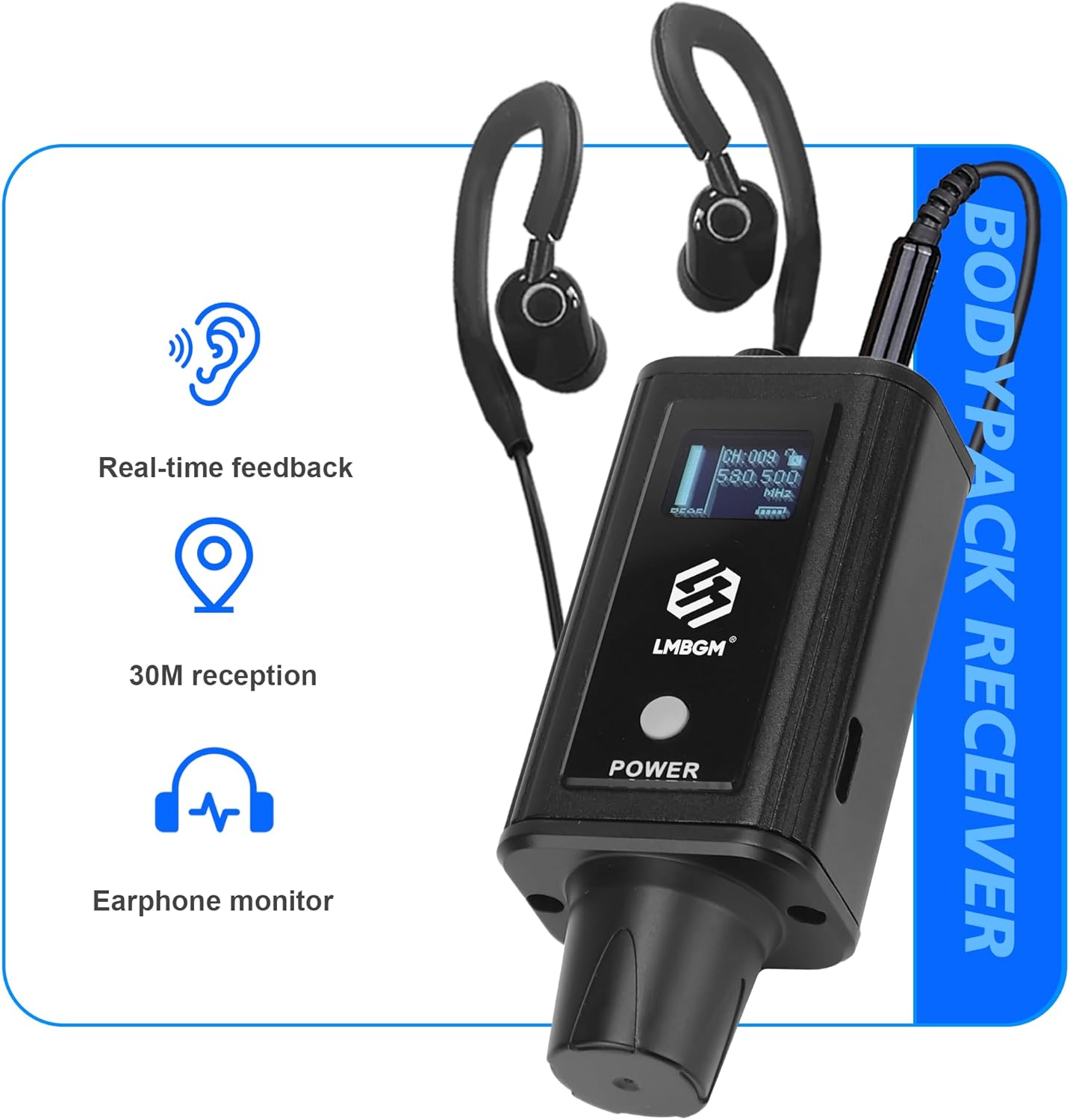
Figure 9: Bodypack Receiver features.
Maintenance
1. Cleaning
Wipe the units with a soft, dry cloth. Do not use liquid cleaners or solvents, as they may damage the finish or internal components.
2. Battery Care
To prolong battery life, avoid fully discharging the units frequently. Store the devices in a cool, dry place when not in use for extended periods.
Troubleshooting
1. Audio Distortion
If you experience audio distortion, it may be due to an excessively high input level from the source (e.g., computer, sound card, mixer). To resolve this, reduce the volume on the input side of your audio equipment.

Figure 10: Solution for audio distortion.
2. Signal Loss or Interference
Ensure the transmitter and receiver are within the recommended operating range (up to 20 meters). Check for potential sources of interference, such as other wireless devices or large metal objects, and adjust placement if necessary. Verify that both units are on the same channel and that the batteries are sufficiently charged.
3. Earbuds Falling Out
The included ear rest headphones are designed for secure fit. Ensure they are properly positioned in your ear. If issues persist, consider adjusting the ear rests or trying different ear tip sizes for a more secure fit.
Specifications
| Feature | Specification |
|---|---|
| Model Name | A9 |
| Item Model Number | A9-1 |
| Brand | LMBGM |
| Connectivity Technology | Wireless (RF) |
| Frequency Response | 20Hz-20kHz (±0.5dB) |
| Transmission Latency | <5ms |
| Audio Resolution | 24-bit/96KHz |
| Signal-to-Noise Ratio (SNR) | ≥94dB |
| Dynamic Range | ≥103dB |
| Battery Life | 5-7 hours |
| Charging Time | Approx. 3 hours |
| Headphones Jack | 3.5 mm Jack |
| Material | Metal |
| Item Weight | 10.6 ounces |
| Package Dimensions | 7.48 x 6.89 x 2.17 inches |

Figure 11: Product dimensions of the A9 system.
Warranty and Support
For warranty information and technical support, please refer to the official LMBGM Audio website or contact your retailer. Additional protection plans may be available for purchase to extend coverage beyond the standard warranty period.
For specific inquiries or assistance, please contact LMBGM Audio customer service directly.
Product Overview Video
Video 1: An overview of the LMBGM A9 UHF Wireless In-Ear Monitor Pro System, demonstrating its compact size, stable power supply, connectivity options (XLR, 6.35mm adapter), USB charging, comfortable earbuds, and overall professional listening experience. This video highlights the ease of use and key benefits of the system.
Related Documents - A9-1
 |
LMBGM Wireless Monitoring System User Instruction Manual This document provides user instructions for the LMBGM wireless monitoring system. It covers product presentation, main features, main functions, detailed descriptions of desktop and bodypack transmitters and receivers, system settings, usage illustrations, and technical specifications. |
 |
LMBGM Wireless Monitoring System User Manual and Technical Guide Comprehensive user instructions and technical specifications for the LMBGM wireless monitoring system, covering setup, features, and operation of transmitters and receivers. |
 |
LMBGM SEM200 Wireless In-Ear Monitoring System Instruction Manual Comprehensive instruction manual for the LMBGM SEM200 Wireless In-Ear Monitoring System. Includes technical specifications, transmitter and receiver diagrams, and operational guidance. |
 |
LMBGM W7 Portable Universal Wireless Microphone User Manual User manual for the LMBGM W7 2.4G wireless charging handheld microphone system. This guide details the functions of the handheld transmitter and receiver, operation methods, and important safety precautions for using the portable audio equipment. |
 |
LMBGM ME300 2.4G Wireless Microphone System: Specifications and Features Comprehensive specifications and product overview for the LMBGM ME300 2.4G wireless headset microphone system. Details include frequency range, stability, response, charging times, and suitability for fitness coaching, teaching, live streaming, and audio recording. |
 |
Mercoid Series A9 Mini Pressure Switch: Specifications and Installation Guide Detailed specifications, installation, wiring, and maintenance instructions for the Mercoid Series A9 Mini Pressure Switch, designed for high current capacity pressure control applications. |
Ask a question about this manual
Ask about setup, troubleshooting, compatibility, parts, safety, or missing instructions. Manuals+ will review the question and use this page’s manual context to help answer it.