
HK-CW-007
Generic iTag Bluetooth Tracker HK-CW-007 User Manual
Model: HK-CW-007 | Brand: Generic
Introduction
This manual provides comprehensive instructions for the Generic iTag Bluetooth Tracker, model HK-CW-007. This device is designed to help you locate your valuable items such as keys, wallets, luggage, or even pets, by integrating seamlessly with Google Find My Device on compatible Android smartphones. It offers worldwide tracking, a long-lasting replaceable battery, and a sound reminder function for easy item retrieval.
Product Overview
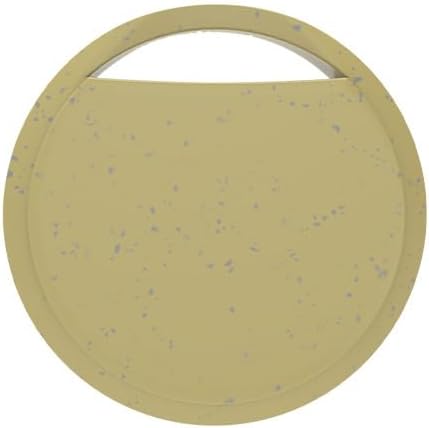
Image: Front view of the Generic iTag Bluetooth Tracker in yellow, a circular device with a small loop for attachment.
The iTag Bluetooth Tracker is a compact and lightweight device designed for easy attachment to various items. It utilizes Bluetooth technology to communicate with your Android device, leveraging the Google Find My Device network for location tracking.
Setup
- Battery Installation: The tracker comes with a pre-installed CR2032 battery. If the battery needs replacement, gently open the tracker casing (refer to the Maintenance section for details) and insert a new CR2032 battery with the positive (+) side facing up.
- Power On: The tracker automatically powers on when the battery is inserted.
- Pairing with Google Find My Device:
- Ensure your Android smartphone is running a compatible version of Android and has Google Find My Device enabled.
- Open the Google Find My Device application or visit the website on your Android phone.
- Follow the on-screen prompts to add a new device. The iTag tracker should appear as an available device for pairing.
- Confirm the pairing. Once paired, the tracker will be visible on your Google Find My Device map.

Image: A smartphone displaying the Google Find My Device interface, showing the tracker's location on a map and a list of features including worldwide tracking, replaceable battery, seamless connection, and sound reminder.
Operating Instructions
Locating Your Item
- Using Google Find My Device:
- Open the Google Find My Device app on your Android phone.
- Select your iTag tracker from the list of devices.
- The app will display the tracker's last known location on a map.
- Playing a Sound:
- If the tracker is within Bluetooth range, you can make it emit a sound to help you locate it.
- In the Google Find My Device app, select your iTag tracker and tap the "Play Sound" option.
- The tracker will emit a loud ring. Tap "Stop Sound" in the app to silence it.

Image: A hand holding keys with an iTag tracker, while a smartphone screen shows the "Play Sound" option in the Google Find My Device app, indicating the tracker will beep.
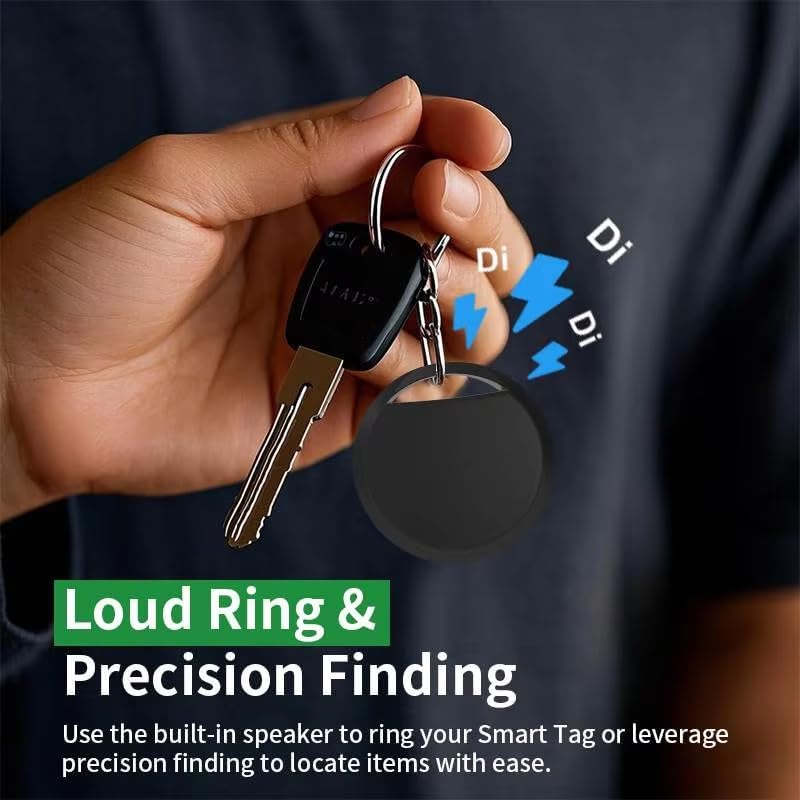
Image: A hand holding keys with an iTag tracker, with visual cues indicating a loud ringing sound and precision finding capabilities.
Left-Behind Reminders
The iTag tracker can notify you if you leave an item behind. When the tracker moves out of Bluetooth range from your paired Android device, you may receive a notification on your phone indicating that the item is no longer detected nearby and its last known location.

Image: A smartphone displaying a "Keys left behind" notification, indicating the item is no longer detected near the user, with a person in the background.
Worldwide Tracking
Leveraging the Google Find My Device network, the iTag tracker offers worldwide tracking capabilities, allowing you to locate your items even when they are far away, as long as they are within range of another Android device participating in the network.

Image: A world map background with a black iTag tracker and a smartphone displaying the Google Find My Device app, showing a location on the map and confirming "Works with Android Find My Device".
Compatibility
The iTag Bluetooth Tracker is compatible with most Android phones, including popular brands such as Samsung, Google, Xiaomi, Oppo, and Vivo, that support Google Find My Device.

Image: A central Google Find My Device logo surrounded by images of various Android smartphones from brands like Samsung, Oppo, Xiaomi, Vivo, and Google, illustrating broad compatibility.
Maintenance
Battery Replacement
The iTag tracker uses a replaceable CR2032 coin cell battery, which typically lasts up to one year. When the battery is low, you may receive a notification via Google Find My Device, or the tracker's performance may diminish.
- Locate the small notch or seam on the side of the tracker.
- Using a small, flat tool (like a coin or a small screwdriver), carefully pry open the casing at the notch.
- Remove the old CR2032 battery.
- Insert a new CR2032 battery with the positive (+) side facing up.
- Align the two halves of the casing and press firmly until it clicks securely into place.
Cleaning
Wipe the tracker with a soft, dry cloth. Avoid using harsh chemicals or abrasive materials, as these can damage the device.
Troubleshooting
- Tracker not appearing in Google Find My Device:
- Ensure the battery is correctly installed and charged.
- Make sure Bluetooth is enabled on your Android phone.
- Verify that Google Find My Device is enabled and updated on your phone.
- Try restarting your phone and the tracker (by removing and reinserting the battery).
- Sound reminder not working:
- Ensure the tracker is within Bluetooth range of your phone.
- Check the tracker's battery level.
- Verify that your phone's volume is not muted.
- Inaccurate location:
- Location accuracy depends on the density of the Google Find My Device network and GPS availability.
- Ensure your phone has a stable internet connection.
Specifications
| Model Number | HK-CW-007 |
| Brand | Generic |
| Connectivity | Bluetooth, Wireless |
| Compatibility | Android phones (Samsung, Google, Xiaomi, Oppo, Vivo, etc.) with Google Find My Device |
| Battery Type | 1 x CR2032 (replaceable) |
| Battery Life | Up to 1 year |
| Material | Electronic Components, Plastic |
| Item Weight | 0.8 ounces |
| Dimensions | 36mm x 36mm x 7.5mm (approximate) |

Image: Diagram showing the approximate dimensions of the iTag tracker: 36mm diameter and 7.5mm thickness.
Warranty and Support
Information regarding specific warranty terms and customer support for the Generic iTag Bluetooth Tracker is not available in the provided product details. Please refer to the product packaging or contact the seller directly for warranty claims and technical assistance.