Introduction
Thank you for choosing the Generic A8 Bluetooth Language Translator Earbuds. This device is designed to provide real-time online translation for over 100 languages, facilitating communication across different language environments. It also functions as a standard Bluetooth earbud for music and calls. This manual provides essential information for setup, operation, maintenance, and troubleshooting to ensure optimal performance.
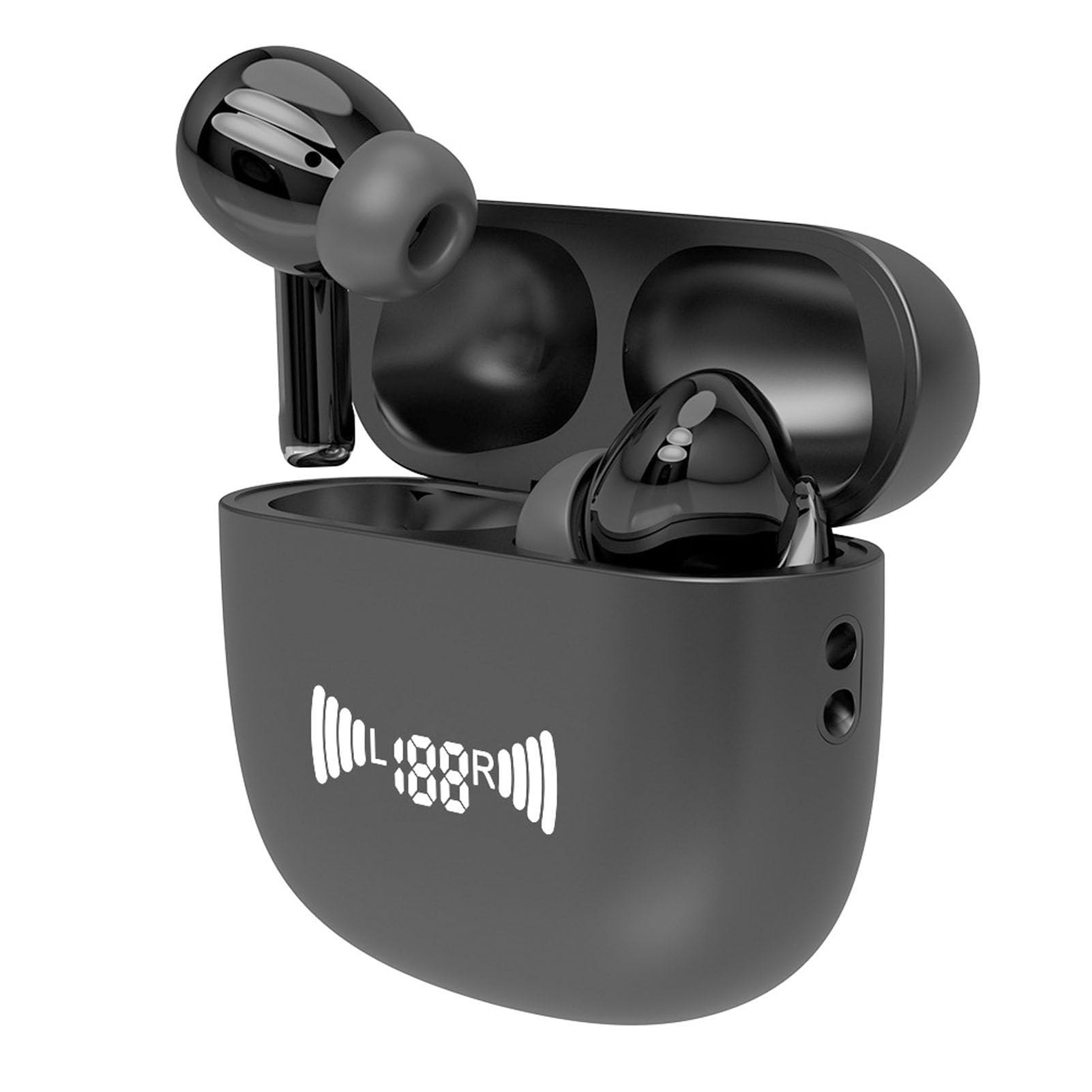
Image: The A8 Bluetooth Language Translator Earbuds in their charging case, ready for use.
Package Contents
- 2 x Earphones (Left and Right)
- 1 x Charging Case
- 1 x Data Cable
- 1 x Lanyard
- 2 x User Manuals (This document is a digital version)

Image: The A8 earbuds, charging case, data cable, and lanyard as included in the package.
Setup
1. Charging the Earbuds and Case
Before first use, ensure both the earbuds and the charging case are fully charged. Connect the provided data cable to the charging case and a suitable USB power source. The charging case has a built-in 200mAh li-ion battery, and each earbud has a 35mAh li-ion battery. A full charge typically takes about 1 hour.
2. App Installation
To utilize the translation features, you must download the corresponding application. Scan the QR code provided in the physical user manual or search for the designated app on your device's app store. The app is compatible with Android and iOS phones.
3. Bluetooth Pairing
- Ensure the earbuds are charged and removed from the charging case.
- Enable Bluetooth on your smartphone or tablet.
- Open the downloaded translation app.
- Follow the in-app prompts to connect the A8 earbuds via Bluetooth. The earbuds use Bluetooth 5.0 technology, offering a stable connection up to approximately 15 meters (49.21 feet).

Image: A user wearing the earbuds, with the charging case visible, demonstrating the device in use for communication.
Operating Instructions
1. Using as Standard Earbuds
When not connected to the translation app, the A8 earbuds can function as regular Bluetooth earphones for listening to music or making calls. Pair them with your device via standard Bluetooth settings.
2. Real-time Translation
The A8 earbuds support real-time online translation for over 100 languages. Once connected to the app, you can select your desired languages and translation mode.

Image: A man wearing the A8 translator earbuds, highlighting the capability for online translation in over 100 languages.
3. Multiple Conversation Modes
The translation app offers various modes to suit different communication scenarios:
- Touch Mode: Two people wear an earphone each. Tap the earphone to translate in real-time. Suitable for acquaintances.
- Speaker Mode: One person wears the earphones, and the other person holds the mobile phone. Suitable for strangers or when it's inconvenient to wear earphones.
- Free Talk Mode: Both participants wear an earphone and can translate in real-time, allowing for hands-free communication.

Image: A smartphone display illustrating the 'Translation Earphones' app interface with options for Touch Mode, Speaker Mode, and Free Talk Mode.

Image: A world map visually representing the extensive range of languages supported for multi-way and two-way translation, categorized by regions like North America, Europe, Asia, Africa, and Oceania.
Maintenance
To ensure the longevity and optimal performance of your A8 translator earbuds, follow these maintenance guidelines:
- Cleaning: Gently wipe the earbuds and charging case with a soft, dry cloth. Avoid using harsh chemicals or abrasive materials.
- Storage: Store the earbuds in their charging case when not in use to protect them from dust and damage.
- Battery Care: Avoid fully discharging the battery frequently. Charge the device regularly, even if not in constant use, to maintain battery health.
- Environmental Conditions: Keep the device away from extreme temperatures, direct sunlight, and moisture.
Troubleshooting
1. Earbuds Not Pairing
- Ensure Bluetooth is enabled on your device.
- Make sure the earbuds are charged and removed from the charging case.
- Try restarting your phone/tablet and the earbuds.
- Forget the device in your phone's Bluetooth settings and attempt to pair again.
2. Translation Not Working
- Verify that the translation app is correctly installed and updated to the latest version.
- Ensure a stable internet connection is available, as online translation requires data access.
- Check the language settings within the app to confirm the correct source and target languages are selected.
- Confirm the earbuds are properly connected to the app.
3. Charging Issues
- Check the data cable for any damage and ensure it is securely connected to both the charging case and the power source.
- Try a different USB power adapter or port.
- Ensure the charging contacts on the earbuds and inside the case are clean and free of debris.
Specifications
| Item Type | Language Translator Earbuds |
| Material | ABS |
| Bluetooth Version | 5.0 |
| Transmission Distance | Approx. 15m / 49.21ft |
| Translation Languages | 100+ Different languages |
| Earphone Battery | Built-in 2x35mAh li-ion battery |
| Charging Case Battery | Built-in 200mAh li-ion battery |
| Talk Time | 2-3 Hours |
| Music Time | 3-4 Hours |
| Standby Time | About 100 hours |
| Charging Time | About 1 hour |
| APP Compatibility | For Android, For iOS Phones |
| Manufacturer | FSAFGGAS |
| ASIN | B0F93JZWWC |
| Batteries Required | No (Built-in) |

Image: A diagram illustrating the physical dimensions of the A8 charging case and a single earbud.
Warranty
This product comes with a 3-month warranty. Please retain your proof of purchase for any warranty claims. The warranty covers manufacturing defects but does not cover damage caused by misuse, accidents, or unauthorized modifications.
Support
If you encounter any issues not covered in the troubleshooting section or require further assistance, please contact the seller or manufacturer through your purchase platform. Provide your product model (A8) and ASIN (B0F93JZWWC) for quicker service.