
YTE PRO 1500Sq.Ft 30Pint
YTE PRO 1500 Sq.Ft 30 Pint Dehumidifier Instruction Manual
Model: 1500Sq.Ft 30Pint
1. Introduction
Thank you for choosing the YTE PRO 1500 Sq.Ft 30 Pint Dehumidifier. This manual provides essential information for the safe and efficient operation, maintenance, and troubleshooting of your new appliance. Please read it thoroughly before use and retain it for future reference.
This dehumidifier is designed to remove excess moisture from the air, creating a more comfortable and healthier environment in spaces up to 1500 square feet, such as basements, bathrooms, bedrooms, and RVs. It features a 30-pint per day moisture removal capacity, quiet operation, and convenient drainage options.
2. Safety Information
To prevent injury to the user or others and property damage, the following instructions must be followed. Incorrect operation due to ignoring instructions may cause harm or damage.
- Always place the unit on a level, stable surface.
- Do not operate the unit with a damaged power cord or plug.
- Ensure the power outlet is properly grounded.
- Do not block the air inlet or outlet. Maintain at least 8 inches (20 cm) clearance around the unit.
- Do not insert objects into the unit.
- Unplug the unit before cleaning or performing any maintenance.
- Do not use the unit near flammable gases or combustible materials.
- This appliance is not intended for use by persons (including children) with reduced physical, sensory or mental capabilities, or lack of experience and knowledge, unless they have been given supervision or instruction concerning use of the appliance by a person responsible for their safety.
- Children should be supervised to ensure that they do not play with the appliance.
3. Product Overview
Key Features
- Powerful Dehumidification: Removes up to 30 pints (12L) of moisture per day, suitable for areas up to 1500 sq. ft.
- Smart Humidity Control: Features a sensitive humidity sensor and a 3-color indicator light (red/blue/green) to display real-time humidity levels. Adjustable humidity range from 30% to 90%.
- Quiet Operation: Operates at a low noise level of 40dB, ensuring minimal disturbance for sleep or work.
- Portable Design: Compact size (16.5"D x 11.6"W x 6.7"H) and lightweight (18.74 lbs) with 360° rotating wheels and a built-in handle for easy mobility.
- Dual Drainage Options: Includes a 0.66-gallon (2.5L) water tank with a full tank indicator and automatic shut-off, plus a 6.56 ft (2m) drain hose for continuous drainage.
- User-Friendly Functions: Equipped with a 24-hour timer, 2 fan speeds, auto defrost, and a removable, washable filter.
Components
The YTE PRO Dehumidifier consists of the main unit, a removable water tank, and a drain hose. The control panel is located on the top surface of the unit.

Image: Front view of the YTE PRO Dehumidifier, showing its compact design and the attached drain hose.
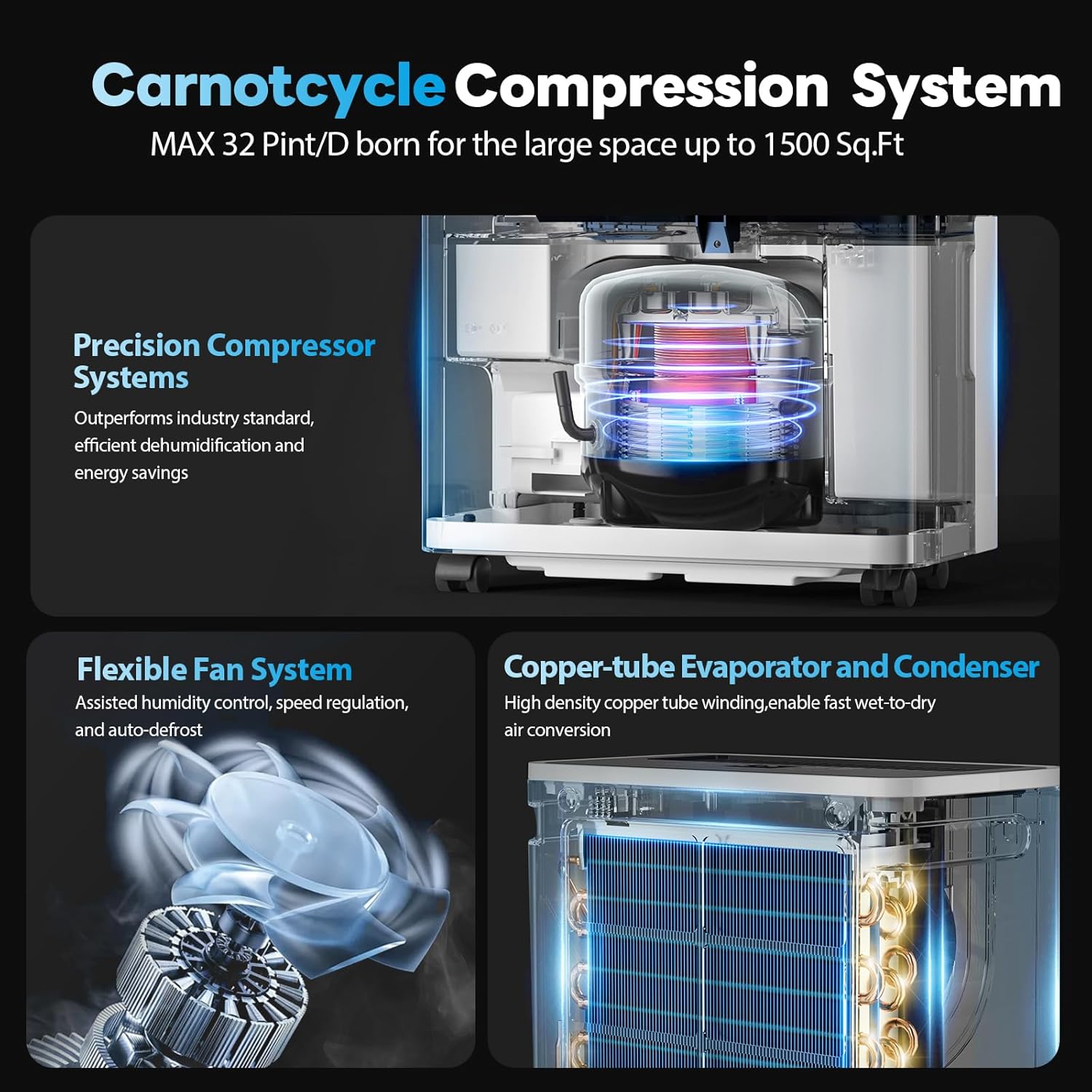
Image: Diagram illustrating the internal components, including the precision compressor system, flexible fan system, and copper-tube evaporator and condenser, highlighting the Carnotcycle Compression System.
4. Setup
- Unpacking: Carefully remove the dehumidifier from its packaging. Retain packaging materials for future storage or transport.
- Positioning: Place the dehumidifier upright on a flat, stable surface in the desired location. Ensure there is at least 8 inches (20 cm) of clear space around all sides of the unit for proper airflow.
- Initial Standby: After unpacking, allow the unit to stand upright for at least 24 hours before plugging it in. This allows the refrigerant to settle, ensuring optimal performance and longevity.
- Power Connection: Plug the power cord into a grounded electrical outlet.
5. Operating Instructions
Control Panel Overview

Image: Close-up of the dehumidifier's control panel, showing the digital display and touch-sensitive buttons for various functions like humidity setting, timer, fan speed, and power.
- Power Button: Turns the unit on or off.
- Humidity Setting Button: Allows you to set your desired humidity level (30%-90%).
- Timer Button: Activates the 24-hour timer for automatic on/off scheduling.
- Speed Button: Selects between two fan speeds (Low/High).
- Display: Shows current humidity level, timer settings, and error codes.
- Indicator Lights: Lights for DEFROST, TANK FULL, TIMER, LOW speed, HI speed, and OPERATION.
Operating Modes

Image: Visual representation of the three available operating modes: Dehumidify Mode for precise control, Auto Mode for maintaining 50-60% RH, and Continuous Mode for constant dehumidification.
- Dehumidify Mode (Manual Target Humidity): Set your desired humidity level between 30% and 90%. The unit will operate until the set humidity is reached, then cycle on and off to maintain it.
- Auto Mode: The unit automatically maintains a comfortable humidity level, typically between 50% and 60% Relative Humidity (RH).
- Continuous Mode: The unit will run continuously, regardless of the ambient humidity level, until the water tank is full or the unit is manually turned off. This mode is ideal for very damp environments.
Humidity Indicator Light

Image: The dehumidifier displaying its 3-color humidity indicator light. Blue indicates RH below 50% (Dry), Green indicates RH between 50% to 70% (Comfort), and Red indicates RH higher than 70% (Wet).
The front panel features a 3-color LED light that indicates the current humidity level:
- Blue: Relative Humidity (RH) is below 50% (Dry).
- Green: Relative Humidity (RH) is between 50% and 70% (Comfort).
- Red: Relative Humidity (RH) is higher than 70% (Wet).
Note: The panel lights and front humidity indicator lights cannot be turned off. Their intensity is minimal and designed not to disrupt sleep.
6. Drainage Options
Your YTE PRO Dehumidifier offers two convenient methods for water removal:
A. Manual Drainage (Water Tank)
- The unit collects condensed water in a 0.66-gallon (2.5L) removable water tank.
- When the tank is full, the 'TANK FULL' indicator light will illuminate, and the unit will automatically shut off to prevent overflow.
- Carefully pull out the water tank from the back of the unit.
- Empty the collected water into a sink or drain.
- Slide the empty water tank back into the unit until it clicks into place. The unit will resume operation.
B. Continuous Drainage (Drain Hose)
For continuous operation without needing to empty the water tank, use the included 6.56 ft (2m) drain hose.
- Locate the continuous drain outlet on the back of the dehumidifier.
- Remove the rubber stopper from the drain outlet.
- Connect one end of the provided drain hose to the outlet, ensuring a secure fit.
- Direct the other end of the hose to a suitable drain point, such as a floor drain or a large bucket. Ensure the hose is sloped downwards to allow gravity drainage and is free of kinks or blockages.
- Once connected, the unit will continuously drain water, bypassing the internal water tank.

Image: Two panels illustrating drainage options. The top panel shows a user emptying the 0.66-gallon water tank into a sink. The bottom panel shows a user connecting the 6.56 ft extra-long drain hose for continuous drainage.
7. Maintenance
Regular maintenance ensures the efficient operation and extends the lifespan of your dehumidifier.
Cleaning the Air Filter
The air filter should be cleaned every two weeks or more frequently depending on usage and air quality.
- Turn off the dehumidifier and unplug it from the power outlet.
- Locate the air filter, typically on the back or side of the unit. Gently pull it out.
- Wash the filter with clean water (not hotter than 104°F / 40°C) and a mild detergent.
- Rinse the filter thoroughly and allow it to air dry completely before reinserting. Do not expose to direct sunlight or use a dryer.
- Once dry, slide the filter back into its position.
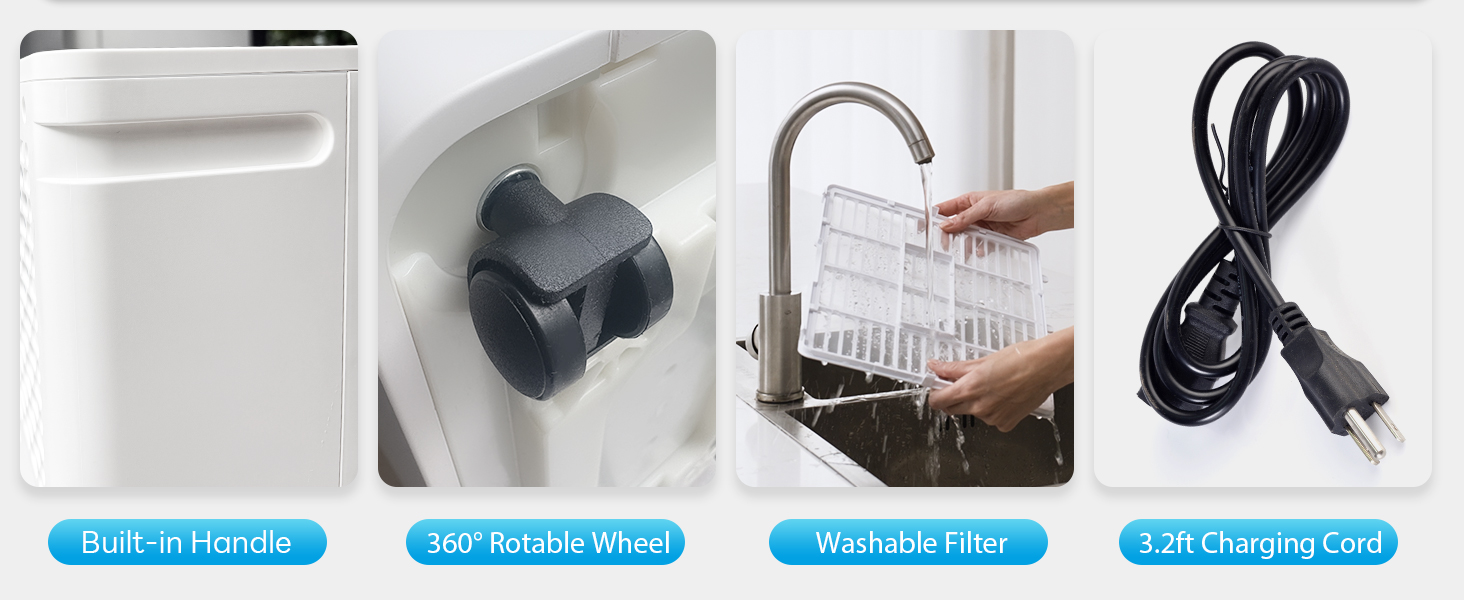
Image: A composite image showing the built-in handle, 360° rotatable wheel, the washable filter being cleaned under running water, and the 3.2ft charging cord, highlighting key features for portability and maintenance.
Unit Cleaning
- Wipe the exterior of the unit with a soft, damp cloth.
- Do not use harsh chemicals, abrasives, or solvents.
Storage
If the unit will not be used for an extended period:
- Empty the water tank and ensure it is clean and dry.
- Clean the air filter.
- Store the unit in an upright position in a cool, dry place, away from direct sunlight.
8. Troubleshooting
If your dehumidifier is not operating as expected, please consult the following common issues and solutions before contacting support.
| Problem | Possible Cause | Solution |
|---|---|---|
| Dehumidifier does not dry the air effectively. |
|
|
| Unit does not turn on. |
|
|
| Unit is noisy. |
|
|
9. Specifications
| Feature | Specification |
|---|---|
| Brand | YTE PRO |
| Model Name | 1500Sq.Ft 30Pint |
| Dehumidification Capacity | 30 Pints per Day (at 95°F, 90%RH) |
| Coverage Area | Up to 1500 Square Feet |
| Water Tank Capacity | 0.66 Gallons (2.5 Liters) |
| Product Dimensions (D x W x H) | 16.5" x 11.6" x 6.7" |
| Item Weight | 18.74 pounds (8.52 Kilograms) |
| Number of Fan Speeds | 2 |
| Operation Mode | Continuous, Auto, Manual Target Humidity (30%-90%) |
| Drain Hose Length | 6.56 Feet (2 Meters) |
| Noise Level | As low as 40dB |
| Special Features | 24-hour Timer, Auto Defrost, Washable Filter, 360° Wheels, Built-in Handle |
10. Warranty and Support
YTE PRO products are manufactured to the highest quality standards. For specific warranty information and terms, please refer to the warranty card included with your purchase or visit the official YTE PRO website. If you encounter any issues or have questions regarding your dehumidifier, please contact YTE PRO customer support for assistance.
Our dedicated support team is available to assist you with any product-related inquiries.