
1. Product Overview
The Nisocy RGBWIC LED Corner Floor Lamp (Model HCP202) is a versatile smart lighting solution designed to enhance various indoor environments. It combines the functionalities of a floor lamp, an atmosphere light, and a directional spotlight. This lamp offers extensive customization with 16 million RGB colors and 68 dynamic lighting modes, controllable via a Bluetooth application or an included remote control. Key features include music synchronization, a timer function, and tool-free assembly.

Image 1.1: The Nisocy RGBWIC LED Corner Floor Lamp illuminating a living space with vibrant colors.
2. Package Contents
Verify that all components are present in the package before proceeding with assembly.
- RGBWIC LED Corner Floor Lamp (Model HCP202)
- Remote Control
- 12V/1A Power Adapter
- User Manual

Image 2.1: Contents of the Nisocy RGBWIC LED Corner Floor Lamp package.
3. Assembly Instructions
The Nisocy RGBWIC LED Corner Floor Lamp is designed for tool-free assembly. Follow these steps to set up your lamp:
- Unpack Components: Carefully remove all items from the packaging and ensure all parts listed in Section 2 are present.
- Connect Lamp Sections: Insert the lamp body sections into the connections, ensuring they are securely fixed in sequence. The lamp can be assembled to various heights (short, medium, or tall) based on your preference.
- Attach Spotlight (Optional): If desired, attach the small spotlight component to the top section of the lamp. This spotlight can be rotated freely for independent illumination.
- Connect to Base: Securely attach the assembled lamp body to the controller base.
- Power Connection: Connect the 12V/1A power adapter to the lamp's power port and then plug it into a standard electrical outlet.

Image 3.1: Assembly diagram for the Nisocy RGBWIC LED Corner Floor Lamp.
4. Operating Instructions
4.1 Control Options: App and Remote
The lamp can be controlled using either the dedicated Bluetooth application or the included remote control.
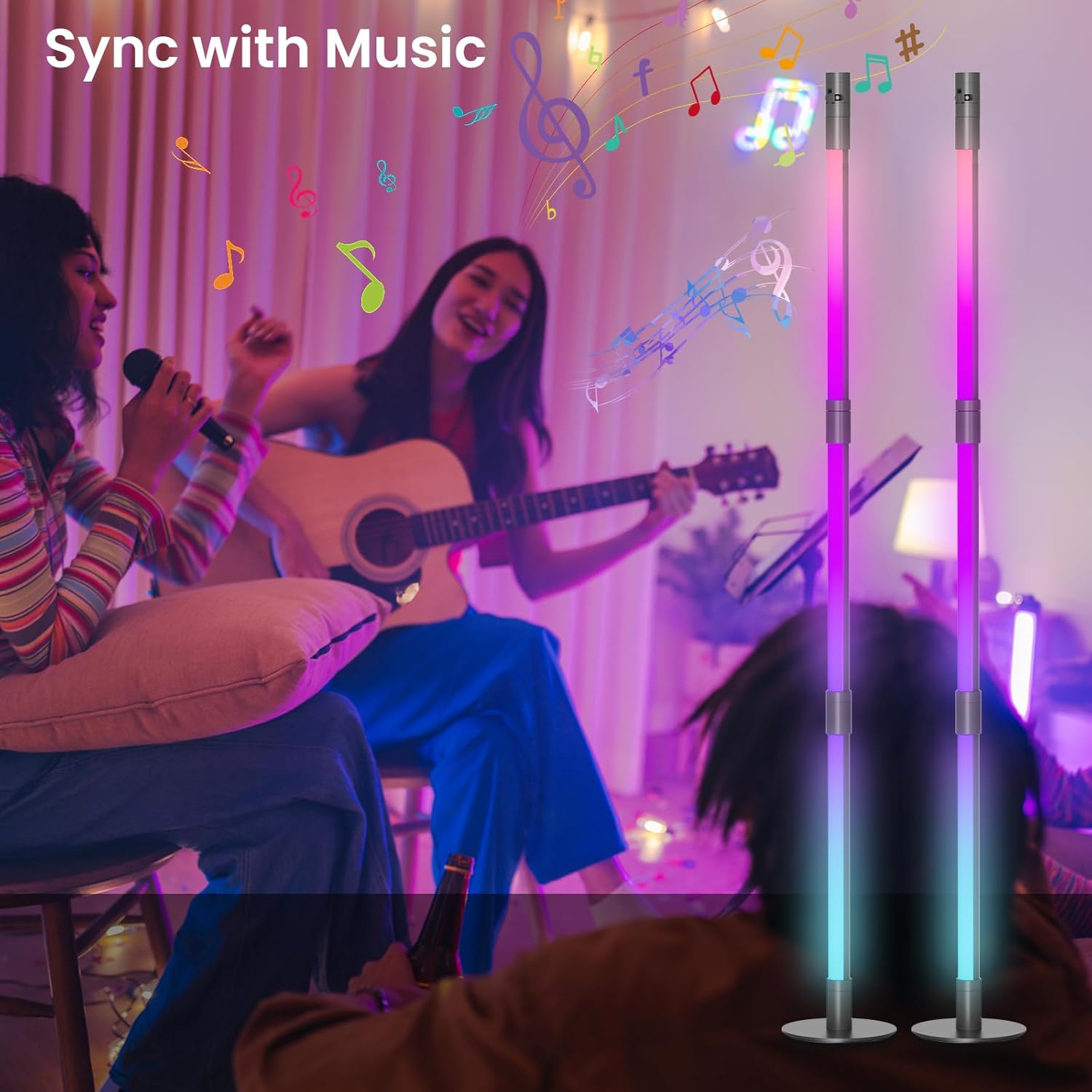
Image 4.1: Control options for the Nisocy RGBWIC LED Corner Floor Lamp: App Control and Remote Control.
4.1.1 Bluetooth App Control
- Download App: Scan the QR code in the user manual or search for the recommended app (e.g., 'MoesHome APP' as indicated on packaging) in your device's app store.
- Pair Device: Enable Bluetooth on your smartphone. Open the app and follow the on-screen instructions to discover and pair with your Nisocy LED Corner Floor Lamp.
- Functions: The app provides comprehensive control over color selection (16 million RGB colors), brightness adjustment, dynamic lighting modes (68 options), music synchronization, and timer settings.
4.1.2 Remote Control
The included remote control offers convenient access to essential functions.
- Power On/Off: Press the power button to turn the lamp on or off.
- Color Selection: Use the color buttons or color wheel (if present) to change the lamp's color.
- Brightness Adjustment: Adjust the light intensity using the brightness up/down buttons.
- Mode Selection: Cycle through various dynamic lighting modes.
- Music Sync: Activate or deactivate music synchronization.
- Timer: Set a basic timer (e.g., 1-2 hours) using the dedicated timer button.
4.2 Spotlight Function
The top small spotlight can be illuminated independently and its connection can be rotated freely to direct light as needed. This allows for focused illumination, such as for reading or highlighting specific areas.

Image 4.2: The independent and rotatable spotlight feature.
4.3 Music Synchronization
The lamp features a built-in high-sensitivity microphone that allows it to sync lighting effects with music, movies, or game audio in real-time. This creates an immersive experience, with lights changing rhythmically to the sound.

Image 4.3: Music synchronization feature in action, creating a dynamic lighting environment.
4.4 Timer Function
Utilize the timer function to automate your lighting. The remote control offers basic timer settings, while the Bluetooth app allows for more advanced scheduling, enabling you to set specific on/off times to suit your daily routine.
5. Maintenance
To ensure the longevity and optimal performance of your Nisocy RGBWIC LED Corner Floor Lamp, follow these maintenance guidelines:
- Cleaning: Gently wipe the lamp's surface with a soft, dry cloth. Avoid using abrasive cleaners, solvents, or harsh chemicals, as these can damage the finish.
- Placement: Place the lamp on a stable, flat surface to prevent tipping. Ensure it is not exposed to direct sunlight for prolonged periods or extreme temperatures.
- Power Supply: Always use the provided 12V/1A power adapter. Disconnect the power supply before cleaning or moving the lamp.
- Indoor Use Only: This lamp is designed for indoor use only and is not waterproof. Avoid exposure to moisture or humid environments.
6. Troubleshooting
If you encounter issues with your Nisocy RGBWIC LED Corner Floor Lamp, refer to the following common troubleshooting steps:
| Problem | Possible Cause | Solution |
|---|---|---|
| Lamp does not turn on | No power supply; Loose connection; Faulty adapter | Ensure power adapter is securely plugged into the lamp and a working outlet. Test the outlet with another device. |
| Remote control not working | Batteries depleted; Obstruction; Remote out of range | Replace remote control batteries (AAA, not included). Ensure no obstructions between remote and lamp. Operate within effective range. |
| App cannot connect to lamp | Bluetooth off; Lamp not in pairing mode; App issue | Ensure Bluetooth is enabled on your device. Restart the lamp and the app. Try re-pairing the device through the app. |
| Lights flickering or inconsistent | Loose lamp section connection; Power fluctuation | Check all lamp section connections for tightness. Ensure the power adapter is stable. |
7. Specifications
| Feature | Detail |
|---|---|
| Model Name | HCP202 |
| Brand | Nisocy |
| Light Source Type | LED (RGBWIC) |
| Material | Alloy Steel |
| Finish Type | Polished |
| Product Dimensions | 1"D x 1"W x 15.5"H (per lamp section, total height varies with assembly) |
| Item Weight | 3.3 Pounds |
| Power Source | Corded Electric |
| Voltage | 12 Volts (DC) |
| Wattage | 12 watts |
| Switch Type | APP, Remote Control |
| Indoor/Outdoor Usage | Indoor |
| Number of Light Sources | 3 (per lamp) |
8. Warranty and Support
Nisocy offers a lifetime warranty for the RGBWIC LED Corner Floor Lamp, ensuring peace of mind regarding product quality and performance. For any questions, technical assistance, or warranty claims, please contact Nisocy customer service through their official channels or visit the Nisocy Store on Amazon:
Nisocy Store: Visit Nisocy Store