
1. Introduction
This manual provides detailed instructions for the safe and effective use of your Sony WH-1000XM6 Noise Canceling Headphones. Please read this manual thoroughly before using the product and retain it for future reference. These headphones are designed to deliver superior audio quality and advanced noise cancellation for an immersive listening experience.
2. What's in the Box
- Sony WH-1000XM6 Over-Ear Headphones
- USB-C Charging Cable
- Audio Cable (for wired connection)
- Carrying Case
- $30 Amazon Gift Card (as part of the bundle)
- Quick Start Guide
- Reference Guide
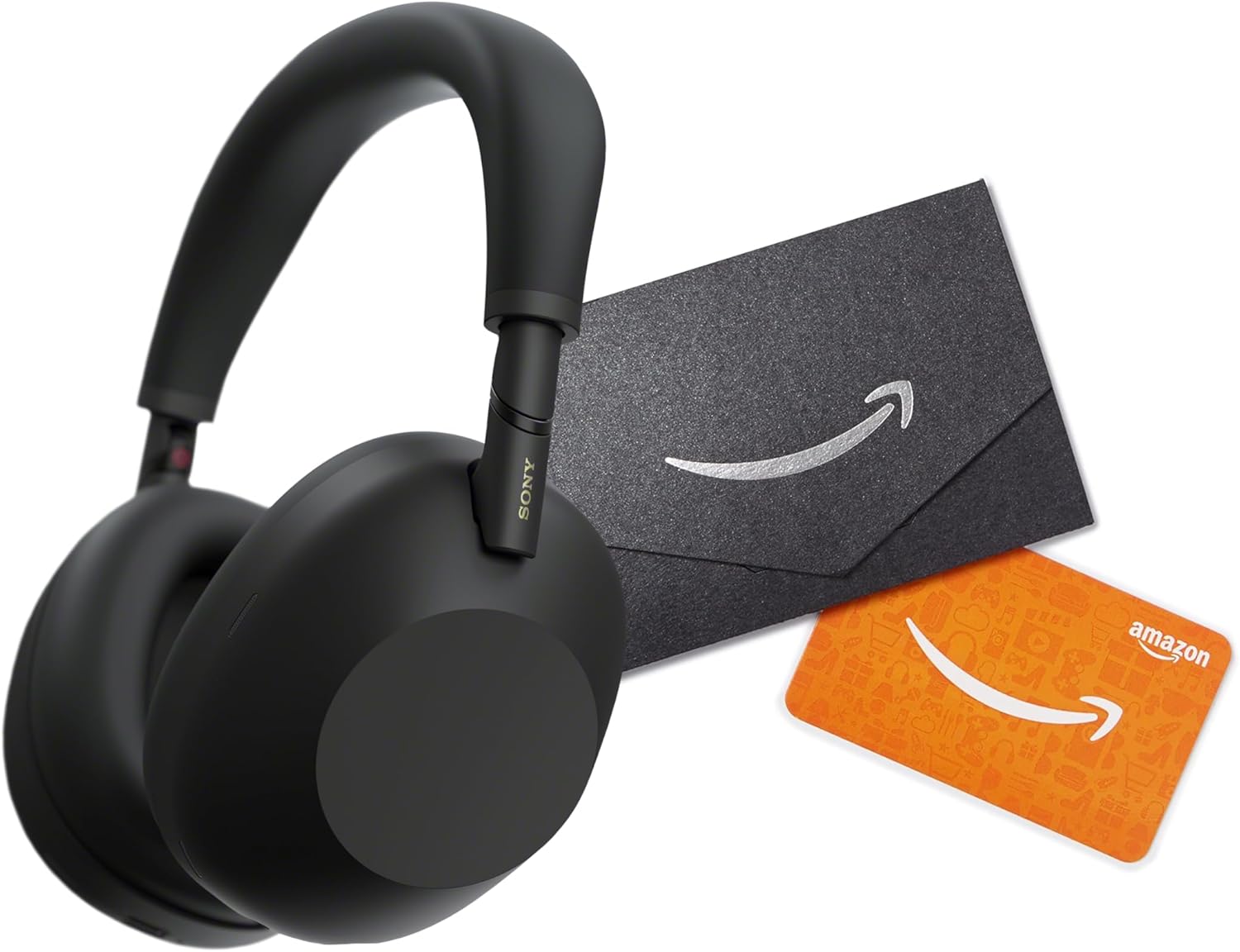
Image: Sony WH-1000XM6 Noise Canceling Headphones in black, accompanied by a black mini envelope and an orange Amazon gift card.
3. Setup
3.1 Charging the Headphones
Before initial use, fully charge the headphones. Connect the supplied USB-C cable to the USB-C port on the headphones and the other end to a USB power adapter (not supplied) or a computer's USB port.
- The indicator light will glow orange during charging and turn off when charging is complete.
- A full charge takes approximately 3.5 hours.
- A 10-minute charge can provide up to 5 hours of playback.
3.2 Bluetooth Pairing
- Power On: Press and hold the power button on the left earcup for about 2 seconds until the indicator flashes blue.
- Enter Pairing Mode: When powering on for the first time, the headphones automatically enter pairing mode. If not, press and hold the power button for 7 seconds until the indicator flashes blue rapidly and a voice guide says "Bluetooth pairing".
- Connect to Device: On your device (smartphone, tablet, computer), go to Bluetooth settings and select "WH-1000XM6" from the list of available devices.
- Confirm Connection: Once connected, the indicator will slowly flash blue, and a voice guide will say "Bluetooth connected".
For NFC-enabled devices, simply touch the device to the N-Mark on the left earcup to initiate pairing.
3.3 Sony Headphones Connect App
Download the "Sony Headphones Connect" app from your device's app store (Google Play Store or Apple App Store). This app allows you to customize sound settings, noise cancellation levels, and access advanced features of your headphones.
4. Operating Instructions
4.1 Power On/Off
- Power On: Press and hold the power button for approximately 2 seconds.
- Power Off: Press and hold the power button for approximately 2 seconds until the indicator turns off.
4.2 Noise Cancellation and Ambient Sound Mode
The WH-1000XM6 features Active Noise Cancellation (ANC) and Ambient Sound Mode. Use the NC/Ambient button on the left earcup to cycle through modes:
- Noise Canceling: Blocks out ambient noise. Ideal for travel or noisy environments.
- Ambient Sound: Allows you to hear surrounding sounds while listening to music. Useful for awareness in urban environments.
- Off: Disables both noise canceling and ambient sound.
You can fine-tune these settings using the Sony Headphones Connect app.
4.3 Touch Panel Controls (Right Earcup)
| Gesture | Function |
|---|---|
| Swipe up/down | Volume up/down |
| Swipe forward/backward | Next track/Previous track |
| Double tap | Play/Pause, Answer/End call |
| Long press | Activate Voice Assistant |
| Cover with palm | Quick Attention Mode (temporarily lowers volume and allows ambient sound) |
4.4 Call Handling
- Answer/End Call: Double tap the touch panel.
- Reject Call: Press and hold the touch panel for about 2 seconds.
5. Maintenance
5.1 Cleaning
- Wipe the headphones with a soft, dry cloth.
- Do not use alcohol, benzene, thinners, or other chemical cleaners, as they may damage the finish.
- Clean the ear pads regularly to prevent buildup of dirt and oils.
5.2 Storage
- Store the headphones in the supplied carrying case when not in use to protect them from dust and scratches.
- Avoid storing in direct sunlight, high temperatures, or high humidity.
5.3 Battery Care
- To preserve battery life, charge the headphones at least once every six months, even if not in regular use.
- Avoid fully discharging the battery frequently.
6. Troubleshooting
6.1 No Power
- Ensure the headphones are charged. Connect to a power source and check the charging indicator.
- If the headphones do not turn on after charging, try resetting them.
6.2 Cannot Pair via Bluetooth
- Ensure the headphones are in pairing mode (rapidly flashing blue indicator).
- Make sure Bluetooth is enabled on your device.
- Place the headphones and your device within 1 meter (3 feet) of each other during pairing.
- Delete "WH-1000XM6" from your device's Bluetooth list and try pairing again.
- Restart both the headphones and your device.
6.3 No Sound or Low Volume
- Check the volume level on both the headphones and your connected device.
- Ensure the headphones are properly connected via Bluetooth.
- If using a wired connection, ensure the audio cable is fully inserted into both the headphones and the audio source.
6.4 Noise Cancellation Not Effective
- Ensure the noise cancellation mode is activated.
- Adjust the noise cancellation settings via the Sony Headphones Connect app.
- Ensure the ear pads are properly sealed around your ears. Adjust the headband for a snug fit.
7. Specifications
| Feature | Detail |
|---|---|
| Model Name | WH-1000XM6 |
| Brand | Sony |
| Connectivity Technology | Wireless (Bluetooth) |
| Wireless Communication Technology | Bluetooth |
| Bluetooth Version | 5.0 |
| Noise Control | Active Noise Cancellation |
| Battery Life | 30 Hours (approx.) |
| Ear Placement | Over Ear |
| Material | Plastic with Carbon Fiber |
| Frequency Range | 20 Hz - 20,000 Hz |
| Control Method | Voice, Touch |
| Included Components | Over Ear Headphones |
8. Warranty and Support
Your Sony WH-1000XM6 headphones come with a manufacturer's warranty. Please refer to the warranty card included in your product packaging for specific terms and conditions, including warranty period and coverage details. For technical support, product registration, or service inquiries, please visit the official Sony support website or contact their customer service.
Official Sony Support: www.sony.com/electronics/support