
SPYMINNPOO S869
SPYMINNPOO S869 Electric LCD Display Meter User Manual
Model: S869
1. Introduction
This manual provides detailed instructions for the installation, operation, and maintenance of your SPYMINNPOO S869 Electric LCD Display Meter. This display is designed to provide clear and precise information about your electric bike or scooter's performance, including speed, battery status, and other essential data. It is compatible with DC 24V, 36V, and 48V systems and features an SM plug for easy connection.
2. Safety Information
- Always ensure the power is off before installing or removing the display meter.
- Do not attempt to disassemble or modify the display meter, as this may void the warranty and cause damage.
- Keep the display meter away from extreme temperatures, direct sunlight for prolonged periods, and corrosive substances.
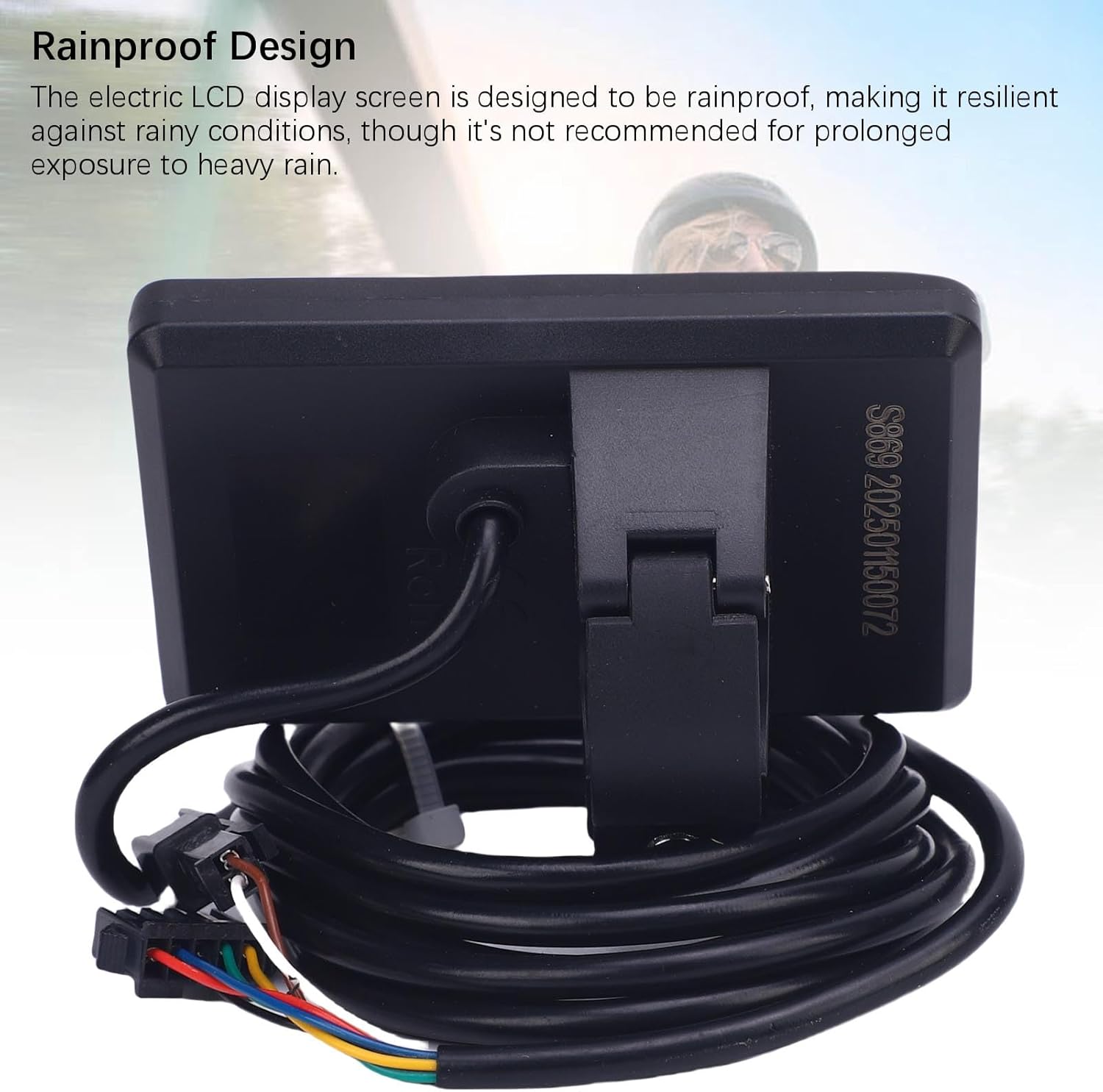
- While the display is designed to be rainproof, prolonged exposure to heavy rain is not recommended.
- Ensure all connections are secure to prevent electrical shorts or malfunctions.
3. Package Contents
Verify that all items are present in the package:
- 1 x Electric LCD Display Meter (S869)
- 1 x User Manual
4. Specifications
| Feature | Specification |
|---|---|
| Model | S869 |
| Material | ABS |
| Product Size (L x W x H) | Approx. 80 x 50 x 14 mm (3.15 x 1.97 x 0.55 inches) |
| Suitable Handlebar Diameter | Approx. 22.2 mm (0.87 inches) |
| Voltage Compatibility | DC 24V, 36V, 48V |
| Connector Type | SM Plug (5-core common plug) |
| Cable Length | Approx. 1640 mm (64.56 inches) |
| Item Weight | Approx. 138 Grams |
| Display Type | High Definition LCD, Backlit |
| Features | Speed, Battery Status, PAS Level, Odometer, Smart Chip |
5. Setup and Installation
Follow these steps to properly install your S869 Electric LCD Display Meter:
5.1 Mounting the Display
- Identify a suitable position on your handlebar (typically near the left grip) that allows for clear visibility and easy access to buttons. The display is designed for 22.2mm handlebars.
- Loosen the screw on the display's mounting bracket.
- Place the display bracket around the handlebar and tighten the screw until the display is securely fixed but can still be adjusted for optimal viewing angle.

5.2 Connecting the Cables
- Locate the SM plug cable extending from your S869 display meter.
- Connect this plug to the corresponding SM plug on your electric bike or scooter's controller or wiring harness. Ensure the connection is firm and fully seated.
- Route the cable neatly along the handlebar and frame, securing it with cable ties if necessary, to prevent interference with moving parts.

5.3 Physical Dimensions
For reference, the physical dimensions of the S869 display are provided below:

6. Operating Instructions
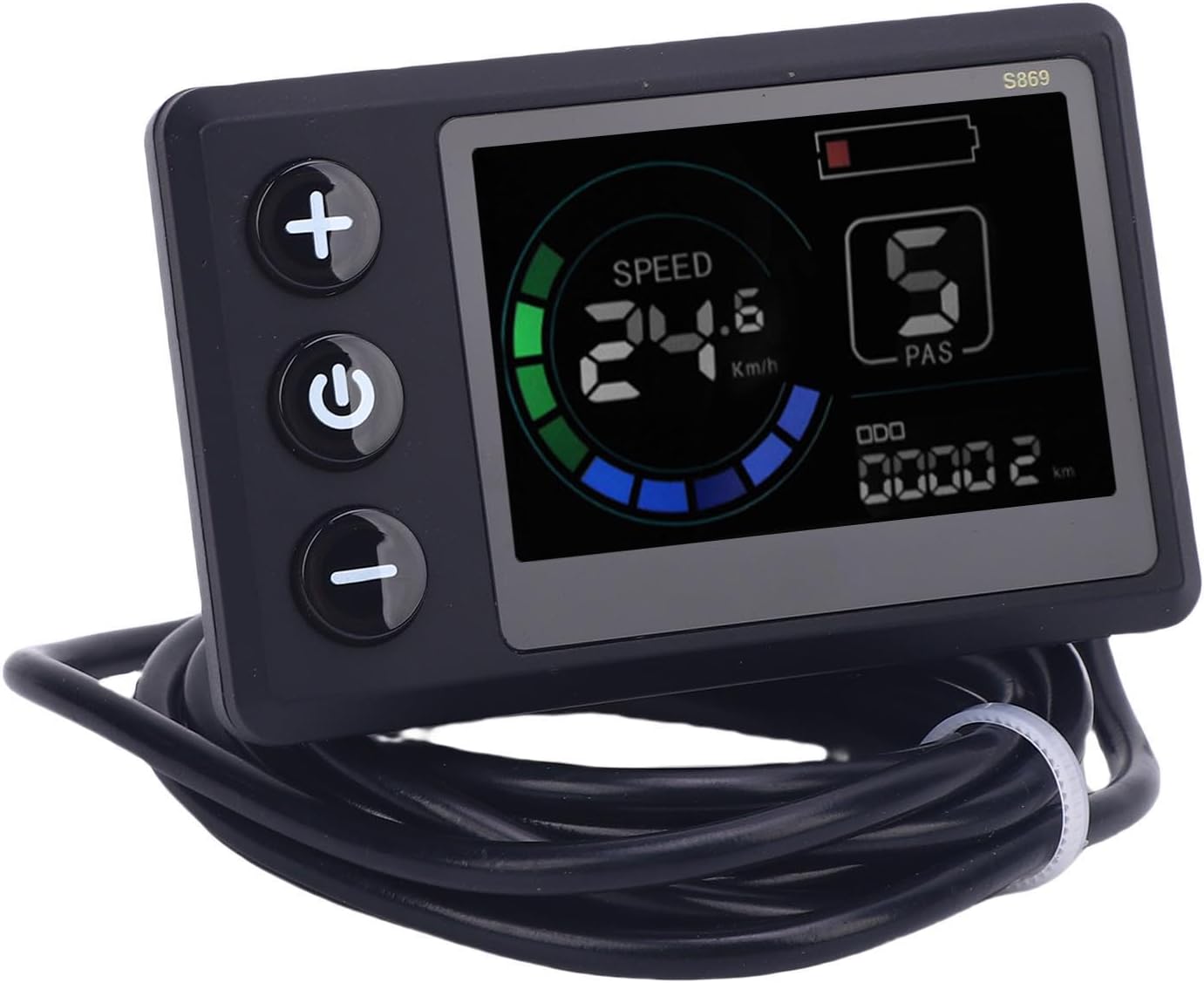
The S869 display provides real-time data and control over your electric bike or scooter. Familiarize yourself with the display interface and button functions.
6.1 Power On/Off
- To Power On: Press and hold the Power button (middle button) for a few seconds until the display illuminates.
- To Power Off: Press and hold the Power button again for a few seconds until the display turns off.
6.2 Display Functions
The LCD screen provides the following information:
- Speed: Displays current riding speed (e.g., km/h or mph).
- Battery Status: Indicates the remaining battery charge level.
- PAS Level: Shows the current Pedal Assist System level (e.g., 0-5), controlling the motor's assistance.
- ODO (Odometer): Displays the total distance traveled.
- Trip Distance: (If available) Displays the distance for the current trip.
6.3 Button Functions
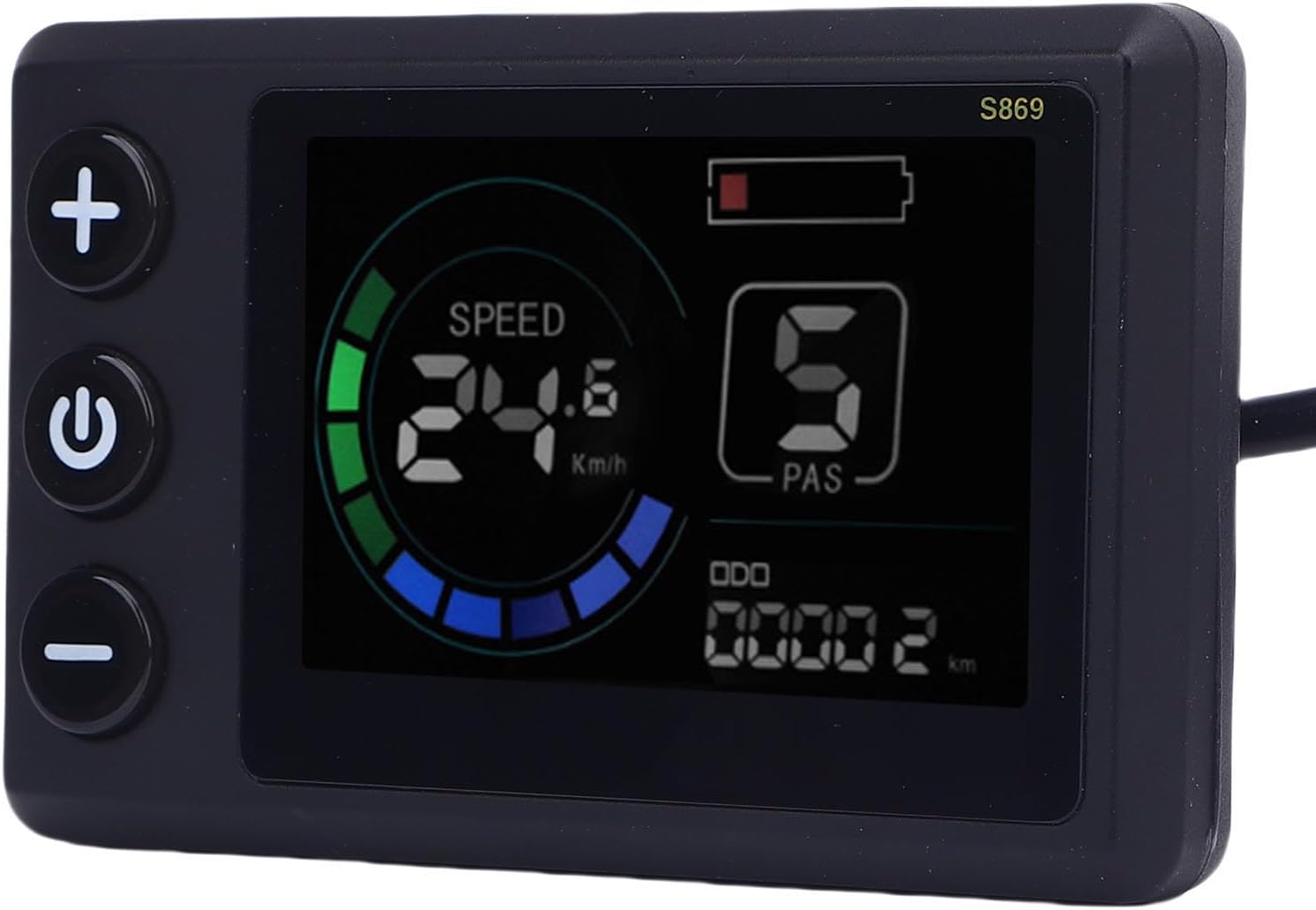
- '+' Button (Top): Typically used to increase the PAS level or navigate upwards in menu settings.
- Power Button (Middle): Used to power the display on/off. A short press may cycle through display modes (e.g., ODO, Trip).
- '-' Button (Bottom): Typically used to decrease the PAS level or navigate downwards in menu settings.
7. Maintenance
Proper maintenance ensures the longevity and optimal performance of your S869 display meter.
- Cleaning: Wipe the display screen and body with a soft, damp cloth. Do not use abrasive cleaners, solvents, or harsh chemicals, as these can damage the screen or casing.
- Water Resistance: The display features a rainproof design, offering protection against light rain and splashes. However, avoid submerging the device in water or exposing it to high-pressure water jets.
8. Troubleshooting
If you encounter issues with your S869 display meter, refer to the following table for common problems and solutions:
| Problem | Possible Cause | Solution |
|---|---|---|
| Display does not power on | Loose cable connection No power from battery Faulty display | Check all cable connections, especially the SM plug. Ensure the e-bike/scooter battery is charged and powered on. If connections are secure and power is present, contact support. |
| No speed reading | Speed sensor issue Loose cable connection | Check the speed sensor and its connection to the controller. Verify all display cables are securely connected. |
| Incorrect data displayed | Incorrect settings Sensor malfunction | Refer to your e-bike/scooter controller manual for display settings. Check relevant sensors for damage or loose connections. |
| Buttons unresponsive | Software glitch Physical damage | Try powering the display off and on again. Inspect buttons for physical damage or debris. |
9. Warranty and Support
9.1 Warranty Information
The SPYMINNPOO S869 Electric LCD Display Meter comes with a manufacturer warranty for 90 days from the date of purchase. This warranty covers defects in materials and workmanship under normal use. It does not cover damage caused by misuse, accidents, unauthorized modifications, or improper installation.
9.2 Customer Support
For technical assistance, warranty claims, or any questions regarding your SPYMINNPOO S869 Electric LCD Display Meter, please contact your retailer or the manufacturer's customer service. Please have your purchase receipt and product model number (S869) available when contacting support.
Ask a question about this manual
Ask about setup, troubleshooting, compatibility, parts, safety, or missing instructions. Manuals+ will review the question and use this page’s manual context to help answer it.