
1. Introduction
This manual provides essential information for the proper installation, operation, and maintenance of your SPYMINNPOO S869 Electric LCD Display Meter. Please read this manual thoroughly before using the product to ensure safe and efficient operation. This display is designed for electric bicycles and scooters, offering real-time data monitoring.
2. Product Overview
The S869 Electric LCD Display Meter provides clear and precise information about your electric vehicle's performance. It features a high-definition LCD screen for easy readability day or night, and is compatible with 24V, 36V, and 48V DC systems.
Key Features:
- Easy-to-Read LCD Screen: Displays speed, battery status, and other useful data.
- Wide Voltage Compatibility: Works with DC 24V, 36V, and 48V electric bikes and scooters.
- Convenient SM Plug: Ensures quick and easy connection without complicated wiring.
- Enhanced Control: Allows monitoring and adjustment of device status.
- Durable Construction: Built from lightweight and robust ABS material, designed for long-term use and resistance to wear.
- Rain-Resistant Design: Suitable for rainy conditions, though prolonged heavy rain exposure is not recommended.
Components:
- S869 Electric LCD Display Meter
- User Manual (this document)

Image 2.1: Front view of the S869 LCD Display Meter with dimensions. The display measures approximately 80mm (3.1 inches) in length, 50mm (2.0 inches) in height, and 14mm (0.6 inches) in thickness. The handlebar clamp diameter is 22.2mm (0.9 inches).
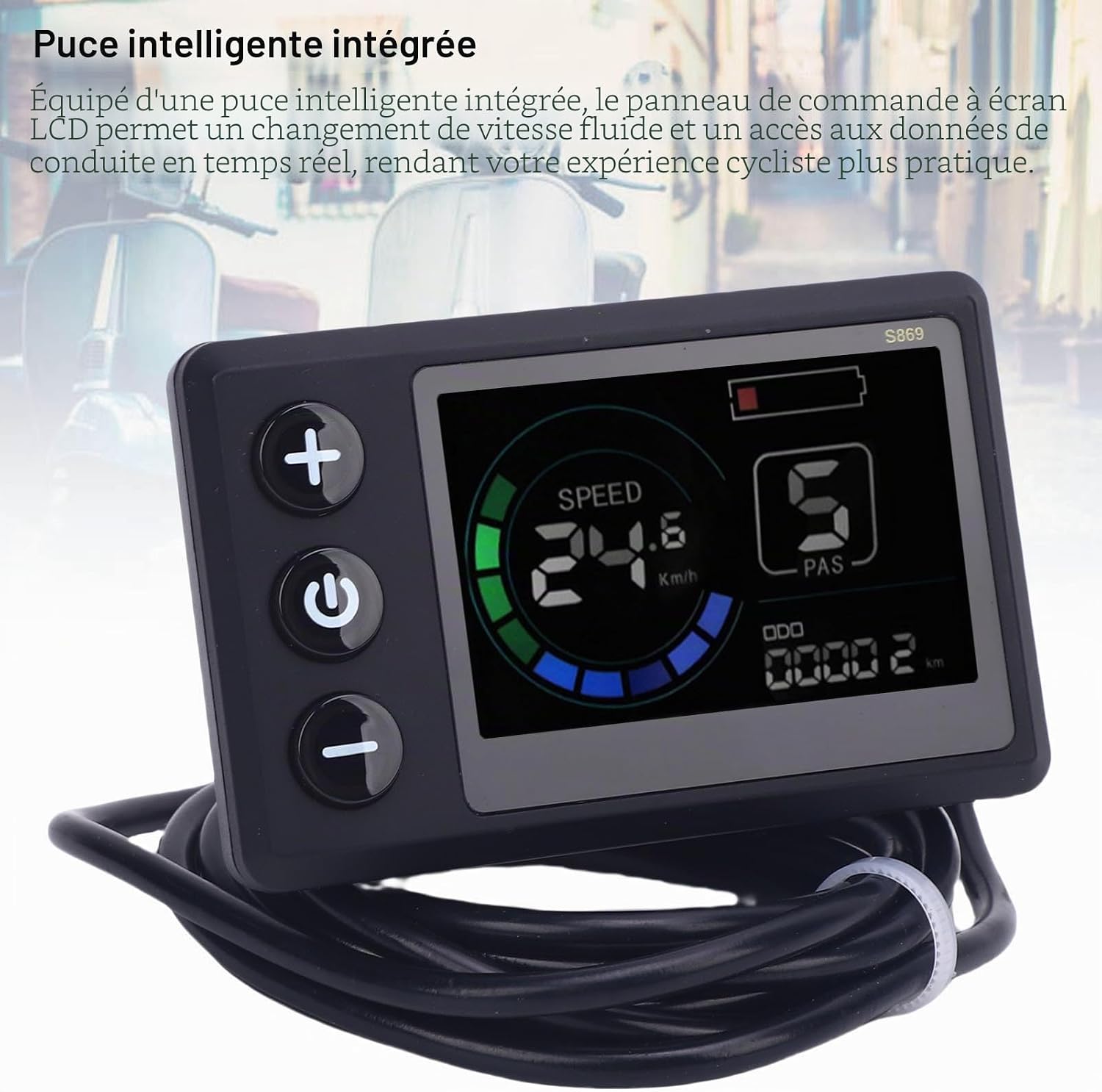
Image 2.2: The S869 LCD Display Meter, highlighting its integrated smart chip for smooth speed changes and real-time driving data access.
3. Setup and Installation
The S869 display is designed for straightforward installation on most electric bicycle and scooter handlebars.
Installation Steps:
- Mounting: Securely attach the display to your handlebar. The clamp is designed to fit handlebars with a diameter of 22.2 mm (0.87 inches). Use appropriate tools to tighten the mounting screws, ensuring the display is stable and visible.
- Connection: Locate the SM plug on your electric bike or scooter's wiring harness. Connect the display's SM plug to the corresponding connector. Ensure the connection is firm and secure.

Image 3.1: Back view of the S869 LCD Display Meter, illustrating its versatile installation bracket suitable for retrofitting electric bikes and scooters.

Image 3.2: The S869 LCD Display Meter showing its 5-pin common plug (SM connector) and the connection indicator. The cable length is approximately 1640mm (64.56 inches).
4. Operating Instructions
The S869 display provides real-time data and allows for basic control of your electric vehicle.
Display Functions:
- Speed: Current riding speed (km/h).
- Battery Level: Indicates remaining battery charge.
- PAS Level: Pedal Assist System level (e.g., 1-5).
- ODO: Odometer, showing total distance traveled.
Button Functions:
- Power Button (⑁): Press and hold to turn the display ON/OFF. A short press may cycle through display modes (e.g., Trip, ODO).
- Up Button (+): Increases the pedal assist level or navigates menu options upwards.
- Down Button (-): Decreases the pedal assist level or navigates menu options downwards.
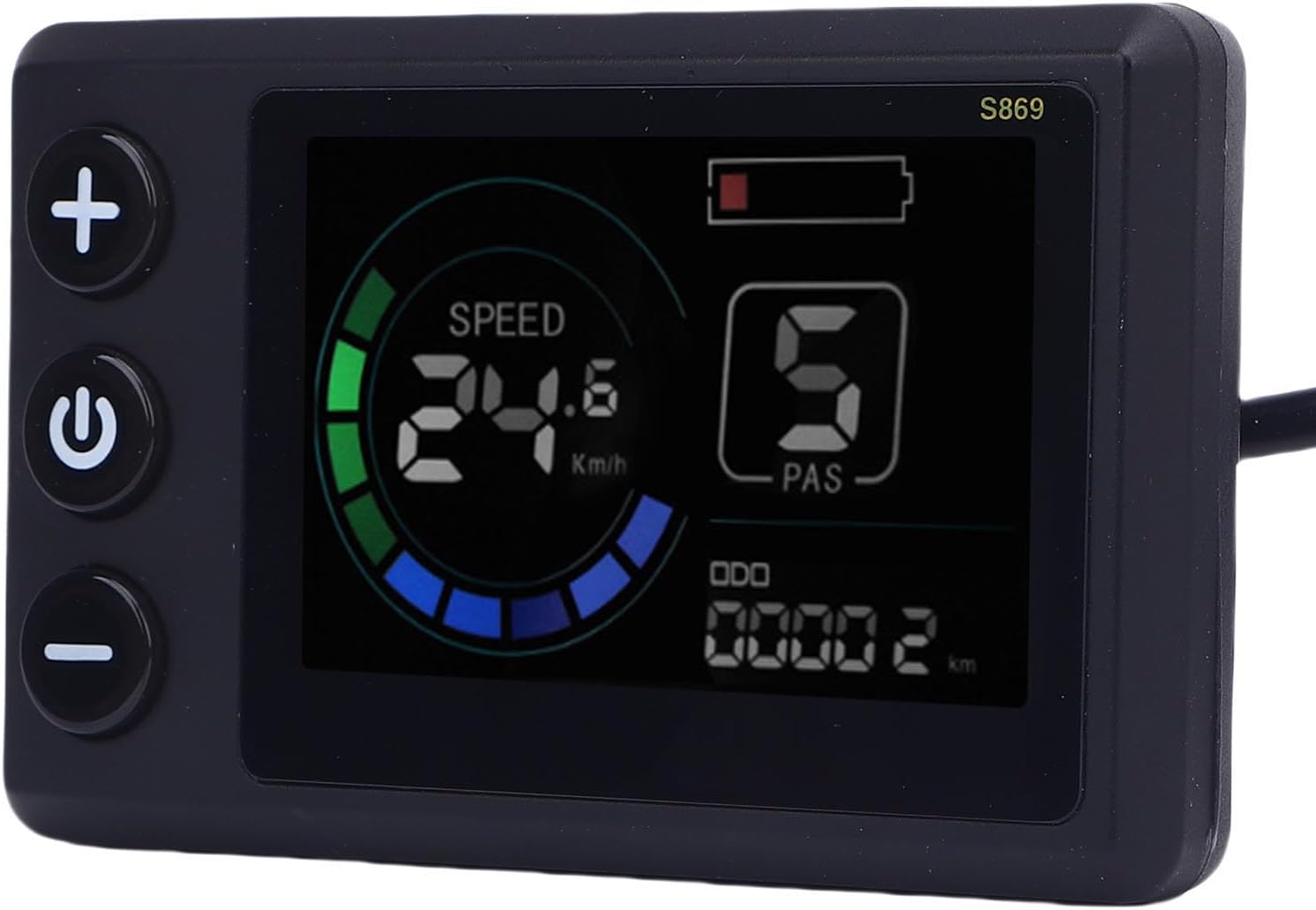
Image 4.1: A close-up view of the S869 LCD Display Meter, showing real-time data such as speed (24.6 km/h), battery level, and PAS (Pedal Assist System) level 5. The odometer reads 00002 km.
5. Maintenance
To ensure the longevity and optimal performance of your S869 LCD Display Meter, follow these maintenance guidelines:
- Cleaning: Use a soft, damp cloth to wipe the display screen and casing. Avoid abrasive cleaners or solvents that could damage the screen or plastic.
- Water Exposure: While the display has a rain-resistant design, avoid prolonged exposure to heavy rain or submerging the unit in water. Ensure all connections are dry before operation.
- Storage: When not in use for extended periods, store the display in a dry, cool place away from direct sunlight and extreme temperatures.
- Inspection: Periodically check the mounting screws and cable connections to ensure they are secure.

Image 5.1: Back view of the S869 LCD Display Meter, emphasizing its rain-resistant construction, suitable for use in various weather conditions.
6. Troubleshooting
If you encounter issues with your S869 LCD Display Meter, refer to the following common problems and solutions:
- Display Not Turning On:
- Check if the battery of your e-bike/scooter is charged.
- Ensure all cable connections, especially the SM plug, are securely connected.
- Verify that the power button is pressed and held for the required duration to turn on the display.
- Incorrect Speed/Distance Readings:
- Ensure the wheel size setting in your e-bike controller (if applicable) is correct. The display receives speed data from the controller.
- Check for any loose connections between the display and the controller.
- Display Flickers or Shows Erratic Data:
- Check for loose or damaged wiring.
- Ensure the operating voltage (24V, 36V, 48V) is stable and within the display's compatible range.
If problems persist, contact customer support for further assistance.
7. Specifications
| Feature | Specification |
|---|---|
| Product Type | Electric LCD Display Meter |
| Model Number | SPYMINNPOOmxgr2dbe18 (S869) |
| Material | ABS |
| Product Size (L x H x T) | Approx. 80 x 50 x 14 mm / 3.15 x 1.97 x 0.55 inches |
| Suitable Handlebar Diameter | Approx. 22.2 mm / 0.87 inches |
| Voltage Compatibility | DC 24V, 36V, 48V |
| Connector Type | SM Plug (5-pin common plug) |
| Cable Length | Approx. 1640 mm / 64.56 inches |
| Weight | Approx. 138 grams |
8. Warranty and Support
For warranty information and customer support, please refer to the documentation provided with your purchase or contact your retailer. Keep your proof of purchase for any warranty claims.