
COSTWAY 10794US-WH-2-CYFP
COSTWAY 18K BTU Dual 2 Zone Mini Split AC/Heating System User Manual
Model: 10794US-WH-2-CYFP
Brand: COSTWAY
1. Introduction
This manual provides essential information for the installation, operation, and maintenance of your COSTWAY 18K BTU Dual 2 Zone Mini Split AC/Heating System. This system is designed to provide efficient climate control for multiple rooms, offering both cooling and heating functionalities with advanced features for enhanced comfort and convenience.
Key features include Wi-Fi connectivity for remote control, compatibility with voice assistants like Alexa, energy-efficient inverter technology, and a robust outdoor unit with a built-in heater for reliable performance in various temperatures.
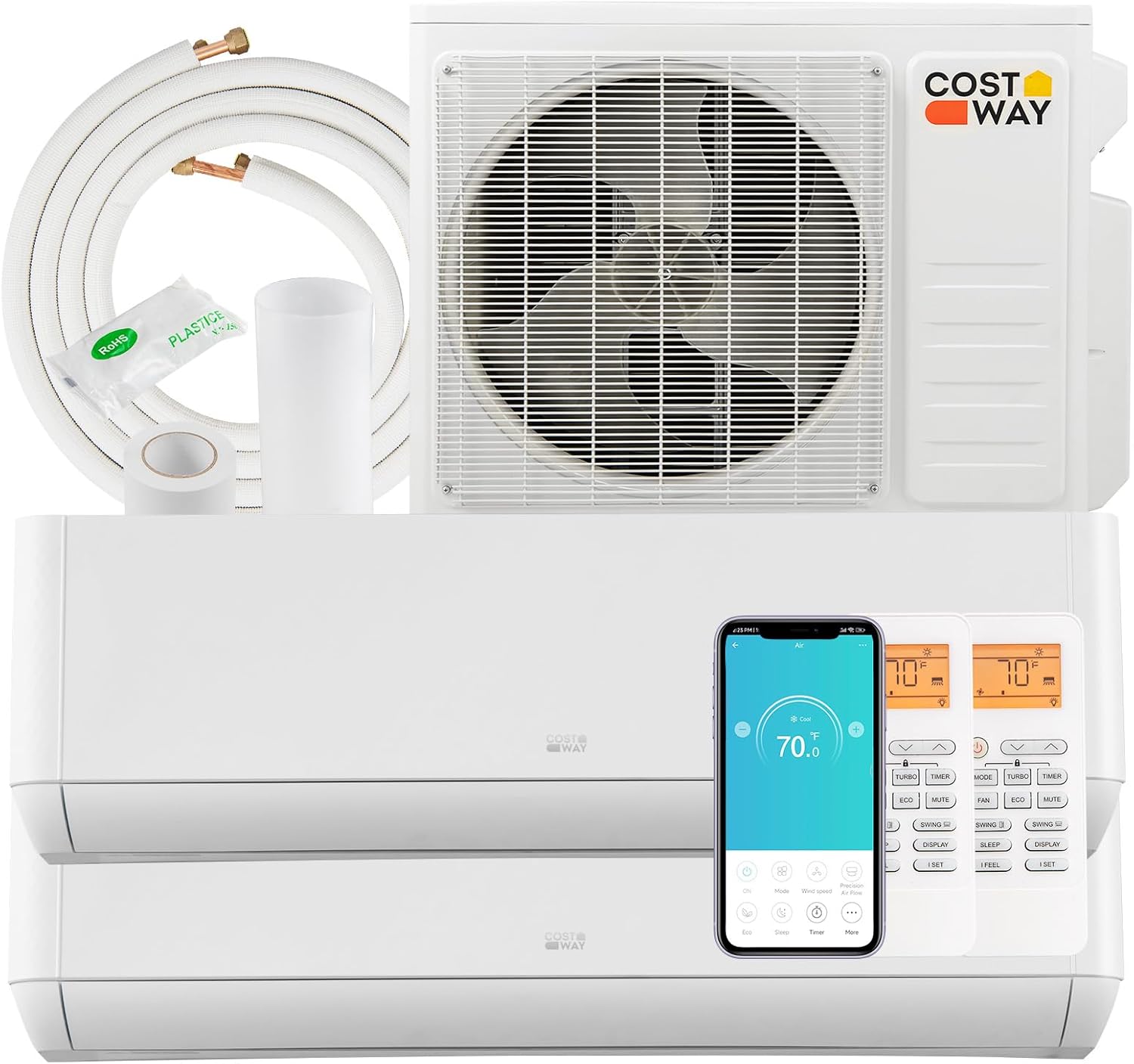
Image: Overview of the COSTWAY Dual Zone Mini Split AC/Heating System, showing the outdoor unit, two indoor units, remote controls, and connection components.
2. Safety Information
Please read all safety warnings and instructions carefully before installation and operation to prevent injury or damage. Keep this manual for future reference.
- Professional Installation Required: Installation of this mini split system requires a professional HVAC installer. Improper installation can lead to electric shock, fire, water leakage, or other hazards.
- Electrical Safety: Ensure the power supply matches the unit's specifications. Do not operate with wet hands. Disconnect power before any maintenance or cleaning.
- Refrigerant Handling: This unit contains R410A refrigerant. Only qualified personnel should handle refrigerant.
- Clearances: Maintain adequate clearances around indoor and outdoor units for proper airflow and service access.
- Children and Pets: Keep children and pets away from the unit during operation and maintenance.
3. Package Contents
Verify that all components listed below are present in your package. If any items are missing or damaged, contact customer service immediately.
- 1x Outdoor Unit
- 2x Indoor Unit
- 2x Communication Wire
- 2x Copper Connection Pipe
- 2x Drain Hose
- 2x Remote Control
- 2x Wall Sleeve
- 2x Wall Cover
- 2x Screw Kit
- 4x Putty
- 4x Tape
- 4x Rubber Pad
- 3x User Guide

Image: Visual representation of all items included in the product package, detailing quantities for each component.
4. Installation Guide
This mini split AC system requires professional installation by a certified HVAC technician. The following is a general overview; detailed installation instructions are provided in the separate User Guide included in the package.
- Site Selection: Choose appropriate locations for the outdoor unit and each indoor unit, ensuring proper clearances and structural support.
- Mounting Indoor Units: Securely mount indoor units to the wall using the provided wall sleeves and covers.
- Mounting Outdoor Unit: Place the outdoor unit on a stable, level surface, ideally using the provided rubber pads to reduce vibration.
- Connecting Refrigerant Lines: Connect the pre-charged copper connection pipes between the indoor and outdoor units. Ensure proper flaring and tightening to prevent leaks.
- Electrical Wiring: Connect communication wires and power supply according to local electrical codes and the wiring diagram in the detailed user guide. This step must be performed by a qualified electrician.
- Drainage: Install drain hoses to ensure proper condensate removal from indoor units.
- Vacuuming and Leak Check: Evacuate the refrigerant lines to remove air and moisture, then perform a leak check to ensure system integrity.
- Test Run: After installation, perform a test run to verify proper operation of all modes and functions.
5. Operation Guide
Your COSTWAY mini split system offers multiple ways to control your comfort, including remote control, a smartphone app, and voice commands.
5.1. Remote Control Operation
Each indoor unit is equipped with a remote control for convenient adjustment of settings.
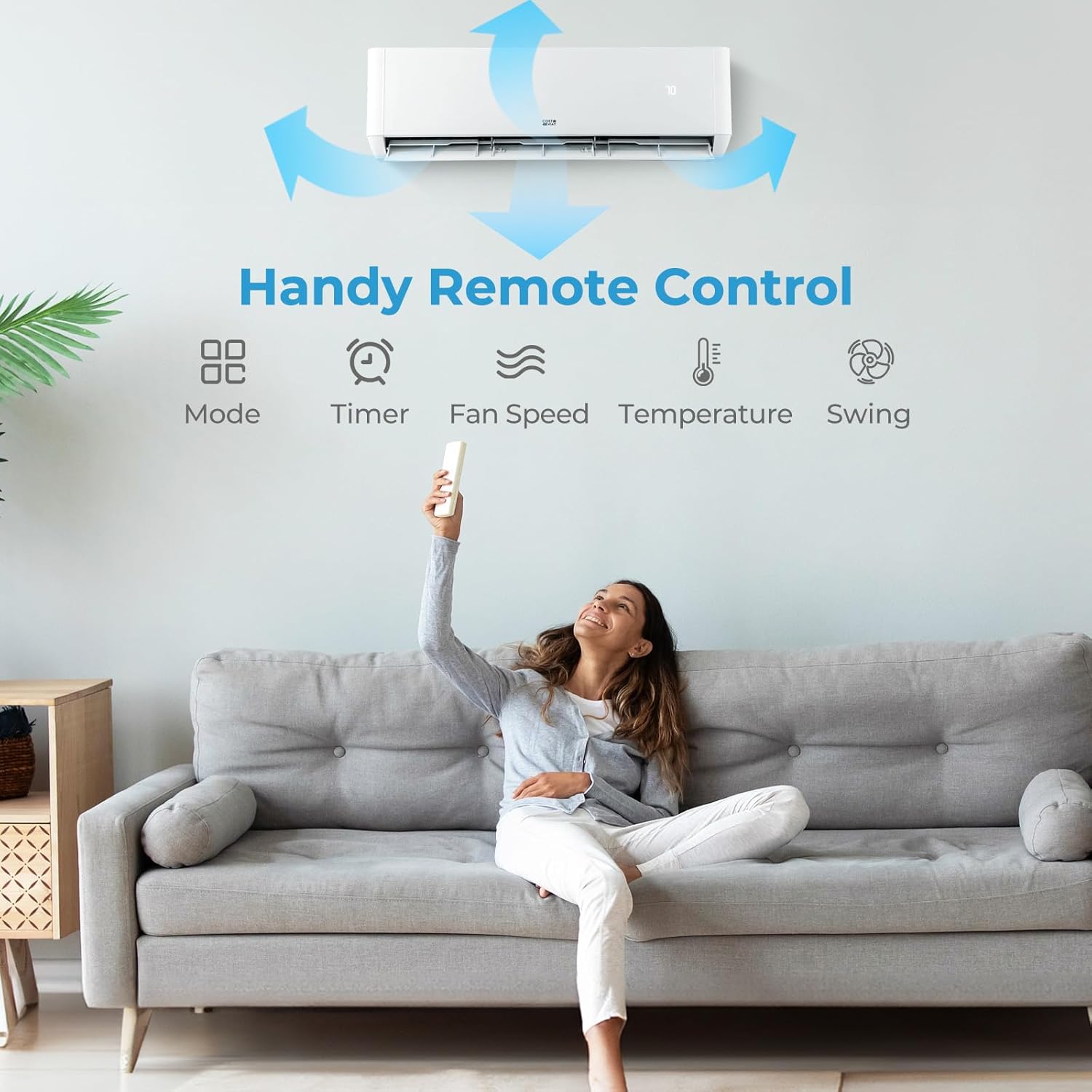
Image: Illustration of the remote control and its primary functions for adjusting the air conditioner settings.
5.2. Modes and Fan Speeds
The system features 7 operating modes and 8 fan speeds to customize your environment:
- Modes: Auto, Cool, Heat, Dry, Fan, Sleep, ECO
- Fan Speeds: Auto, Mute, Low, Low-Mid, Mid, Mid-High, High, Turbo
Additional functions include I FEEL, 4D auto swing, child lock, auto defrost, and memory function.

Image: Visual guide to the various operational modes and fan speed settings available on the air conditioning system.
5.3. Smart APP & Voice Control
Control your unit from anywhere using the dedicated smartphone app or integrate with Alexa or Google Assistant for voice commands.
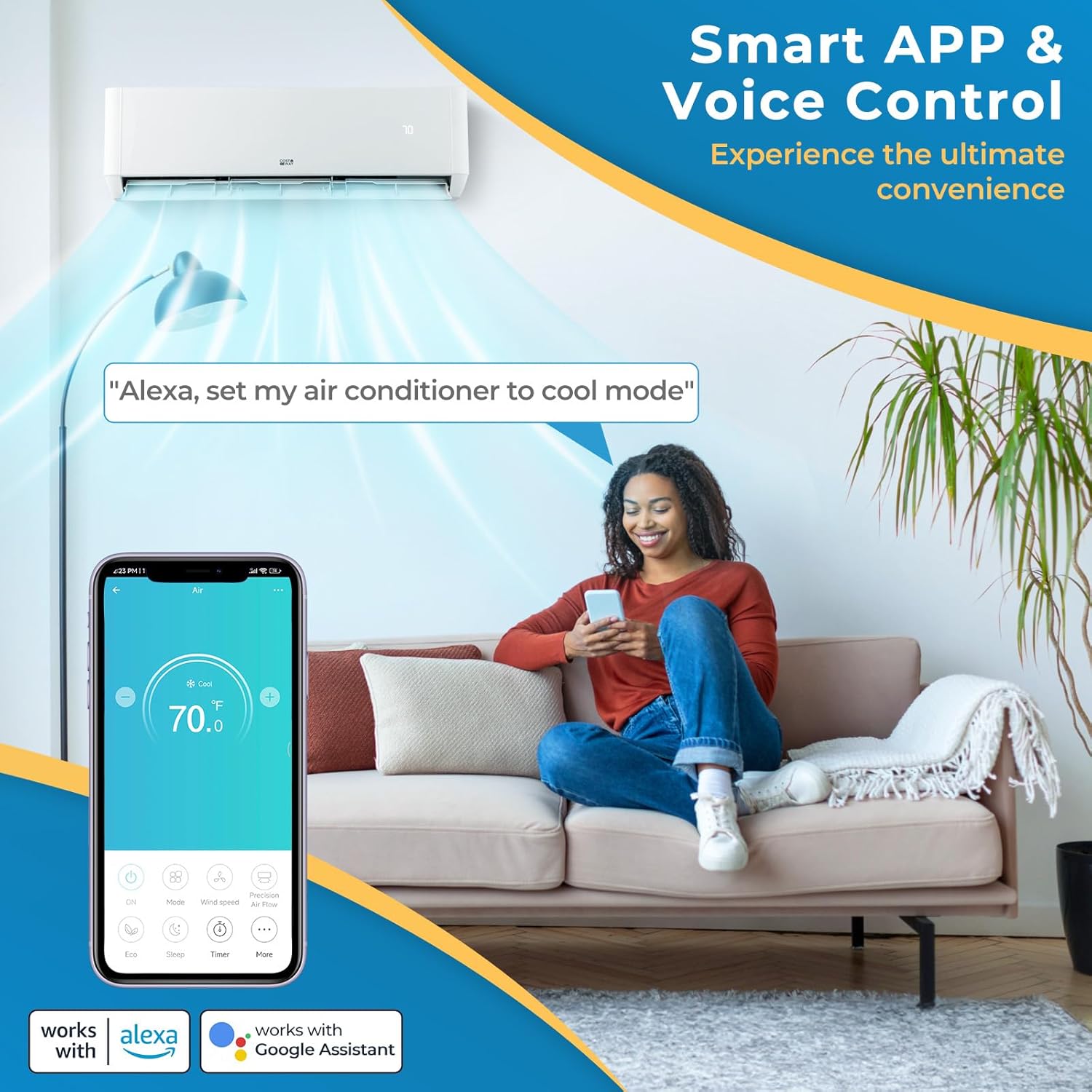
Image: Demonstrates the convenience of controlling the AC unit via a smartphone application and voice commands through smart home devices.
5.4. Quiet Operation and Sleep Mode
For a peaceful environment, activate the low noise sleep mode (below 30 dB) and utilize the 0-24 hour timer and screen off function.

Image: Illustrates the quiet operation and sleep mode features designed for undisturbed rest.
6. Maintenance
Regular maintenance ensures optimal performance and longevity of your unit.
6.1. High-Temperature Self-Cleaning
The unit features a 133°F high-temperature self-cleaning function to maintain air quality and system efficiency.

Image: Depicts the self-cleaning mechanism of the indoor unit and the removable, washable filter for easy maintenance.
6.2. Filter Cleaning
The air filters are removable and washable. Clean them regularly (e.g., every 2-4 weeks, depending on usage) to ensure efficient airflow and clean air. Refer to the detailed user guide for specific instructions on filter removal and cleaning.
7. Troubleshooting
If you encounter issues with your unit, refer to the following common troubleshooting steps. For complex problems, contact a qualified technician.
| Problem | Possible Cause | Solution |
|---|---|---|
| Unit does not turn on | No power supply; circuit breaker tripped; remote control batteries dead. | Check power connection; reset circuit breaker; replace remote control batteries. |
| Insufficient cooling/heating | Dirty air filters; blocked outdoor unit; incorrect mode/temperature setting; low refrigerant. | Clean air filters; clear obstructions from outdoor unit; adjust settings; contact technician for refrigerant check. |
| Unusual noise | Loose parts; fan obstruction; unit not level. | Check for loose components; remove obstructions; ensure unit is level. If noise persists, contact technician. |
| Water leakage from indoor unit | Clogged drain hose; improper installation angle. | Clear drain hose; ensure proper slope for drainage. Contact installer if issue persists. |
| Remote control not working | Batteries dead or incorrectly inserted; signal obstruction. | Replace batteries; ensure clear line of sight to indoor unit; check for interference. |
8. Specifications
Detailed technical specifications for the COSTWAY 18K BTU Dual 2 Zone Mini Split AC/Heating System.
| Attribute | Value |
|---|---|
| Brand | COSTWAY |
| Model Number | 10794US-WH-2-CYFP |
| Capacity | 18,000 BTU (2 Zone: 9000 BTU + 12000 BTU) |
| SEER2 Rating | 22 |
| Voltage | 208-230V~60Hz/1PH |
| Refrigerant | R410A |
| Indoor Noise Level | <30 dB (Sleep Mode) |
| Temperature Setting Range | 60℉~90℉ / 16℃~32℃ |
| Outdoor Unit Net Weight | 97 lbs |
| Indoor Unit Net Weight (9k) | 20.9 lbs |
| Indoor Unit Net Weight (12k) | 23.1 lbs |
| Outdoor Unit Size (L x W x H) | 33.3" x 15" x 27.5" |
| Indoor Unit Size (9k L x W x H) | 32.3" x 7.7" x 12" |
| Indoor Unit Size (12k L x W x H) | 36.2" x 7.7" x 12" |
| Coverage Area | Up to 1250 sq. ft / 1500 sq. ft / 1750 sq. ft (depending on combination) |
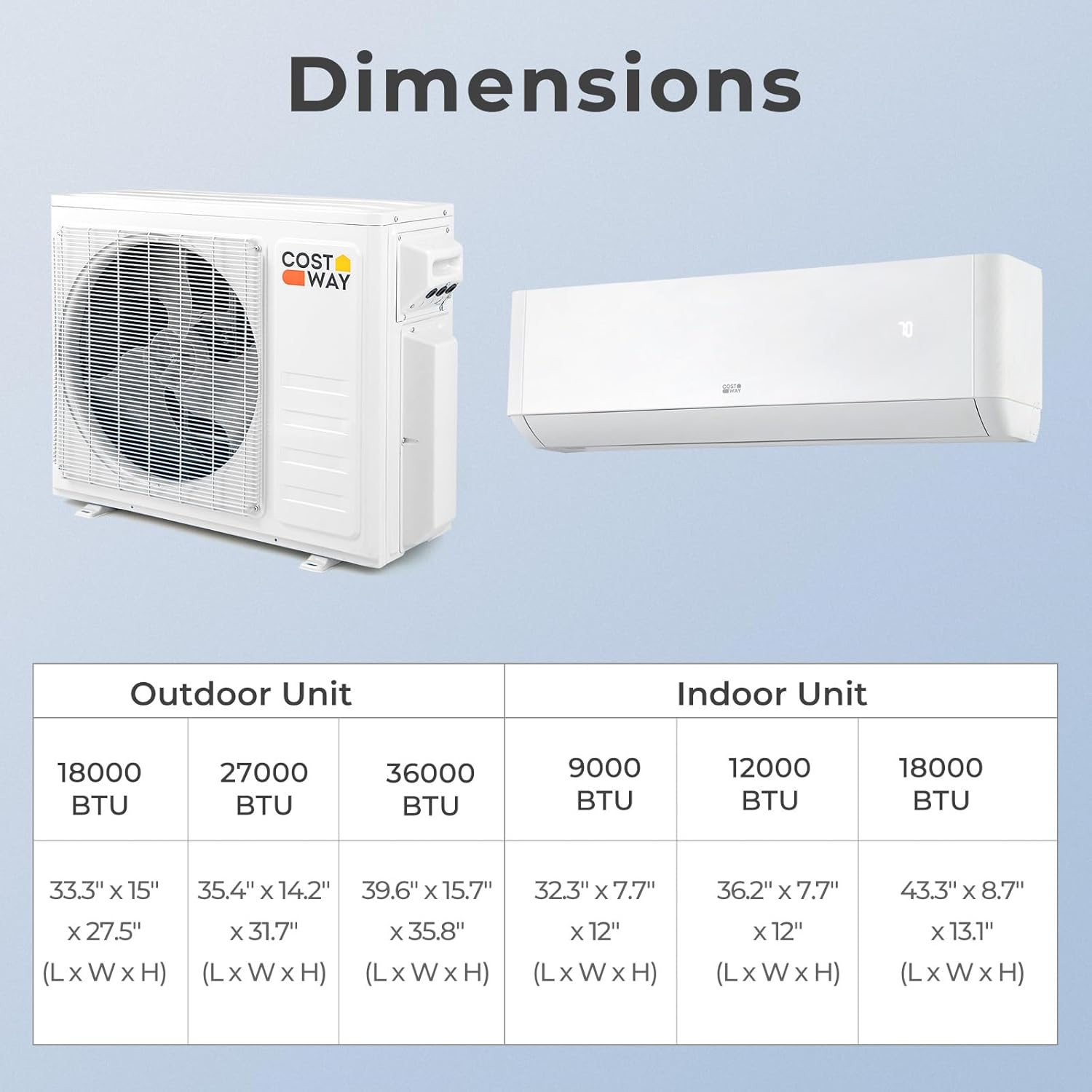
Image: Detailed dimensions for various BTU capacities of both indoor and outdoor units.

Image: Highlights the robust outdoor unit's capability to operate effectively in extreme temperatures, featuring a built-in heater.
9. Warranty and Support
For warranty information, please refer to the specific warranty card or documentation included with your product package. Warranty terms and conditions may vary.
For technical support, troubleshooting assistance, or to inquire about replacement parts, please contact COSTWAY customer service. Have your model number and purchase date ready when contacting support.
You can typically find contact information on the COSTWAY official website or in the user guide provided with your product.
Ask a question about this manual
Ask about setup, troubleshooting, compatibility, parts, safety, or missing instructions. Manuals+ will review the question and use this page’s manual context to help answer it.