
Important Safety Instructions
Please read all instructions carefully before using this appliance and retain them for future reference. Failure to follow these instructions may result in electric shock, fire, or serious injury.
- Ensure the power supply matches the voltage specified on the rating label.
- Do not operate the unit with a damaged cord or plug. If the supply cord is damaged, it must be replaced by the manufacturer, its service agent, or similarly qualified persons to avoid a hazard.
- Do not block air inlets or outlets. Maintain at least 12 inches (30 cm) clearance from walls and other objects.
- Do not insert fingers or foreign objects into the air inlets or outlets.
- Always place the unit on a firm, level surface.
- Do not use the unit in wet environments such as bathrooms or laundry rooms.
- Unplug the appliance before cleaning or servicing.
- This appliance is not intended for use by persons (including children) with reduced physical, sensory or mental capabilities, or lack of experience and knowledge, unless they have been given supervision or instruction concerning use of the appliance by a person responsible for their safety.
- Children should be supervised to ensure that they do not play with the appliance.
- Use only the accessories provided by the manufacturer.
- Do not attempt to repair or modify the unit yourself. Contact qualified service personnel for repairs.
Product Overview
The COSTWAY 10000 BTU Portable Air Conditioner is a versatile 3-in-1 unit designed to provide cooling, fan, and dehumidification functions for spaces up to 450 square feet. It features a compact design with universal wheels for easy mobility, a digital touch control panel, and a remote control for convenient operation.
Package Contents
Verify that all components are present in the package:
- 1 x Portable Air Conditioner
- 1 x Window Slider Kit
- 1 x Window Exhaust Adapter
- 1 x Air Exhaust Duct
- 1 x Air Exhaust Duct Connector
- 1 x Drain Hose
- 1 x Remote Control
- 1 x User Guide

Image: The portable air conditioner unit shown with its key components including the window slider kit, exhaust adapter, air exhaust duct, drain hose, and remote control. Dimensions of the unit (12"W x 13"D x 27"H) are also indicated.
Product Features
- Powerful & Efficient Cooling: 10000 BTU cooling capacity for areas up to 450 sq. ft. Features DOE energy certification and R32 refrigerant for reduced energy consumption and lower environmental impact.
- Multiple Operating Modes: Offers Cool, Dry (dehumidifier), Fan, and Auto modes to suit various climate needs.
- Adjustable Fan Speeds: Three fan speeds (High, Low, Auto) for customized airflow.
- Dual Control Options: Operate the unit using the intuitive digital touch control panel or the included remote control.
- Quiet Operation & Sleep Mode: Operates at a low noise level of 50dB and includes a dedicated sleep mode with auto screen off for undisturbed rest.
- 24-Hour Timer: Programmable auto on/off timer for energy management and convenience.
- Easy Mobility: Equipped with 4 universal wheels and a built-in handle for effortless movement between rooms.
- Simple Maintenance: Features removable and washable filters for easy cleaning and two drain outlets with an included drain hose for convenient water removal.
- Hassle-free Installation: Comes with a complete window installation kit suitable for both vertical and horizontal sliding windows.
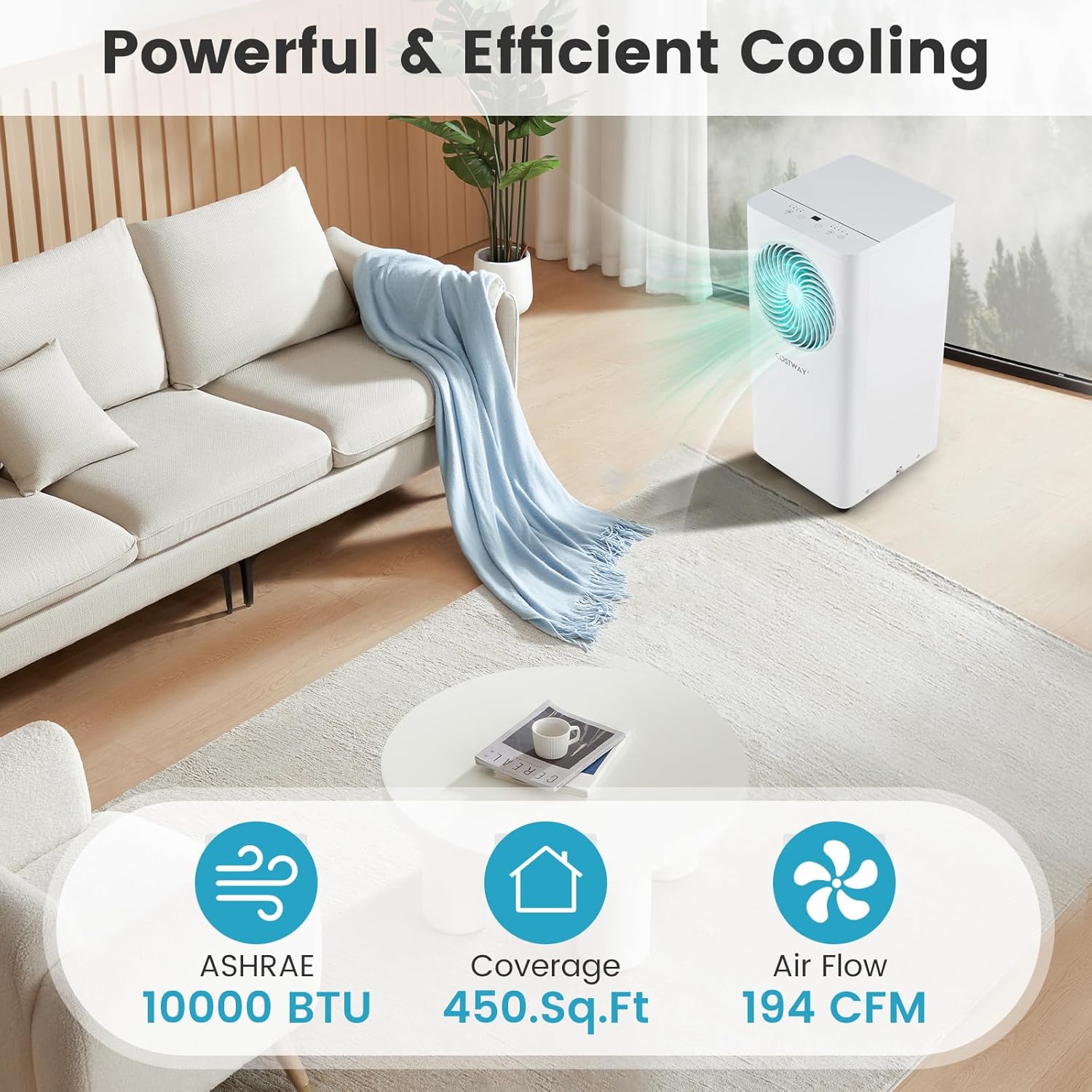
Image: The portable air conditioner unit positioned in a modern living room, demonstrating its cooling capability with air flowing into the space. Key specifications like 10000 BTU, 450 sq. ft. coverage, and 194 CFM airflow are highlighted.
Installation Guide
Choosing a Location
Select a location for your portable air conditioner that meets the following criteria:
- Place the unit on a flat, stable surface to minimize noise and vibration.
- Ensure there is at least 12 inches (30 cm) of space around the unit for proper airflow.
- Position the unit near a window for exhaust hose installation and a grounded electrical outlet.
- Avoid direct sunlight and heat sources.
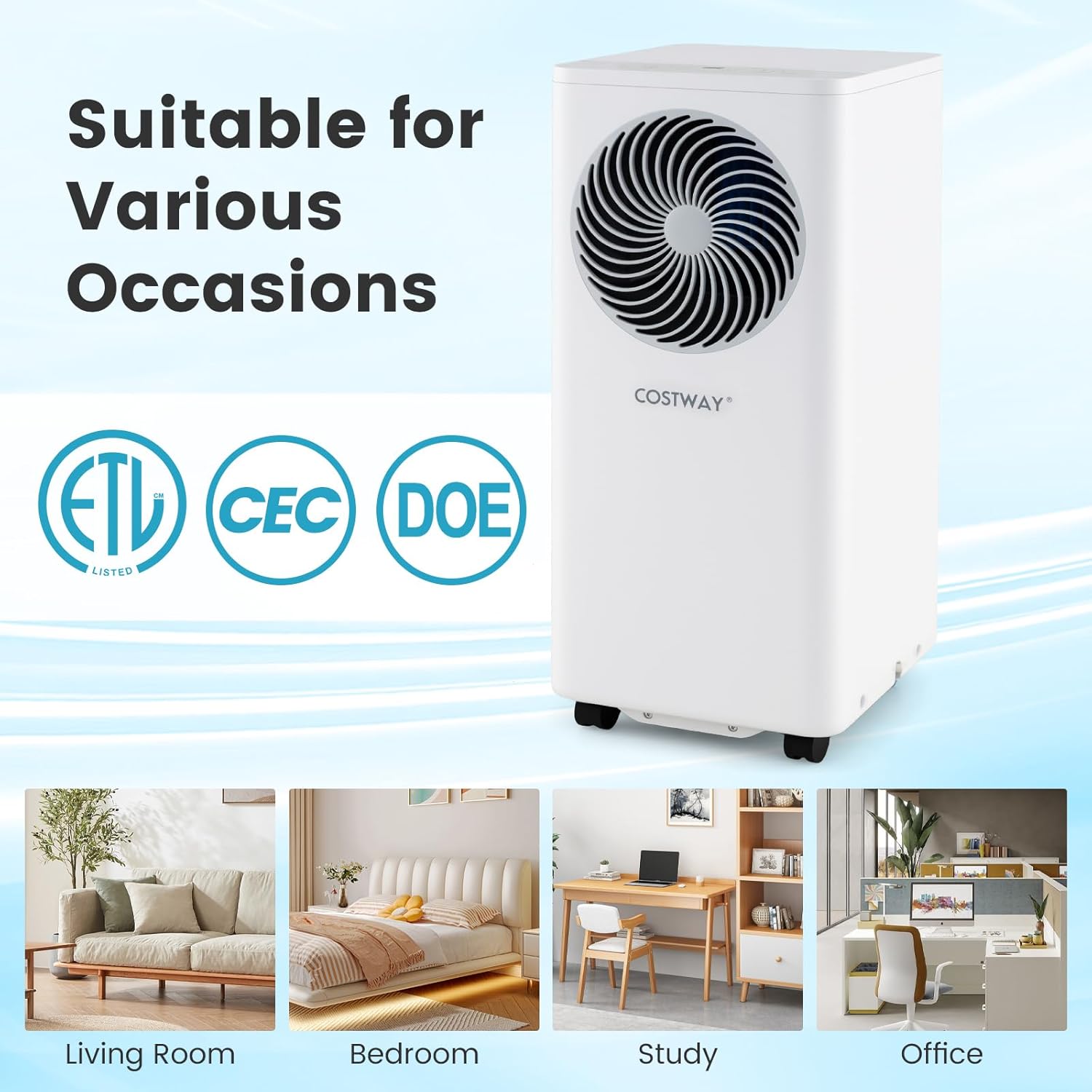
Image: The portable air conditioner unit is shown in various settings including a living room, bedroom, study, and office, illustrating its versatility for different room types. Certifications like ETL, CEC, and DOE are also displayed.
Window Kit Installation
The included window kit is designed for easy installation in both horizontal and vertical sliding windows. Follow these steps:
- Assemble the Window Slider Kit: Adjust the window slider panels to fit your window opening. Secure them together if multiple panels are used. The kit is adjustable for window widths/heights between 26.5" and 47" (67.5-120 cm).
- Install the Window Kit: Open the window and place the assembled window slider kit into the window opening. Close the window securely against the kit to hold it in place.
- Attach the Exhaust Duct: Connect the air exhaust duct connector to one end of the air exhaust duct.
- Connect to Window Exhaust Adapter: Attach the other end of the air exhaust duct to the window exhaust adapter.
- Connect to Unit: Insert the window exhaust adapter into the opening on the window slider kit.
- Connect to AC Unit: Attach the air exhaust duct connector to the exhaust outlet on the back of the portable air conditioner. Ensure all connections are secure to prevent air leakage.

Image: Diagrams illustrating the installation of the window kit in both horizontal and vertical sliding windows. The adjustable range of 26.5" to 47" is shown for window openings.
Operating Instructions
Your portable air conditioner can be controlled via the digital touch panel on the unit or the included remote control.
Control Panel and Remote Control
The control panel features intuitive touch buttons for power, mode selection, fan speed, timer, and temperature adjustment. The remote control offers the same functionalities for convenient operation from a distance of up to 26 feet (8 meters).
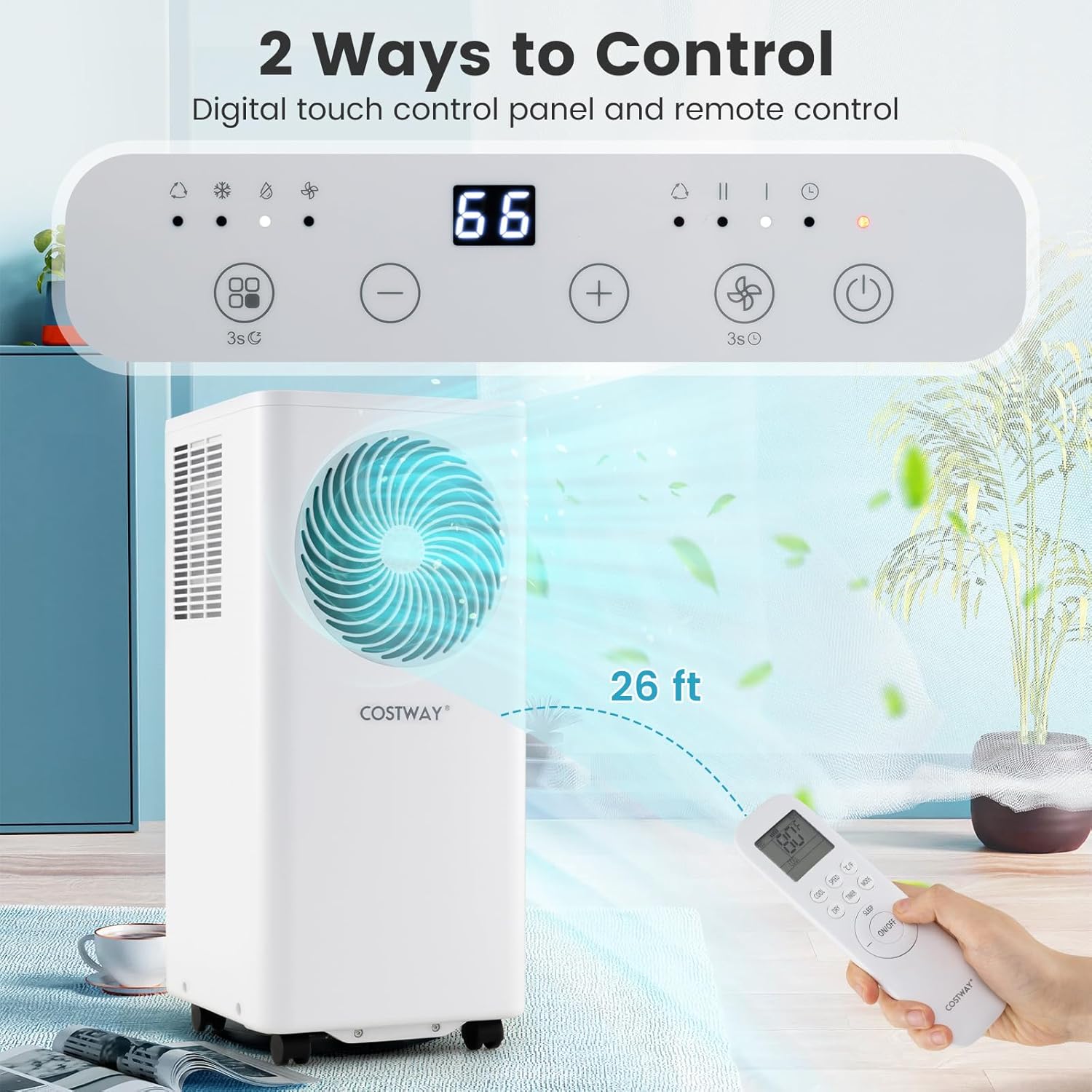
Image: A close-up of the portable air conditioner's digital touch control panel and the remote control. The remote control is shown being used from a distance, indicating a range of 26 feet.
Operating Modes
Press the "Mode" button to cycle through the available operating modes:
- Cool Mode: Provides powerful cooling. Adjust the temperature using the "+" and "-" buttons (60℉-90℉ / 16℃-32℃).
- Dry Mode (Dehumidifier): Removes excess moisture from the air. The fan speed is automatically set to low in this mode.
- Fan Mode: Circulates air without cooling. Fan speed can be adjusted.
- Auto Mode: The unit automatically selects the operating mode (Cool, Dry, or Fan) based on the ambient room temperature to maintain the set temperature.
Fan Speeds
In Cool and Fan modes, press the "Fan Speed" button to select between High, Low, or Auto fan speeds. In Dry mode, the fan speed is fixed to Low.
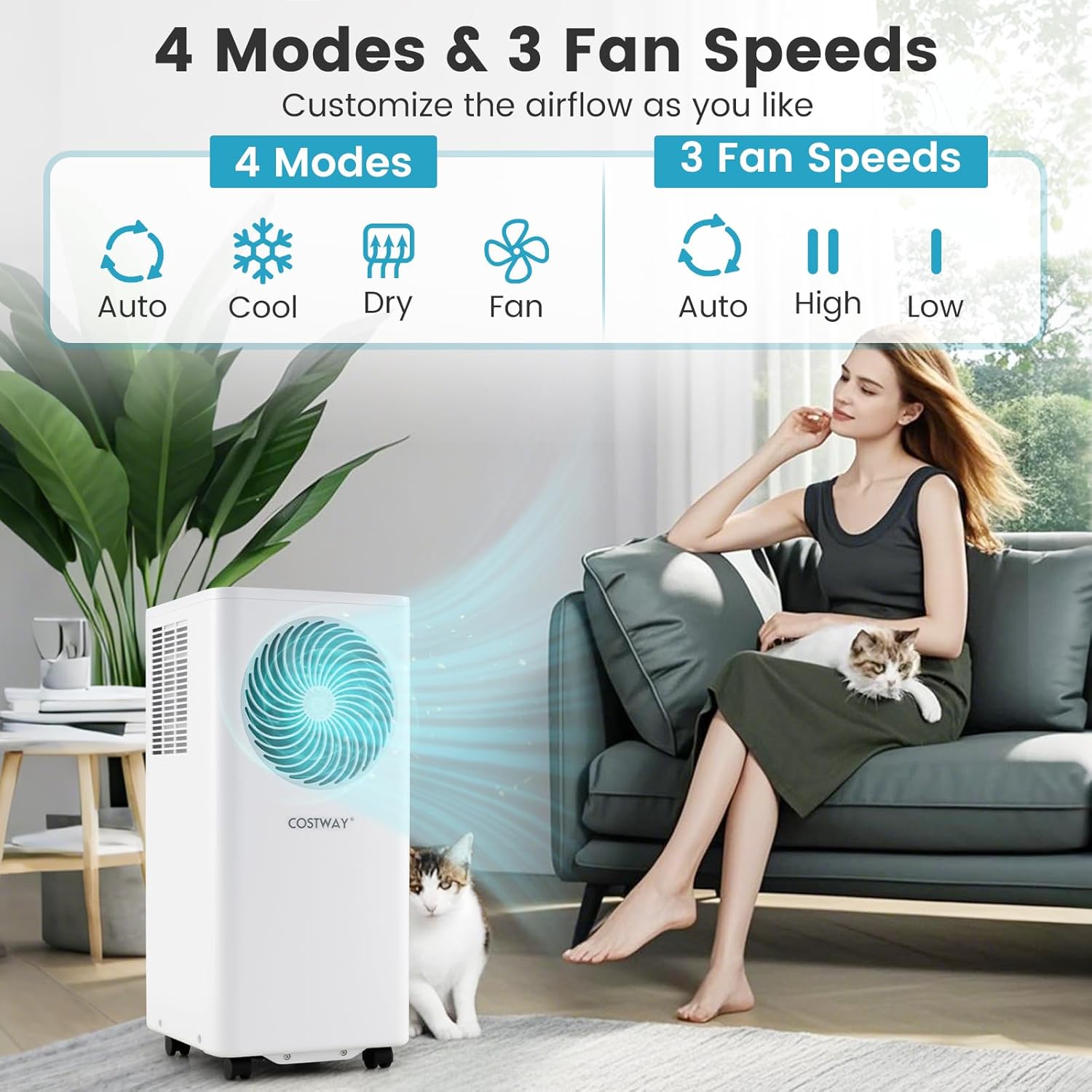
Image: Visual representation of the four operating modes (Auto, Cool, Dry, Fan) and three fan speeds (Auto, High, Low) available on the portable air conditioner. A person is shown relaxing with a cat, indicating comfort.
Timer Function
The 24-hour timer allows you to program the unit to automatically turn on or off after a set period. Press the "Timer" button and use the "+" and "-" buttons to set the desired time in hours.
Sleep Mode
Activate Sleep Mode for quiet operation and energy efficiency during the night. In this mode, the fan speed is set to low, and the display lights dim or turn off. The temperature will gradually increase by 1°F (0.5°C) after the first hour and another 1°F (0.5°C) after the second hour, then maintain this temperature for 7 hours before returning to the original setting.
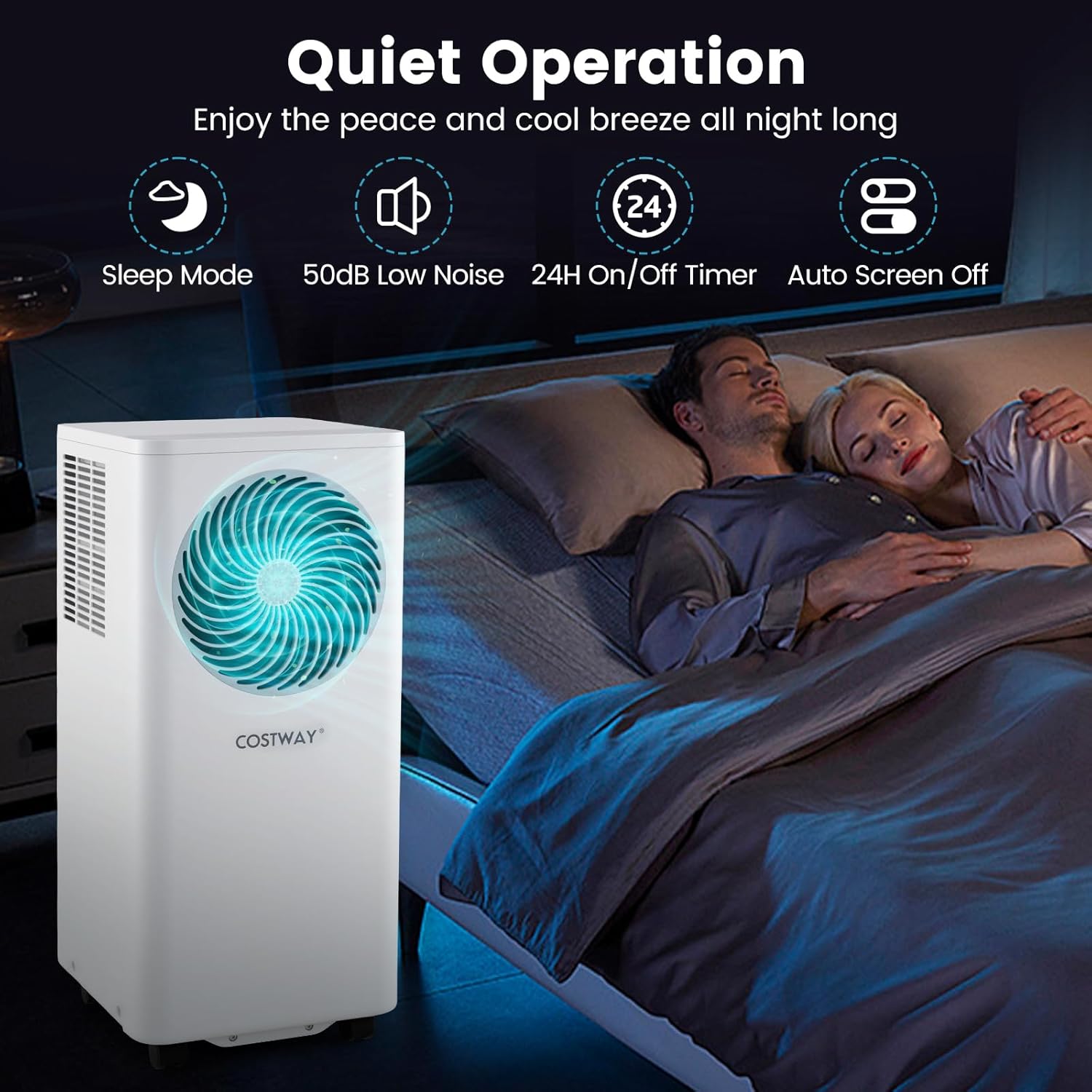
Image: The portable air conditioner operating quietly in a bedroom while a couple sleeps. Icons represent Sleep Mode, 50dB Low Noise, 24H On/Off Timer, and Auto Screen Off, highlighting features for an undisturbed night.
Maintenance
Regular maintenance ensures optimal performance and extends the lifespan of your portable air conditioner. Always unplug the unit before performing any maintenance.
Filter Cleaning
The air filters should be cleaned every two weeks or more frequently depending on usage and air quality.
- Turn off and unplug the unit.
- Locate the air filter panels (typically on the back or side of the unit).
- Remove the filters by gently pulling them out.
- Wash the filters with warm water and a mild detergent. Rinse thoroughly.
- Allow the filters to air dry completely before reinserting them into the unit. Do not expose to direct sunlight.
Drainage
The unit has a self-evaporative system, but in high humidity conditions, water may accumulate and need to be drained. The unit features two drain outlets.
- Continuous Drainage: For continuous dehumidification or in very humid environments, attach the included drain hose to the continuous drain outlet (usually lower) and direct it to a floor drain or a suitable container.
- Manual Drainage: If the internal water tank becomes full, the unit will stop operating and display an error code (e.g., "FL"). Turn off the unit, place a shallow pan under the lower drain outlet, remove the drain plug, and allow the water to drain completely. Reinsert the drain plug firmly.
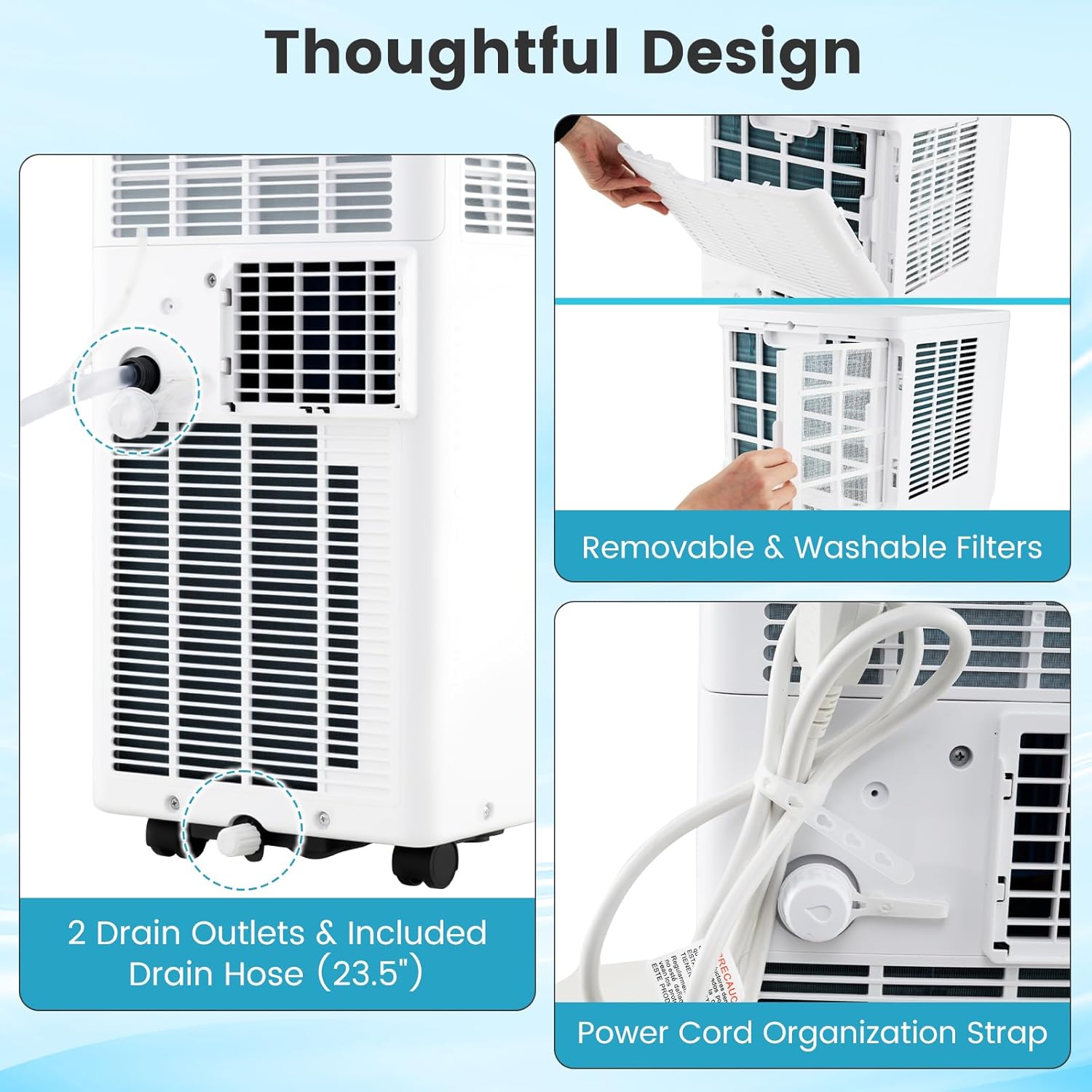
Image: Close-up views of the portable air conditioner's thoughtful design features, including the removable and washable air filters, two drain outlets with an included drain hose, and a power cord organization strap.
Storage
When storing the unit for an extended period:
- Drain all accumulated water from the unit.
- Clean the air filters.
- Run the unit in Fan mode for a few hours to dry the interior.
- Unplug the power cord and wrap it neatly using the cord organization strap.
- Store the unit in a cool, dry place, away from direct sunlight and extreme temperatures.
Troubleshooting
Refer to the table below for common issues and their solutions. If the problem persists, contact customer support.
| Problem | Possible Cause | Solution |
|---|---|---|
| Unit does not turn on. | No power, power cord unplugged, circuit breaker tripped, full water tank. | Check power connection, reset circuit breaker, drain water tank. |
| Unit does not cool effectively. | Dirty air filter, blocked air intake/exhaust, room too large, window kit not sealed, door/window open. | Clean air filter, clear obstructions, ensure proper room size, seal window kit, close doors/windows. |
| Unit is noisy. | Unit not on a level surface, air filter dirty, internal components loose. | Place on a level surface, clean air filter. If noise persists, contact support. |
| Water leaks from the unit. | Drain plug loose, drain hose not properly connected, unit tilted. | Ensure drain plug is secure, check drain hose connection, place unit on a level surface. |
| Remote control not working. | Batteries dead, remote out of range, obstruction between remote and unit. | Replace batteries, ensure remote is within 26 ft (8m) and pointed at the unit, remove obstructions. |
Specifications
| Feature | Detail |
|---|---|
| Brand | COSTWAY |
| Model Number | FP10868US-WH |
| Cooling Capacity (ASHRAE) | 10000 BTU |
| Cooling Capacity (SACC) | 6000 BTU |
| Coverage Area | Up to 450 sq. ft. |
| Dehumidification Capacity | 51 Pints/Day (24 L/Day) |
| Air Flow Rate | 194 CFM / 330 m³/h |
| Temperature Setting Range | 60℉-90℉ / 16℃-32℃ |
| Noise Level | 50 dB |
| Voltage / Frequency | 115V / 60Hz |
| Total Input Current | 10.4A |
| Product Dimensions (L x W x H) | 13" x 12" x 27" (33 cm x 30.5 cm x 68 cm) |
| Net Weight | 48.5 lbs (22 kg) |
| Applicable Window Width/Height | 26.5"-47" (67.5-120 cm) |
| Length of Exhaust Hose | 59" (150 cm) |
| Diameter of Exhaust Hose | 5.9" (15 cm) |
| Length of Drain Hose | 23.5" (60 cm) |
| Length of Power Cord | 4.7 ft (143 cm) |
| Max Remote Control Distance | 26 ft (8 m) |
| Refrigerant Type | R32 |
| Certifications | DOE, ETL, CEC |
Warranty and Support
This COSTWAY Portable Air Conditioner comes with a Limited Warranty. Please refer to the warranty card included in your package for specific terms and conditions, including coverage duration and limitations.
For technical assistance, troubleshooting beyond this manual, or warranty claims, please contact COSTWAY customer support. Contact information can typically be found on the manufacturer's website or on the warranty card provided with your product.
Manufacturer: GoPlus Corp
Seller: costway (via Amazon)