
1. Product Overview
The SMLIGHT SLZB-06p7 is a versatile Zigbee 3.0 adapter designed for seamless integration with open-source automation platforms such as Zigbee2MQTT, Home Assistant, and ZHA. It supports multiple connection options including Ethernet, USB, and WiFi, with Power over Ethernet (PoE) capability for flexible deployment. This device comes pre-flashed and ready for use, offering robust performance with its CC2652P7 chip and enhanced antenna.
- Versatile Connectivity: Supports LAN, USB, and WiFi connections.
- Power Options: Can be powered via PoE or Type-C USB. A microUSB-Type-C adapter is included.
- Zigbee 3.0 Gateway: Functions as a Zigbee 3.0 gateway for Home Assistant, Zigbee2MQTT, and ZHA.
- Enhanced Range: Features a CC2652P7 Zigbee SoC with +20dB gain and a +5dB antenna.
- Remote Updates: CC2652P7 and ESP32 firmware can be updated remotely without physical access.
- Secure Access: Web interface login can be secured with a password.
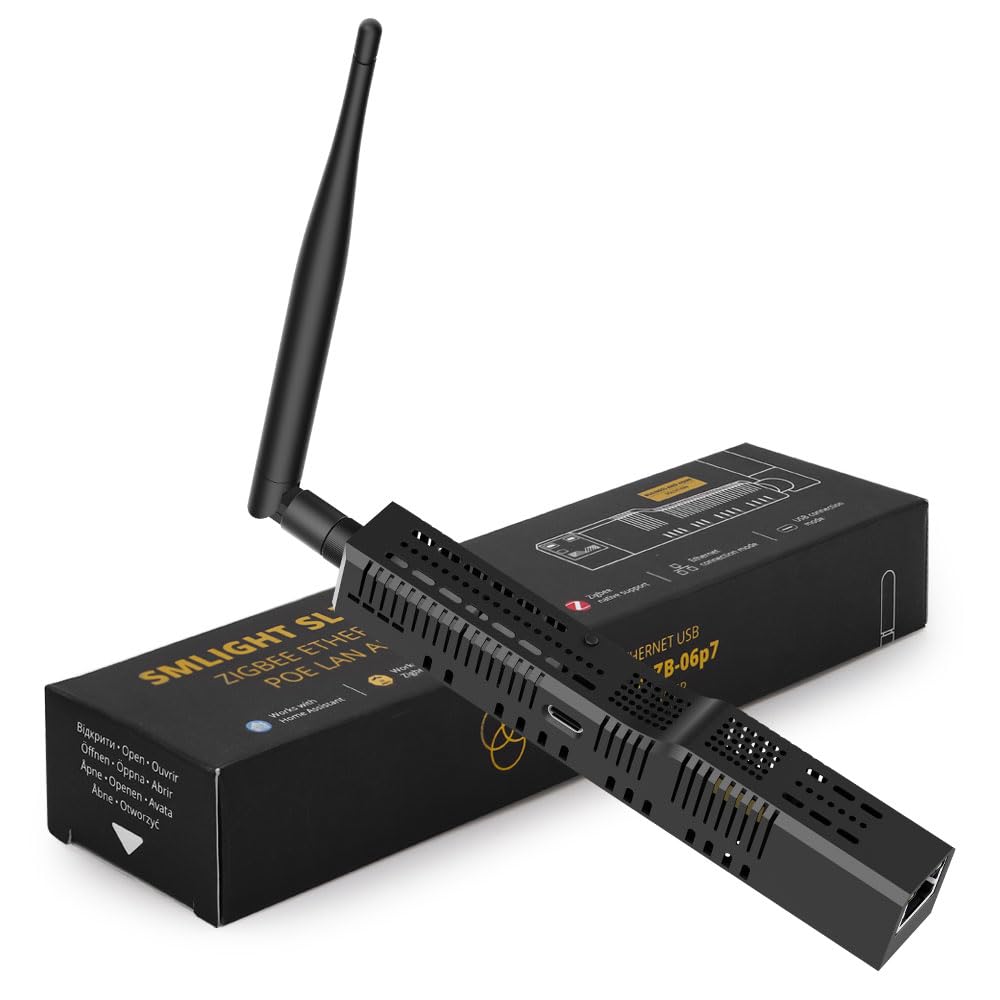
Image: SMLIGHT SLZB-06p7 Zigbee 3.0 Adapter highlighting its key features.
2. Package Contents
Verify that all items listed below are included in your package:
- 1x SMLIGHT SLZB-06p7 Adapter
- 1x Antenna (+5dB)
- 1x microUSB to Type-C adapter
- Mounting accessories (screws, adhesive tape, screw-fix helper)

Image: Detailed view of the SMLIGHT SLZB-06p7 adapter and its included accessories.
Video: An unboxing video demonstrating the contents of the SLZB-06 package.
3. Setup and Installation
The SLZB-06p7 adapter is designed for flexible installation and can be used in various configurations. It comes pre-flashed for immediate use.
3.1. Connection Modes
The device supports LAN, USB, and WiFi connections. The operating mode can be changed via firmware settings or a physical button on the device.
- LAN Mode: Connect an Ethernet cable for stable network communication. Power can be supplied via Power over Ethernet (PoE) through the Ethernet port, eliminating the need for a separate power supply.
- USB Mode: Connect the device directly to your host system (e.g., Home Assistant server) via USB. A microUSB-Type-C adapter is provided for compatibility.
- WiFi Mode: For environments without USB or Ethernet access, the adapter can connect to your server over WiFi.

Image: Diagram illustrating the use of the SLZB-06 in USB mode with Home Assistant and LAN mode with PoE.
3.2. LED Indicators
The device features multiple LED indicators to show its status:
- Blue LED: Operation mode LED. ON when in Zigbee to USB mode, OFF when in Zigbee to Ethernet mode.
- Yellow LED: Power LED. Illuminates when the unit is connected to a power source.
- Green LED: Zigbee2MQTT connection LED. ON when Zigbee2MQTT successfully connects and establishes the Zigbee network.
- Red LED: Reserved for further use with Zigbee2MQTT.

Image: Diagram showing the location and function of the LED indicators on the SLZB-06p7.
3.3. Firmware Update
Both the CC2652P7 and ESP32 chips can be updated remotely. The ESP32 can also be flashed over USB with an integrated autoflash feature; simply plug in the Type-C cable and flash.
Video: A guide on how to use the SLZB-06 adapter, including setup and configuration steps.
Video: Instructions for setting up a Zigbee 3.0 USB dongle, which can be applied to the SLZB-06p7 in USB mode.
Video: Comprehensive guide on how to use the SLZB-06, covering various functionalities and setup options.
4. Operating the Device
The SLZB-06p7 can function as a Zigbee coordinator or a Zigbee router. It also supports adding multiple coordinators to a single server, allowing you to cover different rooms or buildings and connect them to the same Home Assistant instance.
4.1. Web Interface Access
The device features a web interface for configuration and management. Access to this interface can be secured with a password for enhanced security.
4.2. Integration with Home Automation Platforms
The SLZB-06p7 is compatible out-of-the-box with:
- Zigbee2MQTT: A popular open-source Zigbee gateway.
- Home Assistant: A powerful open-source home automation platform.
- ZHA (Zigbee Home Automation): Home Assistant's native Zigbee integration.
Video: Demonstrates a Home Assistant hub upgrade, showcasing the integration capabilities of the SLZB-06p7.
5. Maintenance
Regular firmware updates are recommended to ensure optimal performance and access to the latest features and security enhancements. Updates can be performed remotely via the device's web interface.
6. Troubleshooting
If you encounter issues, refer to the official SMLIGHT FAQ for common problems and solutions: https://smlight.tech/slzb06/faq
Ensure the device is properly powered and connected according to your chosen mode (LAN, USB, or WiFi). Check LED indicators for status feedback.
7. Specifications
| Feature | Detail |
|---|---|
| Product Dimensions | 6.3 x 1.02 x 0.87 inches |
| Item Weight | 3.17 ounces (90 Grams) |
| Item Model Number | SLZB-06p7 |
| Manufacturer | SMLIGHT |
| Brand | LOAMLIN |
| Hardware Interface | Ethernet, USB |
| Color | Black |
| Compatible Devices | Laptop, Desktop, Tablet, Smartphone, Printer, Smart TV, Speaker, Internet Protocol Camera, Projector, Game Console, Keyboard, Mouse, Headphone, Webcam |
| Data Link Protocol | Ethernet, IEEE 802.3 |
| Data Transfer Rate | 100 Megabits Per Second |
| Zigbee SoC | CC2652P7 Chip |
| Output Gain | +20dB |
| Antenna Gain | +5dB |
| PoE Support | Yes |
| Pre-flashed | Yes |
| Web Interface Security | Password protected |

Image: Detailed internal components and technical specifications of the SLZB-06.
8. Warranty and Support
For support and warranty information, please refer to the manufacturer's official website or contact your retailer. Product protection plans may be available for purchase separately.