
Product Overview
This manual provides essential information for the safe and effective use of the AOLIKES 1750mAh Lithium Polymer Battery, designed as a replacement for BOIFUN VB608 M and BM922 M 4.3" Screen Baby Monitors.
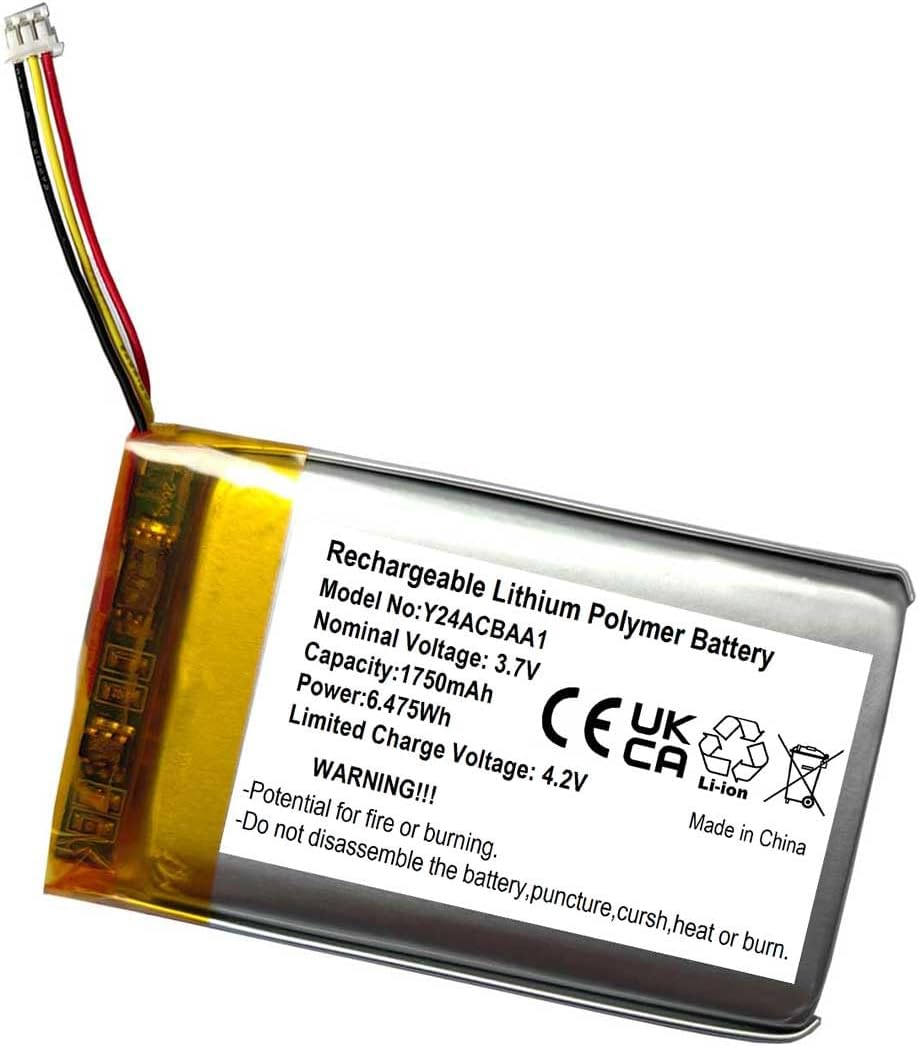
Image: The AOLIKES 1750mAh Lithium Polymer Battery, showing its specifications label including model number Y24ACBAA1, nominal voltage 3.7V, capacity 1750mAh, power 6.475Wh, and limited charge voltage 4.2V. The label also includes safety warnings and indicates it is made in China.
Important Safety Information
Please read and understand all safety warnings before using this product. Failure to follow these instructions may result in fire, electric shock, or other injuries.
- WARNING!!! Potential for fire or burning.
- Do not disassemble the battery.
- Do not puncture the battery.
- Do not crush the battery.
- Do not heat the battery.
- Do not burn the battery.
- Keep the battery away from water and excessive heat.
- Only use the specified charger for the device the battery is intended for.
- Dispose of batteries properly according to local regulations.
This 3.7V rechargeable Li-Po battery is built with high-quality materials and features built-in protection against overcharging, overheating, and short circuits to ensure optimal operation and eliminate potential hazards.
Setup and Installation
This battery is designed as a direct replacement for the original battery in compatible baby monitors. Always refer to your baby monitor's original instruction manual for specific battery replacement procedures.
- Power Off Device: Ensure your baby monitor is completely powered off and disconnected from any power source before beginning installation.
- Locate Battery Compartment: Identify the battery compartment on your BOIFUN VB608 M or BM922 M baby monitor. This is typically on the back or bottom of the monitor unit.
- Remove Old Battery: Carefully open the battery compartment cover. Disconnect the old battery's connector from the device's port and remove the old battery.
- Insert New Battery: Connect the new AOLIKES 1750mAh battery's connector to the corresponding port in the baby monitor. Ensure the connector is securely seated.
- Position Battery: Place the new battery into the compartment, ensuring it fits correctly without bending or forcing.
- Close Compartment: Replace the battery compartment cover and secure it.
- Initial Charge: It is recommended to fully charge the new battery before its first use. Connect the baby monitor to its power adapter and allow it to charge until the charging indicator shows a full charge.
Operating Instructions
Once installed, the battery operates as the primary power source for your baby monitor when not connected to an external power adapter.
- Charging: To charge the battery, connect your baby monitor to its original power adapter. The monitor's charging indicator will typically show the charging status.
- Battery Life: Battery life will vary depending on usage patterns, screen brightness, and features enabled on your baby monitor.
- Low Battery Indicator: Your baby monitor will provide an indication when the battery level is low, prompting you to recharge.
- Optimal Performance: For optimal battery performance, avoid completely draining the battery frequently.
Maintenance and Care
Proper care can extend the life of your battery.
- Storage: If storing the battery for an extended period, store it in a cool, dry place at approximately 50% charge. Avoid extreme temperatures.
- Cleaning: Keep the battery contacts clean and free of dust or debris. Use a dry, soft cloth if cleaning is necessary.
- Avoid Physical Damage: Do not drop, bend, or expose the battery to strong impacts.
- Temperature: Operate and charge the battery within the recommended temperature range specified by your baby monitor's manufacturer.
Troubleshooting
If you experience issues with your battery, consider the following common solutions:
- Battery Not Charging:
- Ensure the power adapter is correctly connected to both the monitor and a working power outlet.
- Verify that the battery connector is securely seated within the monitor's battery port.
- Try using a different power outlet.
- If possible, test the power adapter with another compatible device to ensure it is functioning.
- Short Battery Life:
- Ensure the battery is fully charged before use.
- Reduce screen brightness on the baby monitor.
- Disable unnecessary features (e.g., VOX sensitivity, continuous video streaming if not needed).
- Extreme temperatures can affect battery performance; ensure the monitor is used in a moderate environment.
- Monitor Not Powering On:
- Confirm the battery is correctly installed and fully charged.
- Connect the monitor directly to its power adapter to see if it powers on without the battery. If it does, the battery may be faulty or not properly connected.
If issues persist after attempting these steps, please contact AOLIKES customer support.
Specifications
| Model Number | Y24ACBAA1 |
| Battery Type | Lithium Polymer Battery (Li-Po) |
| Capacity | 1750mAh |
| Nominal Voltage | 3.7V |
| Limited Charge Voltage | 4.2V |
| Power | 6.475Wh |
| Cutoff Voltage (Discharged) | 2.95V |
| Compatible Devices | BOIFUN VB608 M, BOIFUN BM922 M 4.3" Screen Baby Monitors |
| Package Dimensions | 2.8 x 1.57 x 0.28 inches |
| Item Weight | 1.13 ounces |
| Manufacturer | AOLIKES |
| Country of Origin | China |
Warranty and Support
For warranty information and customer support regarding your AOLIKES 1750mAh Battery, please contact the manufacturer directly or refer to the documentation provided with your purchase. You may also visit the official AOLIKES store on Amazon for further assistance: AOLIKES Store.