
1. Product Overview
The Aquaguard Sure Delight UV+UF 2X water purifier is designed to provide safe and pure drinking water through its advanced 6-stage purification process. This system is specifically engineered for municipal or soft water sources with a Total Dissolved Solids (TDS) level below 200 ppm. It is not suitable for borewell or tanker water with TDS levels exceeding 200 ppm.

Image 1.1: Aquaguard Sure Delight UV+UF 2X Water Purifier unit.
Key Features:
- NanoPore 2X Filter Technology: Offers comprehensive protection against bacteria, viruses, cysts, organic chemicals, and excess chlorine. The enhanced membrane ensures faster filtration and a 2-year filter life.
- Superior 6-Stage Purification: Includes a Mega Sediment Filter, UV e-boiling, and Ultra Filtration 2X for thorough water purification.
- Mega Sediment Filter: An additional filter included to remove fine dust, dirt, and mud particles, preventing clogging and extending the life of internal filters.
- UV e-Boiling: Ensures water purity equivalent to boiling for over 20 minutes.
- Ultra Filtration 2X: Provides extra protection by removing microplastics, harmful viral, and bacterial components.

Image 1.2: Illustration of NanoPore Filter Technology and its effectiveness.
2. Setup and Installation
Your Aquaguard Sure Delight UV+UF 2X water purifier comes with a free installation service. Upon delivery, please contact customer support to schedule a professional installation. The installation kit is included with your product.
Installation Process:
- Unpack the water purifier and ensure all components listed in the installation kit are present.
- Contact Aquaguard customer service to arrange for a certified technician to install the unit.
- The technician will assess the installation site, connect the water inlet, and perform initial flushing and testing of the unit.
- Ensure the water source is municipal/soft water with TDS less than 200 ppm.
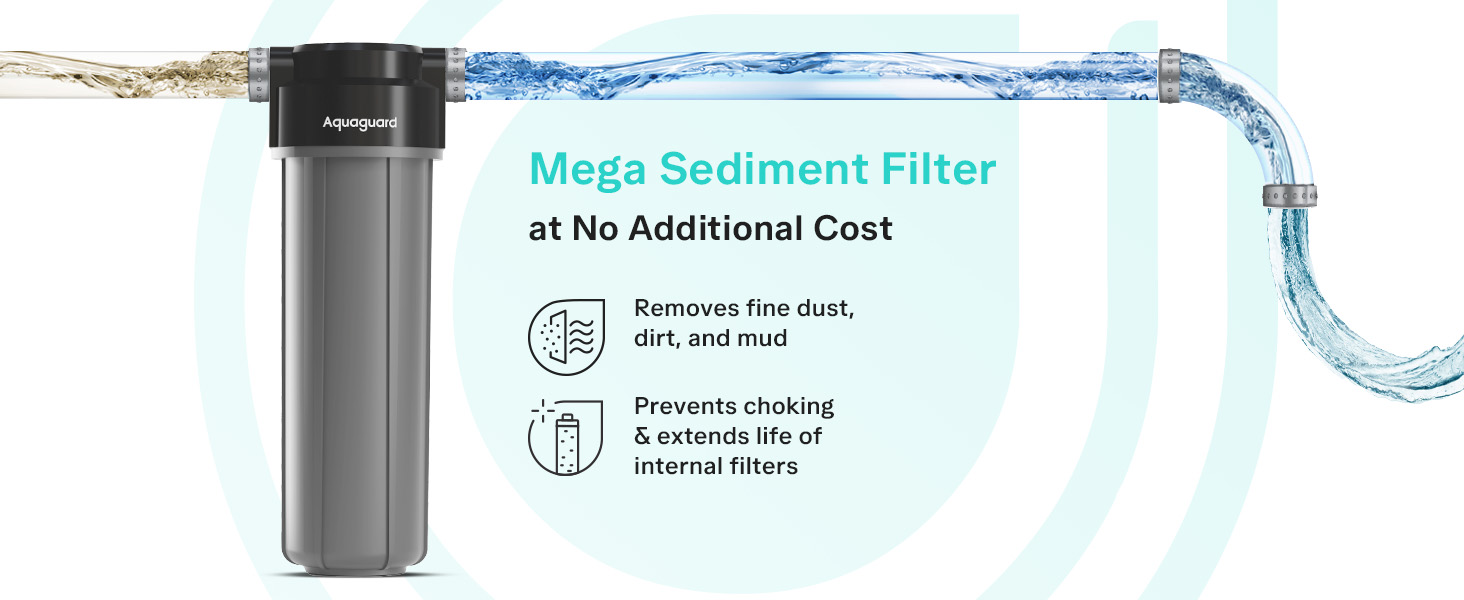
Image 2.1: Information on the Free Service Plan, including free installation.
3. Operating Instructions
Once installed, operating your Aquaguard Sure Delight UV+UF 2X is straightforward. The unit features LED indicators to keep you informed about its status.
LED Indication:
- Service Reminders: The purifier will alert you when it's time for scheduled maintenance.
- Full Tank Status: Indicates when the 6-liter storage tank is full.
- Filter Life: Provides an indication of the remaining life of the filters.
- System Errors: Alerts you to any operational issues or malfunctions.
Refer to the specific LED patterns and colors in the detailed user manual provided in the box for precise interpretation of each indicator.
4. Maintenance
Regular maintenance ensures the longevity and optimal performance of your Aquaguard water purifier. The NanoPore 2X filter technology offers a long-lasting 2-year filter life.
Filter Replacement:
- The primary filters are designed for a 2-year life cycle under normal usage conditions.
- The additional Mega Sediment Filter helps extend the life of internal filters by removing larger particles.
- When the filter life indicator alerts you, contact Aquaguard service for genuine filter replacements.
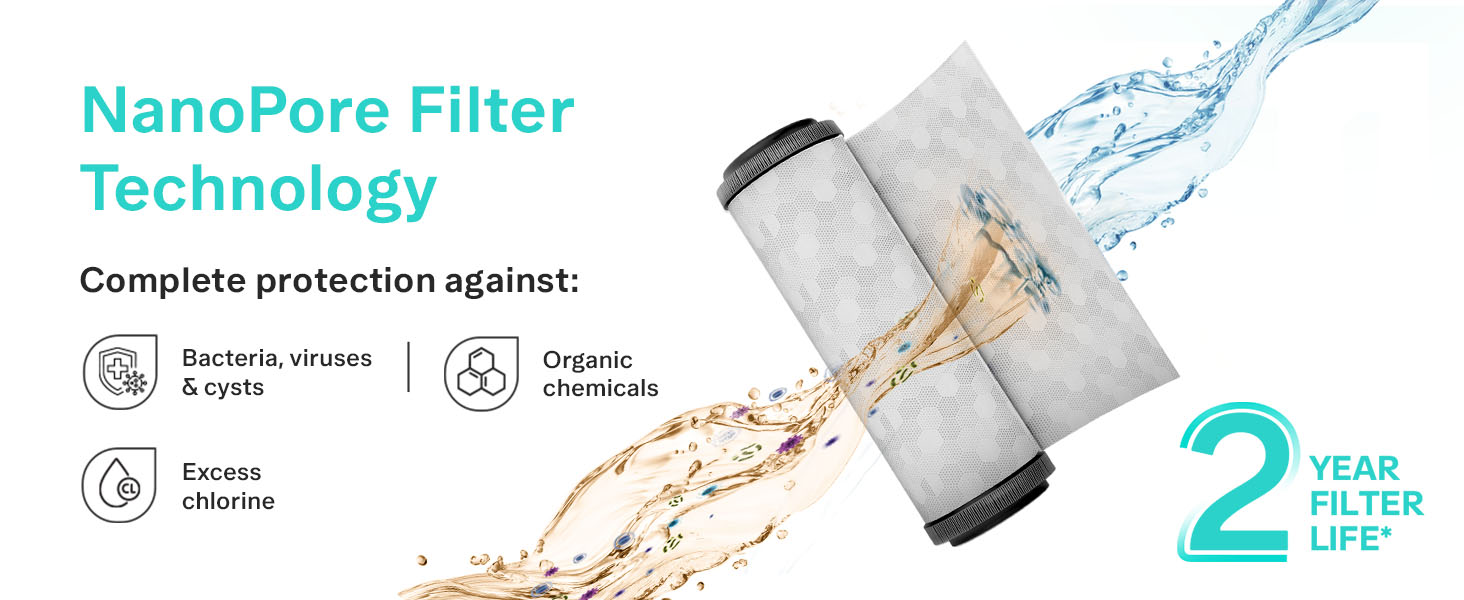
Image 4.1: Illustration of the Mega Sediment Filter and its function.
Cleaning Services:
Your purchase includes 2 free cleaning services during the first year. Schedule these services through the Eureka Forbes App or by contacting customer support to maintain hygiene and performance.

Image 4.2: Comparison of filter replacement costs over time.
5. Troubleshooting
If you encounter any issues with your Aquaguard Sure Delight UV+UF 2X water purifier, please refer to the LED indicators for initial diagnosis. For persistent problems or technical assistance, contact the Aquaguard service network.
Common Issues and Solutions:
- No Water Flow: Check the main water supply and ensure the purifier is powered on. If the issue persists, it may indicate a clogged filter requiring service.
- Unusual Taste/Odor: This could indicate a need for filter replacement or a cleaning service.
- LED Error Indication: Consult the detailed user manual for specific error codes and recommended actions.
Do not attempt to repair the unit yourself. Always contact authorized service personnel for repairs to avoid voiding the warranty and ensure safe operation.
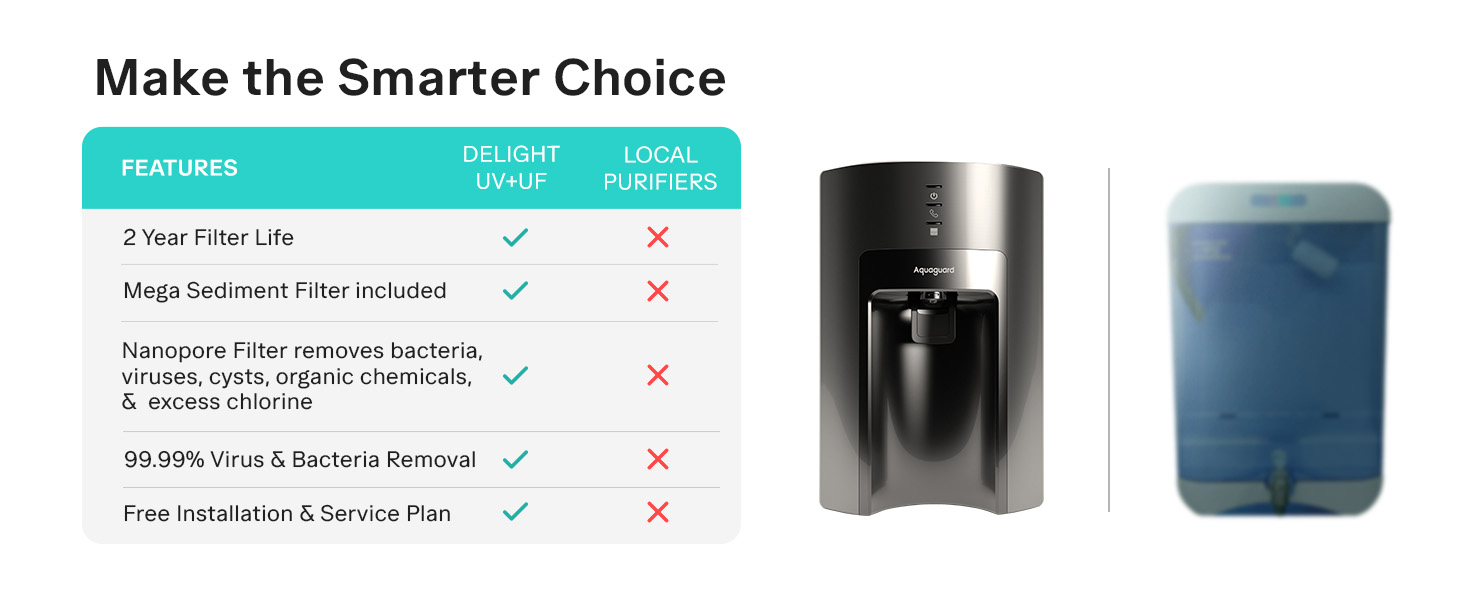
Image 5.1: Map illustrating Aquaguard's extensive service network across India.
6. Specifications
Detailed technical specifications for the Aquaguard Sure Delight UV+UF 2X water purifier:
| Specification | Value |
|---|---|
| Brand | Aquaguard |
| Model Name | Aquaguard Sure Delight UV+UF 2X |
| Item Model Number | GWPDSDU2X00000 |
| Special Feature | 2 Year Filter Life, 6 Stage Purification, 6L Storage, Mega Sediment Filter, Removes Microplastics and Heavy Metals |
| Product Dimensions | 32L x 27W x 48H Centimeters |
| Installation Type | Countertop |
| Power Source | Corded Electric |
| Item Weight | 6 Kilograms |
| Maximum Flow Rate | 24 Liters Per Hour |
| Operating Pressure Range | Upto 3 Kilograms Per Square Centimeter |
| Supported Water TDS Level Maximum | 1000 PPM (Ideal for <200 ppm municipal water) |
| Filter Life Cycle | 2 Years |
| Material | Acrylonitrile Butadiene Styrene |
| Capacity | 6 Liters |
| Included Components | Installation Kit |
7. Warranty and Support
Your Aquaguard Sure Delight UV+UF 2X water purifier is backed by a comprehensive warranty and robust support network.
Warranty Information:
- The product comes with a 1-year warranty from the date of purchase.
- The Free Service Plan includes free installation, 2 free cleaning services, and unlimited repair visits during the first year.
Customer Support:
Aquaguard boasts India’s largest service network, ensuring quick support across 19,500+ pin codes. For any service requests, queries, or to book a service, you can:
- Use the Eureka Forbes App for instant service booking.
- Contact the customer care helpline (refer to the contact details provided in your product packaging or on the official Aquaguard website).
Always ensure that any service or repair is carried out by an authorized Aquaguard technician to maintain the validity of your warranty.