
1. Introduction
Thank you for choosing the Garvee 8000 BTU Portable Air Conditioner. This manual provides essential information for the safe and efficient operation of your new appliance. Please read it thoroughly before use and keep it for future reference.
2. Important Safety Information
Always follow basic safety precautions when using electrical appliances to reduce the risk of fire, electric shock, or injury. This includes:
- Read all instructions before using the appliance.
- Do not operate the unit with a damaged cord or plug.
- Ensure the unit is placed on a flat, stable surface.
- Do not block air inlets or outlets.
- Unplug the unit before cleaning or servicing.
- Keep children and pets away from the unit during operation.
3. What's in the Box
Verify that all components are present:
- 1x Garvee Portable Air Conditioner Unit
- 1x Remote Control
- 1x Window Kit (adjustable panel, exhaust hose adapter, hose connector)
- 1x Exhaust Hose
- 1x Instruction Manual
4. Product Overview
The Garvee 8000 BTU Portable Air Conditioner is a versatile 3-in-1 unit offering cooling, fan, and dehumidifying functions. It features an LED touch screen and comes with a remote control for convenient operation.
Control Panel and Remote Control
The unit's top panel features an LED display and touch buttons for power, temperature adjustment, mode selection, fan speed, and timer. A compact remote control is also included for convenient operation from a distance.

The remote control allows you to power the unit on/off, adjust temperature, change modes (Cool, Dehumidify, Fan), set fan speed, and activate the timer function.
3-in-1 Functionality
This unit provides three distinct operating modes:
- Cool Mode: Provides powerful cooling for rooms up to 350 sq.ft., with adjustable temperatures from 59°F to 88°F.
- Dehumidify Mode: Removes excess moisture from the air, with a capacity of up to 50 Pints/Day (1.2 Liters/Hr).
- Fan Mode: Circulates air with two speed settings (High/Low) without cooling.

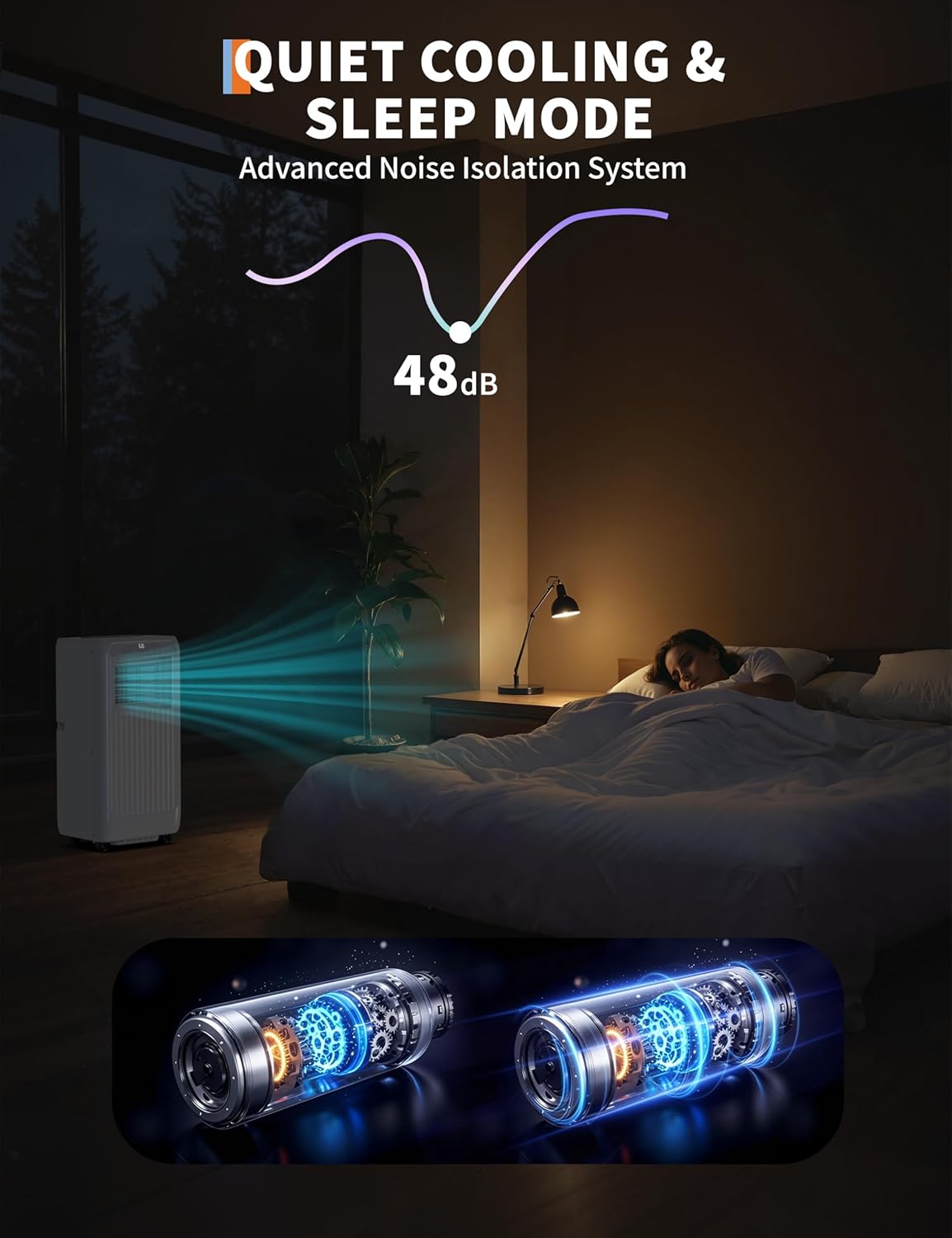
Quiet Operation and Sleep Mode
Engineered with advanced noise reduction technology, the unit operates at a quiet 54 dB, making it suitable for bedrooms and other quiet environments. The Sleep Mode further optimizes operation for minimal disturbance during rest.
5. Setup and Installation
The Garvee Portable AC unit is designed for easy installation and mobility. Follow these steps to set up your unit:
Window Kit Installation
- Attach the exhaust hose to the unit's exhaust port.
- Connect the other end of the exhaust hose to the window kit adapter.
- Adjust the universal window kit panel to fit your sliding or hanging window opening. Secure it in place.
- Insert the window kit adapter with the attached exhaust hose into the opening of the window kit panel.
- Ensure all connections are secure to prevent air leakage.

Mobility
The unit is equipped with smooth caster wheels, allowing for easy movement between rooms or apartments. Simply roll the unit to your desired location.
Setup Demonstration Video
Video: A detailed look at the Garvee AC unit and its installation process, including how to set up the exhaust hose and window kit.
6. Operating Instructions
Power On/Off
Press the Power button on the control panel or remote control to turn the unit on or off.
Mode Selection
Press the Mode button to cycle through the available modes: Cool, Dehumidify, and Fan.
Temperature Adjustment
In Cool mode, use the Temp+ or Temp- buttons to set your desired temperature. The unit will automatically maintain this temperature.
Fan Speed Adjustment
Press the Speed button to select between High and Low fan speeds.
Timer Function
Press the Timer button to set an automatic shut-off time for the unit. Use the temperature adjustment buttons to set the desired duration.
Airflow Direction
Manually adjust the louvers on the front of the unit to direct the airflow upwards, downwards, or straight out as needed.
Operation Demonstration Video
Video: A user demonstrating the Garvee Portable AC's features, including its 3-in-1 functionality, remote control, and automatic temperature regulation.
7. Maintenance
Cleaning the Air Filter
The unit features dual-layer, removable filters that capture dust and allergens. Regular cleaning is essential for optimal performance and air quality.
- Turn off and unplug the unit.
- Remove the filter from the back of the unit.
- Wash the filter with warm, soapy water. Rinse thoroughly.
- Allow the filter to air dry completely before reinserting it into the unit.
Draining Condensed Water
During dehumidifying or cooling operation, water will condense inside the unit. The unit will alert you when the water tank is full. You can drain it manually or set up continuous drainage.
- Turn off and unplug the unit.
- Locate the drain plug at the bottom rear of the unit.
- Place a shallow pan or container beneath the drain plug.
- Remove the drain plug to allow water to flow out.
- For continuous drainage, attach a suitable hose (not included) to the drain port and direct it to a floor drain or larger container.
8. Troubleshooting
If you encounter issues with your Garvee Portable AC, refer to the following common problems and solutions:
| Problem | Possible Cause | Solution |
|---|---|---|
| Unit does not turn on | No power, power cord not plugged in, circuit breaker tripped. | Check power connection, reset circuit breaker. |
| Unit not cooling effectively | Dirty air filter, blocked air intake/outlet, room too large, windows/doors open. | Clean air filter, clear obstructions, ensure proper room size, close windows/doors. |
| Water leakage | Drain plug not properly sealed, unit not level. | Ensure drain plug is secure, place unit on a level surface. |
| Unit is noisy | Unit not on a level surface, internal components vibrating. | Ensure unit is on a level surface, check for loose parts. |
9. Specifications
| Feature | Detail |
|---|---|
| Brand | Garvee |
| Model Name | JHS-A029A-05KR-D3 |
| Cooling Capacity | 8000 BTU |
| Coverage Area | Up to 350 sq.ft. |
| Modes | Cool, Fan, Dehumidify |
| Noise Level | 54 dB |
| Control Type | Touch Screen, Remote Control |
| Product Dimensions (D x W x H) | 14.96"D x 35.24"W x 13.39"H |
| Item Weight | 50.6 Pounds |
| Color | White |
| UPC | 199414218979 |
Choosing the Right BTU for Your Space
The BTU cooling capacity in the table below meets ASHRAE standards. Room occupancy, sunlight, and insulation affect the needed BTU capacity. Consult a professional to choose the right-sized portable air conditioner, as BTU requirements vary.

10. Warranty and Support
Warranty Information
This Garvee Portable Air Conditioner comes with a 1-year manufacturer's warranty. Please retain your proof of purchase for warranty claims.
Customer Support
For any questions, troubleshooting assistance, or warranty claims, please contact Garvee customer support. Refer to the contact information provided on the product packaging or the official Garvee website.