
1. Introduction
This manual provides essential instructions for the safe and efficient use of your Pxdiiry Charger with USB Cord, specifically designed for the Hatteker RSCW-7800 Trimmer and Electric Shaver Razor. Please read this manual thoroughly before using the product and retain it for future reference.
2. Safety Information
To ensure safe operation and prevent damage, please observe the following safety precautions:
- Do not expose the charger to water or excessive moisture.
- Do not disassemble or attempt to repair the charger. Refer all servicing to qualified personnel.
- Ensure the power outlet voltage matches the charger's input voltage (120 Volts).
- Avoid using the charger with damaged cords or plugs.
- Keep the charger away from heat sources and direct sunlight.
- Unplug the charger from the power outlet when not in use or during electrical storms.
- This charger is designed for the Hatteker RSCW-7800 Trimmer and Electric Shaver Razor. Using it with incompatible devices may cause damage.
3. Package Contents
Verify that all items are present in your package:
- 1 x Pxdiiry USB Wall Charger Adapter
- 1 x USB Charging Cable with 2-Pin Shaver Connector
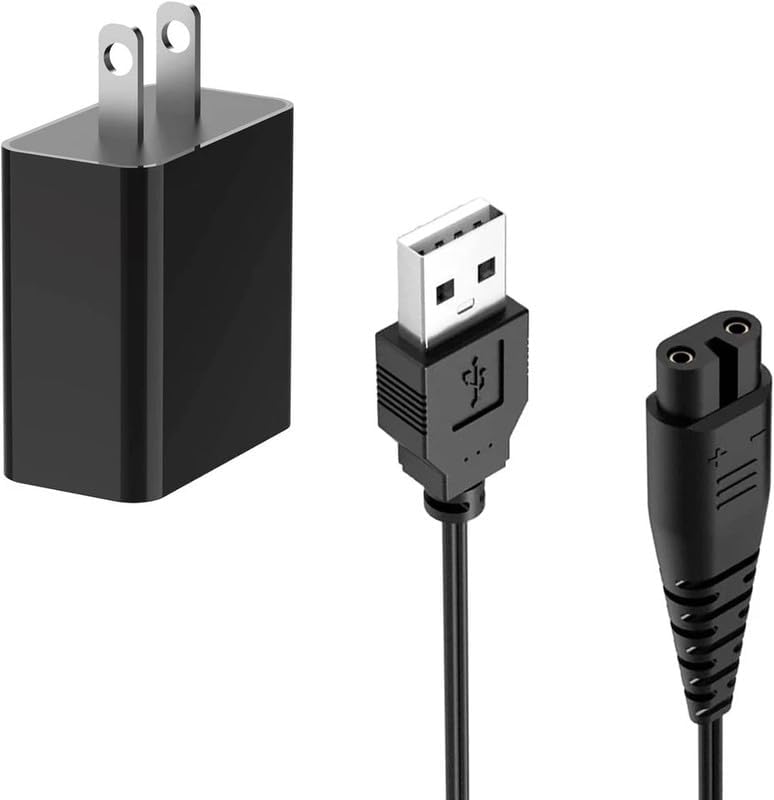
Image 1: Pxdiiry USB Wall Charger Adapter and USB Charging Cable. This image displays both components of the charging kit: the black USB wall adapter and the black USB charging cable with a two-pin connector for the shaver.
4. Setup Instructions
Follow these steps to set up your charger:
- Connect the USB Cable: Insert the USB-A end of the charging cable into the USB port of the Pxdiiry USB Wall Charger Adapter.

Image 2: USB Charging Cable with USB-A and 2-pin shaver connector. This image shows the full length of the black USB cable, highlighting both the standard USB-A connector and the specialized two-pin connector designed for the Hatteker shaver.
- Plug into Power Outlet: Insert the Pxdiiry USB Wall Charger Adapter into a standard 120V AC power outlet.

Image 3: Pxdiiry USB Wall Charger Adapter. This image focuses on the black wall adapter, showing its two prongs for insertion into an electrical outlet.
- Connect to Device: Insert the 2-pin connector of the USB charging cable into the charging port of your Hatteker RSCW-7800 Trimmer or Electric Shaver Razor. Ensure a secure connection.
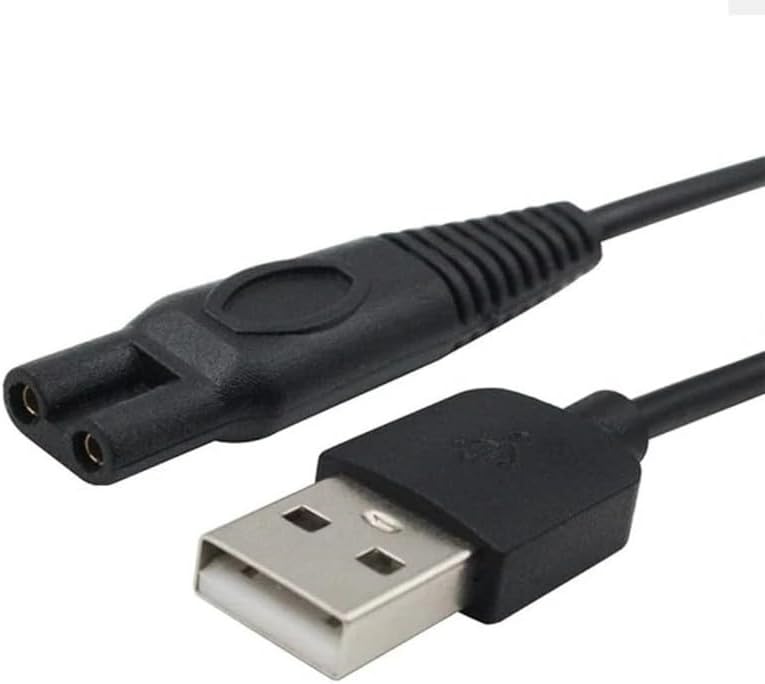
Image 4: Close-up of the USB-A and 2-pin shaver connector. This image provides a detailed view of the two distinct ends of the charging cable, emphasizing the USB-A plug and the specialized two-pin shaver connector.
5. Operating Instructions
Once properly connected, your Hatteker RSCW-7800 device will begin charging. Observe the charging indicator on your device (if available) to monitor the charging status.
- Charging times may vary depending on the device's battery level and model.
- Disconnect the charger once the device is fully charged to conserve energy and prolong battery life.
- Do not leave the device charging unattended for extended periods.
6. Maintenance
Proper maintenance ensures the longevity and optimal performance of your charger:
- Cleaning: Disconnect the charger from the power outlet and the device before cleaning. Use a soft, dry cloth to wipe the surfaces. Do not use liquid cleaners or abrasive materials.
- Storage: Store the charger and cable in a cool, dry place away from direct sunlight and extreme temperatures. Avoid tightly coiling the cable to prevent damage.
- Inspection: Periodically inspect the cable and adapter for any signs of wear, cuts, or damage. If damage is observed, discontinue use and replace the charger.
7. Troubleshooting
If you encounter issues with your charger, refer to the following common problems and solutions:
- Device not charging:
- Ensure the charger is securely plugged into a working power outlet.
- Verify that the USB cable is firmly connected to both the adapter and the Hatteker device.
- Check if the Hatteker device's charging port is clean and free of debris.
- Test the power outlet with another device to confirm it is functional.
- Charger or cable feels hot:
- A slight warmth during charging is normal. However, if the charger or cable becomes excessively hot, immediately unplug it from the power source and the device.
- Ensure adequate ventilation around the charger.
- Discontinue use if excessive heat persists and consider replacing the charger.
- Loose connection:
- Ensure the 2-pin connector is fully inserted into the Hatteker device's charging port.
- Avoid pulling the cable by the cord; always grasp the plug when disconnecting.
8. Specifications
Key technical specifications for the Pxdiiry Charger (Model P255160016):
| Feature | Specification |
|---|---|
| Brand | Pxdiiry |
| Model Number | P255160016 |
| Compatible Devices | Hatteker RSCW-7800 Trimmer & Electric Shaver Razor |
| Connector Type | USB-A to 2-Pin Shaver Connector |
| Input Voltage | 120 Volts AC |
| Power Source | Corded Electric |
| Color | Black |
| Safety Certifications | CCC, CE |
9. Warranty and Support
Information regarding product warranty and customer support was not provided in the available documentation. Please refer to the product packaging or contact the retailer for details on warranty coverage and support options.