
1. Introduction
Welcome to the user manual for your new Topsand 10-inch Android 15 Tablet, Model Topsand-G12PRO-B. This versatile 2-in-1 device is designed to enhance both your productivity and entertainment experiences. This manual provides essential information on setting up, operating, maintaining, and troubleshooting your tablet to ensure optimal performance.
2. What's in the Box
Your Topsand Tablet package includes the following items:
- 1* Topsand Android 15 Tablet 10 inch
- 1* Tablet Case
- 1* Keyboard
- 1* Mouse
- 1* Adapter + 1 charging cable
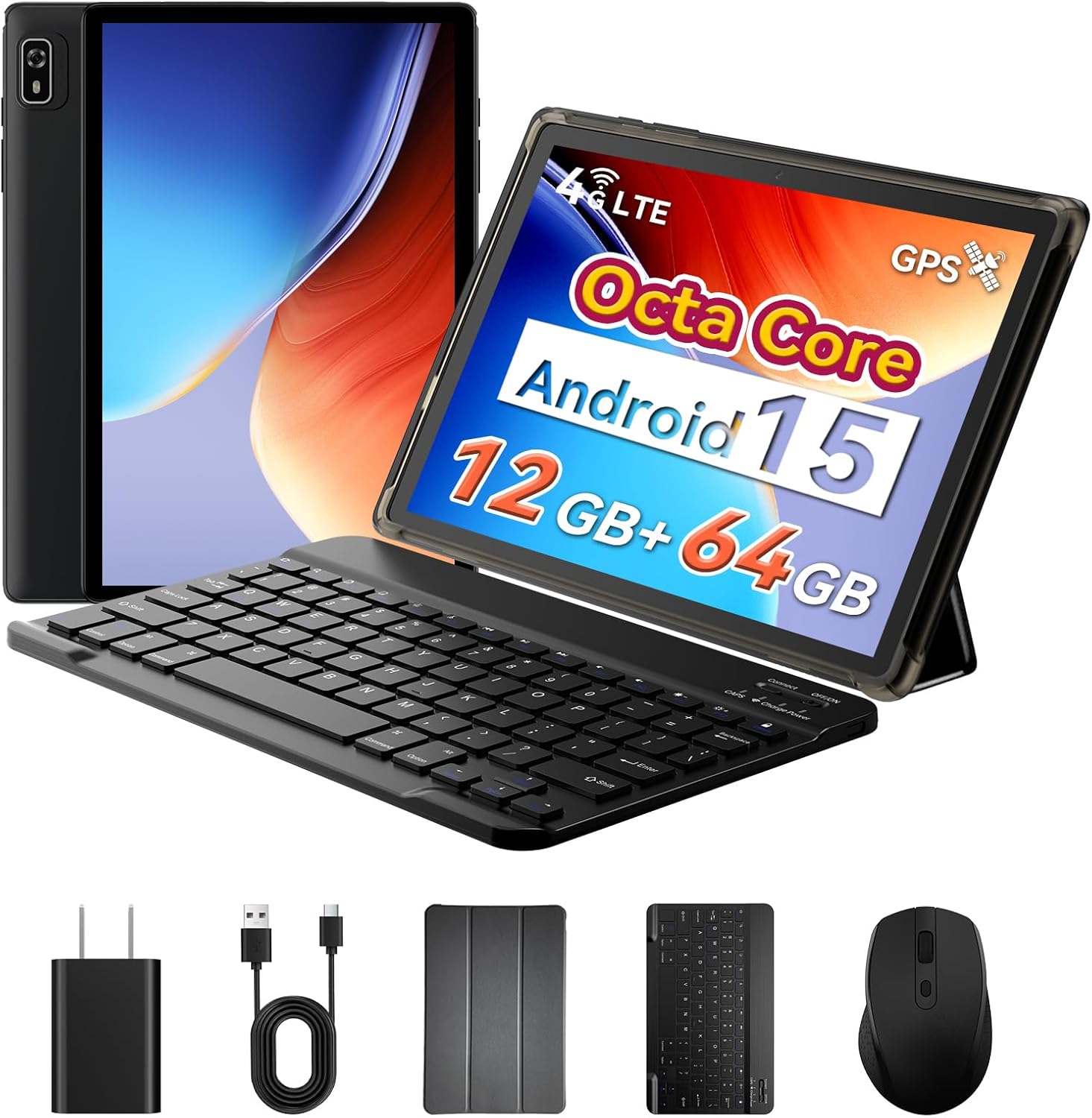
Image: Topsand Android 15 Tablet and all included accessories.

Image: Detailed view of the package contents.
3. Product Features
3.1 Display
The tablet features a 10.1-inch IPS HD touchscreen with a resolution of 1280x800 pixels, offering vibrant clarity for games and videos. It supports a 60Hz refresh rate and includes eye care and reading modes to filter harmful blue light, enhancing comfort during extended use.
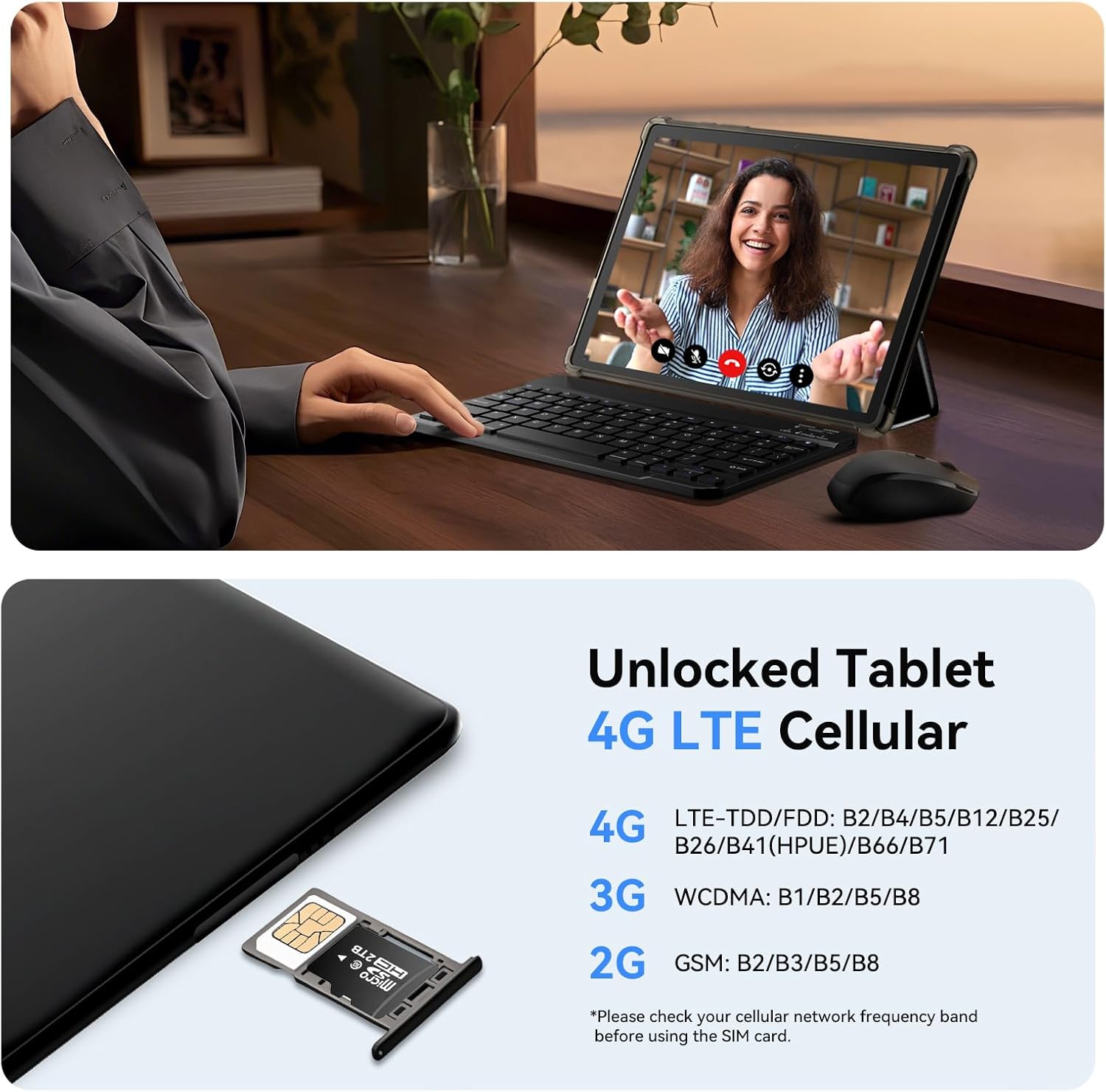
Image: The tablet's 10.1-inch IPS HD display with dual speakers.

Image: Three display modes for eye protection and reading comfort.
3.2 Performance
Powered by a MediaTek 2.0 GHz Octa-core processor and 12GB RAM (4GB base + 8GB virtual memory), this tablet ensures smooth performance for multitasking, gaming, and office applications. It comes with 64GB of internal storage (ROM), expandable up to 2TB via a micro SD card (not included).

Image: MediaTek Octa-Core Processor for enhanced performance.

Image: Memory and storage capabilities, including 12GB RAM and 2TB expandable storage.
3.3 Connectivity
The tablet supports 4G LTE cellular connectivity, allowing you to make calls and access the internet without Wi-Fi. It also features 5G Wi-Fi for faster browsing and streaming, Bluetooth 5.3 for wireless accessories, and built-in GPS with Android Auto support for navigation and location-based services.
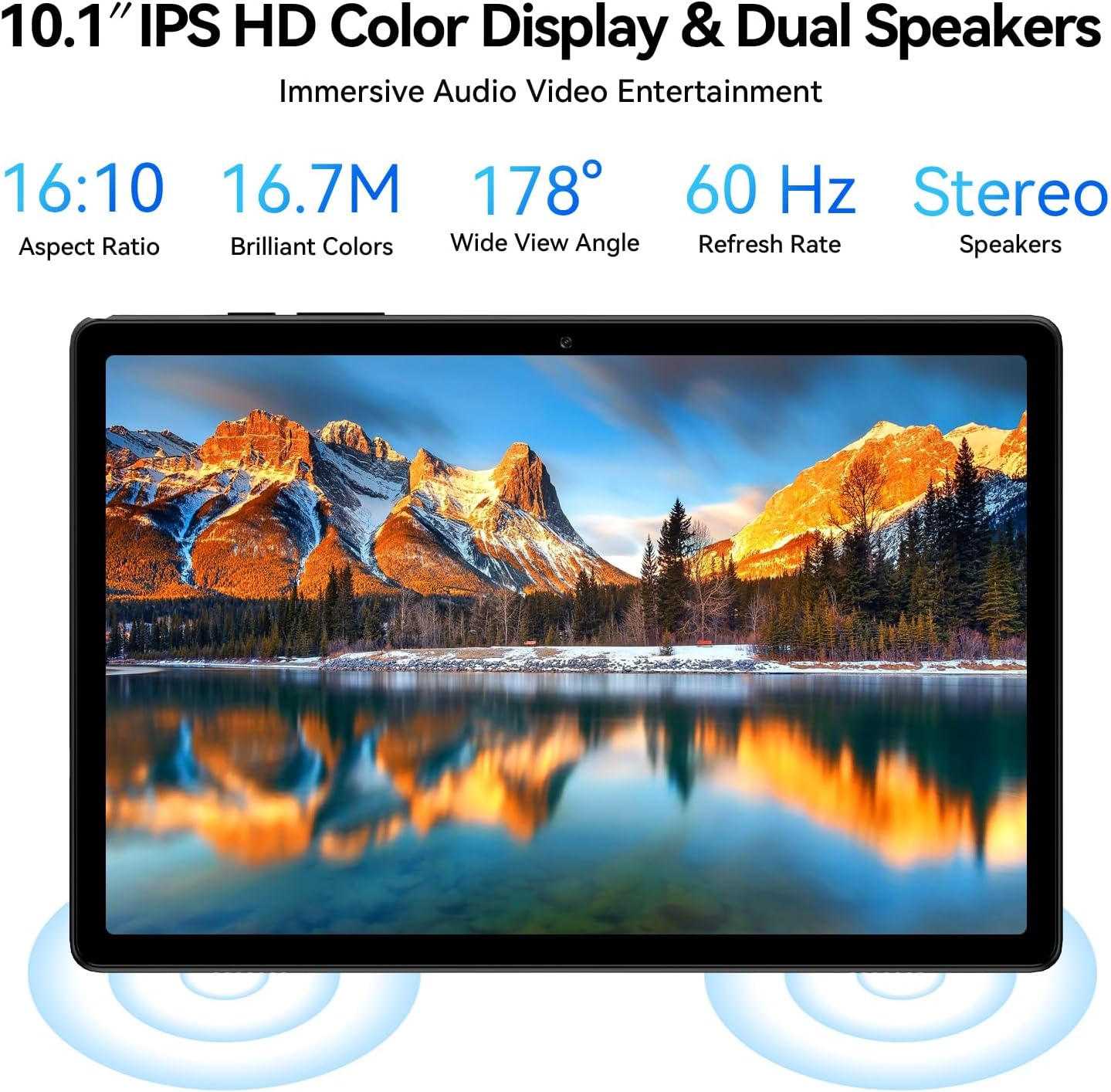
Image: Tablet with SIM card slot for 4G LTE cellular connectivity.

Image: Unlocked cellular tablet supporting 4G LTE.

Image: Built-in GPS with Android Auto for navigation.

Image: Stable and fast Wi-Fi with wireless screen casting capabilities.
3.4 Cameras
Equipped with a 5MP front camera for video calls and an 8MP rear camera for capturing high-quality photos and videos.

Image: Front (5MP) and Rear (8MP) cameras for video calls and photography.
3.5 Battery
The 5000mAh high-capacity battery provides up to 12 hours of average battery life, supporting 6 hours of video playback, 12 hours of music, and 16 hours of reading.

Image: High-capacity 5000mAh battery with detailed usage estimates.
3.6 Operating System
Running on the latest Android 15 OS, the tablet offers a faster and smoother user experience with enhanced split-screen app compatibility. It is GMS certified, allowing full access to Google Play Store and its vast array of applications. New features include Gemini AI assistance and Android Auto.

Image: Android 15 OS with key features and app ecosystem.

Image: Split screen display for efficient multitasking.
3.7 Kids Friendly Features
The tablet includes Google Kids Space, YouTube Kids, and Family Link for parental control, allowing parents to manage screen time, filter content, and monitor activity for a safe digital environment.

Image: Google Kids Space and parental control features.
4. Setup
4.1 Charging the Tablet
Before first use, fully charge your tablet using the provided adapter and USB-C charging cable. Connect the adapter to a power outlet and the USB-C cable to the tablet's charging port.
4.2 Power On/Off
- To Power On: Press and hold the Power button located on the side of the tablet until the screen lights up.
- To Power Off: Press and hold the Power button, then select 'Power off' from the options that appear on the screen.
- To Restart: Press and hold the Power button, then select 'Restart' from the options.
4.3 SIM Card Installation (for 4G LTE Models)
If your tablet supports 4G LTE, you can insert a SIM card to enable cellular data and calling. Locate the SIM card tray on the side of the tablet. Use the provided SIM ejector tool to open the tray, insert your SIM card(s) and/or Micro SD card into the designated slots, and then reinsert the tray securely.
Video: Demonstrates the installation of a SIM card and Micro SD card into the tablet, showcasing its 4G LTE capabilities and general usage.
Video: Shows the process of inserting a SIM card into a 10-inch cellular tablet, highlighting its unlocked status and network connectivity.
4.4 Initial Setup Wizard
Upon first power-on, the tablet will guide you through an initial setup process. Follow the on-screen prompts to:
- Select your language.
- Connect to a Wi-Fi network.
- Sign in with your Google account or create a new one.
- Set up screen lock and other security features.
5. Operating Instructions
5.1 Basic Navigation
Navigate your tablet using standard Android touchscreen gestures:
- Tap: Select an item or open an app.
- Swipe: Scroll through pages or lists.
- Pinch: Zoom in or out on images and web pages.
- Long Press: Access contextual menus or move app icons.
5.2 Connecting External Accessories (Keyboard & Mouse)
Your tablet comes with a wireless keyboard and mouse for a laptop-like experience. To connect them:
- Ensure the keyboard and mouse are charged and powered on.
- Go to Settings > Connected devices > Bluetooth on your tablet.
- Enable Bluetooth and scan for available devices.
- Select the keyboard and mouse from the list to pair them.
Video: Showcases the Android 15 tablet being used with its included keyboard, demonstrating its 2-in-1 functionality.

Image: Tablet used with keyboard and mouse for productivity.
6. Multimedia & Entertainment
6.1 Using the Cameras
Open the Camera app to take photos or record videos. Switch between the 5MP front camera and 8MP rear camera as needed. Tap the screen to focus and press the shutter button to capture.
6.2 Video Playback and Gaming
Enjoy your favorite videos and games on the vibrant 10.1-inch display. The powerful Octa-core processor ensures a smooth experience. You can download various entertainment apps from the Google Play Store.
Video: Demonstrates the tablet's capabilities for video playback, gaming, and general use, including SIM card functionality.
7. Productivity & Education
7.1 Split Screen Multitasking
Utilize the split-screen feature to run two applications simultaneously. This is ideal for productivity tasks like taking notes while watching a lecture or browsing the web while chatting.
7.2 Google Kids Space & Parental Controls
For educational and safe entertainment for children, activate Google Kids Space. Parents can manage content, set screen time limits, and monitor activity through Family Link, ensuring a controlled digital environment.
8. Care & Maintenance
8.1 Cleaning
To clean your tablet, use a soft, lint-free cloth. For stubborn smudges, slightly dampen the cloth with water or a screen-safe cleaner. Avoid harsh chemicals or abrasive materials.
8.2 Battery Care
To prolong battery life, avoid extreme temperatures. Charge the tablet regularly and avoid letting the battery completely drain frequently. For long-term storage, charge the battery to about 50%.
9. Troubleshooting
- Tablet not turning on: Ensure the tablet is charged. Connect it to the charger and wait a few minutes before attempting to power on again.
- Slow performance: Close unnecessary background apps. Clear cache regularly. Consider a factory reset if issues persist after backing up your data.
- Wi-Fi/4G LTE connectivity issues: Restart the tablet and your router/modem. Check if your SIM card is properly inserted and activated. Ensure you are within network coverage.
- Accessories not connecting: Ensure Bluetooth is enabled on the tablet and the accessories are in pairing mode. Check battery levels of accessories.
10. Specifications
| Feature | Specification |
|---|---|
| Brand | Topsand |
| Model Name | Topsand-G12PRO-B |
| Operating System | Android 15 |
| Screen Size | 10.1 Inches |
| Screen Resolution | 1280 x 800 pixels |
| Processor | MediaTek Octa-Core (2 GHz) |
| RAM | 12GB (4GB base + 8GB virtual) |
| Internal Storage (ROM) | 64 GB |
| Expandable Storage | Up to 2 TB (Micro SD card not included) |
| Rear Webcam Resolution | 8 MP |
| Front Webcam Resolution | 5 MP |
| Wireless Type | 802.11a/b/g/n/ac (5G Wi-Fi) |
| Connectivity | 4G LTE Cellular, Bluetooth 5.3, GPS |
| Battery Capacity | 5000mAh |
| Average Battery Life | 12 Hours |
| Item Weight | 1.15 pounds |
| Product Dimensions | 9.68 x 6.4 x 0.4 inches |
11. Warranty & Support
Topsand tablet products come with a 1-year warranty and dedicated support. For seamless assistance, from purchase to beyond, please refer to the following:
- Technical Help: Contact the seller via the address on your warranty card or leave a message through the 'Contact Seller' button on your order.
- If the 'Return Window' has closed, contact the seller directly instead of Amazon for assistance.

Image: Topsand brand logo.

Image: Professional service details including warranty and support.