
1. Introduction
The RCmall ESP32-2432S028R is a versatile 2.8-inch TFT LCD display module designed for electronics projects. It integrates WiFi and Bluetooth Low Energy (BLE) capabilities, powered by the ESP-WROOM-32 dual-core processor. This development board features a resistive touchscreen with an ILI9341 controller, providing responsive touch input and clear visuals. It is suitable for creating interactive displays, IoT devices, and custom control panels, catering to both beginners and experienced developers.
2. Key Features
- Display: 2.8-inch TFT LCD with resistive touchscreen.
- Display Driver: ILI9341 for crisp visuals and responsive touch.
- Processor: ESP-WROOM-32 dual-core platform (240 MHz CPU speed).
- Connectivity: Integrated WiFi and Bluetooth Low Energy (BLE).
- Memory: 520 KB SRAM.
- Development Compatibility: Supports Arduino IDE and ESP-IDF framework.
- Included Accessories: USB cable for programming/power and connection wires.
3. Package Contents
Verify that all items are present in your package:
- 1 x ESP32-2432S028R 2.8-inch TFT LCD Display Module
- 1 x USB Cable (for power and programming)
- 1 x Connector Cable with color-coded wires
- 1 x Stylus (for resistive touchscreen interaction)

Image 3.1: Contents of the ESP32-2432S028R package, including the module, USB cable, connector wires, and stylus.
4. Pinout and Component Overview
Understanding the layout of the development board is crucial for proper integration and programming. Refer to the diagram below for key components and their functions.
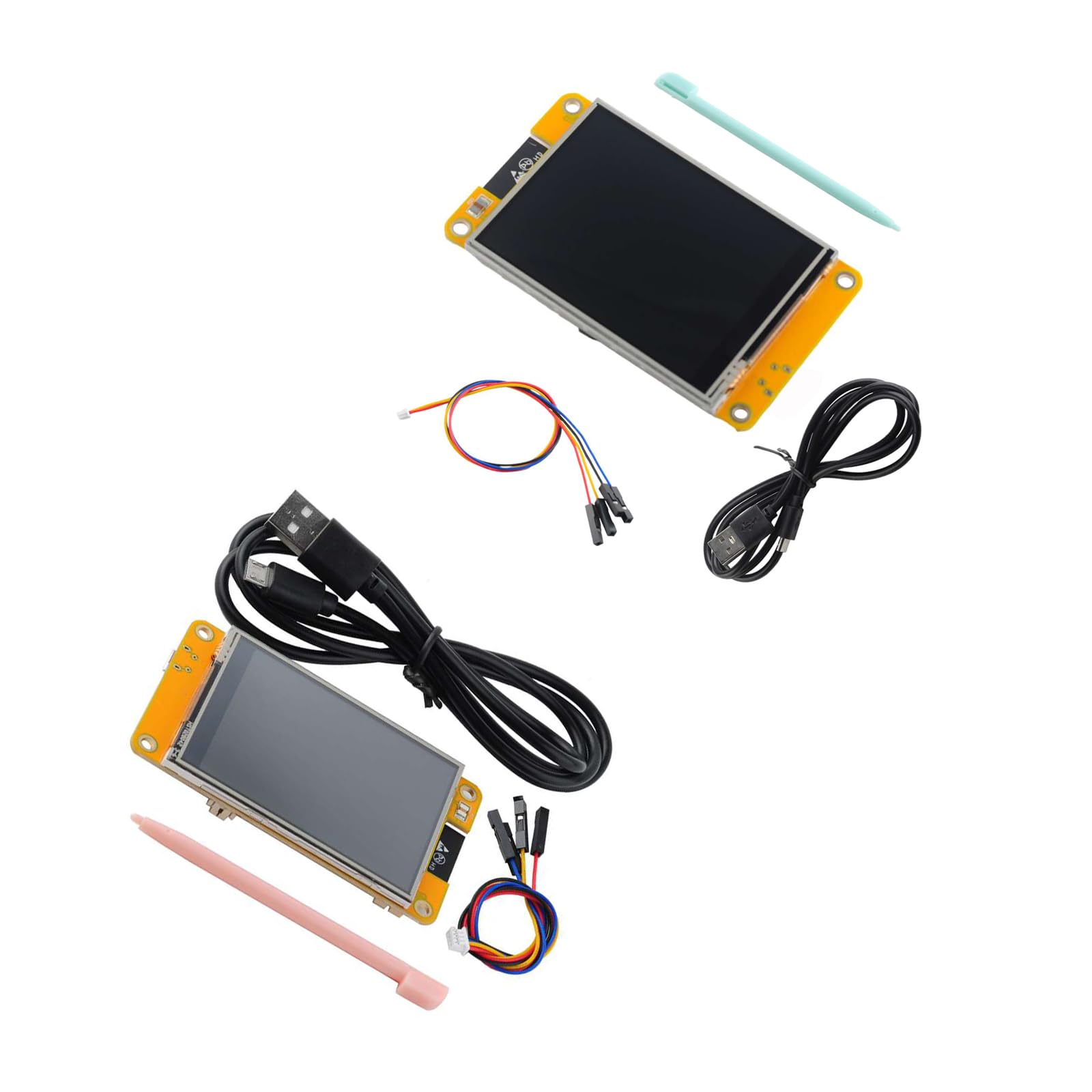
Image 4.1: Component layout and pin identification for the ESP32-2432S028R module.
- ESP-WROOM-32: The main module containing the ESP32 dual-core processor, providing WiFi and BLE capabilities.
- RESET Button: Used to restart the ESP32 module.
- BOOT Button: Used to put the ESP32 into bootloader mode for flashing new firmware.
- Speak: Audio output interface.
- 4P 1.25 Power Supply Base: Connector for external power supply.
- Type-C USB Port: Primary port for power and data communication (programming).
- Micro-USB Port: Secondary port, typically for power or specific debugging.
- TF (MicroSD) Card Slot: For expandable storage.
- Temperature and Humidity Interface: Dedicated pins for connecting environmental sensors.
- Extended IO: General Purpose Input/Output pins for connecting various peripherals.
- RGB LED: Programmable multi-color LED for status indication or visual feedback.
5. Setup Instructions
Follow these steps to prepare your ESP32-2432S028R module for development:
- Software Installation:
- Install the Arduino IDE or ESP-IDF framework on your computer.
- Add ESP32 board support to your chosen development environment. Refer to the official ESP32 documentation for detailed instructions.
- Install necessary libraries for the ILI9341 display driver and resistive touchscreen (e.g., Adafruit_ILI9341, XPT2046_Touchscreen).
- Hardware Connection:
- Connect the provided USB cable to the Type-C port on the module and to your computer. This will power the module and establish a serial communication link.
- If using external peripherals, connect them to the appropriate Extended IO pins or dedicated interfaces (e.g., temperature/humidity sensor).
- Insert a MicroSD card into the TF card slot if storage is required for your application.
- Initial Test:
- Upload a basic example sketch (e.g., a display test or a simple WiFi scan) to verify proper functionality.
- Ensure the correct board and COM port are selected in your IDE.
6. Operating Instructions
The ESP32-2432S028R module operates as a programmable development board. Its functionality is determined by the firmware uploaded to it.
- Programming:
- Write your code using the Arduino IDE or ESP-IDF.
- Connect the module via the Type-C USB port.
- Select the correct board (e.g., ESP32 Dev Module) and serial port in your development environment.
- Click 'Upload' to flash your program to the ESP32. The module may automatically enter bootloader mode, or you might need to press and hold the BOOT button while pressing and releasing RESET, then releasing BOOT.
- Display Usage:
- Utilize the ILI9341 display driver library functions to draw graphics, text, and images on the 2.8-inch TFT screen.
- The resistive touchscreen can be read using its dedicated library to detect touch coordinates and implement user interface interactions.
- Wireless Communication:
- Implement WiFi functionality to connect to local networks, host web servers, or communicate with cloud services.
- Use BLE for short-range wireless communication with other BLE-enabled devices.
7. Maintenance
Proper care ensures the longevity and reliable operation of your ESP32-2432S028R module.
- Cleaning: Use a soft, dry cloth to clean the display and board. Avoid abrasive materials or harsh chemicals.
- Storage: Store the module in a dry, anti-static environment when not in use. Keep it away from extreme temperatures and humidity.
- Handling: Handle the board by its edges to avoid touching components, especially the display surface. Static electricity can damage electronic components.
- Firmware Updates: Regularly check for updated ESP32 core or library versions to benefit from bug fixes and new features.
8. Troubleshooting
If you encounter issues with your module, consider the following common problems and solutions:
- Module not powering on:
- Ensure the USB cable is securely connected to both the module and a powered USB port.
- Try a different USB cable or port.
- Upload errors (Failed to connect to ESP32):
- Verify that the correct COM port is selected in your IDE.
- Ensure the ESP32 is in bootloader mode. You may need to manually press and hold the BOOT button, then press and release RESET, and finally release BOOT before uploading.
- Check if necessary USB drivers are installed for your operating system.
- Display not showing anything:
- Confirm that the display library is correctly initialized in your code.
- Check power connections to the module.
- Ensure the display's backlight is enabled (if controlled by software).
- Touchscreen unresponsive:
- Verify that the touchscreen driver library is correctly initialized and calibrated.
- Check the connections for the touchscreen interface.
- WiFi/BLE connectivity issues:
- Ensure correct network credentials (SSID, password) are provided in your code.
- Check antenna connections or ensure the onboard antenna is not obstructed.
- Verify that the solder jumper for the external antenna is correctly set if an external antenna is used.
9. Technical Specifications
| Feature | Specification |
|---|---|
| Model Name | ESP32-2432S028R |
| Display Size | 2.8 inches |
| Display Type | TFT LCD with Resistive Touchscreen |
| Display Driver | ILI9341 |
| Processor | ESP-WROOM-32 (Dual-core) |
| CPU Speed | 240 MHz |
| RAM | 520 KB SRAM |
| Wireless Connectivity | WiFi, Bluetooth Low Energy (BLE) |
| Operating System Compatibility | Arduino IDE, ESP-IDF |
| Power Input | USB Type-C, Micro-USB, 4P 1.25 Power Supply Base |
| Product Dimensions (LxWxH) | 3.54 x 2.36 x 0.98 inches |
| Item Weight | 0.18 ounces |
10. Warranty and Support
RCmall products are designed for reliability and performance. For specific warranty information, please refer to the documentation provided with your purchase or contact RCmall customer support directly. Technical assistance and resources can often be found on the manufacturer's website or community forums dedicated to ESP32 development.
For further assistance, please visit the RCmall Store on Amazon.