
KODAK RCF-1561
KODAK 15.6 Inch WiFi Digital Picture Frame
Model: RCF-1561
Introduction
This user manual provides detailed instructions for setting up, operating, and maintaining your KODAK 15.6 Inch WiFi Digital Picture Frame. Please read this manual thoroughly before using the device to ensure proper functionality and longevity. This digital picture frame allows you to easily share and display your cherished photos and videos with family and friends, offering a vibrant 1920x1080 HD IPS touch screen and ample storage.

Image: The KODAK 15.6 Inch WiFi Digital Picture Frame showcasing its display and the accompanying mobile application.
What's in the Box?
Upon opening the package, please verify that all the following items are included:

Image: A visual representation of all components included with your KODAK Digital Picture Frame.
- An Exquisite Gift Box (packaging)
- A Digital Picture Frame (KODAK 15.6 Inch)
- An AC Adapter
- A Stand
- A User Manual (this document)
- Data Cable (Type-C)
Product Features
The KODAK 15.6 Inch WiFi Digital Picture Frame is designed with user convenience and superior display quality in mind. Key features include:
- Superior Picture Quality: Equipped with a 15.6-inch HD IPS touch screen (1920x1080 resolution) for realistic and vivid colors and sharp details.
- Easy to Use: User-friendly interface and intuitive touchscreen, making setup and operation simple for all ages.
- Ample Storage: Built-in 32GB memory, capable of storing over 10,000 photos. Supports SD cards (up to 32GB) and Type-C connection for expanded storage and data transfer.
- Auto-Rotate Function: Automatically adjusts picture orientation for perfect display in both horizontal and vertical modes.
- KODAK App Integration: Seamlessly share photos and videos directly from your smartphone via the dedicated KODAK App.

Image: A comparison illustrating the advanced features of the KODAK Digital Picture Frame.

Image: The 15.6-inch large touchscreen displaying a clear image, highlighting its size and clarity.
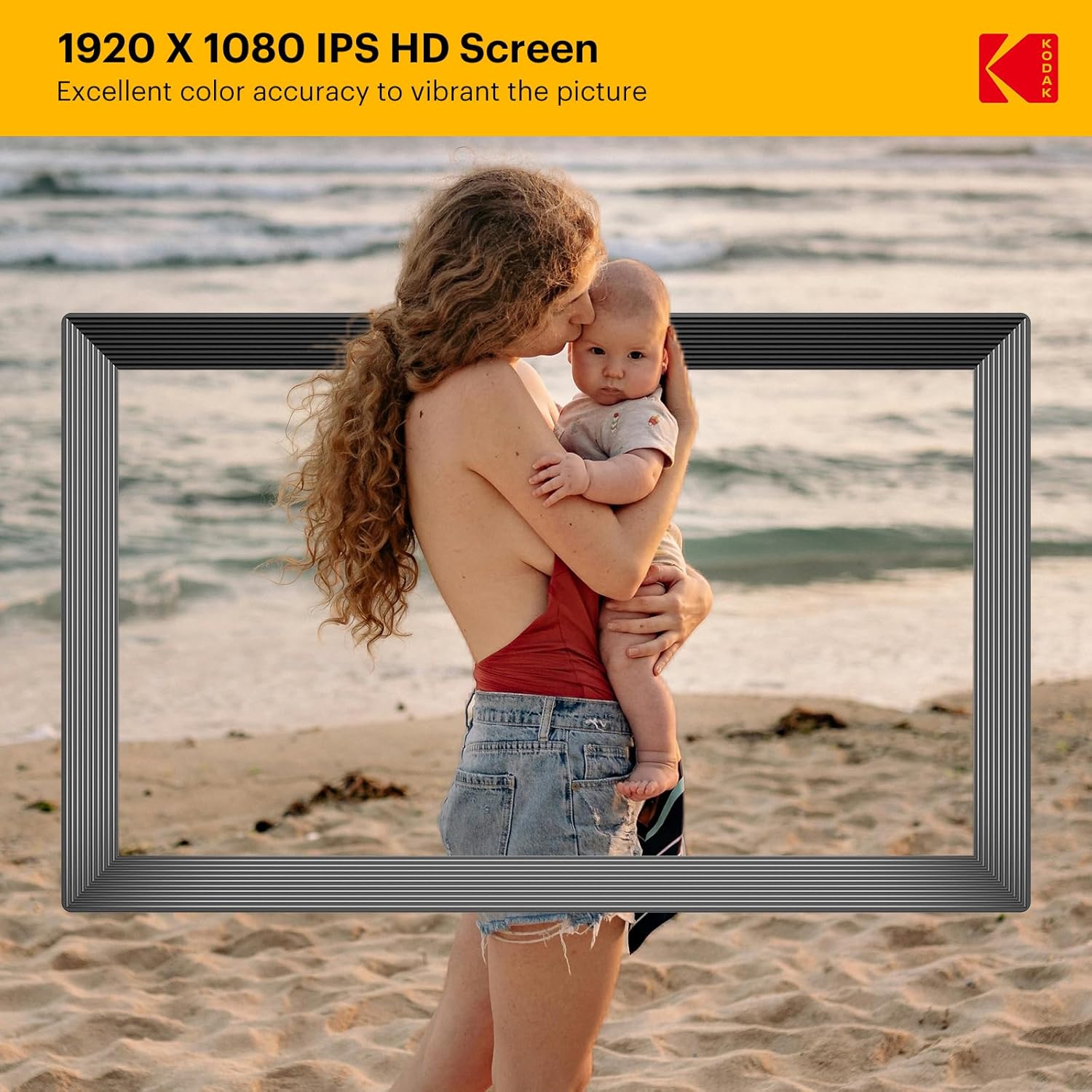
Image: A close-up of the frame's display, demonstrating the excellent color accuracy and sharp details of the 1920x1080 IPS HD screen.
Setup Guide
1. Initial Setup
- Unpack: Carefully remove the digital picture frame and all accessories from the packaging.
- Attach Stand: Securely attach the included stand to the back of the frame.
- Power On: Connect the AC adapter to the frame's power port and plug it into a wall outlet. The frame will automatically power on.
2. Connecting to Wi-Fi
- On the frame's touchscreen, navigate to the Settings menu.
- Select Wi-Fi and turn it on.
- Choose your desired Wi-Fi network from the list.
- Enter the Wi-Fi password using the on-screen keyboard and tap Connect.
- Once connected, a Wi-Fi icon will appear on the top right of the screen.
3. Using the KODAK App
The KODAK App allows for easy sharing of photos and videos from your smartphone to the frame.
- Download the App: Download the free "KODAK" app from the App Store (iOS) or Google Play Store (Android).
- Connect the Frame: Follow the in-app instructions to connect your smartphone to the digital picture frame. This typically involves scanning a QR code displayed on the frame or entering a unique frame ID.
- Invite Friends & Family: Once connected, you can invite others to share photos and videos to your frame through the KODAK App, providing a secure and private sharing network.
Operating Instructions
1. Uploading Photos and Videos
Your KODAK Digital Picture Frame supports multiple methods for uploading media:
- Via KODAK App: The easiest way to send photos and videos directly from your smartphone.
- Via SD Card: Insert an SD card (up to 32GB, not included) into the designated slot on the frame. The frame will automatically detect and display media from the card.
- Via Type-C Connection: Connect the frame to a computer using the provided Type-C data cable to transfer files directly.

Image: The frame supports various methods for media upload, including SD card, Wi-Fi (via app), and direct computer connection.
2. Auto-Rotate Function
The frame features an auto-rotate function that automatically adjusts the orientation of your photos and videos to fit the screen perfectly, whether the frame is placed horizontally or vertically.

Image: The auto-rotate function ensures your pictures are always displayed correctly, regardless of the frame's orientation. Note: This frame is not designed for wall mounting.
3. Display Settings
- Brightness: Adjust screen brightness in the Settings menu for optimal viewing in different lighting conditions.
- Sleep Time: Configure the frame to automatically turn off or dim the screen during specific hours to conserve energy or for nighttime use.
4. Additional Functions
- Alarm Clock: Set alarms directly on the frame.
- Calendar: View the calendar function for daily organization.
- Music Playback: Play background music with your slideshows.
Maintenance
Proper care and maintenance will ensure the longevity and optimal performance of your digital picture frame.
- Cleaning the Screen: Use a soft, lint-free cloth to gently wipe the screen. For stubborn smudges, slightly dampen the cloth with water or a screen-cleaning solution. Avoid harsh chemicals or abrasive materials.
- Cleaning the Frame: Wipe the frame's body with a dry, soft cloth.
- Storage: When not in use for extended periods, store the frame in a cool, dry place, away from direct sunlight and extreme temperatures.
- Avoid Liquids: Keep the frame away from water and other liquids.
- Handle with Care: Avoid dropping or subjecting the frame to strong impacts.
Troubleshooting
If you encounter any issues with your KODAK Digital Picture Frame, please refer to the following common problems and solutions:
| Problem | Possible Solution |
|---|---|
| Frame does not power on. | Ensure the AC adapter is securely connected to both the frame and a working power outlet. Try a different outlet. |
| Cannot connect to Wi-Fi. | Check if your Wi-Fi router is on and working. Ensure you are entering the correct Wi-Fi password. Try restarting the frame and your router. |
| Photos/Videos are not displaying. | Verify that media files are in supported formats (e.g., JPEG, PNG for photos; MP4 for videos). Ensure SD card is inserted correctly or files are successfully transferred via app/Type-C. |
| KODAK App connection issues. | Ensure both your phone and the frame are connected to the internet. Update the KODAK App to the latest version. Restart the app and the frame. |
| Screen is frozen or unresponsive. | Perform a soft reset by unplugging the power adapter, waiting 10 seconds, and plugging it back in. |
Specifications
Detailed technical specifications for the KODAK 15.6 Inch WiFi Digital Picture Frame:
- Screen Size: 15.6 Inches
- Resolution: 1920x1080 HD IPS
- Internal Storage: 32GB (supports over 10,000 photos)
- External Storage: Supports SD cards up to 32GB
- Connectivity: Wi-Fi, Type-C (for computer connection)
- Dimensions: 20.8 x 12.8 x 0.99 inches
- Item Weight: 4.49 pounds
- Features: Touch Screen, Auto-Rotate, KODAK App compatibility, Alarm, Calendar, Music Playback
Warranty and Support
KODAK stands behind the quality of its products. Your digital picture frame comes with a 12-month warranty from the date of purchase.
For any issues, questions, or technical assistance, KODAK provides lifetime friendly support. Please refer to the contact information provided in your product packaging or visit the official KODAK support website for further assistance. When contacting support, please have your model number (RCF-1561) and purchase details ready.