
1. Product Overview
The ULANZI PL25 is a compact and powerful 25W bi-color LED video light designed for various photography and videography applications. It features adjustable color temperature from 2700K to 6500K and brightness control, ensuring optimal lighting for diverse shooting conditions. Its portable design and long-lasting battery make it suitable for both studio and on-location use.
Package Contents
Before using your ULANZI PL25 Video Light, please verify that all items are present in the package:
- 1 x ULANZI PL25 25W Video Light
- 1 x Diffuser
- 1 x USB-C to USB-C Charging Cable
- 1 x User Manual

Key Features
- Professional LED Video Light: Offers CRI≥96 color rendering and 2700K-6500K bi-color temperature control.
- Portable Design: Compact 3×5.2" body, weighing only 227g, with a powerful 25W output (3200Lx@0.5m).
- Extended Battery Life: Built-in 2000mAh battery provides up to 350 minutes runtime at 6W, or 30 minutes at 100% brightness. Supports 120 minutes PD fast charging via Type-C.
- Versatile Mounting: Features a 1/4" thread for easy attachment to cameras, tripods, and light stands.
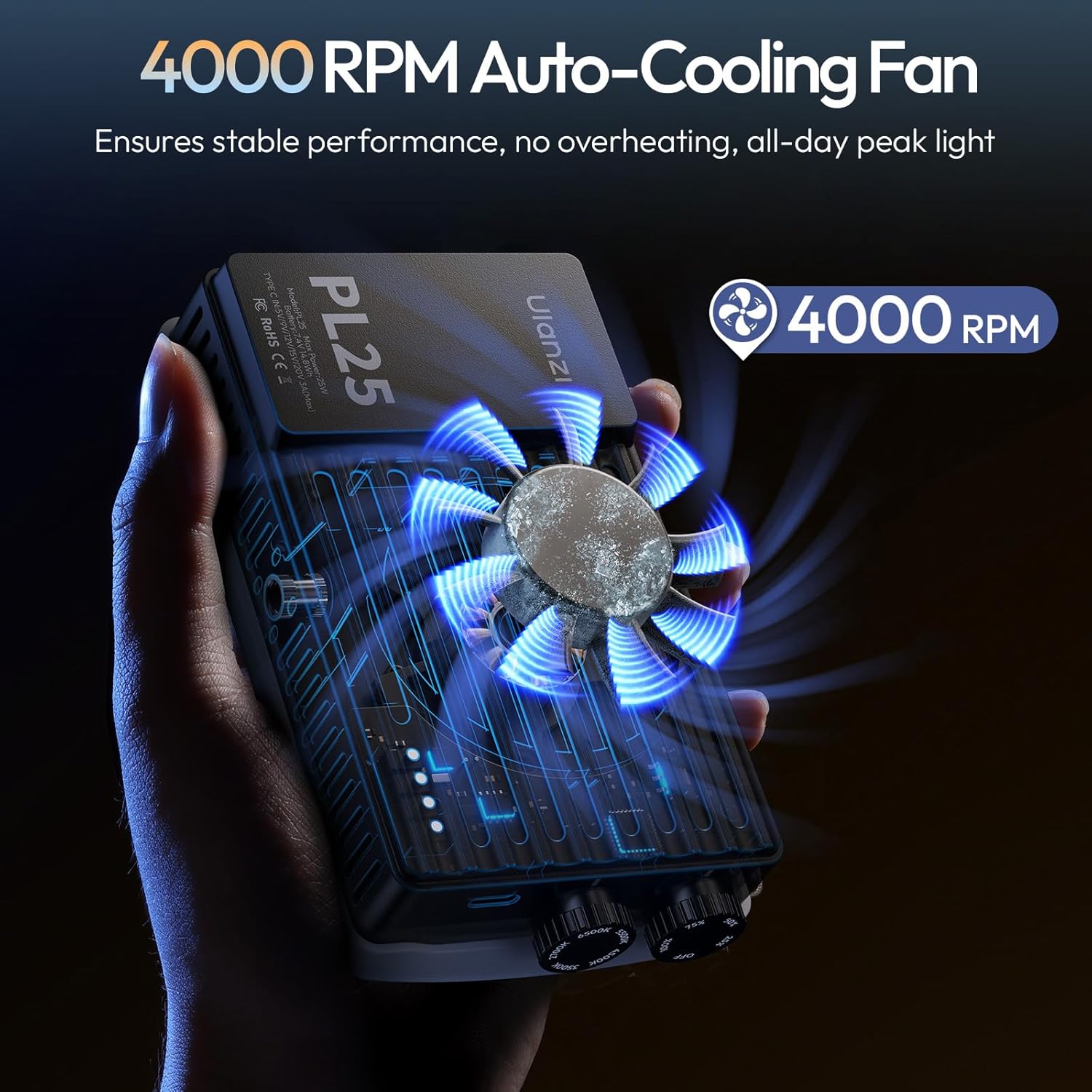
- Integrated Cooling Fan: Ensures stable performance and prevents overheating during extended use.

2. Setup
Charging the Device
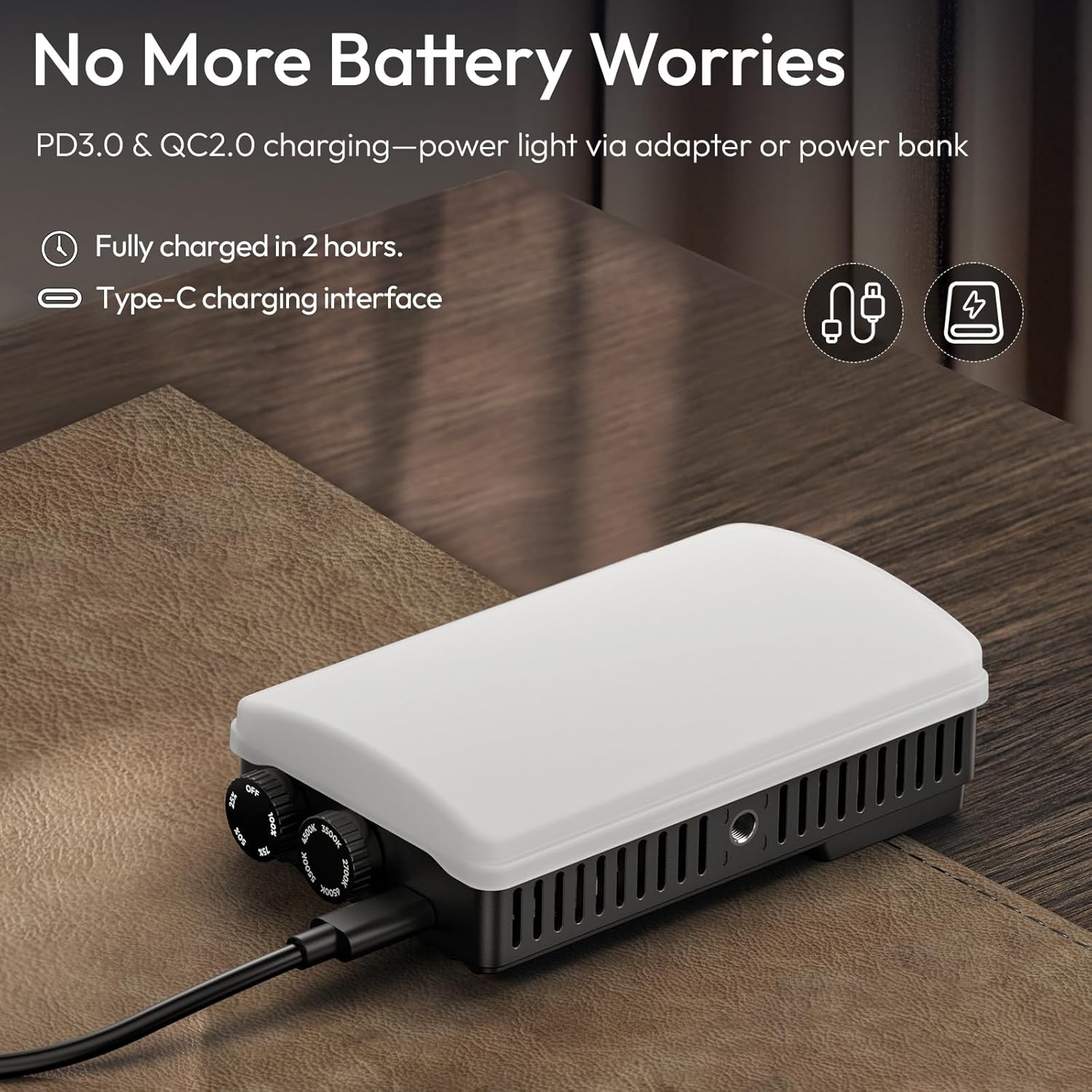
Before initial use, fully charge the ULANZI PL25 Video Light. Connect the provided USB-C charging cable to the Type-C port on the light and to a compatible USB power adapter (not included) or power bank. The battery indicator lights will show the charging status. A full charge typically takes approximately 2 hours with PD fast charging.
Mounting the Light
The ULANZI PL25 features a standard 1/4" thread for versatile mounting options:
- On-Camera: Attach the light to your DSLR or mirrorless camera's hot shoe using a cold shoe adapter (not included).
- Tripod/Light Stand: Mount the light directly onto any tripod or light stand with a 1/4" screw.

Attaching the Diffuser
For softer lighting effects, attach the included diffuser to the front of the LED panel. The diffuser helps to spread the light more evenly and reduce harsh shadows.
3. Operation
The ULANZI PL25 features two control knobs on the side for adjusting brightness and color temperature.

Power On/Off and Brightness Adjustment (DIM)
The top knob controls both power and brightness:
- Rotate the knob clockwise from the 'OFF' position to turn on the light and increase brightness.
- Rotate counter-clockwise to decrease brightness and turn off the light.
- Brightness can be adjusted from 0% to 100%.

Color Temperature Adjustment (CCT)
The bottom knob adjusts the color temperature:
- Rotate the knob to select a color temperature between 2700K (warm light) and 6500K (cool light).

Battery Indicator
Small LED lights next to the control knobs indicate the remaining battery level. Refer to these indicators to monitor power status and determine when recharging is necessary.
Official Product Video: ULANZI PL25 Overview
Video: An official overview of the ULANZI PL25 25W Bi-Color LED Camera Panel Light, demonstrating its features and use cases.
Official Product Video: ULANZI PL25 in Photography
Video: A demonstration of the ULANZI PL25 LED Camera Video Light Panel Bi-Color for Photography, showcasing its application in various shooting scenarios.
4. Maintenance
Cleaning
To maintain optimal performance, regularly clean the light. Use a soft, dry cloth to wipe the exterior. For the LED panel, use a lens cleaning cloth to gently remove dust or smudges. Avoid using harsh chemicals or abrasive materials.
Storage
Store the ULANZI PL25 in a cool, dry place away from direct sunlight and extreme temperatures. When not in use for extended periods, ensure the battery is partially charged (around 50%) to prolong its lifespan.
Battery Care
To maximize battery longevity:
- Avoid fully discharging the battery frequently.
- Do not expose the device to temperatures above 60°C (140°F) or below -10°C (14°F).
- Charge the battery at least once every three months if stored for long periods.
5. Troubleshooting
If you encounter issues with your ULANZI PL25 Video Light, refer to the following common problems and solutions:
| Problem | Possible Cause | Solution |
|---|---|---|
| Light does not turn on. | Battery is depleted. | Charge the device using the provided USB-C cable. |
| Brightness or color temperature cannot be adjusted. | Knobs are not rotated correctly or are stuck. | Ensure the knobs are free from obstruction and rotate them firmly. If issues persist, contact support. |
| Light flickers or turns off unexpectedly. | Low battery or unstable power source. | Recharge the battery. If using external power, ensure the cable and adapter are functioning correctly. |
| Device feels warm during operation. | Normal operation, especially at high brightness. | The integrated cooling fan helps manage heat. If it becomes excessively hot or the fan is unusually loud, reduce brightness or turn off the device to cool down. |
6. Specifications
| Feature | Detail |
|---|---|
| Brand | ULANZI |
| Model Number | L096-US2 |
| Power Output | 25W |
| Illuminance | 3200Lx@0.5m |
| Color Temperature | 2700K-6500K (Bi-Color) |
| Color Rendering Index (CRI) | ≥96 |
| Television Lighting Consistency Index (TLCI) | ≥96 |
| Battery Capacity | 2000mAh (Built-in) |
| Battery Life (Average) | 350 minutes (at 6W), 30 minutes (at 100% brightness) |
| Charging Time | Approx. 2 hours (PD fast charging) |
| Connectivity Technology | USB Type-C |
| Product Dimensions (L x W x H) | 5.28" x 3.07" x 1.57" (134mm x 78mm x 40mm) |
| Item Weight | 259 Grams (0.57 lbs) |
| Water Resistance Level | Not Water Resistant |
| Compatible Devices | Sony, Canon, Nikon, DSLRs, Mirrorless Cameras |
7. Warranty and Support
Warranty Information
The ULANZI PL25 Video Light comes with a 1-Year Manufacturer's Warranty from the date of purchase. This warranty covers defects in materials and workmanship under normal use. It does not cover damage caused by misuse, accidents, unauthorized modifications, or improper storage.
Customer Support
For technical assistance, warranty claims, or any questions regarding your ULANZI PL25 Video Light, please contact ULANZI customer support through the official website or your retailer's support channels. Please have your purchase receipt and product model number (L096-US2) ready when contacting support.


