
Introduction
This manual provides detailed instructions for the setup, operation, and maintenance of your GoAssemb HG4-58 U.S. Willys RC Simulation Off-Road Car. This 1/14 scale, 2.4G 4WD vehicle is a Ready-to-Run (RTR) model, featuring dual-speed switching, realistic sound and lights, and charging protection for an immersive experience. Please read this manual thoroughly before operating the vehicle to ensure safe and optimal performance.
Package Contents
Verify that all items listed below are included in your package:
- RC Simulation Car Model (HG4-58)
- Remote Control
- Body Battery (7.4V 600mah)
- Charging Cable
- Instruction Manual
- Spare Tire
- Roof Replacement Part
- Alloy Machine Gun
- Shovel
- Axe
- Oil Barrel
- Sticker

Image: The GoAssemb HG4-58 RC car, remote control, and packaging, illustrating the complete package contents.
Safety Information
This product is recommended for individuals aged 16 years and up. Adult supervision is advised for all users. Always follow these safety guidelines:
- Do not operate the vehicle near people, pets, or obstacles.
- Avoid operating in wet conditions or near water to prevent damage to electronics.
- Ensure batteries are correctly installed and charged according to instructions.
- Do not mix old and new batteries, or different types of batteries.
- Keep small parts out of reach of young children to prevent choking hazards.
- Turn off the vehicle and remote control when not in use.
Setup
1. Charging the Vehicle Battery
- Connect the 7.4V 600mah body battery to the provided charging cable.
- Plug the charging cable into a suitable USB power source (e.g., computer USB port, USB wall adapter).
- The charging time is approximately 120 minutes. The indicator light on the charging cable will show the charging status (refer to charger instructions for specific light indications).
- Do not leave batteries charging unattended.
2. Installing Vehicle Battery
- Locate the battery compartment on the vehicle (typically under the hood or chassis).
- Carefully connect the fully charged 7.4V 600mah battery to the vehicle's power connector.
- Secure the battery within the compartment.

Image: The HG4-58 RC car with its hood open, revealing the battery compartment and internal wiring.
3. Installing Remote Control Batteries
- Open the battery compartment on the remote control.
- Insert 4 "AA" batteries (not included), ensuring correct polarity (+/-).
- Close the battery compartment securely.
4. Attaching Accessories
Attach the spare tire, roof replacement part, alloy machine gun, shovel, axe, and oil barrel to their designated locations on the vehicle for enhanced realism. Stickers can be applied as desired.
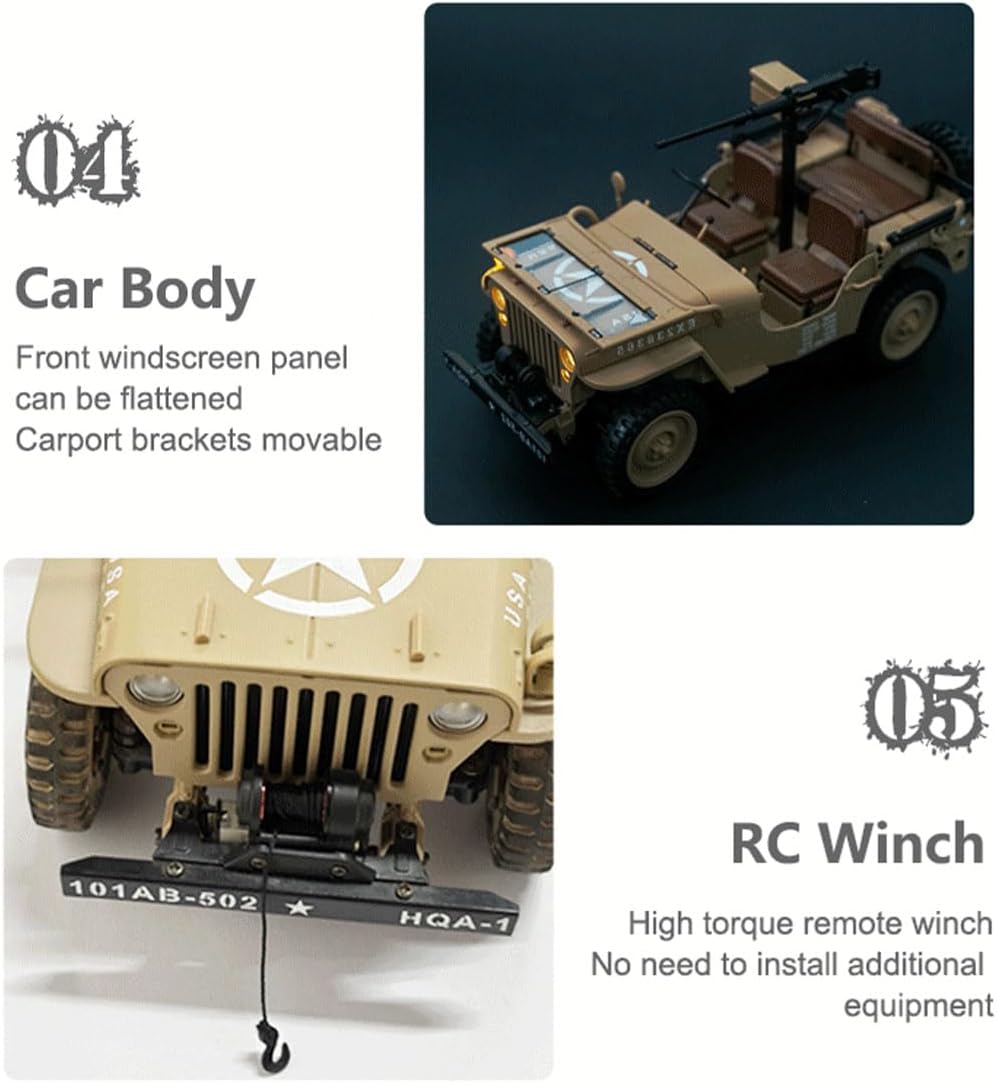
Image: The HG4-58 RC car showcasing various attachable accessories like the machine gun, shovel, and axe.
Video: A demonstration of the GoAssemb HG4-58 U.S. Willys RC Simulation Off-Road Car, including unboxing and initial setup steps like battery and accessory installation.
Operating Instructions
1. Pairing the Remote Control
- Turn on the vehicle using the on/off switch located on the chassis. The vehicle's lights will blink.
- Turn on the remote control. The remote control's indicator light will also blink.
- Wait a few seconds for the remote control and vehicle to automatically pair. Once paired, the lights on both the vehicle and remote control will become solid.
2. Basic Controls
- Forward/Backward: Use the trigger on the remote control to move the vehicle forward or backward.
- Left/Right Steering: Use the steering wheel on the remote control to turn the vehicle left or right.
- Dual-Speed Switching: The vehicle features dual-speed modes. Refer to the remote control's specific buttons for switching between First gear (6.9KM/H) and Second gear (2.3KM/H).
- Lights & Sound: Use the designated buttons on the remote control to activate/deactivate the vehicle's lights and sound effects.
Video: A demonstration of the HG4-58 1/14 RC Willys Off Road Demo, showcasing its movement, sound, and light functions in an outdoor setting.
3. Driving Tips
- The 4WD system provides excellent traction for various terrains.
- Practice in an open area to familiarize yourself with the controls before attempting more challenging maneuvers.
- The remote control distance is above 30 meters. Ensure you stay within this range for optimal control.

Image: The GoAssemb HG4-58 RC car navigating a rocky, off-road environment, demonstrating its 4WD capabilities.
Maintenance
1. Cleaning
- After each use, gently wipe down the vehicle with a soft, dry cloth to remove dirt and debris.
- Avoid using water or chemical cleaners directly on electronic components.
2. Storage
- Always turn off the vehicle and remote control before storing.
- Remove batteries from both the vehicle and remote control if storing for extended periods to prevent leakage.
- Store the vehicle in a cool, dry place away from direct sunlight and extreme temperatures.
3. Battery Care
- The vehicle battery includes overcharge protection and low-voltage cutoff for safety.
- Always use the provided charging cable for the body battery.
- Do not attempt to charge damaged batteries.
Troubleshooting
| Problem | Possible Cause | Solution |
|---|---|---|
| Vehicle not responding | Low battery in vehicle or remote; Not paired; Out of range. | Charge vehicle battery; Replace remote batteries; Re-pair remote; Move closer to vehicle. |
| Lights blinking continuously | Not paired with remote control. | Ensure both vehicle and remote are on and allow time for pairing. |
| Poor performance/speed | Low vehicle battery; Obstruction in drivetrain. | Charge vehicle battery; Check for debris in wheels/gears. |
Specifications
| Feature | Detail |
|---|---|
| Item No. | HG4-58 |
| Material | Plastic + Alloy |
| Type | RC Simulation Car |
| Product Battery | 7.4V 600mah |
| Remote Control Battery | "AA"*4 (not included) |
| Speed (First Gear) | 6.9 KM/H |
| Speed (Second Gear) | 2.3 KM/H |
| Remote Control Time | 30 minutes |
| Charging Time | 120 minutes |
| Remote Control Distance | Above 30 meters |
| Product Weight | 650g |
| Product Dimensions | 24 x 11.3 x 12.3 cm |
| Recommended Age | 16 years and up |
Warranty and Support
For warranty information and customer support, please refer to the manufacturer's official website or contact their customer service department. Keep your purchase receipt as proof of purchase.