
1. Introduction
Thank you for choosing the Mericonia Small L Shaped Computer Desk. This manual provides essential information for the safe assembly, operation, and maintenance of your new desk. Please read these instructions carefully before beginning assembly and retain them for future reference.
This L-shaped desk is designed to optimize space in small rooms or apartments, providing a functional workspace for laptops, monitors, and accessories. It features built-in power outlets, USB ports, and reversible storage shelves for enhanced convenience and organization.

Image 1.1: Overview of the Mericonia L Shaped Computer Desk.
2. Safety Information
Please observe the following safety guidelines to ensure safe use and prevent damage to the product or injury.
- This desk is not designed to support excessively heavy equipment. Always ensure the desk is stable and not overloaded.
- Use caution when sitting or standing near the desk to prevent tip-overs.
- Ensure all screws and fasteners are securely tightened during assembly and periodically check for looseness.
- Do not allow children to climb on or play with the desk.
- Keep liquids away from the power outlets and USB ports to prevent electrical hazards.
3. Package Contents
Before assembly, verify that all components listed below are present and undamaged. If any parts are missing or damaged, please contact customer support.
- Desktop Panels (L-shaped sections)
- Frame Components (Steel legs, support bars)
- Storage Shelves
- Built-in Power Outlet Unit (with USB ports and power cord)
- Fabric Storage Bag
- Adjustable Feet
- Assembly Hardware (Screws, bolts, nuts)
- Assembly Tools (Hex key, screwdriver)
All necessary tools for assembly are included in the package.
4. Setup and Assembly Instructions
Assembly typically takes less than an hour with the provided instructions and tools. Follow the step-by-step guide included in your package for detailed assembly. The desk features a reversible design, allowing you to configure the L-shape to either the left or right side to best suit your space.
4.1. Key Dimensions

Image 4.1: Desk Dimensions. Main desktop length is 47.2 inches, depth is 27.5 inches, and overall height is 28.7 inches. The side shelves are 9.6 inches and 14.9 inches high.
4.2. Reversible Design
The desk's L-shape can be assembled with the shorter side and shelves on either the left or right, providing flexibility for your room layout.

Image 4.2: Reversible Design options for the L-shaped desk.
4.3. Frame Stability
The desk features a robust steel frame for enhanced stability. Ensure all frame components are correctly aligned and tightened during assembly.
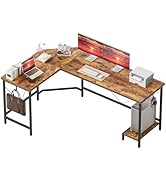
Image 4.3: Heavy Coated Steel Tube Frame.
5. Operating Instructions
5.1. Built-in Power Outlets and USB Ports
The desk includes a built-in power strip with two standard AC outlets (125V/12A) and two USB ports (5V/2A) for convenient charging of your devices. The power cord is 6.56 feet long.
- Plug the desk's power cord into a grounded wall outlet.
- Connect your devices to the AC outlets or USB ports as needed.
- Avoid overloading the power strip.

Image 5.1: Built-in Power Outlets and USB Ports.
5.2. Storage Bag and Adjustable Feet
The desk comes with a fabric storage bag that can be attached to the side for organizing documents, headphones, or other small items. The adjustable feet allow for leveling the desk on uneven floors, ensuring stability.

Image 5.2: Storage Bag and Adjustable Feet details.
6. Maintenance
Proper care will extend the life and appearance of your desk.
6.1. Desktop Care
The desktop surface is designed to be waterproof, scratch-resistant, and easy to clean.
- Wipe the surface with a soft, damp cloth.
- Avoid using harsh chemicals or abrasive cleaners, which can damage the finish.
- Promptly clean up spills to prevent water damage, despite its waterproof properties.

Image 6.1: High-Quality Desktop Features.
6.2. General Maintenance
- Periodically check all screws and bolts to ensure they remain tight.
- Keep the desk away from direct sunlight and extreme temperature changes to prevent material degradation.
- Ensure the adjustable feet are properly set to keep the desk level and stable.
7. Troubleshooting
If you encounter any issues with your Mericonia L Shaped Computer Desk, please refer to the following common solutions:
- Wobbling Desk: Ensure all assembly screws are fully tightened. Adjust the leveling feet on the bottom of the desk legs to compensate for uneven flooring.
- Missing Parts: Double-check the package contents against the provided parts list. If parts are genuinely missing, contact Mericonia customer support for assistance.
- Power Outlets Not Working: Verify that the desk's power cord is securely plugged into a functional wall outlet. Check if the wall outlet itself is receiving power. Avoid overloading the power strip.
- Assembly Difficulties: Review the assembly instructions carefully. Ensure components are oriented correctly. Do not force parts together.
For further assistance, please contact Mericonia customer support.
8. Specifications
| Brand | Mericonia |
| Model Number | XZJ-48 |
| Product Dimensions (D x W x H) | 27.5"D x 47.2"W x 28.3"H |
| Size | 48 inch |
| Color | Power-brown (Rustic Brown Top) |
| Style | Modern, L-Shape |
| Top Material Type | Engineered Wood |
| Base Material | Metal (Heavy Coated Steel Tube Frame) |
| Special Feature | Built-In USB Outlet (2x USB 5V/2A, 2x AC 125V/12A) |
| Power Cord Length | 6.56 ft |
| Number of Drawers | 2 (Fabric Storage Bag) |
| Required Assembly | Yes (All tools included) |
| Maximum Height | 28.7 Inches |
| Working Surface Diagonal Length | 57.4 Inches |
9. Warranty and Customer Support
Mericonia is committed to providing high-quality products and excellent customer service. While specific warranty details are not provided in this manual, we offer responsive after-sales support for your product.
If you have any questions, concerns, or require assistance with your Mericonia L Shaped Computer Desk, please do not hesitate to contact our dedicated customer support team. We are ready to help and will provide professional follow-up until your issue is resolved.
Please refer to your purchase documentation or the Mericonia brand store on Amazon for contact information.
Visit the Mericonia Store: Mericonia Store