
1. Introduction
Thank you for purchasing the SLENPET MINI COOLER FAN Personal Air Cooler. This device is designed to provide personal cooling and humidification, featuring adjustable wind speeds, spray modes, a timer function, and an LED night light. Please read this manual thoroughly before use to ensure proper operation and maintenance.
2. Important Safety Instructions
- Always use a DC5V/2A or above adapter for power supply to ensure stable operation. Insufficient power may cause the unit to shut down automatically.
- Do not immerse the unit in water or other liquids.
- Keep the unit out of reach of children and pets.
- Place the unit on a stable, flat surface to prevent tipping and water spillage.
- Do not block the air inlet or outlet during operation.
- Unplug the unit from the power source before cleaning or when not in use for extended periods.
- Use only clean tap water in the water tank. Do not add essential oils or other chemicals directly into the water tank, as this may damage the unit.
- Avoid direct sunlight exposure and high temperatures.
3. Package Contents
Please check the package for the following items:
- SLENPET MINI COOLER FAN Personal Air Cooler
- USB Power Cord
- User Manual
4. Product Features
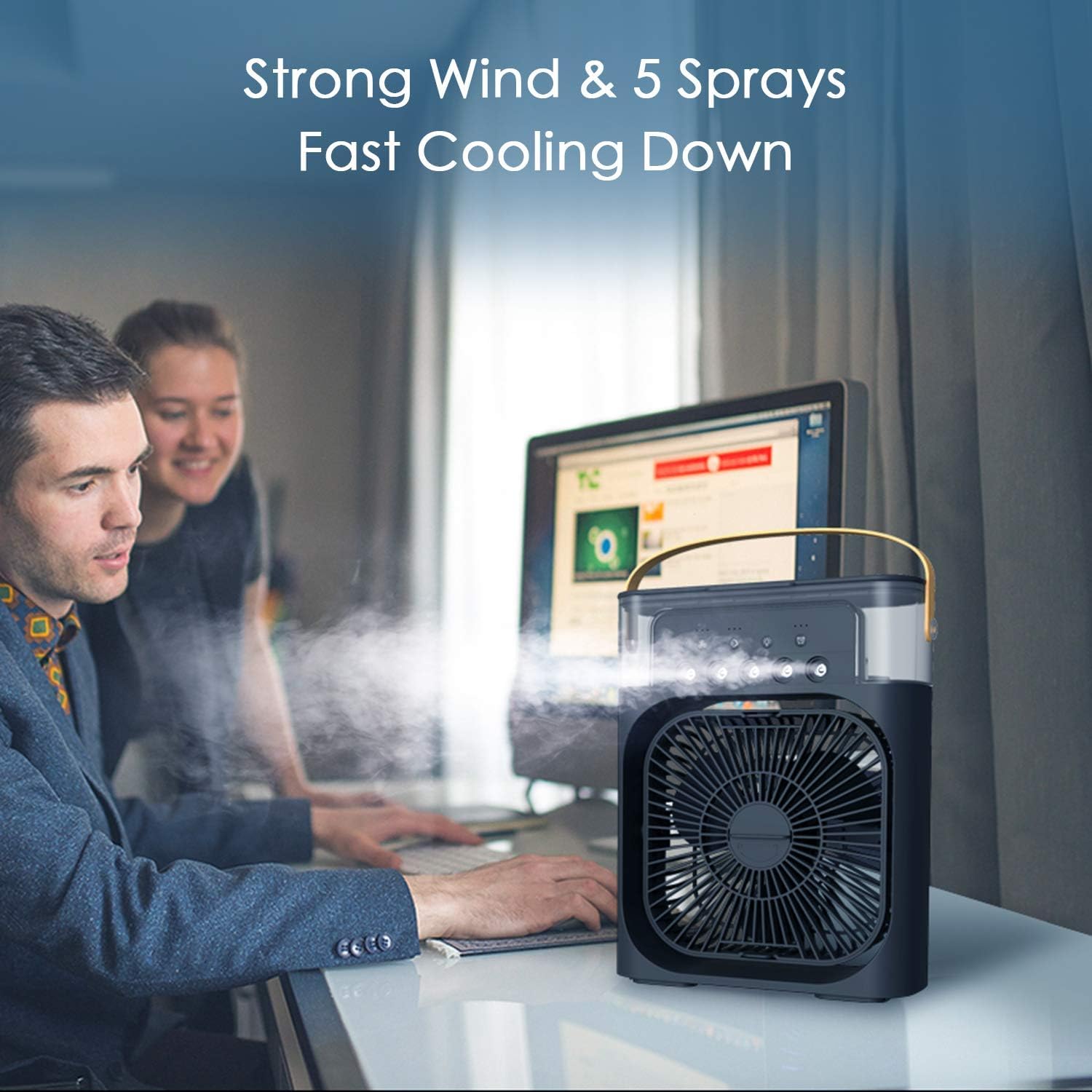
- 4-in-1 Functionality: Personal Air Cooler, Humidifier, Desk Fan, and Night Light.
- Adjustable Wind Speeds: 3 levels (Low, Medium, High) to suit your preference.
- Multiple Spray Modes: 3 levels of mist (Low, Medium, High) for humidification and enhanced cooling.
- 7-Color LED Light: Integrated LED light with 7 soft colors and a fade option for ambient lighting.
- Timer Function: Automatic timing options (1, 2, or 3 hours) for convenience.
- Large Water Tank: 600 ml capacity for extended operation.
- Portable Design: Compact and lightweight with a handle for easy transport.
- USB Powered: Compatible with USB power strips, adapters, and power banks (DC5V/2A recommended).
5. Setup
5.1 Power Supply
Connect the provided USB cable to the cooler and then to a power source. Ensure the power source provides DC5V/2A or higher for optimal performance. Using a lower amperage adapter may cause the unit to operate intermittently or shut down.

5.2 Filling the Water Tank
- Open the water tank cover located at the top of the unit.
- Carefully pour clean tap water into the tank. Do not exceed the maximum fill line.
- Close the water tank cover securely.
For enhanced cooling, you may add ice cubes to the water tank.
6. Operating Instructions
The control panel is located on the top of the unit. Familiarize yourself with the buttons:
- Power Button: Turns the unit On/Off.
- Fan Speed Button: Cycles through Low, Medium, and High wind speeds.
- Mist/Spray Button: Cycles through Low, Medium, and High spray modes.
- LED Light Button: Turns the 7-color LED light On/Off and cycles through colors/fade mode.
- Timer Button: Sets the automatic shut-off timer to 1, 2, or 3 hours.
6.1 Adjusting Wind Speed and Spray Mode
Press the Fan Speed button to select your desired wind intensity. Press the Mist/Spray button to activate the humidification function and choose the mist level. The unit can function as a fan only, a humidifier only, or a cooler with both fan and mist.

6.2 Using the LED Night Light
Press the LED Light button to turn on the ambient light. Each press will cycle through the 7 available colors and a fading mode. Press again to turn off the light.
6.3 Setting the Timer
Press the Timer button to set the automatic shut-off. You can choose between 1, 2, or 3 hours. The corresponding indicator light will illuminate. The unit will turn off automatically after the selected time.

7. Maintenance
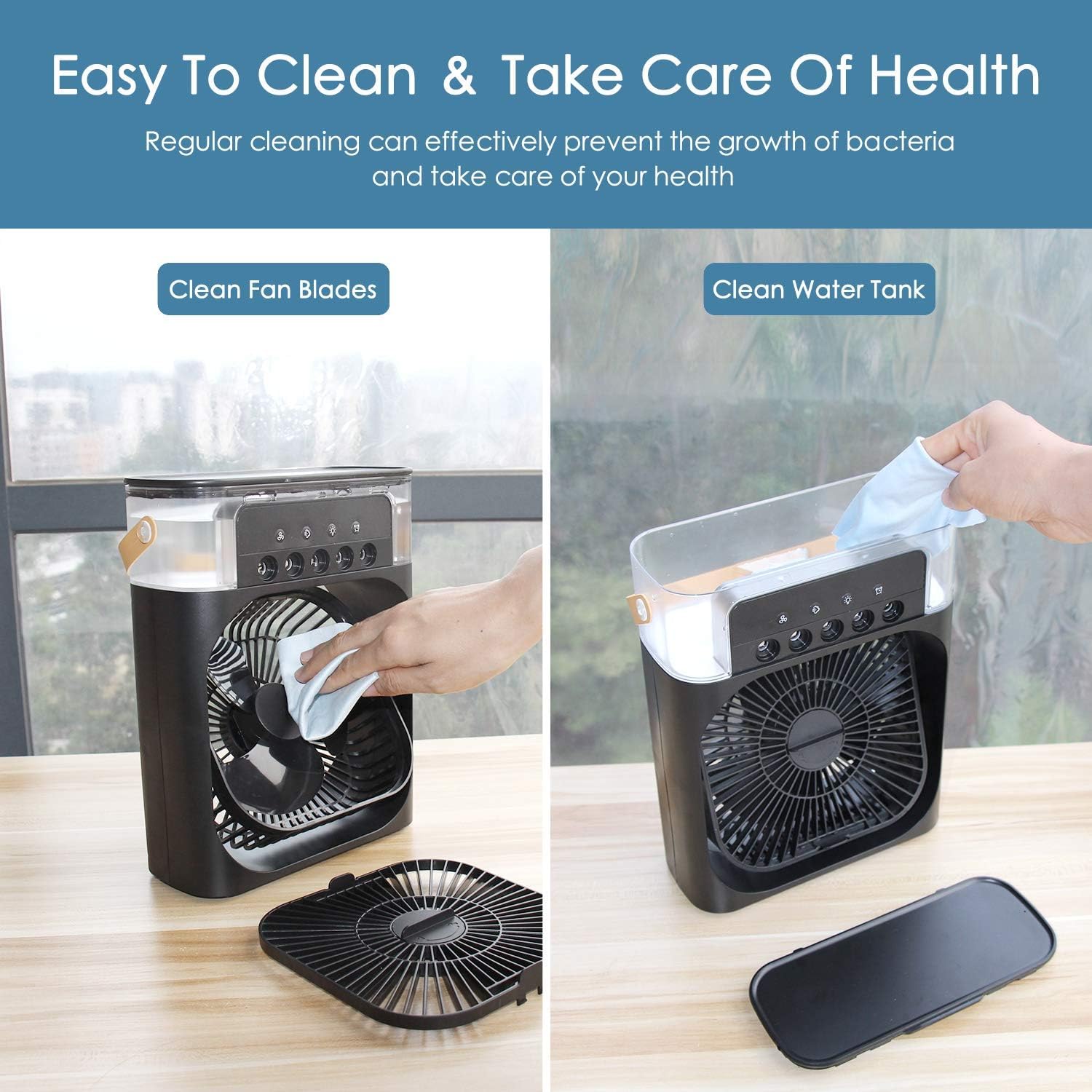
Regular cleaning helps maintain the unit's performance and prevents the growth of bacteria.
7.1 Cleaning the Fan Blades
- Unplug the unit from the power source.
- Carefully remove the front grille.
- Use a soft, damp cloth to wipe the fan blades. Do not use abrasive cleaners.
- Reattach the front grille securely.
7.2 Cleaning the Water Tank
- Unplug the unit and empty any remaining water from the tank.
- Use a soft cloth or sponge with mild soap and water to clean the inside of the water tank.
- Rinse thoroughly with clean water.
- Allow the tank to air dry completely before refilling or storing.
8. Troubleshooting
| Problem | Possible Cause | Solution |
|---|---|---|
| Unit does not turn on. | No power or insufficient power supply. | Ensure the USB cable is securely connected and the power adapter is DC5V/2A or higher. Try a different USB port or adapter. |
| No mist is produced. | Water tank is empty or mist function is not activated. | Refill the water tank. Press the Mist/Spray button to activate the mist function. Ensure the mist nozzle is not blocked. |
| Weak airflow. | Fan speed set too low or air inlet/outlet blocked. | Increase the fan speed. Ensure there are no obstructions around the air inlet and outlet. Clean fan blades if dusty. |
| Water leakage. | Water tank not properly sealed or unit tipped over. | Ensure the water tank cover is securely closed. Place the unit on a stable, flat surface. Do not overfill the water tank. |
| LED light not working. | LED light function not activated. | Press the LED Light button to turn it on. |
9. Specifications
- Brand: SLENPET
- Model Number: MINI COOLER FAN
- Material: Plastic
- Mounting Type: Tabletop Mount
- Special Feature: LED Light, Humidifier, Timer
- Color: BLACK 1111
- Air Flow Capacity: 200 Cubic Feet Per Minute
- Controls Type: Button
- Item Weight: 210 Grams
- Recommended Uses: Cooling
- Item Dimensions (D x W x H): 2D x 10W x 10H Centimeters
- Included Components: Cord
- Power Input: DC5V/2A (USB)
- Water Tank Capacity: 600 ml
10. Warranty and Support
For warranty information or technical support, please refer to the purchase documentation or contact your retailer. Keep your purchase receipt as proof of purchase.