
1. Introduction
Thank you for choosing the Generic Magnetic Case for your Samsung Galaxy S25 Plus. This case is designed to provide robust protection, enhanced functionality, and a comfortable user experience. It features a strong magnetic lock for accessories, a metal kickstand, and comprehensive camera and drop protection. This manual will guide you through the proper installation, operation, and maintenance of your new phone case.

Image 1: The Generic Magnetic Case, highlighting its anti-yellowing material and sleek design.
2. Setup and Installation
Installing your Magnetic Case is a straightforward process designed to securely fit your Samsung Galaxy S25 Plus.
- Clean Your Device: Before installation, ensure your Samsung Galaxy S25 Plus is clean and free of dust or debris. Use a soft, dry cloth to wipe down the front and back of your phone.
- Align the Case: Hold the phone case with the camera cutout aligned with your phone's camera module.
- Insert the Phone: Gently push your phone into the case, starting with one side (e.g., the top or bottom). Ensure all corners snap securely into place. Do not force the phone into the case.
- Verify Fit: Once installed, check that all buttons (power, volume) are accessible and functional, and that the charging port and speakers are unobstructed.

Image 2: Various angles of the case, demonstrating its form factor and integrated kickstand.
3. Operating Instructions
The Magnetic Case offers several features to enhance your phone usage.
3.1. Using the Metal Kickstand
The built-in metal kickstand provides convenient hands-free viewing.
- To Deploy: Gently pull the kickstand outwards from the back of the case until it locks into your desired viewing angle.
- To Retract: Push the kickstand back into its recess until it sits flush with the case.
The kickstand is adjustable to multiple angles, suitable for reading, watching videos, or video calls.
3.2. Magnetic Compatibility
The case features powerful built-in magnets for compatibility with magnetic accessories.
- Wireless Charging: The integrated magnets ensure proper alignment with compatible wireless chargers, enabling efficient and faster wireless charging without removing the case.
- Magnetic Accessories: Securely attach magnetic wallets, car mounts, or other compatible accessories to the back of your phone case.
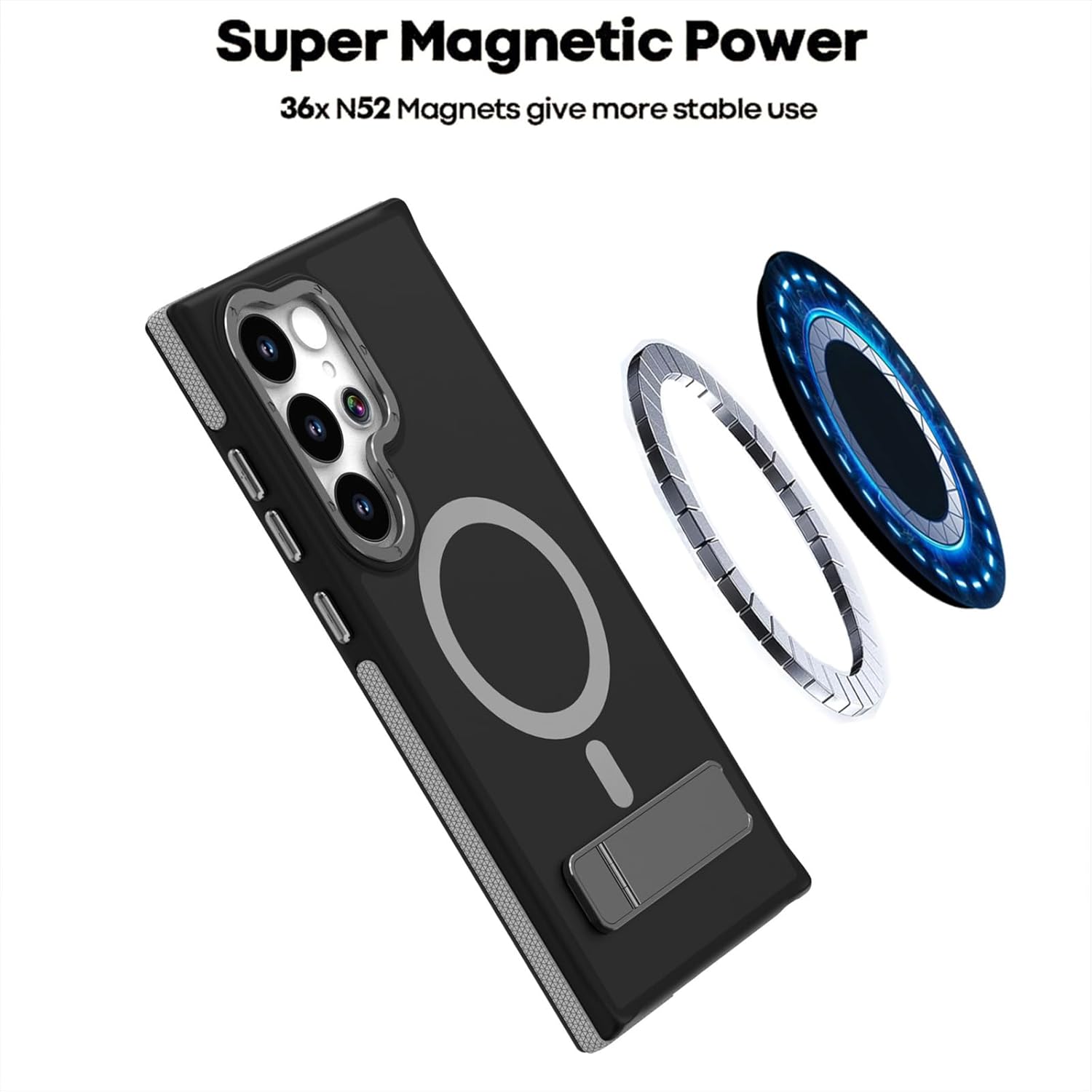
Image 3: The case showcasing its strong magnetic capabilities for secure attachment and efficient wireless charging.
4. Maintenance and Care
Proper care will help maintain the appearance and protective qualities of your case.
- Cleaning: To clean the case, remove it from your phone. Use a soft, damp cloth with mild soap and water. Avoid harsh chemicals or abrasive materials, as these can damage the finish.
- Drying: Allow the case to air dry completely before reattaching it to your phone.
- Avoid Extreme Conditions: Do not expose the case to extreme temperatures or direct sunlight for prolonged periods, as this may affect its material integrity and color.

Image 4: The case design emphasizing raised edges for camera and screen protection.
5. Troubleshooting
If you encounter any issues with your case, consider the following common solutions:
- Case Not Fitting Properly: Ensure you have the correct model case for your Samsung Galaxy S25 Plus. Remove the case and re-install, ensuring all corners snap into place.
- Wireless Charging Issues: Verify that your wireless charger is compatible and properly aligned with the phone's charging coil through the case. Ensure no foreign objects are between the phone and the charger.
- Kickstand Stability: Ensure the kickstand is fully extended and locked into position. If it feels loose, check for any debris obstructing its mechanism.

Image 5: Visual representation of the case's military-grade drop protection capabilities.
6. Specifications
| Brand | Generic |
| Compatible Phone Models | Samsung Galaxy S25 Plus |
| Color | Black |
| Material | Metal (for kickstand and magnetic ring), PC (for case body) |
| Item Dimensions (L x W x H) | 4.25 x 2.68 x 0.59 inches |
| Additional Features | Magnetic Lock, Metal Kickstand, Camera Protection, Drop Protection, Frosted Non-Slip Finish, Wireless Charging Compatible |
| Model Number | AI2281 |
| Model Name | LYY2281 |
| Manufacturer Part Number | ZUO2281 |
7. Support
For any questions, concerns, or assistance regarding your Generic Magnetic Case, please contact our customer support. We are committed to providing excellent service and will address your inquiries promptly.
Please refer to the retailer's website or your purchase documentation for specific contact information.