
GUOANVISION S700
GUOANVISION S700 Security Camera User Manual
Model: S700
1. Introduction
Thank you for choosing the GUOANVISION S700 Security Camera. This manual provides detailed instructions for setting up, operating, and maintaining your camera to ensure optimal performance and security. The S700 is a versatile camera designed for both indoor and outdoor use, offering advanced features for comprehensive surveillance.
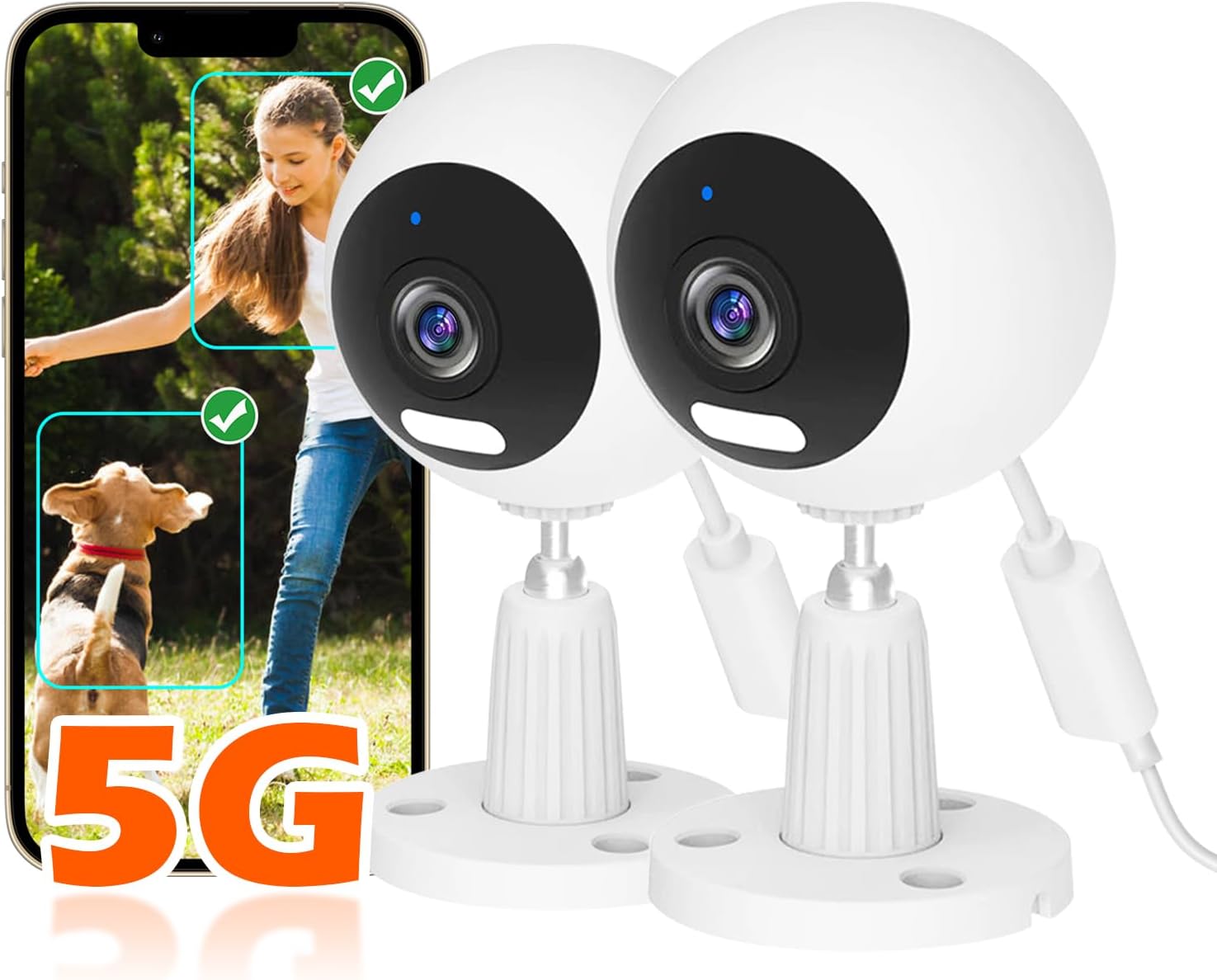
Image: GUOANVISION S700 cameras with live view on a smartphone, emphasizing 5G capability.
2. Product Features
The GUOANVISION S700 camera is equipped with a range of features to enhance your security and monitoring experience:
- Outdoor/Indoor Versatility: IP66 waterproof rating for outdoor use (gardens, garages, driveways) and suitable for indoor spaces (living rooms, kitchens, baby rooms).
- Crystal-Clear 1080P Resolution: Provides sharp and detailed video footage.
- Dual-Band Wi-Fi (5G/2.4G): Ensures stable and reliable connectivity.
- IR/Full-Color Night Vision: Equipped with a double-light system for clear visibility up to 30 feet, day or night.
- Two-Way Audio: Built-in high-quality microphone and speaker for clear communication.
- Auto Zoom & Instant Alerts: Automatically zooms on detected moving objects and sends push notifications to your phone.
- 24/7 Recording: Continuous monitoring with support for TF card (max 128GB, not included) or cloud storage.
- Secure Data: Advanced encryption technology for data privacy.
- Easy Control: One-touch control for camera and light functions.

Image: Overview of S700 camera features including dual-band Wi-Fi, human detection, night vision, two-way audio, storage options, data encryption, auto zoom, and siren.
3. Package Contents
Please check the package for the following items:
- GUOANVISION S700 Camera(s)
- Mounting Accessories
- USB-C Cable
- Power Adapter
- User Manual
4. Setup Guide
4.1 Initial Setup
- Unpack the Camera: Carefully remove the camera and all accessories from the packaging.
- Power On: Connect the USB-C cable to the camera and the power adapter, then plug the adapter into a power outlet. The camera will power on.
- Download the App: Scan the QR code in the included quick start guide or search for the "GuoanVision" app in your mobile app store (iOS/Android).
- Register/Log In: Open the app and follow the on-screen instructions to register a new account or log in if you already have one.
- Add Device: In the app, tap the "+" icon to add a new device. Select your camera model and follow the in-app instructions for pairing. Ensure your phone's Bluetooth is enabled for easier discovery.
- Connect to Wi-Fi: During the pairing process, you will be prompted to select your Wi-Fi network (supports both 5G and 2.4G) and enter the password. Ensure the camera is within range of your Wi-Fi router.
- Finalize Setup: Once connected, the camera will appear in your app. You can now view the live feed and configure settings.

Image: Visual guide for initial camera setup, including physical connections and app pairing steps.
4.2 Mounting Options
The GUOANVISION S700 camera offers flexible mounting options to suit your surveillance needs:
- Stand: Place the camera on a flat surface like a table or shelf.
- Wall Mount: Secure the camera to a wall using the provided mounting accessories.
- Ceiling Mount: Attach the camera to the ceiling for an overhead view.
Ensure the mounting surface is stable and capable of supporting the camera's weight. For outdoor installations, choose a location that provides optimal coverage and protection from direct elements, despite its IP66 rating.

Image: Examples of stand, wall, and ceiling mounting configurations for the S700 camera.
5. Operating Your Camera
5.1 Live View and Connectivity
Once connected, open the GuoanVision app to access the live feed from your camera. The camera supports both 5G and 2.4G Wi-Fi networks, providing flexible and stable connectivity options for various home network setups.

Image: The S700 camera demonstrating its 5G wireless connectivity within a home environment.
5.2 Two-Way Audio
The S700 camera features a built-in microphone and speaker, enabling two-way communication. This allows you to speak to individuals near the camera and hear their responses through the app. This feature is useful for deterring intruders, communicating with family members, or comforting pets.

Image: A user interacting with a delivery person via the camera's two-way audio function.
5.3 Night Vision Modes
The camera offers both Infrared (IR) and Full-Color night vision modes. The double-light system ensures clear visibility in low-light conditions or complete darkness, providing comprehensive surveillance around the clock.

Image: Comparison of Double-Light, IR, and Full Color night vision modes.
5.4 Motion Detection and Alerts
The S700 camera features advanced motion detection with auto zoom capabilities. When motion is detected, the camera will automatically zoom in on the moving object. You will receive instant push notifications on your phone, and the camera can trigger a voice siren or lighting alarms to deter unwanted visitors.

Image: Illustration of instant alarm, 3X zoom, voice siren, light alarm, and notification push features upon motion detection.
5.5 Recording and Storage
The camera supports 24/7 continuous recording. You can store footage locally on a TF (microSD) card (up to 128GB, not included) or subscribe to cloud storage services for secure, off-site backup. All data is protected with advanced encryption.

Image: Visual representation of TF card and cloud storage options for recorded footage.
6. Maintenance
To ensure the longevity and optimal performance of your GUOANVISION S700 camera, follow these maintenance guidelines:
- Cleaning: Gently wipe the camera lens and body with a soft, dry cloth. Avoid using harsh chemicals or abrasive materials that could damage the surface or lens.
- Firmware Updates: Regularly check the GuoanVision app for available firmware updates. Updates often include performance improvements, new features, and security enhancements. Follow the in-app instructions to update the firmware.
- Power Supply: Use only the original power adapter provided with the camera. Ensure the power connection is secure and free from damage.
- Environmental Conditions: While IP66 rated, avoid prolonged exposure to extreme weather conditions if possible. Ensure proper drainage around outdoor installations.
- Storage Media: If using a TF card, periodically check its health and consider formatting it through the app to maintain optimal recording performance. Back up important footage before formatting.
7. Troubleshooting
If you encounter issues with your GUOANVISION S700 camera, refer to the table below for common problems and solutions:
| Problem | Possible Cause | Solution |
|---|---|---|
| Camera offline/Cannot connect to Wi-Fi | Incorrect Wi-Fi password; Camera too far from router; Router settings (e.g., 5G/2.4G band issues); Network congestion. | Verify Wi-Fi password. Move camera closer to router. Ensure router supports 2.4G or 5G (if using 5G). Restart camera and router. Try re-pairing the camera. |
| Poor video quality | Dirty lens; Weak Wi-Fi signal; Insufficient lighting. | Clean the camera lens. Improve Wi-Fi signal strength (e.g., use a Wi-Fi extender). Ensure adequate lighting for optimal image quality, especially at night. |
| Motion alerts not received | App notifications disabled; Motion detection sensitivity too low; Camera offline. | Check app notification settings on your phone. Adjust motion detection sensitivity in the app. Ensure camera is online and connected. |
| Two-way audio not working | Microphone/speaker permissions not granted; Volume too low; Network delay. | Check app permissions for microphone and speaker. Adjust volume settings in the app. Ensure stable network connection. |
| SD card not recording/recognized | SD card full or corrupted; Incorrect format; SD card not inserted properly. | Check SD card status in the app. Format the SD card via the app (backup data first). Reinsert the SD card. Use a compatible SD card (Class 10 or higher, up to 128GB). |
8. Product Specifications
| Feature | Specification |
|---|---|
| Model Name | S700 |
| Indoor/Outdoor Usage | Outdoor, Indoor |
| Connectivity Protocol | Bluetooth, Wi-Fi |
| Video Capture Resolution | 1080p |
| IP Rating | IP66 Waterproof |
| Night Vision | IR / Full-Color (Double-Light System) |
| Two-Way Audio | Yes |
| Storage Options | TF Card (Max 128GB, not included), Cloud Storage |
| Special Features | Portable, 2 Way Audio, Built In Light, Auto Zoom |
| Mounting Type | Ceiling Mount, Stand, Wall Mount |
| Material | Plastic |
| Voltage | 240 Volts |
| Item Dimensions (L x W x H) | 13 x 6.4 x 7 cm |
| Item Weight | 330 g |
9. Warranty and Support
9.1 Warranty Information
The GUOANVISION S700 camera comes with a 100% satisfaction guarantee. For specific warranty terms and conditions, please refer to the product packaging or contact customer support.
9.2 Customer Support
Should you have any questions, concerns, or require assistance with your GUOANVISION S700 camera, our dedicated customer support team is available to provide prompt and effective solutions. Please refer to the contact information provided on the product packaging or the official GUOANVISION website for support channels.
Ask a question about this manual
Ask about setup, troubleshooting, compatibility, parts, safety, or missing instructions. Manuals+ will review the question and use this page’s manual context to help answer it.