koyetubs Mini GPS Tracker for Vehicles: GF11-02 Instruction Manual
Model: GF11-02 | Brand: koyetubs
1. Introduction
The koyetubs GF11-02 Mini GPS Tracker is a compact and portable device designed for real-time location tracking of vehicles, children, elderly individuals, or pets. This device offers precise positioning and advanced anti-theft features without requiring a monthly subscription fee. Its small size and magnetic design allow for discreet placement and easy portability, ensuring peace of mind by keeping you informed of your assets' whereabouts.

Image: The koyetubs GF11-02 Mini GPS Tracker shown alongside a car and a smartphone displaying its tracking interface.
2. Safety Information
- Legal Use: Ensure that the use of this GPS tracker complies with all local, state, and federal laws regarding tracking and privacy. Unauthorized tracking of individuals or property may be illegal.
- Battery Safety: The device contains a Lithium Polymer battery. Do not attempt to open, disassemble, or modify the battery. Avoid exposing the device to extreme temperatures (above 60°C/140°F or below -20°C/-4°F) or direct sunlight for prolonged periods. Do not dispose of the battery in fire or water.
- Choking Hazard: Keep the device and its small components out of reach of children and pets to prevent choking hazards.
- Magnetic Interference: Keep magnets away from pacemakers and any other medically implanted devices.
3. Setup
The GF11-02 tracker is designed for effortless setup. Follow these steps to get your device ready for tracking:
- Insert SIM Card: Obtain a valid SIM card (not included) and carefully insert it into the designated slot on the tracker. Ensure the SIM card is correctly oriented.
- Activate Device: The device is activated by pulling a small tab (if present) or pressing the power button. You should hear a beep indicating activation.
- Download App: Scan the QR code provided in the packaging or visit the official website to download the intuitive tracking app for your smartphone (compatible with Android and iOS).
- Register Device: Follow the in-app instructions to register your device. This typically involves entering the device's unique ID (IMEI) and selecting your country.
- Placement: Place the tracker device in your desired location. Its mini size and built-in magnet allow for discreet and secure placement in vehicles, bags, or other assets.

Image: An illustrative diagram highlighting potential hidden locations for the GPS tracker within a vehicle, such as under the seat, in the glove box, or in the trunk.

Image: A global map illustrating the ease of setting up and using the tracker with compatible mobile applications on both iOS and Android platforms.
4. Operating
Once set up, the GF11-02 provides precise real-time tracking and various security features:
- Real-Time Tracking: Monitor the device's precise location directly from your smartphone app. Location updates can be tailored to intervals of 30 seconds, 1, 5, or 10 minutes.
- Electronic Fence (Geofencing): Set up virtual boundaries on the map. Receive instant notifications if the tracker enters or exits these predefined zones.
- Vibration Alerts: Get alerts if the device detects significant vibration, indicating potential tampering or movement.
- Sound Monitoring: The device may offer features for remote sound monitoring around its location (check app for availability).
- Track Playback: Review historical routes and locations of the device within the app.
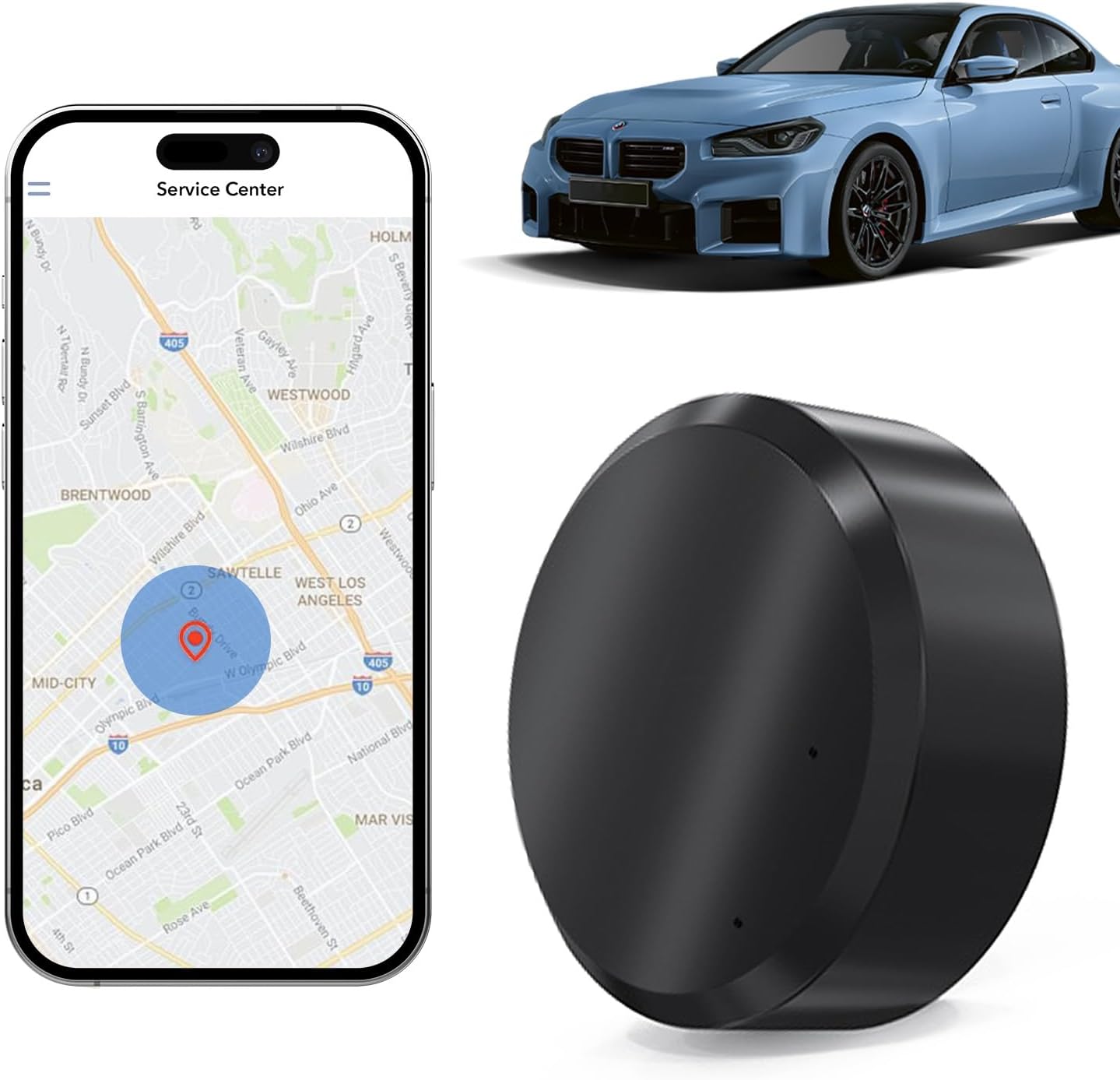
Image: The koyetubs GF11-02 Mini GPS Tracker displayed with a car and a smartphone showing its real-time location on a map.

Image: An illustration detailing the protective features of the GF11-02 tracker, such as electronic fence, track playback, built-in magnet, global positioning, alarm reminders, and a large battery.
5. Maintenance
- Charging: The device is equipped with a Lithium Polymer battery. Recharge the device using the provided charging cable when the battery level is low. Specific charging instructions and indicator lights should be detailed in the app or included quick start guide.
- Battery Life: Battery life varies depending on the chosen update frequency. More frequent updates will consume battery faster. Adjust update intervals in the app to optimize battery longevity.
- Cleaning: Keep the device clean and dry. Avoid using harsh chemicals or abrasive materials for cleaning.
- Storage: Store the device in a cool, dry place away from direct sunlight and extreme temperatures when not in use for extended periods.
6. Troubleshooting
- Device Not Powering On/Charging: If the device does not power on or charge as expected, ensure the SIM card is correctly inserted. Verify that the charging cable is securely connected and try a different power source. Check the app for any status indicators or troubleshooting tips.
- Inaccurate Location: Ensure the device has a clear line of sight to the sky for optimal GPS signal reception. If tracking is inaccurate, it might be relying on Wi-Fi positioning, which can be less precise. Move the device to an open area.
- No Alerts Received: Check your app settings to ensure that all desired alerts (vibration, geofence, etc.) are enabled and that your smartphone's notification settings allow alerts from the tracking app.
- App Connectivity Issues: Ensure your smartphone has a stable internet connection. Try restarting the app or reinstalling it if problems persist.
7. Specifications
| Feature | Detail |
|---|---|
| Model Number | GF11-02 |
| Brand | koyetubs |
| Dimensions (Device) | 1.1 x 1.1 x 0.53 inches (28mm x 28mm x 14mm) |
| Item Weight | 1.13 ounces (approx. 10g) |
| Color | Black |
| Battery | 1 Lithium Polymer battery (included) |
| Connectivity Technology | GPS Tracker for Vehicles |
| Special Features | Real-Time Tracking, Magnetic, Anti-Theft Alerts, Electronic Fence |
| Subscription | No Monthly Fees Required |

Image: Visual representation of the GF11-02 tracker's dimensions (1.1 x 1.1 x 0.55 inches) and weight (approximately 10g).
8. Warranty and Support
Specific warranty details and direct support contact information are not provided in the available product data. Please refer to the product packaging or the manufacturer's official website for the most up-to-date warranty terms and customer support options.


