
1. Introduction
This manual provides essential instructions for the installation, operation, and maintenance of the INNTECH Dormakaba RT Plus Guestroom Lockset, Model 79PS01021KF32-U26. This lockset is designed for guestroom applications in hotels and similar establishments, offering secure access control with RFID and Bluetooth capabilities.
Please read this manual thoroughly before installation and use to ensure proper function and to prevent damage.
2. Safety Information
Important Safety Instructions:
- Ensure all installation steps are followed precisely to guarantee proper lock function and security.
- Use only specified software platforms for programming: Ambiance, System 6000, or Community software.
- This lockset will not work with Kaba Front Desk Units or Atlas software systems. Attempting to use incompatible software may damage the lock or lead to malfunction.
- Programming is exclusively via infrared. Cable programming with older handheld programmers is not supported.
- Handle batteries according to manufacturer guidelines. Do not mix old and new batteries, or different types of batteries.
- Keep the lockset dry and clean. Avoid exposure to excessive moisture or harsh chemicals.
3. Package Contents
Verify that all components are present before beginning installation:
- Complete Dormakaba RT Plus Guestroom Lockset
- Batteries (Alkaline)
- Demo Cylinder (for initial setup, existing lock cylinder can be used)
- Installation Hardware
4. Product Overview
The Dormakaba RT Plus Lockset is a robust access control solution featuring RFID and Bluetooth connectivity. It is designed for secure guestroom entry.
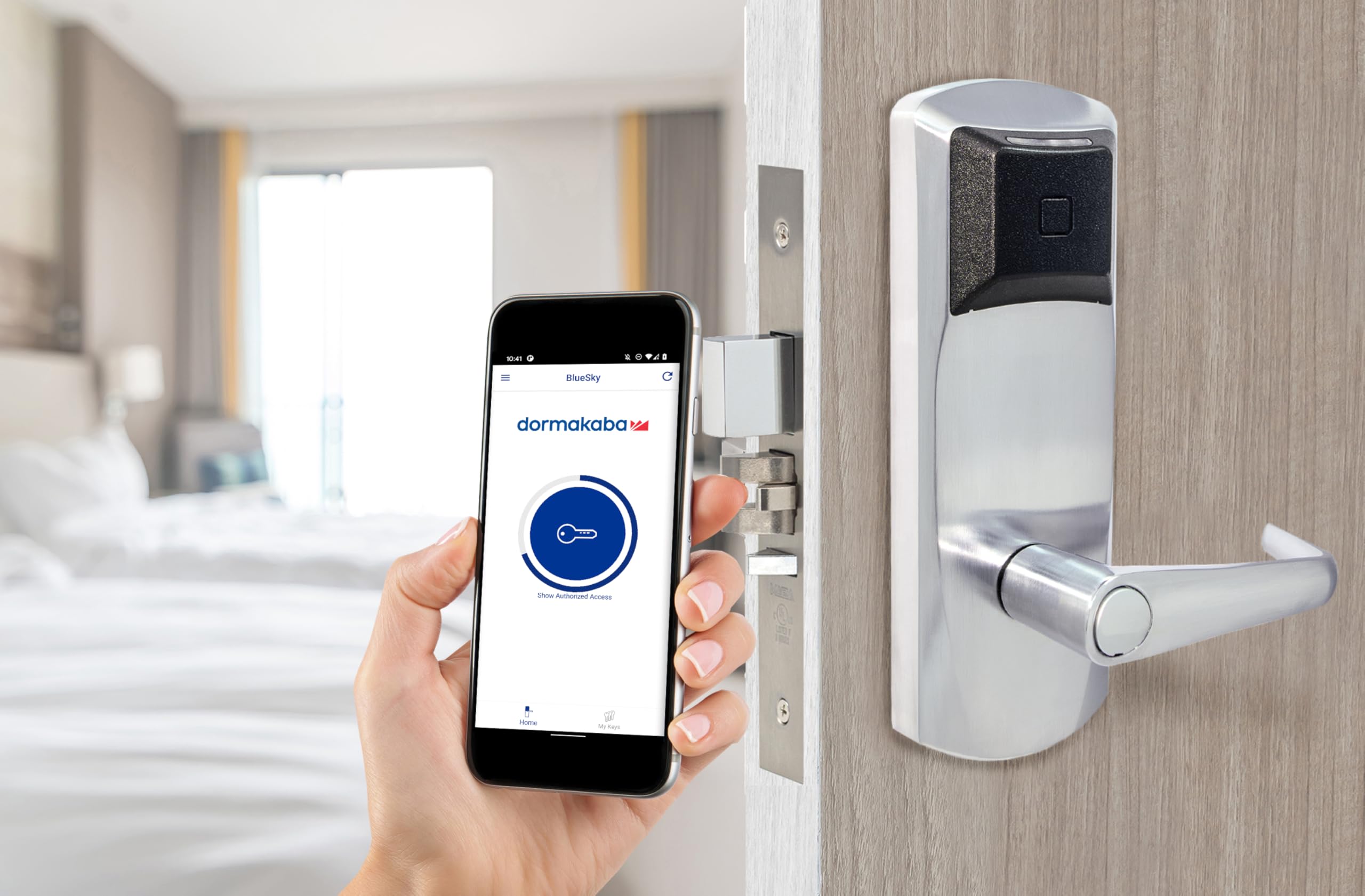
Figure 1: Dormakaba RT Plus Lockset. This image displays the exterior of the lockset, including the handle and the integrated card reader. The mortise lock mechanism is visible on the edge of the door, indicating a secure installation. Text on the image specifies compatibility with Ambiance, Community, or System 6000 software platforms only, and explicitly states incompatibility with Kaba Front Desk Units or Atlas software.
Key Features:
- Lock Type: Mortise Lock
- Special Features: RFID, Bluetooth (BLE mobile key systems compatible, except Hilton)
- Control Method: App (via Bluetooth), Infrared Programming
- Material: Metal
- Color: Satin Chrome
5. Setup and Installation
Installation of the Dormakaba RT Plus Lockset requires careful attention to detail. It is recommended that installation be performed by qualified personnel.
- Prepare the Door: Ensure the door is properly prepared for a mortise lock installation, including routing for the mortise body and drilling for the spindle and cylinder. Refer to the detailed installation template provided with the lockset for precise measurements.
- Install Mortise Lock Body: Insert the mortise lock body into the prepared pocket on the door edge and secure it with screws.
- Install Exterior and Interior Trim: Mount the exterior and interior lock trim assemblies, ensuring the spindle engages correctly with the mortise body. Connect any necessary wiring between the trim pieces.
- Insert Batteries: Open the battery compartment (typically on the interior trim) and insert the included Alkaline batteries, observing correct polarity.
- Install Cylinder: Insert the demo cylinder or your existing lock cylinder into the designated slot and secure it.
- Test Mechanical Function: Before programming, test the mechanical operation of the handle and cylinder to ensure smooth engagement and disengagement of the latch and deadbolt.
- Program the Lock: Use the compatible software (Ambiance, System 6000, or Community) and an infrared programmer to configure the lock. Follow the software-specific instructions for programming access credentials and settings.
Note: This lock programs via infrared only. It does not support cable programming with older handheld programmers.
6. Operating Instructions
The Dormakaba RT Plus Lockset offers multiple methods for access:
- RFID Card Access: Present a valid RFID access card to the reader located on the exterior trim. The lock will emit an audible signal and/or visual indicator upon successful authorization, allowing the handle to be turned to open the door.
- Mobile Key (Bluetooth) Access: If configured, use a compatible mobile device with the appropriate mobile key application. Activate Bluetooth on your device and follow the app's instructions to unlock the door. This lock is compatible with all BLE mobile key systems except for Hilton.
- Mechanical Key Override: In case of power failure or electronic malfunction, the lock can be opened using a mechanical key inserted into the cylinder.
- Interior Egress: The interior handle always allows for immediate egress, regardless of the lock status, ensuring safety.
7. Maintenance
Regular maintenance ensures the longevity and reliable operation of your lockset.
- Cleaning: Clean the exterior surfaces with a soft, damp cloth. Avoid abrasive cleaners, solvents, or harsh chemicals that could damage the finish or electronic components.
- Battery Replacement: The lockset will provide an indicator (audible or visual) when batteries are low. Replace all batteries with new Alkaline batteries promptly to avoid interruption of service. Ensure correct polarity during replacement.
- Mechanical Check: Periodically check the tightness of mounting screws and the smooth operation of the handle and latch mechanism. Lubricate moving parts with a silicone-based lubricant if necessary, avoiding oil-based products.
- Software Updates: Ensure your lock management software (Ambiance, System 6000, or Community) is kept up-to-date to benefit from the latest features and security enhancements.
8. Troubleshooting
| Problem | Possible Cause | Solution |
|---|---|---|
| Lock does not respond to RFID card. | Invalid card; card not programmed; low batteries; card reader malfunction. | Verify card validity and programming. Replace batteries. Contact support if issue persists. |
| Lock does not respond to mobile key. | Bluetooth off; app issue; mobile key not provisioned; incompatible BLE system (e.g., Hilton). | Ensure Bluetooth is active. Restart app. Verify mobile key provisioning. Confirm system compatibility. |
| Lock makes a warning sound. | Low battery warning. | Replace all batteries with new Alkaline batteries immediately. |
| Handle turns but door does not open. | Mechanical issue; spindle not engaged; latch/deadbolt obstruction. | Check for obstructions. Inspect spindle engagement. Use mechanical key override. Contact support. |
| Cannot program lock via cable. | Lock only supports infrared programming. | Use an infrared programmer with compatible software (Ambiance, System 6000, or Community). |
9. Specifications
- Model: 79PS01021KF32-U26
- Brand: INNTECH
- Manufacturer: Dormakaba
- Lock Type: Mortise Lock
- Special Features: RFID, Smart Home Compatible
- Connectivity: Bluetooth (BLE), Infrared (for programming)
- Control Method: App, Infrared Programming
- Material: Metal
- Color: Satin Chrome
- Dimensions (L x W x H): 11 x 8 x 6 inches
- Item Weight: Approximately 9.8 Pounds (4.45 kg)
- Power Source: Batteries (Alkaline, included)
- Recommended Use: Guestrooms in hotels
- Compatible Software Platforms: Ambiance, System 6000, Community
- Incompatible Software/Units: Kaba Front Desk Units, Atlas Software System
10. Warranty and Support
For warranty information and technical support, please contact INNTECH customer service. Details regarding specific warranty periods and service procedures are typically provided with your purchase documentation or can be obtained from the manufacturer's official website.
When contacting support, please have your product model number (79PS01021KF32-U26) and purchase date available.