
1. Product Overview
The ICEVIVAL Clear Ice Ball Maker is designed to produce crystal-clear, slow-melting ice spheres for various beverages. Featuring ClearCore Technology, this appliance ensures high-quality ice production with minimal effort.
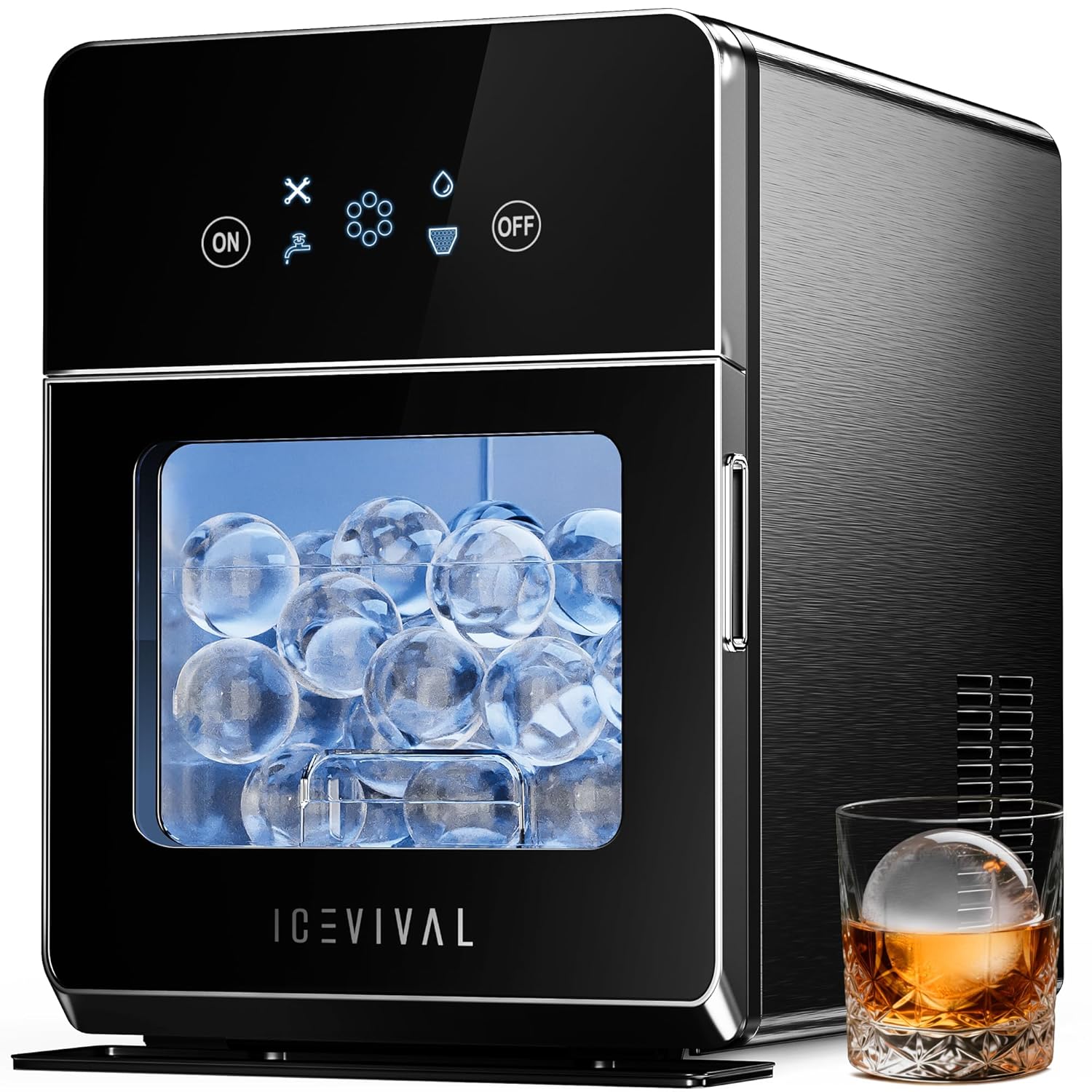
Figure 1: ICEVIVAL Clear Ice Ball Maker
Key Features:
- ClearCore Technology: Produces virtually bubble-free, pristine ice spheres that melt slowly.
- Efficient Production: Generates 4 clear ice spheres in approximately 38 minutes, with a daily output of up to 150 pieces.
- Dual Water Supply Options: Supports direct plumbing connection for continuous operation or manual refilling of the 0.45-gallon integrated reservoir.
- Integrated Storage: Includes a storage basket capable of holding up to 40 ice spheres.
- Self-Cleaning Function: One-touch automatic cleaning cycle for maintaining hygiene.
- Enhanced Insulation: Double-layer insulation helps reduce ice melt by up to 15%.
2. Setup
2.1 Unpacking and Placement
- Carefully remove the ice maker from its packaging.
- Place the unit on a stable, level surface, ensuring adequate ventilation around the machine.
- Remove all internal packaging materials, including the ice basket.
2.2 Water Supply Connection
Your ICEVIVAL ice maker offers two methods for water supply:
- Manual Fill: Open the front door and pour water directly into the 0.45-gallon reservoir located at the bottom of the unit. Fill up to the 'MAX' line.
- Automatic Water Supply (Plumbing): Connect the provided water line to the water inlet port at the rear of the unit and to a purified water faucet. This allows for continuous ice production without manual refilling.
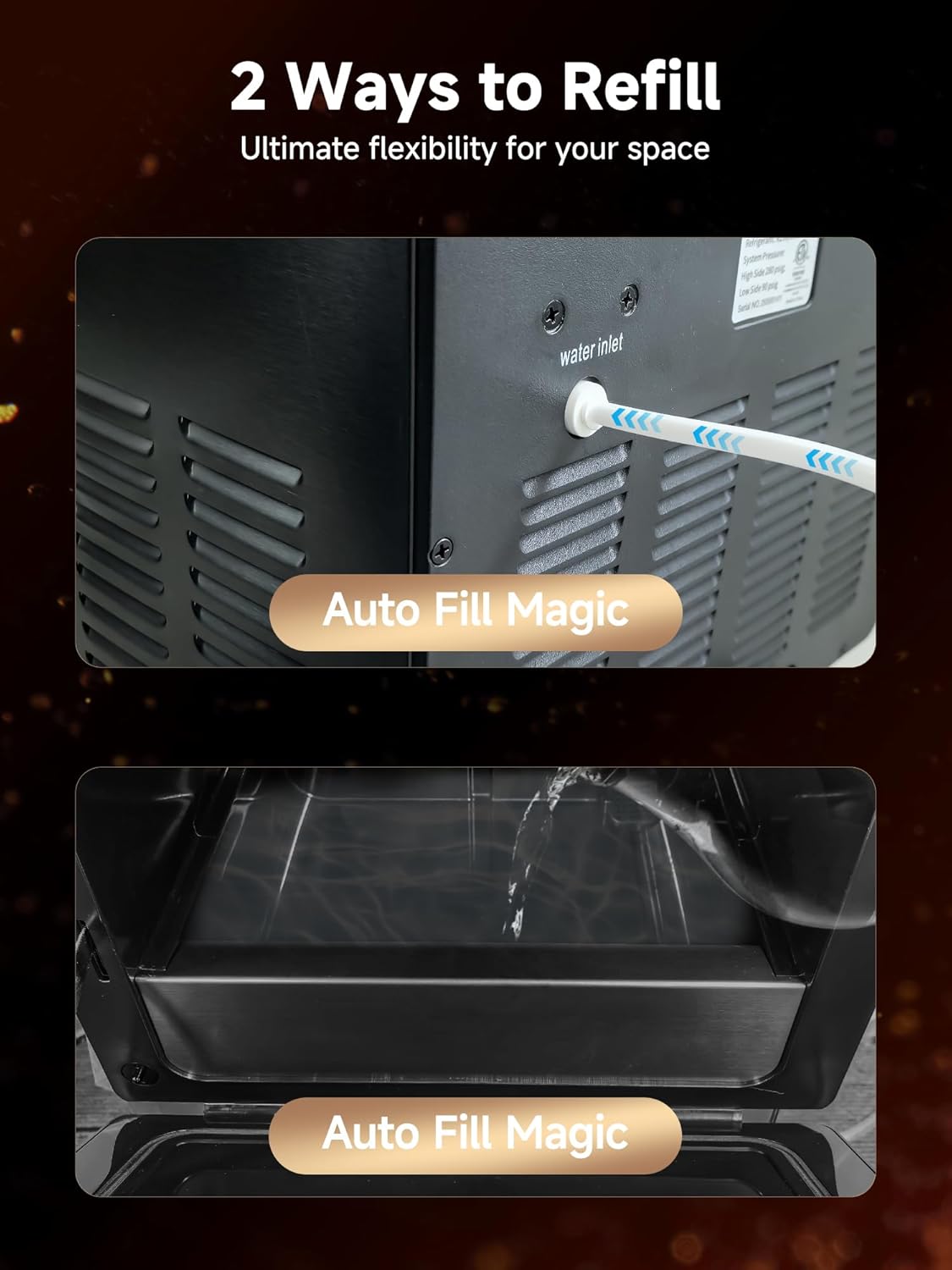
Figure 2: Water Inlet and Manual Fill Options
2.3 Initial Cleaning Cycle
Before first use, it is recommended to run a self-cleaning cycle:
- Ensure the ice basket is installed.
- Fill the water reservoir.
- Press and hold the 'ON' button for 3 seconds to activate the self-cleaning mode. The cycle typically takes 4 minutes.
- Drain the water after the cycle is complete using the bottom drainage design.
3. Operating Instructions
3.1 Powering On/Off
- To power on, press the 'ON' button.
- To power off, press the 'OFF' button.
3.2 Initiating Ice Production
- Ensure the water reservoir is filled.
- Press the 'ON' button. The machine will automatically begin the ice-making process.
- The visual window allows you to monitor the ice production without opening the door, helping to maintain internal temperature and save energy.

Figure 3: Visual Window for Ice Monitoring
3.3 Retrieving Ice
Once ice spheres are formed, they will drop into the integrated storage basket. Open the front door to access the ice. The basket can hold approximately 40 ice spheres.

Figure 4: Ice Storage Basket
4. Maintenance
4.1 Self-Cleaning Cycle
Regularly use the one-touch self-cleaning function to maintain hygiene and ensure crystal-pure ice production. This cycle helps remove limescale and ensures fresh ice.
- Ensure the ice basket is installed.
- Fill the water reservoir.
- Press and hold the 'ON' button for 3 seconds to activate the self-cleaning mode.
- After the 4-minute cycle, drain the water from the bottom drainage port.
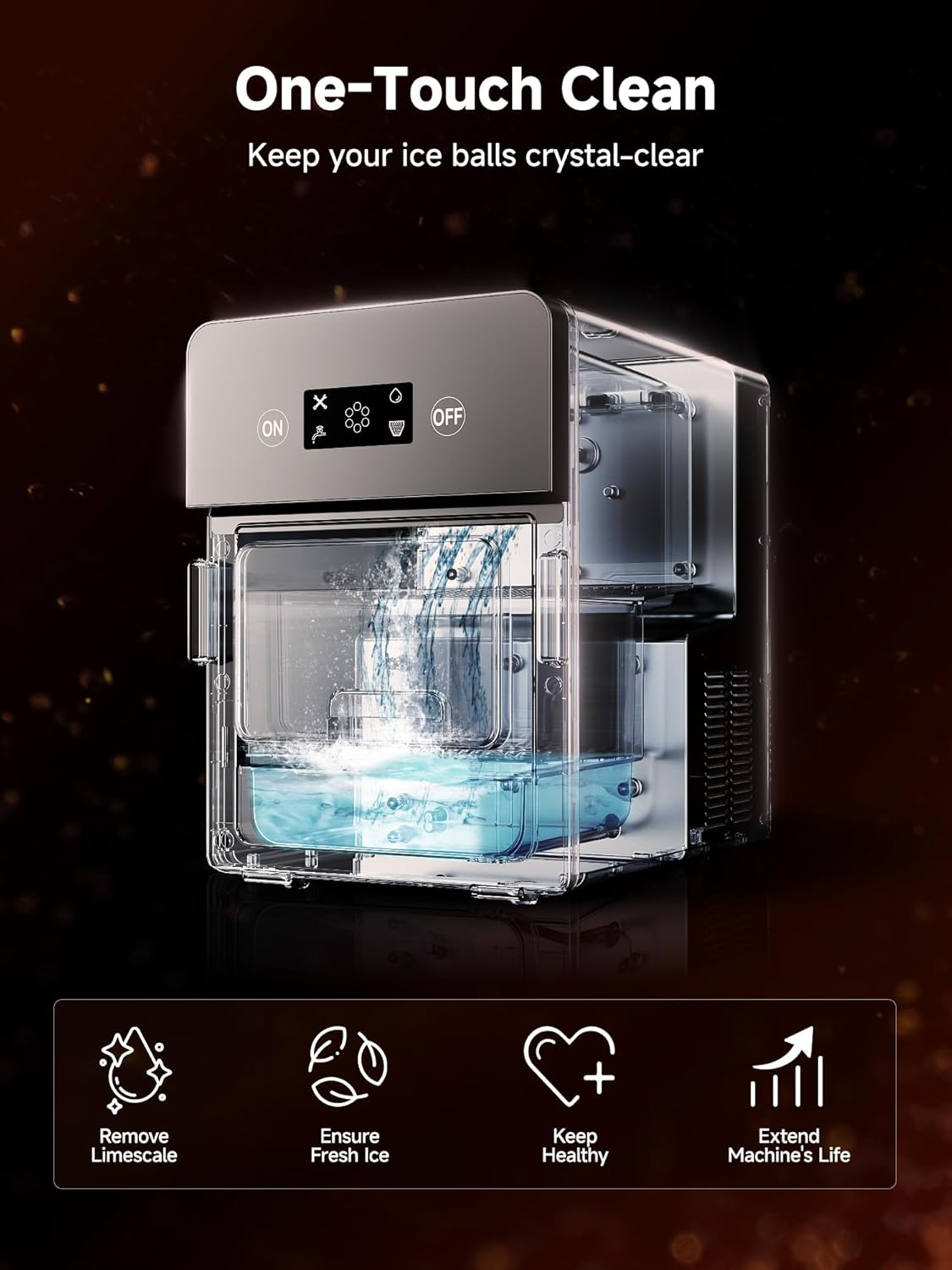
Figure 5: Self-Cleaning Process
4.2 Manual Cleaning
For deeper cleaning, wipe down interior surfaces and the ice basket with a soft cloth and mild detergent. Rinse thoroughly before reassembling.
5. Troubleshooting
If you encounter issues with your ICEVIVAL ice maker, please refer to the following common solutions:
- No Ice Production: Check water level in the reservoir or ensure the automatic water supply is properly connected and turned on. Verify the unit is powered on.
- Cloudy Ice: Ensure you are using purified water. Running a self-cleaning cycle may also improve ice clarity.
- Unit Not Turning On: Check power connection and ensure the power outlet is functional.
- Unusual Noise: Ensure the unit is on a stable, level surface. If the noise persists, contact customer support.
6. Specifications
| Feature | Specification |
|---|---|
| Brand | ICEVIVAL |
| Model Name | IM024 |
| Product Dimensions (D x W x H) | 17.8" x 12.6" x 17.8" |
| Weight | 36.8 Pounds |
| Daily Ice Output | Up to 150 ice spheres |
| Ice Production Cycle | 4 ice spheres in 38 minutes |
| Water Reservoir Capacity | 0.45 Gallons (approx. 1.7 Liters) |
| Ice Storage Capacity | Approx. 40 ice spheres |
| Wattage | 260 watts |
7. Warranty and Support
Your ICEVIVAL Clear Ice Ball Maker comes with a 1-Year Guarantee from the date of purchase, covering manufacturing defects under normal use.

Figure 6: Customer Support and Warranty Information
For technical assistance, warranty claims, or general inquiries, please contact ICEVIVAL customer support through the retailer's platform or visit the official ICEVIVAL website for contact details.