1. Introduction
Thank you for choosing the Mbeysaq CAM982AHD Vehicle Backup Camera System. This manual provides detailed instructions for the proper installation, operation, and maintenance of your new backup camera. Please read this manual thoroughly before using the product to ensure safe and optimal performance. Keep this manual for future reference.
This system is designed to enhance safety during reversing and parking maneuvers by providing a clear, wide-angle view of the area behind your vehicle. It is suitable for various vehicles including cars, RVs, boats, trucks, and buses.
2. Safety Information
- Always ensure the vehicle is turned off and the battery is disconnected before beginning installation to prevent electrical shock or damage.
- Professional installation is recommended for complex wiring procedures.
- Do not attempt to modify or disassemble the camera system. This may void the warranty and cause damage.
- Ensure all cables are securely routed and protected from sharp edges, heat, and moving parts to prevent damage and interference.
- The backup camera is an aid for reversing and parking. Always check your surroundings directly and use your mirrors in conjunction with the camera for complete awareness.
- Keep the camera lens clean for optimal image clarity.
3. Package Contents
Please verify that all items listed below are included in your package:
- Mbeysaq CAM982AHD Backup Camera Unit
- Video Cable (RCA type)
- Power Cable
- Mounting Bracket
- Mounting Screws
- Hex Key (for adjustment)
- User Manual (this document)

Figure 3.1: Overview of the Mbeysaq CAM982AHD backup camera system components, including the camera unit, power and video cables, mounting bracket, and screws.

Figure 3.2: Close-up view of the two mounting screws provided for securing the camera unit.
4. Product Features
- High Definition AHD Output: Provides a clear 1280x720P (720p HD) resolution image for enhanced visibility.
- Wide Viewing Angle: Features a 150° wide-angle lens to cover a broad area behind the vehicle.
- 360° Rotatable Design: The camera unit can be rotated 360 degrees for flexible mounting and optimal viewing angle adjustment.
- IP67 Waterproof Rating: Designed to withstand harsh weather conditions, ensuring durability and reliable performance.
- Night Vision Capability: Equipped with starlight night vision for clear images even in low-light conditions.
- Universal Compatibility: Suitable for a wide range of vehicles including cars, RVs, boats, trucks, and buses.
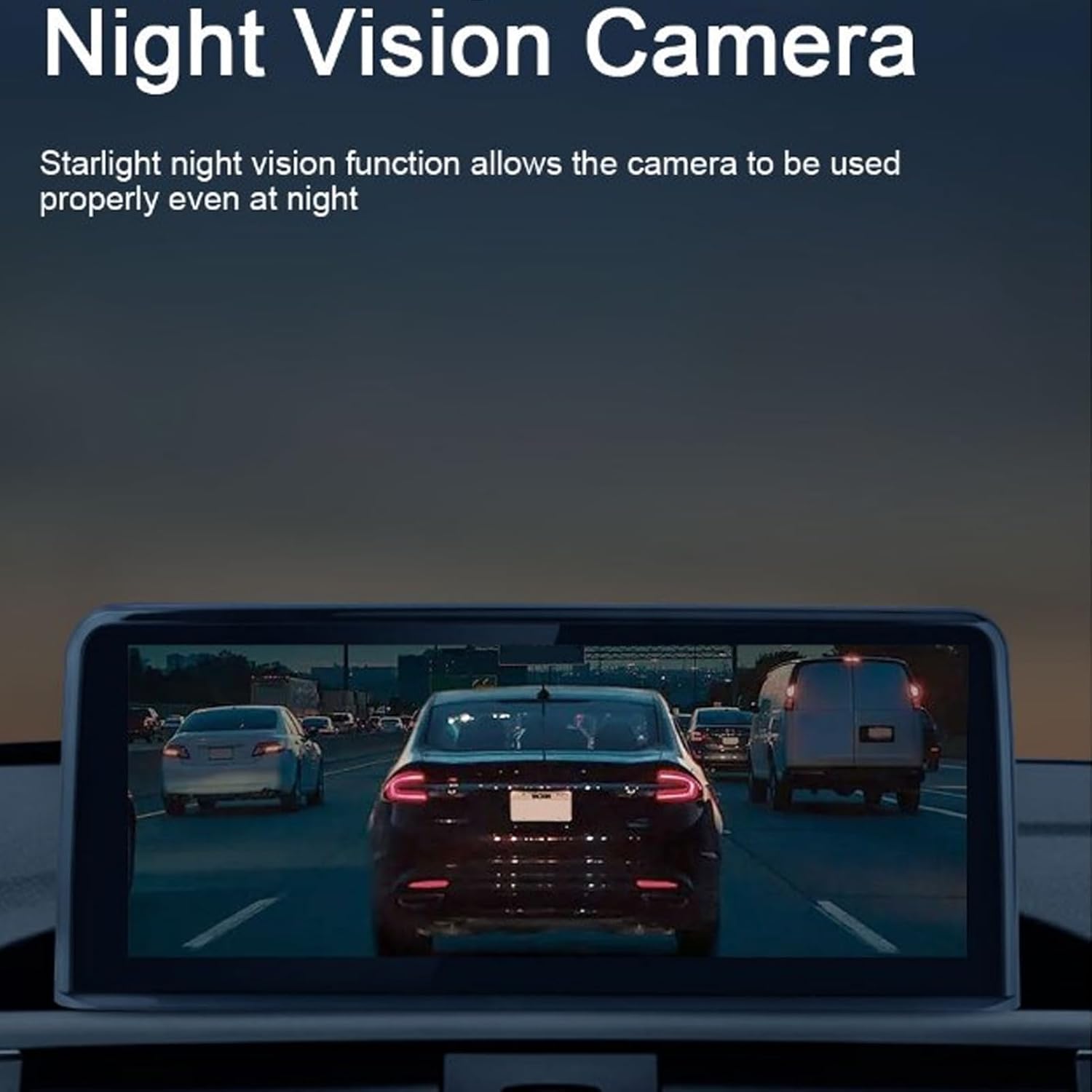
Figure 4.1: Illustration of the camera's night vision capability, showing a clear view of vehicles behind at night on an in-car display.
5. Setup and Installation
Proper installation is crucial for the performance of your backup camera system. If you are unsure about any steps, consult a professional installer.
5.1. Choosing a Mounting Location
Select a location at the rear of your vehicle that provides a clear, unobstructed view. Common locations include above the license plate, on the bumper, or near the tailgate handle. Ensure the camera is centrally positioned for the best perspective.

Figure 5.1: The Mbeysaq CAM982AHD camera unit, showing its compact design and integrated cable, ready for mounting.
5.2. Mounting the Camera
- Mark the drilling points for the mounting bracket using the camera's base as a template.
- Drill pilot holes if necessary, ensuring not to damage any existing wiring or components behind the mounting surface.
- Secure the camera bracket to the vehicle using the provided mounting screws.
- Adjust the camera angle using the 360° rotatable feature and secure it in place.

Figure 5.2: Detailed view of the camera lens and its chrome housing, highlighting the adjustable nature of the lens.
5.3. Wiring Connections
- Power Connection: Connect the red wire of the camera's power cable to the vehicle's reverse light positive (+) wire. This ensures the camera powers on automatically when the vehicle is put into reverse. Connect the black wire to a reliable ground point (-).
- Video Connection: Connect the yellow RCA video cable from the camera to the video input of your vehicle's display unit (e.g., car stereo with screen, dedicated monitor).
- Cable Routing: Carefully route all cables through the vehicle, ensuring they are protected from moisture, heat, and moving parts. Use cable ties or clips to secure them.
6. Operating Instructions
Once installed, operating the Mbeysaq CAM982AHD backup camera system is straightforward:
- Turn on your vehicle's ignition.
- Shift the vehicle into reverse gear.
- The camera will automatically power on, and the video feed will appear on your connected display unit.
- Use the displayed image to assist with reversing and parking maneuvers.
- When you shift out of reverse, the camera will power off, and the display will return to its previous function.
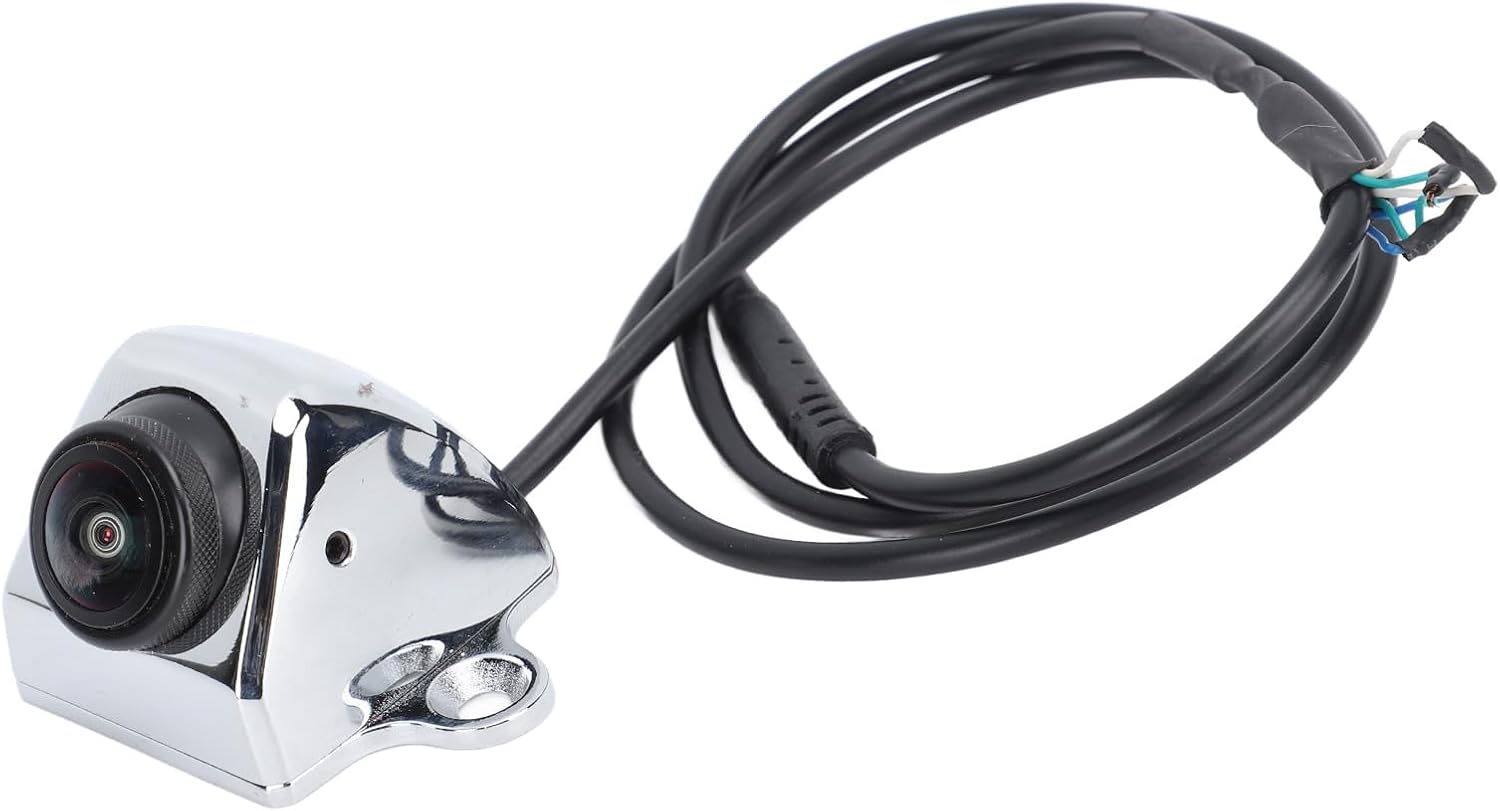
Figure 6.1: An example of the backup camera's live feed displayed on a vehicle's infotainment screen, showing the rear view with traffic.
7. Maintenance
- Cleaning the Lens: Regularly clean the camera lens with a soft, damp cloth to remove dirt, dust, or water spots. Avoid abrasive cleaners that could scratch the lens.
- Cable Inspection: Periodically check all cables and connections for any signs of wear, damage, or corrosion. Ensure they remain securely fastened.
- Mounting Security: Verify that the camera and its mounting bracket are still securely attached to the vehicle. Tighten any loose screws if necessary.
8. Troubleshooting
| Problem | Possible Cause | Solution |
|---|---|---|
| No image on display |
|
|
| Flickering or distorted image |
|
|
| Image is blurry or unclear |
|
|
9. Specifications
| Feature | Detail |
|---|---|
| Model Number | CAM982AHD |
| Resolution | 1280x720P (AHD) |
| Viewing Angle | 150° Wide Angle |
| Rotation | 360° Rotatable |
| Waterproof Rating | IP67 |
| Night Vision | Starlight Night Vision |
| Compatibility | Universal (Car, RV, Boat, Truck, Bus) |
| Product Dimensions | 5.9 x 4.33 x 1.96 inches |
| Item Weight | 10.3 ounces |
| UPC | 763881467309 |
10. Warranty and Support
Mbeysaq products are manufactured to high-quality standards. For warranty information, technical support, or customer service inquiries, please refer to the contact information provided with your purchase or visit the official Mbeysaq website.
Please retain your proof of purchase for warranty claims.