
1. Introduction
The Hisummer Window Register Booster Fan (Model: HF10F1) is designed to enhance the airflow from your existing HVAC system, providing efficient and quiet temperature regulation for specific rooms. This device helps distribute conditioned air more effectively, ensuring consistent comfort throughout your home.
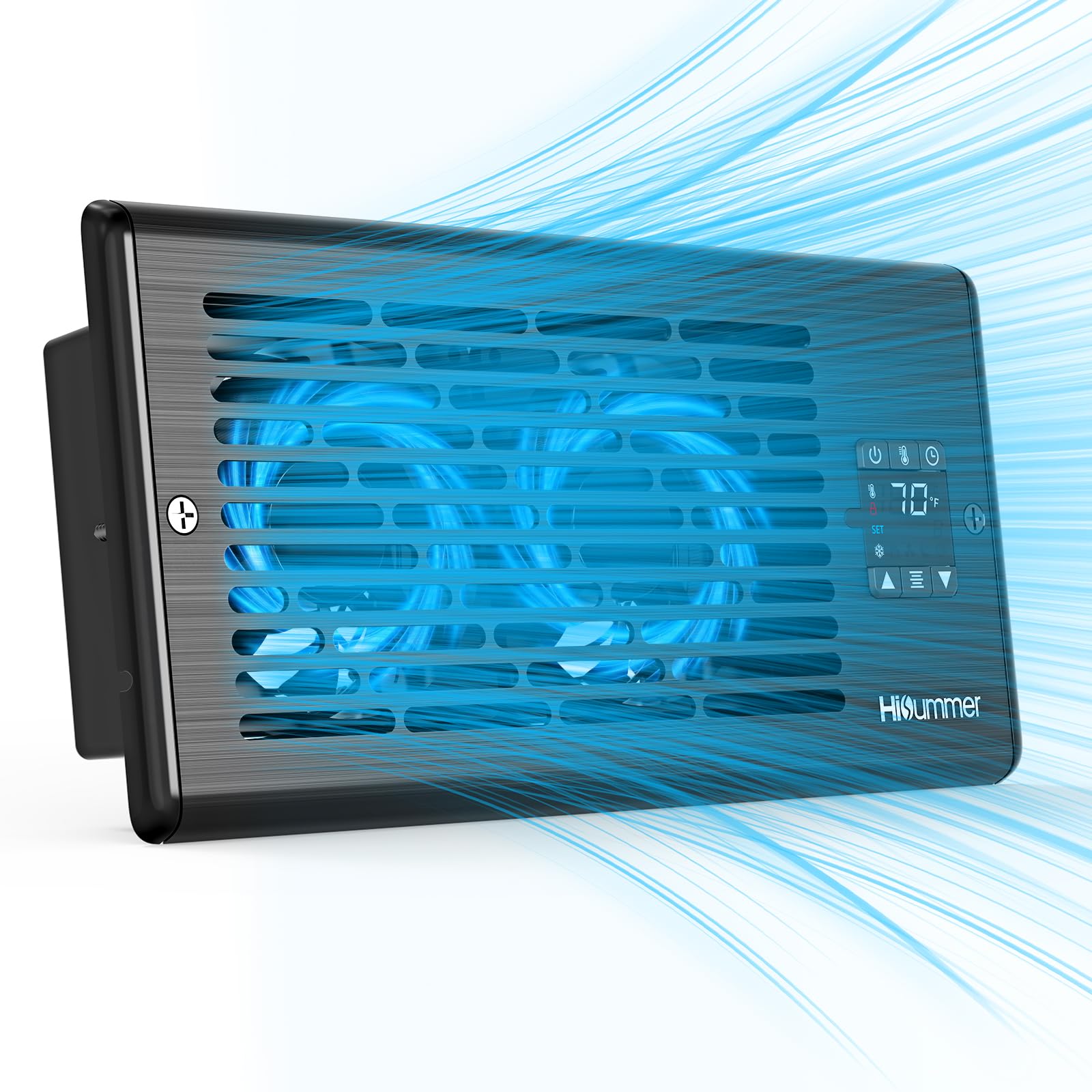
Image: Hisummer Window Register Booster Fan, showcasing its sleek black design.
2. Package Contents
Please ensure all parts are present and in good condition before installation.
- 1 x Hisummer Window Register Booster Fan (Model: HF10F1)
- 1 x Remote Control
- 1 x Power Adapter with 9.8 ft (3m) Cord
- 1 x Screw Set (for optional mounting)
- 1 x User Manual
3. Setup & Installation
The Hisummer Window Register Booster Fan is designed for standard 4"x10" duct openings. It can be installed in floor, wall, or ceiling vents. Ensure you measure the inside of your duct opening, not just the vent cover, for a perfect fit.
- Measure Your Duct Opening: Confirm your register vent opening is 4"x10".
- Remove Existing Vent Grille: Carefully remove your current vent grille. You may need a Phillips screwdriver to remove any mounting screws.
- Insert Booster Fan: Place the Hisummer booster fan into the duct opening. The fan is designed to fit snugly.
- Connect Power Adapter: Plug the power adapter into the fan unit and then into a standard wall outlet. The 9.8 ft (3m) cord provides flexibility for placement.
- Optional Mounting: For wall or ceiling installations, use the provided screw set to secure the fan unit.

Image: Diagram illustrating the correct method to measure a 4"x10" duct opening, emphasizing measuring the inside of the duct, not the faceplate.
Video: A demonstration of installing the Hisummer Register Booster Fan into a 4"x10" air vent duct hole, showing the process of removing the old vent and inserting the new fan.
4. Operating Instructions
The Hisummer booster fan features an intuitive LED display and remote control for easy operation.
4.1 Controls Overview
- Power Button: Short press to turn on/off. Long press to lock/unlock controls.
- Settings Button (Gear Icon): Press to cycle through modes (Cooling, Heating, Fan, Sleep).
- Timer Button (Clock Icon): Set a shutdown countdown (0.5 to 24 hours). Long press to turn off/on display backlight.
- Up/Down Arrows: Adjust temperature settings or fan speed.
4.2 Operating Modes
- Cooling Mode: Fan automatically activates when the detected temperature is above the set target (default 75°F) and boosts airflow.
- Heating Mode: Fan automatically activates when the detected temperature is below the set target (default 79°F) and boosts airflow.
- Fan Mode: Provides continuous airflow at a user-selected speed (1-10). The thermostat is inactive in this mode.
- Sleep Mode: Operates at a whisper-quiet 17dB level with reduced fan speed for undisturbed rest.
4.3 Remote Control
The included remote control allows you to adjust all settings from up to 26 feet away, including power, temperature, fan speed, mode, timer, and display backlight.

Image: Detailed view of the fan's smart-control HD LED display, showing temperature, fan speed, and various mode icons for easy adjustment.
5. Key Features
- Whisper-Quiet Operation: Runs at just 17dB, utilizing a precision-balanced dual ball-bearing fan and upgraded PWM motor for smooth, low-vibration airflow.
- Smart Temperature Control: High-precision NTC sensor detects air intake temperature and auto-adjusts fan speed to maintain desired comfort levels.
- Energy Efficient: Consumes only 6W of power, reducing HVAC workload and energy waste.
- 10-Speed Fan: Offers 10 precise fan speeds, from rapid cooling to quiet sleep mode, controllable via remote.
- Strong Airflow: Delivers up to 150 CFM of airflow, with an angled grille to push air farther (up to 20 ft).
- Durable & Safe Design: Features a reinforced 4.7mm ribbed aluminum panel supporting up to 300 lbs, and a 5.8mm anti-finger gap for child and pet safety. Certified to EN60335 standards.
- Memory Function: Retains previous settings after power off.

Image: Infographic highlighting the fan's main benefits: energy saving (2000 kWh/yr), fast cooling (92% faster NTC sensor), strong airflow (150 CFM), long reach (up to 20 ft), wide coverage (130°), ultra-quiet (17 dB), low power (6W), and memory mode.
6. Maintenance
To ensure optimal performance and longevity of your Hisummer booster fan, follow these simple maintenance guidelines:
- Regular Cleaning: Periodically clean the fan grille and blades to prevent dust buildup, which can impede airflow and efficiency. Use a soft, dry cloth or a vacuum cleaner with a brush attachment.
- Inspect Power Cord: Check the power cord and adapter for any signs of damage. If damaged, discontinue use and contact customer support.
- Keep Vents Clear: Ensure that the area around the vent is free from obstructions that could block airflow.
7. Troubleshooting
If you encounter any issues with your Hisummer booster fan, refer to the following common troubleshooting steps:
- Fan Not Turning On: Ensure the power adapter is securely plugged into both the fan unit and a working wall outlet. Check if the power button has been pressed.
- No Airflow/Weak Airflow: Verify that the fan speed is set appropriately (not in sleep mode or at speed 1). Check for any obstructions in the duct or on the fan grille.
- Temperature Not Regulating: In Cooling or Heating mode, ensure the target temperature is set correctly. The fan will only activate if the ambient temperature deviates from the set point.
- Controls Unresponsive: If the controls are locked, long press the power button to unlock them. Ensure the remote control has working batteries and is within range.
If problems persist after attempting these steps, please contact Hisummer customer support for assistance.
8. Specifications
| Specification | Detail |
|---|---|
| Brand | Hisummer |
| Model Number | HF10F1 |
| Color | Black |
| Product Dimensions | 1.96"D x 11.57"W x 5.55"H |
| Material | Acrylonitrile Butadiene Styrene, Aluminum |
| Power Source | AC (100 Volts) |
| Wattage | 6 watts |
| Noise Level | 17 Decibels |
| Number of Speeds | 10 |
| Air Flow Capacity | 150 Cubic Feet Per Minute |
| Control Method | Push Button, Remote Control |
| Special Features | 10 Speeds, Angled Grille, Quiet Operation, Remote Controlled, Timer |
9. Warranty and Support
The Hisummer Window Register Booster Fan is built with quality and certified to EN60335 standards for safety and durability. For any product-related inquiries, technical support, or warranty claims, please contact Hisummer customer support. A 30-day return policy is available for refunds or replacements.
For assistance, please refer to the contact information provided in your user manual or on the official Hisummer website.