
Introduction
Thank you for choosing the HUANUO Electric Standing Desk. This manual provides essential information for the safe and efficient assembly, operation, and maintenance of your new adjustable height desk. Please read these instructions carefully before use and retain them for future reference.
This electric standing desk is designed to offer a versatile workstation, allowing you to easily switch between sitting and standing positions. It features a wide height adjustment range, convenient memory presets, and a durable construction for long-lasting performance.
Safety Information
- Ensure all connections are secure before operating the desk.
- Keep children and pets away from the desk during operation.
- Do not overload the desk. The maximum weight capacity is 154 lbs (70 kg).
- Avoid placing liquids directly on the control panel or near electrical components.
- Do not disassemble or modify the desk's electrical components. Contact support for assistance.
- Ensure there are no obstructions in the desk's path during height adjustments.

Image Description: This image illustrates the desk's durability and weight capacity. It shows the desk with a heavy rock and a glass of liquid on its surface, highlighting its ability to withstand 50,000 lift cycles and support up to 154 lbs. This demonstrates the desk's robust construction and reliability.
Package Contents
Please verify that all components are present before beginning assembly. If any parts are missing or damaged, please contact customer support.
- Desktop (2 pieces)
- Legs (2 pieces)
- Feet (2 pieces)
- Control Panel
- Motor and Power Cable
- Hardware Kit (screws, Allen wrench, etc.)
- Instruction Manual
Setup and Assembly
The HUANUO Electric Standing Desk is designed for quick and easy assembly with minimal lifting required. Follow these steps carefully:
- Unpack Components: Carefully remove all parts from the packaging and lay them out on a clean, soft surface to prevent scratches.
- Assemble Desktop: Join the two desktop pieces together using the provided connectors and screws. Ensure they are aligned properly to form a flat surface.
- Attach Legs to Desktop: Secure the desk legs to the underside of the desktop using the designated screws. Ensure the motor side of the leg is correctly oriented for the control panel.
- Attach Feet: Fasten the feet to the bottom of each leg for stability.
- Install Control Panel: Mount the control panel to the front edge of the desktop using the provided screws.
- Connect Cables: Connect the motor cable to the control panel and the power cable to the control box. Ensure all connections are firm.
- Power On: Plug the power cable into a wall outlet. The desk is now ready for initial calibration.

Image Description: This diagram provides a clear overview of the desk's dimensions. It shows the desktop measuring 32 inches in width and 19 inches in depth, with a height adjustment range from 27.9 inches (sitting height) to 45.7 inches (standing height). The base dimensions are also indicated as 24 inches deep and 17.3 inches wide.
Operating Instructions
Your HUANUO Electric Standing Desk features an intuitive control panel for easy height adjustment and memory settings.
Control Panel Functions:
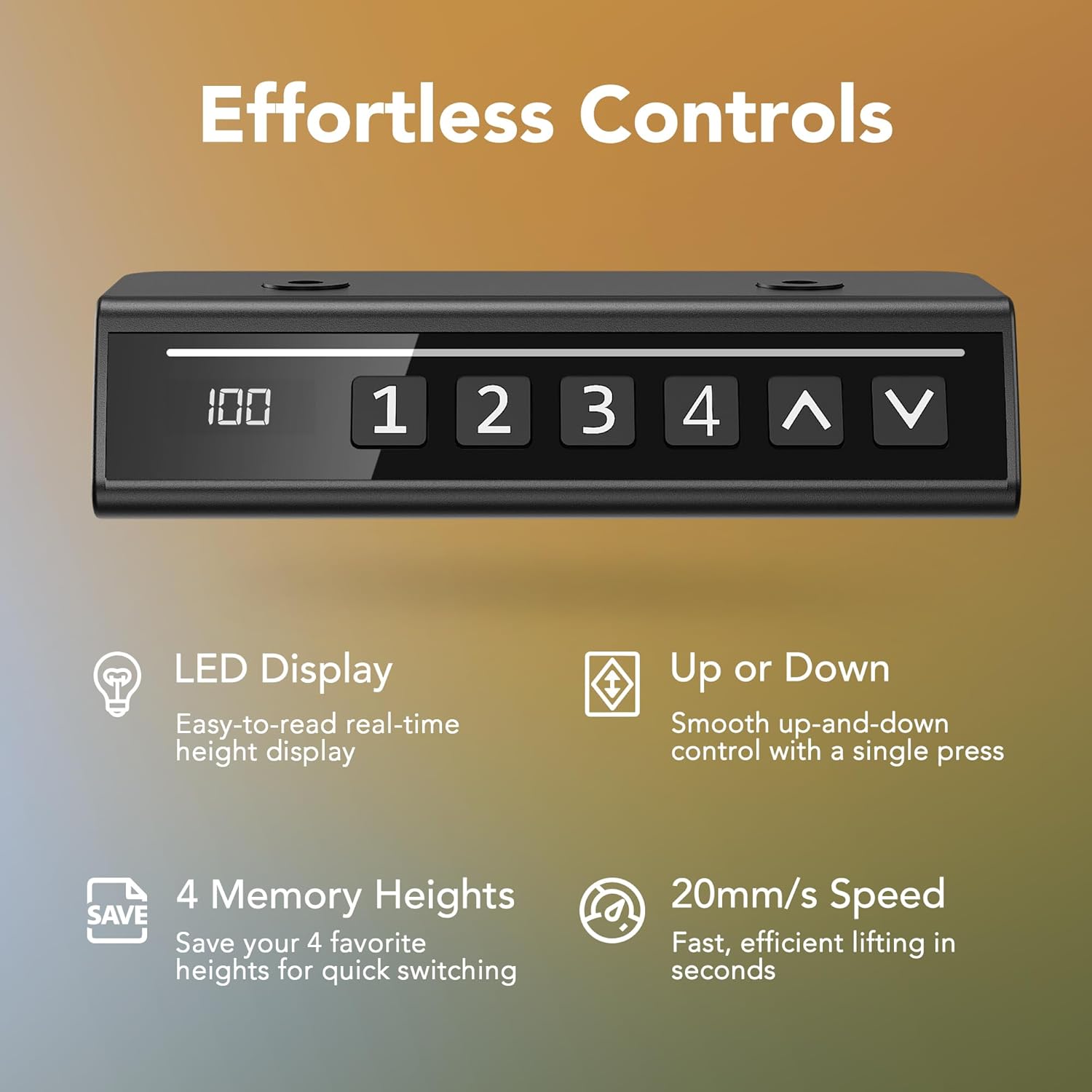
Image Description: This image displays the desk's control panel. It features an LED screen showing the current height, along with buttons for four memory presets (1, 2, 3, 4) and up/down arrows for manual adjustment. Accompanying text highlights features like the easy-to-read LED display, smooth up-and-down control, ability to save 4 favorite heights, and a fast 20mm/s lifting speed.
- LED Display: Shows the current height of the desk in inches.
- Up (▲) / Down (▼) Buttons: Press and hold to manually adjust the desk height. Release to stop.
- Memory Presets (1, 2, 3, 4): These buttons allow you to save and recall your preferred sitting and standing heights.
Setting Memory Presets:
- Adjust the desk to your desired height using the Up/Down buttons.
- Press the 'S' (Save) button (if present, otherwise hold the number button). The display may flash.
- Press one of the number buttons (1, 2, 3, or 4) within 3 seconds. The height is now saved to that preset.
Recalling Memory Presets:
- Simply press the desired number button (1, 2, 3, or 4). The desk will automatically move to the saved height.

Image Description: This image highlights the convenience of the HUANUO desk's 'Smart One-Press Lift' feature. It contrasts the desk's automatic height adjustment via its control panel with memory buttons against a generic manual knob control. This emphasizes the ease of use and efficiency of the HUANUO system.
Initial Calibration / Reset:
If the desk is not responding correctly or displays an error code, a reset may be required. Consult the full manual for specific reset procedures, which typically involve holding down certain buttons until the desk moves to its lowest position and resets.

Image Description: This image emphasizes the desk's ultra-quiet operation. It visually compares the desk's sound level (less than 50dB) to common noises like city traffic (80dB) and human conversation (60dB), indicating that the desk operates quietly to minimize distractions in a work environment.
Maintenance
- Cleaning: Wipe the desk surface with a soft, damp cloth. Avoid harsh chemicals or abrasive cleaners.
- Cable Management: Periodically check and organize cables to prevent tangles and damage.
- Inspection: Regularly inspect all screws and connections to ensure they remain tight. Tighten if necessary.
- Motor Care: The motor is designed for durability. Avoid continuous operation for extended periods without rest.
Troubleshooting
| Problem | Possible Cause | Solution |
|---|---|---|
| Desk does not move / Error code on display | Loose cable connection, overload, motor malfunction, need for reset. | Check all cable connections. Reduce weight on the desk. Perform a reset (refer to operating instructions or contact support). |
| Uneven height adjustment | Obstruction, uneven load, motor synchronization issue. | Remove any obstructions. Distribute weight evenly. Perform a reset. |
| Noise during operation | Normal motor sound, loose screws. | Ensure all screws are tightened. If noise is excessive, contact support. |
If you encounter issues not listed here or if the suggested solutions do not resolve the problem, please contact HUANUO customer support.
Specifications
| Feature | Detail |
|---|---|
| Model Number | MSESD202 |
| Desktop Dimensions | 32 inches (W) x 19 inches (D) |
| Height Adjustment Range | 27.9 inches to 45.7 inches |
| Weight Capacity | 154 lbs (70 kg) |
| Material | Alloy Steel (frame), Wood (desktop) |
| Special Features | Electric Height Adjustment, 4 Memory Presets |
| Noise Level | < 50dB |
Warranty and Support
HUANUO is committed to providing high-quality products and excellent customer service.
- Free Part Replacement: In case of any manufacturing defects or damaged parts, free replacements are available.
- Customer Support: Our support team aims to reply to inquiries within 24 hours.
For warranty claims, technical assistance, or any questions regarding your HUANUO Electric Standing Desk, please contact us through the retailer's platform or visit the official HUANUO website for contact information.

Image Description: This image shows a customer service representative wearing a headset and smiling, symbolizing the availability of professional technical support and responsive customer service for product inquiries and assistance.


