
1. Product Overview
The WUNIAK Protective Case is specifically designed for the TABWEE T90 Tablet 11 Inch. This case provides comprehensive protection against accidental drops, bumps, and shocks, while also offering convenient viewing angles through its integrated stand.
Key features include:
- Compatibility: Exclusively designed for the TABWEE T90 Tablet 11 Inch.
- Full-Body Protection: Made from shock-absorbing, non-toxic silicone material.
- Premium Quality: Ultra-slim soft silicone for a comfortable touch and enhanced durability.
- Integrated Stand: Provides multiple adjustable viewing angles for various activities.
- Precise Cutouts: Ensures full access to all tablet features, including cameras, speakers, ports, and buttons.
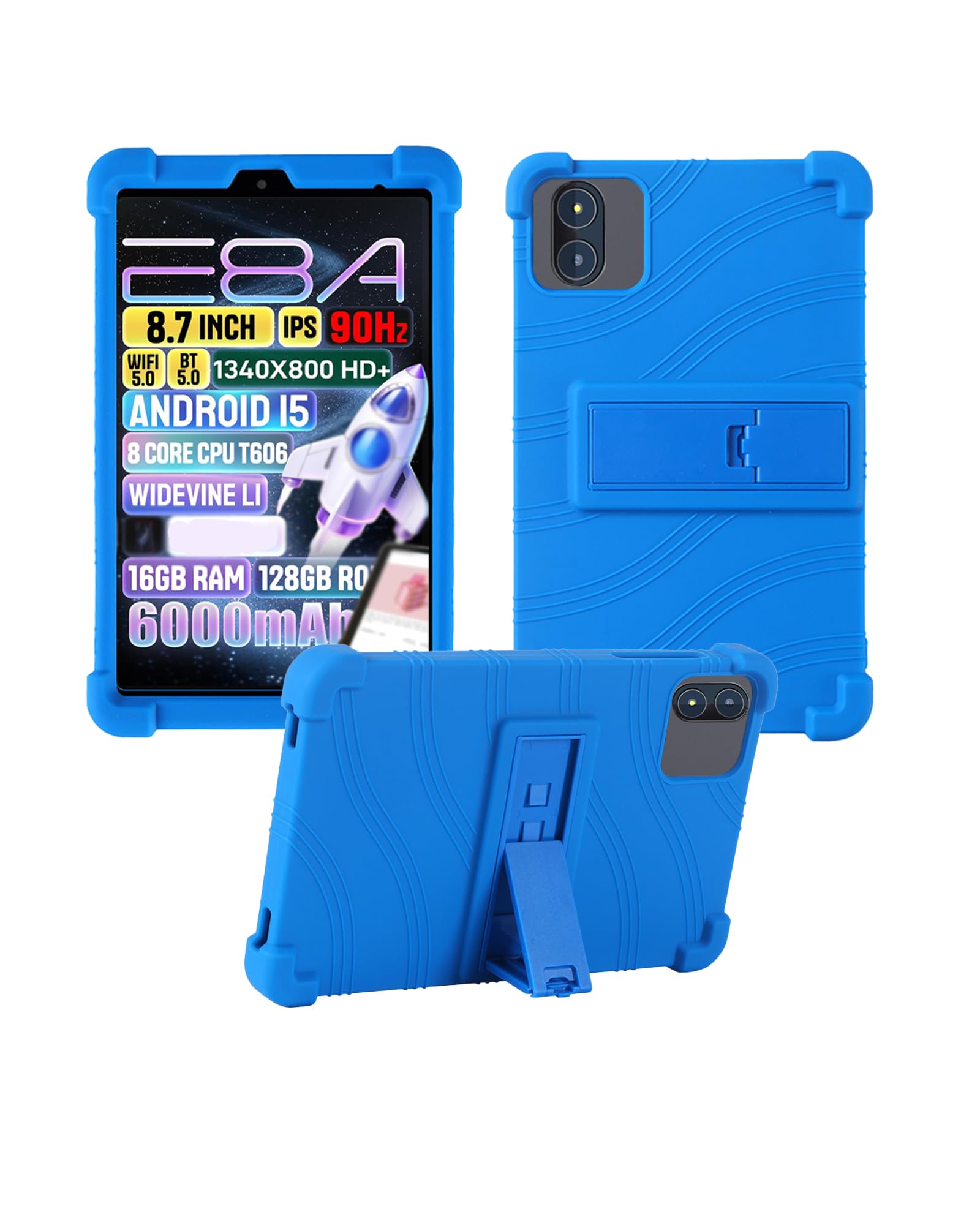
Figure 1.1: WUNIAK Protective Case for TABWEE T90 Tablet 11 Inch (Blue variant).

Figure 1.2: Illustrates the strong drop-resistant design with thickened corners for full-round protection.
2. Installation Guide
Follow these steps to properly install the protective case on your TABWEE T90 Tablet.
- Prepare the Tablet: Ensure your TABWEE T90 Tablet is clean and free of dust or debris.
- Align the Case: Gently align the tablet with the case, starting with one corner. The flexible silicone material allows for easy fitting.
- Insert the Tablet: Carefully push the tablet into the case, ensuring all edges and corners are securely covered by the silicone. The soft silicone material is designed to stretch slightly for a snug fit.
- Check Fit: Verify that all ports, buttons, and camera cutouts align correctly with your tablet's features.

Figure 2.1: Demonstrates the flexibility of the soft silicone material for easy installation. The image shows a hand holding the flexible silicone case, ready to enclose the tablet.

Figure 2.2: Illustrates the precise cutouts for the camera, speakers, and charging port, ensuring full access to all tablet functions after installation.
3. Operating the Stand Function
The integrated stand allows for versatile viewing angles. To use the stand:
- Locate the Stand: The stand is located on the back of the case.
- Extend the Stand: Gently pull out the kickstand until it locks into your desired viewing angle.
- Adjust Angle: The stand is designed to provide multiple stable viewing positions for typing, watching videos, or browsing.
- Retract the Stand: When not in use, push the kickstand back into its recessed position until it is flush with the case.

Figure 3.1: Shows the tablet case with its adjustable stand extended, demonstrating how it provides multiple viewing angles for user convenience.

Figure 3.2: Depicts different usage scenarios such as entertainment, work, study, and parent-child interaction, all facilitated by the adjustable stand.
4. Maintenance and Care
To ensure the longevity and appearance of your WUNIAK Protective Case, follow these care instructions:
- Cleaning: Wipe the case with a soft, damp cloth. For stubborn stains, a mild soap solution can be used. Avoid harsh chemicals or abrasive cleaners.
- Drying: Allow the case to air dry completely before reattaching it to your tablet.
- Storage: Store the case in a cool, dry place away from direct sunlight when not in use for extended periods.
- Avoid Sharp Objects: Keep the case away from sharp objects to prevent punctures or tears in the silicone material.
5. Troubleshooting
If you encounter any issues with your WUNIAK Protective Case, please consider the following:
- Case Not Fitting: Ensure you have the correct model (TABWEE T90 Tablet 11 Inch). The case is specifically designed for this model and may not fit others.
- Buttons/Ports Not Accessible: Double-check that the tablet is correctly seated within the case and that all cutouts align. Remove and re-install the case if necessary.
- Stand Instability: Ensure the kickstand is fully extended and locked into position. Avoid placing excessive weight on the stand.
For further assistance, please contact customer support.
6. Specifications
| Brand | WUNIAK |
| Model Number | Case for T90 |
| Compatible Devices | TABWEE T90 Tablet 11 Inch |
| Material | Silicone |
| Form Factor | Case |
| Shell Type | Soft |
| Additional Features | Slim Fit, Adjustable Stand, Shock Proof |
7. Warranty and Support
WUNIAK is committed to providing quality products and customer satisfaction. If you have any questions or require technical support regarding your protective case, please do not hesitate to contact us. We are dedicated to providing timely technical support and excellent customer service.
Please refer to your purchase documentation for specific warranty details.