1. Introduction
The ULANZI VL02 is a 2.7-meter (8.86-foot) carbon fiber extended edition invisible selfie stick. It is designed for use with panoramic sports cameras, action cameras, and smartphones, enabling a wide range of creative shots, including drone-like perspectives. Constructed from durable and lightweight materials, the VL02 offers stable support and is suitable for various environments, including underwater use.
2. What's in the Box
- VL02 Selfie Stick x1
- Phone Clamp x1
- Action Camera Adapter x1
- Wrist Strap x1

Image: The ULANZI VL02 selfie stick, phone clamp, action camera adapter, and wrist strap laid out next to its packaging.
3. Key Features
- Drone-like Shots: When paired with a panoramic sports camera, the stick allows for overhead, tracking, and sweeping shots that mimic drone footage.
- Stable Load Capacity: Despite its lightweight carbon fiber construction (325g), the VL02 supports a stable load of up to 800g, even when fully extended.
- Extended Reach: Easily adjustable from a compact 41cm (16.14 inches) to an impressive 277cm (109 inches) for versatile shooting angles.
- Durable and Waterproof: Crafted from aluminum alloy, carbon fiber, and silicone, the stick is built for various environments, including underwater use.
- Universal Compatibility: Features a standard 1/4" screw mount, compatible with a wide range of cameras and accessories, including Insta360 X5/X4/X3/GO 3S/ONE X2, DJI Osmo 360, GoPro, and smartphones (with included phone clamp).
- Secure Twist-Lock Design: The unique tube design ensures smooth and stable adjustments without wobbling, locking securely at desired lengths.
- Comfortable Grip: Equipped with a non-slip silicone handle and a wrist strap for secure handling during use.

Image: A person holding the ULANZI VL02 selfie stick high, capturing a wide-angle, drone-like shot of themselves in a grassy field with a panoramic camera.

Image: A person extending the ULANZI VL02 selfie stick to its maximum length of 2.7 meters in an outdoor setting.

Image: The ULANZI VL02 selfie stick with blue ropes wrapped around it, illustrating its stable support for loads up to 800g.

Image: A diver using the ULANZI VL02 selfie stick with an action camera in a waterproof housing to capture underwater footage near coral reefs.

Image: A person holding the ULANZI VL02 selfie stick, highlighting its lightweight design (325g).
Video: An official ULANZI video demonstrating the features and usage of the VL02 Extended Edition Invisible Selfie Stick for Insta360 cameras, including its extension, stability, and compatibility.
4. Setup Guide
4.1 Attaching Your Device
- For Cameras (Insta360, DJI Osmo, GoPro with adapter): Locate the 1/4" screw mount at the top of the selfie stick. Screw your camera directly onto this mount. If using a GoPro, first attach the action camera adapter to the 1/4" mount, then secure your GoPro to the adapter.
- For Smartphones: Attach the provided phone clamp to the 1/4" screw mount on the selfie stick. Ensure the clamp is securely tightened. Insert your smartphone into the phone clamp, making sure it is held firmly.

Image: A close-up view of an Insta360 camera being screwed onto the 1/4-inch mount of the ULANZI VL02 selfie stick.
4.2 Extending and Retracting the Stick
- To Extend: Hold the base of the stick firmly. Gently twist each section counter-clockwise to unlock it. Pull the section outwards to the desired length. Twist clockwise to lock the section in place. Repeat for all sections until the desired total length is achieved.
- To Retract: Twist each section counter-clockwise to unlock it. Gently push the section back into the main body of the stick. Twist clockwise to lock it. Ensure all sections are fully retracted and locked for compact storage.
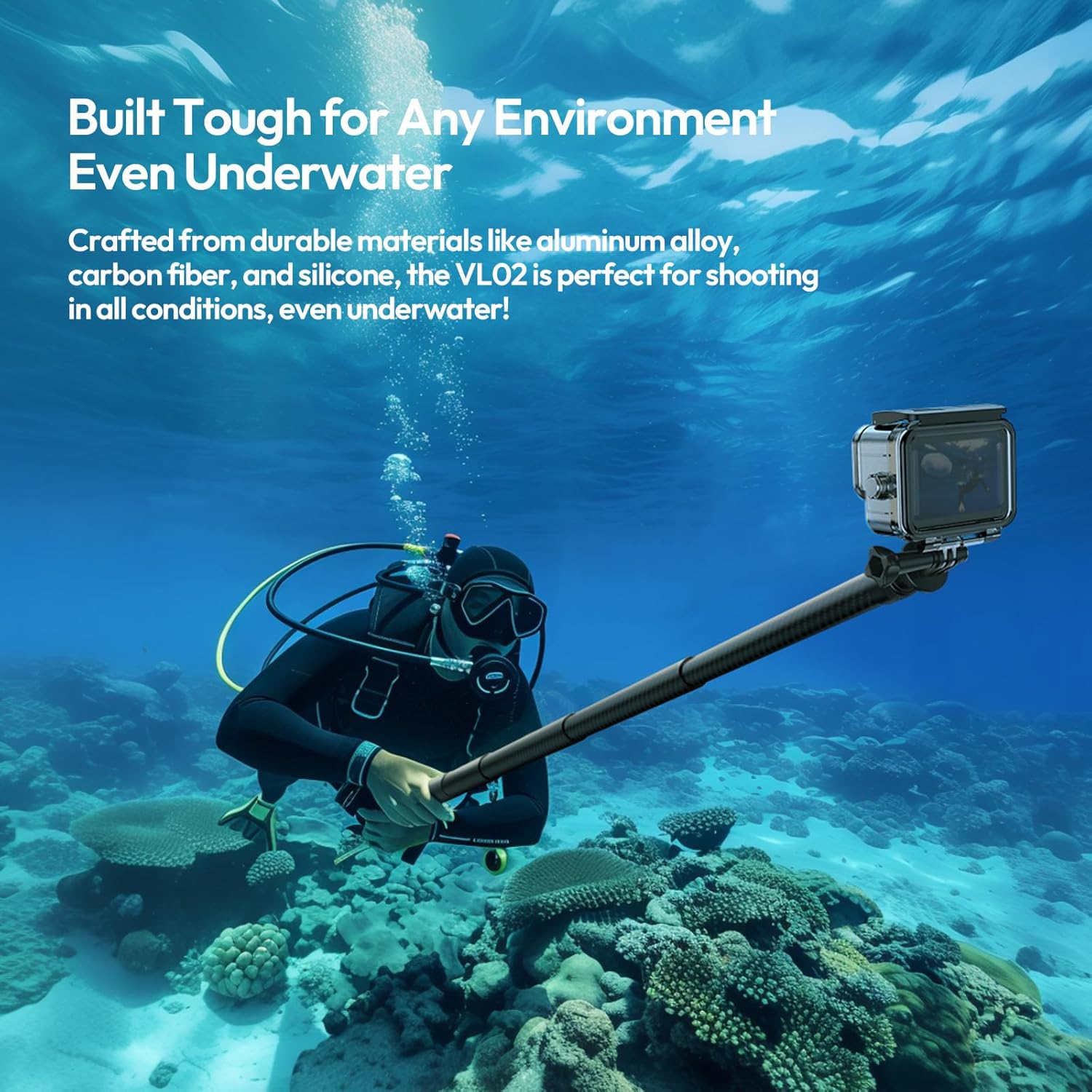
Image: A person demonstrating the extension of the ULANZI VL02 selfie stick by pulling out a section and twisting to lock it.
5. Operating Instructions
5.1 General Usage Tips
- Always ensure all sections are securely locked before use to prevent accidental collapse or damage to your device.
- When using with a 360 camera, position the camera at the top of the stick. The slim design and carbon fiber material help the stick become 'invisible' in 360 footage.
- For optimal stability, especially when fully extended, hold the stick with both hands or use the wrist strap for added security.
- Be mindful of your surroundings when extending the stick to its full length to avoid obstructions or hazards.
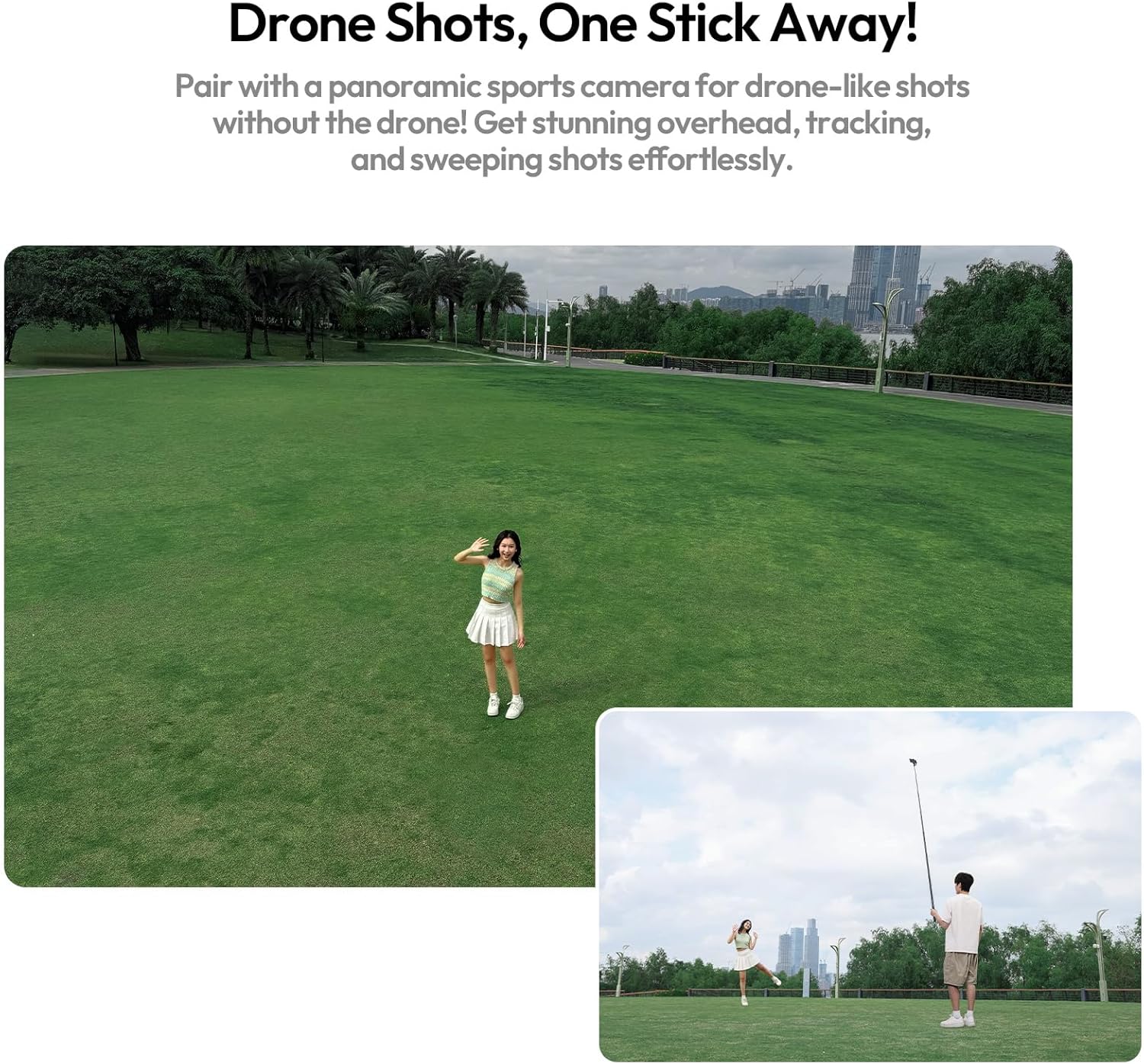
Image: A person holding the ULANZI VL02 selfie stick with a 360 camera attached, capturing an elevated, wide-angle shot in an outdoor park.

Image: A person holding the ULANZI VL02 selfie stick fully extended, demonstrating its reach for capturing unique perspectives.
6. Maintenance
- Cleaning: Wipe the selfie stick with a soft, damp cloth after each use. Avoid harsh chemicals or abrasive materials that could damage the carbon fiber or other components.
- After Seawater Exposure: If the product is exposed to seawater, rinse it thoroughly with fresh water immediately. After rinsing, dry the product completely in a shaded, well-ventilated area to prevent corrosion and salt buildup.
- Storage: Store the selfie stick in a dry, cool place, away from direct sunlight and extreme temperatures. Ensure it is fully retracted and clean before storage.
- Inspection: Periodically check all moving parts, especially the twist-lock mechanisms, for any signs of wear or damage.
7. Troubleshooting
7.1 Difficulty Extending or Retracting Sections
- Check Lock Mechanism: Ensure that each section's twist-lock mechanism is fully disengaged (twisted counter-clockwise) before attempting to extend or retract.
- Clean Sections: Dirt, sand, or debris can get trapped between sections, causing them to stick. Gently clean the stick, especially around the joints, with a soft, damp cloth. Allow it to dry completely.
- Avoid Force: Do not apply excessive force when extending or retracting. If a section is stuck, try twisting it gently back and forth while applying slight pressure.
7.2 Device Wobbles on Mount
- Tighten Mount: Ensure your camera or phone clamp is securely screwed onto the 1/4" mount.
- Check Phone Clamp: If using a phone clamp, verify that the phone is seated correctly and the clamp is tightened sufficiently to hold it firmly.
- Weight Limit: Confirm that the weight of your device does not exceed the maximum recommended load of 800g.
If you encounter issues not covered here, please refer to the Warranty & Support section for contact information.
8. Specifications
| Feature | Detail |
|---|---|
| Brand | ULANZI |
| Model Number | VL02 |
| Material | Carbon Fiber, Aluminum Alloy, Silicone |
| Collapsed Size | 41 cm (16.14 inches) |
| Maximum Height | 277 cm (109 inches / 8.86 ft) |
| Item Weight | 325 Grams |
| Weight Limit (Max Recommended Load) | 800 Grams |
| Number of Sections | 8 |
| Water Resistance Level | Waterproof |
| Compatible Devices | Cellphone, DJI Osmo Pocket/Osmo Action, GoPro HERO, Insta360 X5 X4 X3 and all |

Image: The ULANZI VL02 selfie stick shown with its key dimensions and technical specifications.
9. Warranty & Support
9.1 Product Warranty
The ULANZI VL02 Selfie Stick comes with a 3-month warranty from the date of purchase. This warranty covers manufacturing defects under normal use. Please retain your proof of purchase for warranty claims.
9.2 Customer Support
For technical assistance, warranty claims, or any other inquiries, please contact ULANZI customer support through their official channels. You can visit the ULANZI Official US Store on Amazon or refer to the contact information provided with your product packaging.


