
1. Introduction
The HyperMotion HYP20 CLIMBER Ninja Obstacle Course Slackline is designed for children and youth who enjoy outdoor activities. This kit transforms your garden into an engaging training circuit, promoting movement and play. It helps children develop balance, strength, and coordination through climbing and balancing activities. This manual provides essential information for safe assembly, operation, and maintenance of your obstacle course.

Image 1.1: Children enjoying the HyperMotion Ninja Obstacle Course.
2. Safety Information
- Adult Supervision Required: Always ensure children use the obstacle course under direct and constant adult supervision.
- Weight Limit: The maximum user weight for the obstacles is 113 kg (250 lbs). Do not exceed this limit.
- Proper Installation: Ensure the slackline is securely anchored to two sturdy trees or posts that can withstand significant tension and dynamic loads. Use the provided tree protectors.
- Clear Area: Install the course over a soft, level surface (e.g., grass, wood chips, sand) and ensure a clear fall zone around and beneath all obstacles. Remove any sharp objects or hazards.
- Regular Inspection: Before each use, inspect all components (slackline, ratchet, obstacles, carabiners, buckles) for wear, damage, or loose connections. Do not use if any part is damaged.
- Weather Conditions: Do not use the obstacle course in wet, icy, or windy conditions. Prolonged exposure to extreme weather may degrade materials.
- One User at a Time: For safety, only one child should use an obstacle at a time.
- Age Appropriateness: This product is intended for children and youth. Ensure users are physically capable of using the course safely.
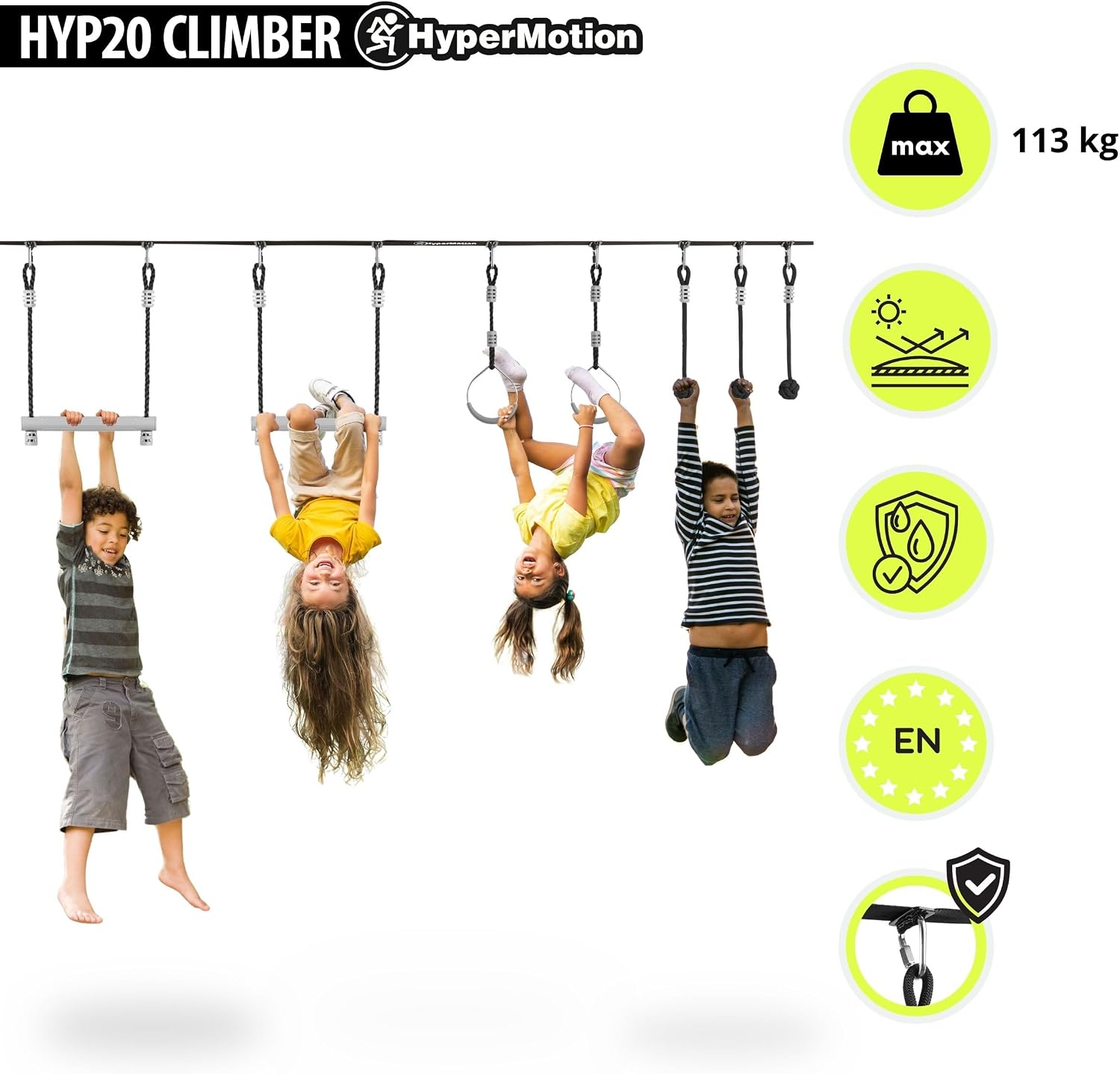
Image 2.1: Safety features and maximum weight capacity.
3. Package Contents
Your HyperMotion HYP20 CLIMBER kit includes the following components:
- 1x Slackline (15 meters long, 5 cm wide)
- 1x Ratchet Tensioner (with strap)
- 2x Trapezium Bars
- 2x Gymnastic Rings
- 3x Monkey Fists
- 9x Carabiners
- 9x Buckles
- 2x Felt Tree Protectors
- 1x Storage and Transport Bag

Image 3.1: Overview of included components.

Image 3.2: Obstacle quantities and slackline length.

Image 3.3: Carabiners and buckles.
4. Setup Instructions
Follow these steps to safely set up your Ninja Obstacle Course:
- Choose Location: Select two sturdy trees or posts (minimum diameter of 30 cm / 12 inches) that are approximately 10-14 meters (33-46 feet) apart. Ensure the ground beneath the course is soft and clear of obstacles.
- Protect Trees: Wrap the felt tree protectors around the trees at the desired height for the slackline (recommended height: 1.5 - 2 meters / 5 - 6.5 feet from the ground).
- Attach Slackline:
- Attach one end of the main slackline to one tree, ensuring it is wrapped securely around the tree protector.
- Feed the other end of the slackline through the ratchet tensioner, which should be attached to the second tree.
- Tension the Slackline: Use the ratchet to gradually tighten the slackline until it is taut. Ensure the line is level and does not sag excessively when a user is on it. The slackline has a load capacity of 3 tons, and the tensioner up to 5 tons.
- Attach Obstacles:
- Slide the buckles onto the slackline at your desired spacing.
- Use the carabiners to attach the obstacles (trapezium bars, gymnastic rings, monkey fists) to the buckles. You can arrange the 7 obstacles in any order.
- Final Check: Before allowing use, double-check all connections, the tension of the slackline, and the stability of the anchor points. Ensure the ground beneath is safe.
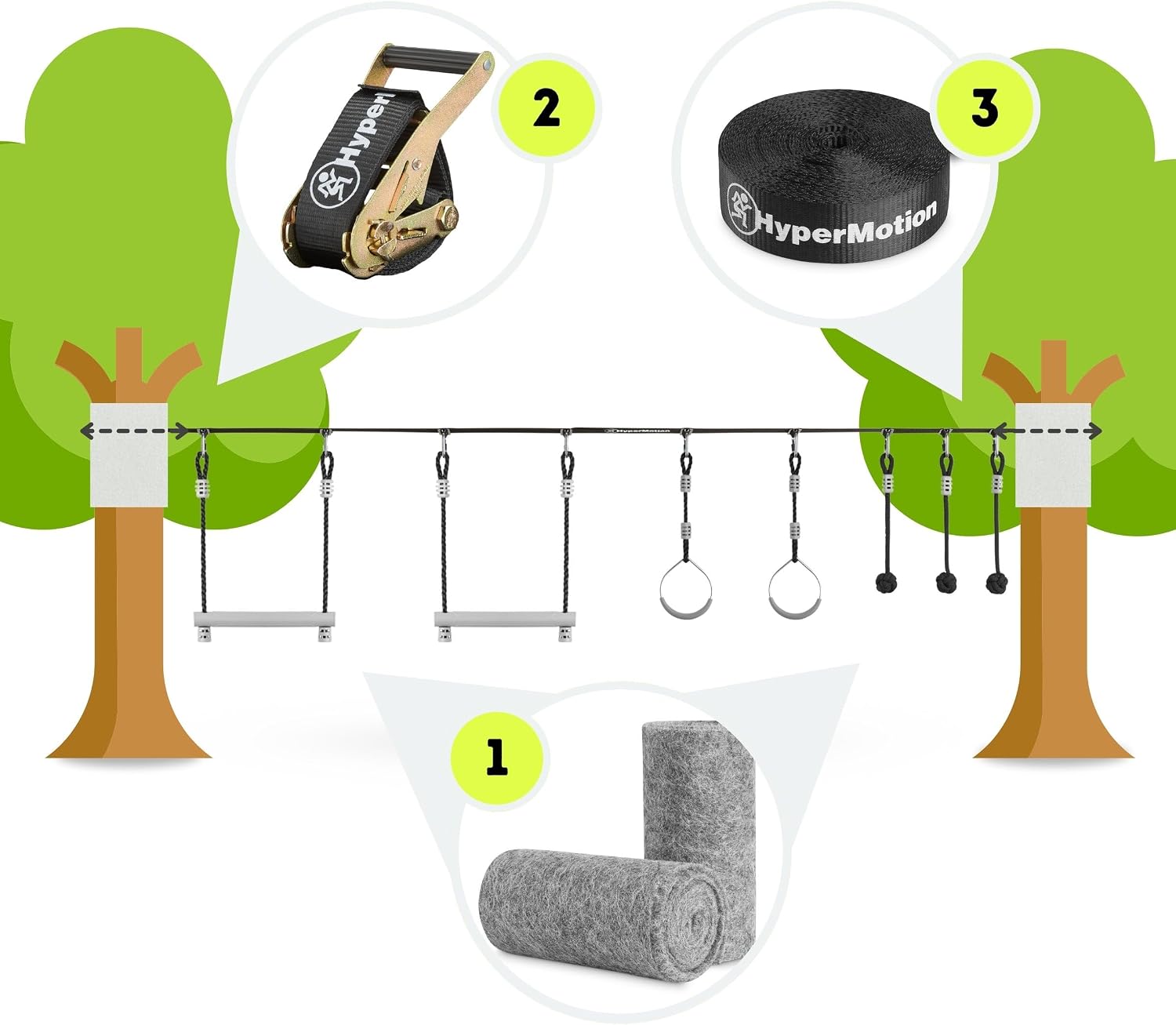
Image 4.1: Visual guide for slackline and obstacle setup.

Image 4.2: Slackline and ratchet tensioner details.
5. Operating Instructions
Once the HyperMotion Ninja Obstacle Course is properly set up and inspected, users can begin their adventure. Remember to always prioritize safety.
- Start Slowly: Encourage users to start with easier obstacles and gradually progress to more challenging ones as their strength and balance improve.
- Maintain Grip: Ensure a firm grip on all obstacles. If hands are sweaty, dry them before use.
- Focus on Balance: The slackline itself is a balance challenge. Encourage users to look forward, not down, and use their arms for balance.
- Safe Dismount: Instruct users on how to safely dismount from the obstacles or the slackline, ideally by dropping onto the soft ground below.
- Respect Limits: Do not attempt stunts or maneuvers beyond one's skill level.
6. Maintenance
Proper maintenance will extend the life of your HyperMotion Ninja Obstacle Course.
- Cleaning: Clean the slackline and obstacles with a damp cloth and mild soap if necessary. Rinse thoroughly and allow to air dry completely before storage.
- Storage: When not in use, especially during adverse weather conditions or for extended periods, disassemble the course and store all components in the provided transport bag in a cool, dry place away from direct sunlight.
- Inspection: Regularly inspect the slackline for fraying, cuts, or excessive wear. Check carabiners and buckles for deformation or rust. Inspect obstacles for cracks or damage. Replace any damaged components immediately.
- UV Protection: While materials are UV-resistant, prolonged exposure to intense sunlight can still cause degradation over time. Store indoors when not in use.
7. Troubleshooting
Here are some common issues and their solutions:
- Slackline Sags Too Much:
- Ensure the ratchet tensioner is fully tightened.
- Check if the anchor trees/posts are strong enough and not bending.
- Verify the distance between trees is within the recommended range (10-14 meters).
- Obstacles Slide on Slackline:
- Ensure the buckles are properly secured and tightened around the slackline.
- The slackline might not be taut enough; re-tension it.
- Difficulty Attaching Obstacles:
- Ensure carabiners are fully open and closed securely after attachment.
- Check that buckles are correctly positioned on the slackline.
8. Specifications
| Feature | Detail |
|---|---|
| Model Number | HYP20 CLIMBER |
| Brand | HyperMotion |
| Slackline Length | 15 meters (approx. 49 feet) |
| Slackline Width | 5 cm (approx. 2 inches) |
| Slackline Load Capacity | Up to 3000 kg (3 tons) |
| Ratchet Tensioner Capacity | Up to 5000 kg (5 tons) |
| Maximum User Weight | 113 kg (approx. 250 lbs) |
| Number of Obstacles | 7 (2x Bars, 2x Rings, 3x Monkey Fists) |
| Materials | Polyester, Carbon Steel, UV-resistant Plastics |
| Product Weight (approx.) | 4.5 kg (9.9 lbs) |
| Attachment Type | Carabiner |

Image 8.1: Obstacle dimensions and weight capacities.
9. Warranty Information
HyperMotion products are manufactured to high-quality standards. For specific warranty details, please refer to the warranty card included with your product or visit the official HyperMotion website. Keep your proof of purchase for any warranty claims.
10. Support
If you have any questions, require assistance with setup, or need to report a missing or damaged part, please contact HyperMotion customer support. You can typically find contact information on the product packaging or on the official HyperMotion website.
For more information, visit the HyperMotion Store.
