
Introduction
This manual provides comprehensive instructions for the Yimwme Open Ear Headphones M118. It covers setup, operation, maintenance, and troubleshooting to ensure optimal performance and user experience. These open-ear wireless Bluetooth headphones are designed for comfort and environmental awareness, featuring a 37-hour battery life, sweatproof design, and an AI translator function, compatible with both iPhone and Android devices.

Image: The Yimwme Open Ear Headphones M118, showing both earbuds and their compact charging case.
What's in the Box
Upon opening your Yimwme Open Ear Headphones M118 package, you should find the following items:
- Yimwme Open Ear Headphones (Left and Right Earbuds)
- Charging Station (Charging Case)
- USB Type-C Charging Cable (typically included)
- User Manual (this document)

Image: A visual representation of the open-ear headphones and their charging case, highlighting key features such as open-ear design, professional sound wave focusing, sweat-resistance, and approximately 6 hours of battery life per charge (total 37 hours with case).
Setup
1. Initial Charging
Before first use, ensure the charging case and earbuds are fully charged. Connect the charging case to a power source using the provided USB Type-C cable. The digital display on the case will indicate the charge level.
2. Bluetooth Pairing
- Open the charging case. The earbuds will automatically enter pairing mode.
- On your smartphone or device, navigate to the Bluetooth settings.
- Search for available devices and select "M118" (or similar name) from the list.
- Once selected, the headphones will connect, and you will hear an audible confirmation.
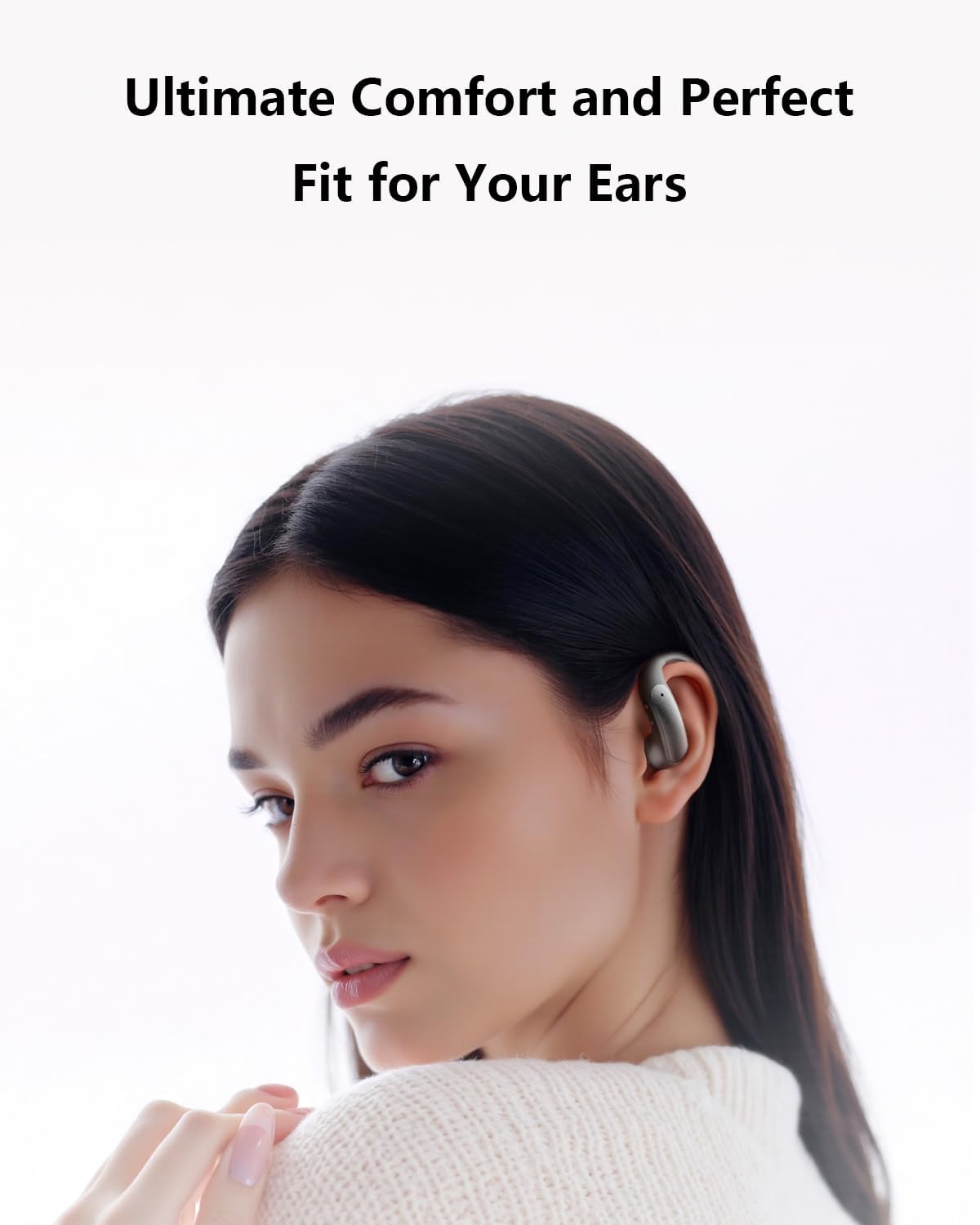
Image: A woman wearing the Yimwme Open Ear Headphones, demonstrating their comfortable and secure fit.
3. AI Translator App Installation (Optional)
To utilize the AI Translator feature, you need to download and install the "Wearfit Pro" application.
- For iOS systems: Requires version 12.0 or later. Download from the App Store.
- For Android systems: Requires version 6.0 or later. Download from the Google Play Store.
Connection Steps for AI Translator:
- First, ensure your phone is connected to the Bluetooth headset (as per step 2 above).
- Open the downloaded "Wearfit Pro" application.
- Tap the "+" sign to add a smart device.
- Connect to the headset M118 within the app.
Operating Instructions
1. Power On/Off
- Power On: Open the charging case, or press and hold the touch control area on each earbud for approximately 3 seconds.
- Power Off: Place the earbuds back into the charging case and close the lid, or press and hold the touch control area on each earbud for approximately 5 seconds.
2. Basic Touch Controls
The Yimwme M118 headphones feature touch-sensitive controls on each earbud. Specific functions may vary slightly, but common controls include:
- Play/Pause: Single tap on either earbud.
- Next Track: Double tap on the right earbud.
- Previous Track: Double tap on the left earbud.
- Volume Up: Triple tap on the right earbud.
- Volume Down: Triple tap on the left earbud.
- Answer/End Call: Single tap on either earbud during an incoming call.
- Reject Call: Press and hold on either earbud during an incoming call.
- Activate Voice Assistant: Press and hold on either earbud for 2 seconds (when not on a call).
3. Charging the Earbuds and Case
- Earbuds: Place the earbuds into the charging case. They will automatically begin charging. The case's display will show the charging status.
- Charging Case: Connect the USB Type-C cable to the charging port on the case and to a power adapter (not included) or computer USB port. The digital display indicates the battery percentage.
The earbuds offer approximately 6 hours of listening time on a single charge, with the charging case providing multiple additional charges for a total of up to 37 hours of battery life.
4. Open-Ear Design and Environmental Awareness
The open-ear design allows you to hear your audio while remaining aware of your surroundings. This feature is particularly beneficial for outdoor activities like running or cycling, enhancing safety by allowing you to perceive traffic signals and other environmental sounds.

Image: A woman wearing the open-ear headphones, illustrating the concept of open ear comfort and safe listening by allowing ambient sound awareness.

Image: A detailed diagram illustrating the acoustic focusing technology and sound leakage prevention mechanisms integrated into the open-ear headphone design.
Maintenance
Proper maintenance ensures the longevity and optimal performance of your Yimwme Open Ear Headphones.
1. Cleaning
- Gently wipe the earbuds and charging case with a soft, dry, lint-free cloth.
- Do not use abrasive cleaners, alcohol, or chemical solvents.
- Avoid getting moisture into any openings.
2. Storage
- When not in use, store the earbuds in their charging case to protect them and keep them charged.
- Store in a cool, dry place, away from extreme temperatures and direct sunlight.
3. Water Resistance
The headphones are sweatproof and water-resistant, making them suitable for fitness activities. However, they are not waterproof. Avoid submerging them in water or exposing them to heavy rain.

Image: Depicts the versatility of the headphones for different scenarios, including sports and fitness (waterproof and stable) and commuting entertainment (HD call, audio-video sync).
Troubleshooting
If you encounter issues with your Yimwme Open Ear Headphones, refer to the following common solutions:
| Problem | Possible Solution |
|---|---|
| Headphones not pairing |
|
| No sound or low volume |
|
| Earbuds not charging |
|
| AI Translator not working |
|
| Microphone issues during calls |
|
Specifications
| Model Name | Open Buds |
| Item Model Number | M118 |
| Brand | Yimwme |
| Connectivity Technology | Wireless (Bluetooth) |
| Bluetooth Version | 5.2 |
| Battery Life | Up to 37 Hours (with charging case) |
| Ear Placement | On Ear / Open-Ear |
| Water Resistance Level | Water Resistant (Sweatproof) |
| Control Method | Touch |
| Audio Driver Type | Dynamic Driver (14.2mm) |
| Frequency Range | 20 Hz - 20,000 Hz |
| Material | Plastic, Silicone, Fabric |
| Item Weight | 3.52 ounces |
| Compatible Devices | Cellphones (iPhone, Android) |

Image: An exploded view diagram showcasing the High-Resolution Composite Titanium Diaphragm, indicating the advanced audio components within the headphones.
Warranty Information
Specific warranty details for the Yimwme Open Ear Headphones M118 are not provided in the product information. Please refer to the packaging or contact the manufacturer directly for warranty terms and conditions.
Customer Support
For further assistance, technical support, or inquiries regarding your Yimwme Open Ear Headphones M118, please refer to the contact information provided on the product packaging or the official Yimwme website. If you have questions regarding the AI Translator app, you may also contact the developers of "Wearfit Pro".


