
1. Introduction
This manual provides instructions for the assembly, operation, maintenance, and troubleshooting of your DXRacer Tank XXL Ergonomic Gaming Chair. Please read these instructions carefully before assembly and use to ensure proper function and longevity of your chair.
The DXRacer Tank XXL Gaming Chair is designed for adults, offering ergonomic support for extended periods of sitting, whether for gaming or office work. Key features include a high-backrest design, magnetic head pillow and lumbar support, 4D adjustable armrests, and a robust construction supporting up to 400 lbs.
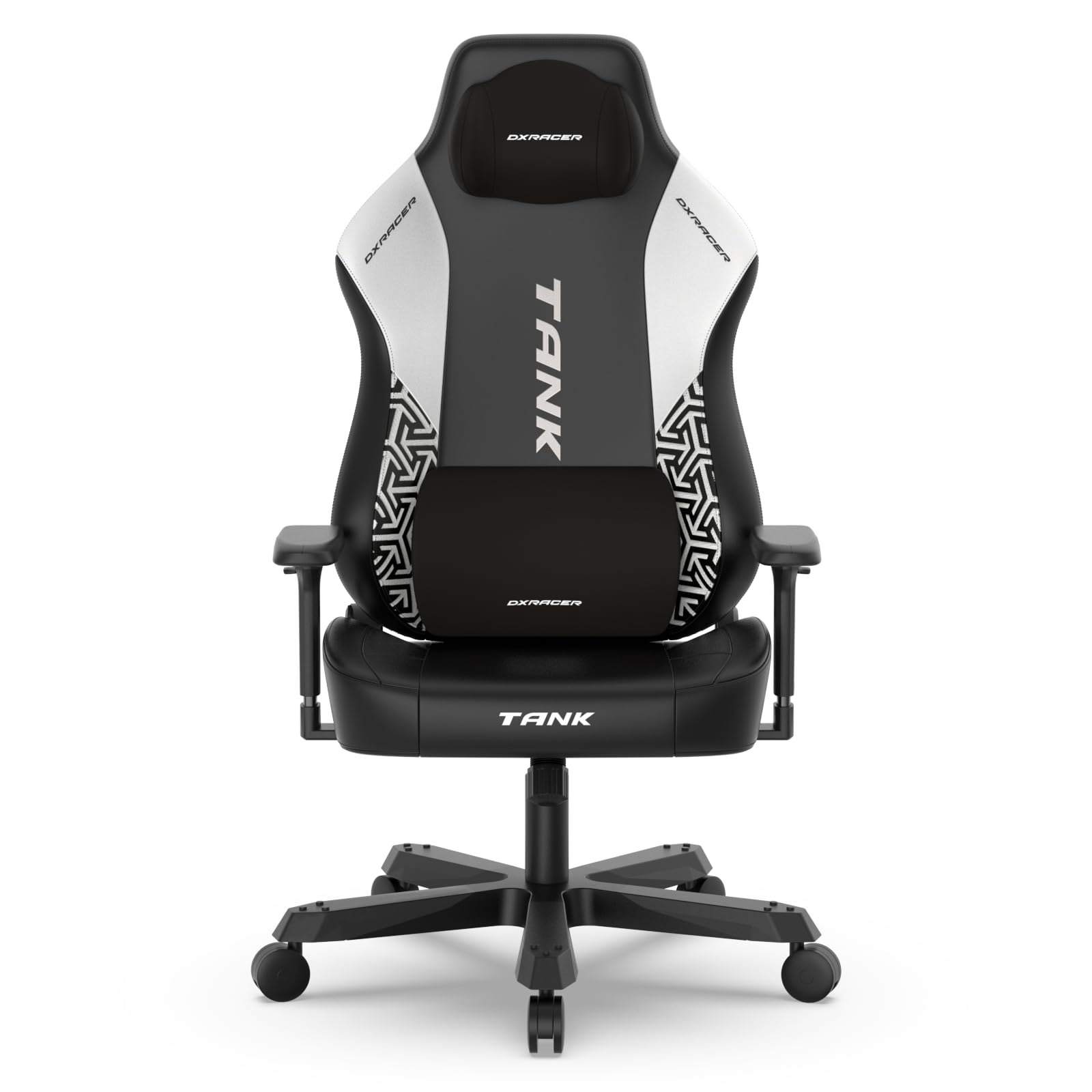
Figure 1: Front view of the DXRacer Tank XXL Gaming Chair.
2. Package Contents
Before beginning assembly, ensure all components are present. Refer to the included parts list in your product packaging. Typically, the package includes:
- Backrest
- Seat Base with Armrests attached
- Star Base (5-star aluminum base)
- Casters (5 pieces)
- Gas Lift Cylinder with Cover
- Tilt Mechanism
- Magnetic Head Pillow
- Magnetic Lumbar Support Cushion
- Side Covers (2 pieces)
- Assembly Hardware (screws, washers, Allen key)
3. Setup and Assembly Instructions
Follow these steps to assemble your DXRacer Tank XXL Gaming Chair. It is recommended to assemble the chair on a soft, clean surface to prevent damage.
- Attach Casters to Star Base: Insert each of the five casters into the holes at the end of each leg of the star base. Push firmly until they click into place.
- Install Gas Lift: Place the gas lift cylinder into the center hole of the assembled star base. Cover the gas lift with the telescopic plastic cover.
- Attach Tilt Mechanism: Secure the tilt mechanism to the underside of the seat base using the provided screws and Allen key. Ensure the front of the mechanism faces the front of the seat.
- Connect Seat to Gas Lift: Carefully place the assembled seat base onto the gas lift cylinder. The tapered end of the gas lift should fit securely into the center hole of the tilt mechanism.
- Attach Backrest to Seat: Align the metal brackets on the backrest with the corresponding holes on the seat base. Secure with the provided screws and washers. Do not overtighten initially.
- Install Side Covers: Once the backrest is securely attached, snap the plastic side covers over the metal brackets to conceal the screws.
- Attach Head Pillow and Lumbar Support: The head pillow and lumbar support are magnetic and can be easily positioned on the backrest for optimal comfort.

Figure 2: Illustration of thickened metal parts, including hydraulics and casters, for stability.

Figure 3: Detail of the heavy-duty tilt mechanism and reinforced steel frame.
4. Operating Instructions
Your DXRacer Tank XXL Gaming Chair offers several adjustment options to customize your seating experience:
- Height Adjustment: To adjust the chair's height, pull the lever located on the right side of the seat upwards. While holding the lever, lift your weight off the seat to raise it, or remain seated and apply pressure to lower it. Release the lever to lock the height.
- Backrest Recline: The backrest can be reclined from 90 to 135 degrees. Pull the lever on the right side of the seat, near the backrest, upwards to unlock the recline. Lean back to your desired angle and release the lever to lock.
- Tilt and Rocking Function: The chair features a tilt mechanism that allows for a rocking motion. A knob under the seat (usually at the front) adjusts the tension of the tilt. Turn clockwise to increase tension (less rocking) and counter-clockwise to decrease tension (more rocking). A separate lever (often the same as the height adjustment lever, pushed inwards) can lock or unlock the tilt.
- 4D Armrest Adjustment: The armrests are multi-functional. They can be adjusted in four dimensions:
- Height: Press the button on the side of the armrest and move it up or down.
- Front/Back: Slide the armrest pad forward or backward.
- Left/Right: Slide the armrest pad left or right.
- Rotation: Rotate the armrest pad inwards or outwards.
- Magnetic Head Pillow and Lumbar Support: These cushions attach magnetically to the backrest, allowing for easy repositioning to support your head and lower back as needed.

Figure 4: Demonstrates the 90-135 degree reclining backrest feature.

Figure 5: Details of the magnetic headrest and lumbar support, and 4D adjustable armrests.
5. Maintenance
Proper maintenance ensures the longevity and optimal performance of your DXRacer Tank XXL Gaming Chair.
- Cleaning: The EPU Leatherette material can be cleaned by wiping with a damp cloth. For tougher stains, use a mild soap solution and wipe dry immediately. Avoid harsh chemicals or abrasive cleaners.
- Moving Parts: Periodically check all screws and bolts to ensure they are tight. Retighten if necessary. Lubricate moving parts like the tilt mechanism and casters with a silicone-based lubricant if they become stiff or noisy.
- Casters: Keep casters free of hair and debris to ensure smooth movement.
- General Care: Avoid exposing the chair to direct sunlight for prolonged periods to prevent material degradation. Do not stand on the chair or use it for purposes other than sitting.
6. Troubleshooting
If you encounter issues with your DXRacer Tank XXL Gaming Chair, refer to the following common problems and solutions:
| Problem | Possible Cause | Solution |
|---|---|---|
| Chair does not adjust height | Gas lift malfunction or lever issue | Ensure the height adjustment lever is fully engaged. If the issue persists, the gas lift may need replacement. Contact customer support. |
| Backrest does not recline or lock | Recline mechanism jammed or lever issue | Check for obstructions. Ensure the recline lever is fully pulled to unlock and fully released to lock. |
| Chair squeaks or creaks | Loose bolts or dry moving parts | Tighten all assembly bolts. Apply silicone lubricant to the tilt mechanism and gas lift connections. |
| Casters do not roll smoothly | Debris in casters | Remove any hair or debris from the caster wheels. |
| Armrests are loose | Mounting screws are loose | Tighten the screws securing the armrests to the seat base. |
If these solutions do not resolve the issue, please contact DXRacer customer support for further assistance.
7. Specifications
Detailed specifications for the DXRacer Tank XXL Gaming Chair (Model GC/XXLTM):
- Brand: DXRacer
- Model Name: TANK
- Item Model Number: GC/XXLTM
- Color: Black White
- Material: EPU Leatherette (Fill Material: Foam)
- Product Dimensions (D x W x H): 23.4" x 23.8" x 58.6"
- Seat Depth: 23.4 inches
- Maximum Weight Recommendation: 400 Pounds
- Item Weight: 75 pounds
- Special Features: Adjustable Headrest, Adjustable Height, Adjustable Lumbar, Big and Tall, Ergonomic
- Back Style: Wing Back
- Furniture Base Movement: Swivel
- Recommended Uses: Gaming, Office
- UPC/GTIN: 810027592651

Figure 6: DXRacer Tank Series Dimensions.
8. Product Videos
Watch these videos for additional information and demonstrations of the DXRacer Tank XXL Gaming Chair's features.
Video 1: Product overview and features demonstration (0:30).
Video 2: Short demonstration of chair functionality (0:26).
Video 3: Another short product feature highlight (0:26).
Video 4: Detailed product review or assembly guide (2:49).
Video 5: Product demonstration and usage tips (1:52).
Video 6: Quick overview of chair features (0:34).
9. Warranty and Support
For warranty information and customer support, please refer to the documentation included with your purchase or visit the official DXRacer website. Warranty terms typically cover manufacturing defects and specific components for a defined period.
DXRacer Official Website: www.dxracer.com
When contacting support, please have your model number (GC/XXLTM) and proof of purchase readily available.