
1. Introduction
The YIHUA 948D-I is a high-performance 110W desoldering station designed for efficient removal of through-hole components. It features precise temperature control, ESD-safe operation, and user-friendly functions such as preset channels, sleep mode, and an auto-standby function. This manual provides essential information for the safe and effective use of your desoldering station.

Figure 1.1: YIHUA 948D-I Desoldering Station and included accessories.
2. Safety Instructions
Please read and understand all safety instructions before operating the desoldering station. Failure to follow these instructions may result in electric shock, fire, or personal injury.
- Electrical Safety: Ensure the unit is connected to a properly grounded 110-127V AC power outlet. Do not operate in wet conditions. Disconnect power before cleaning or maintenance.
- Heat Hazard: The desoldering gun tip and nozzle reach high temperatures. Avoid direct contact with skin. Use heat-resistant gloves if necessary. Allow components to cool before handling.
- Fumes: Desoldering produces fumes. Always work in a well-ventilated area or use a fume extractor to prevent inhalation of harmful substances.
- ESD Protection: This unit is ESD-safe. To maintain ESD protection, ensure proper grounding of your workstation and use appropriate ESD precautions when handling sensitive electronic components.
- Children and Pets: Keep the desoldering station out of reach of children and pets.
- Intended Use: This device is intended for desoldering electronic components. Do not use it for purposes other than its intended function.
3. Package Contents
Verify that all items listed below are included in your package:
- 1 x YIHUA 948D-I Desoldering Station
- 1 x Desoldering Gun (with 1.0mm nozzle pre-installed)
- 3 x Extra Desoldering Nozzles (0.8mm, 1.2mm, 2.0mm)
- 10 x Filtration Adsorbers
- 5 x Ceramic Filters
- 1 x Set of Cleaning Pins
- 2 x Filter Springs
- 1 x Solder Residue Chamber (Transparent)
- 1 x Desoldering Gun Retainer
- 1 x Heat-Resistant Pad
- 1 x Desoldering Gun Sealing Silicone Pad
- 1 x Vacuum Receptacle Cover

Figure 3.1: Upgraded desoldering nozzles included with the station.
4. Product Features
- High-Power 110W Desoldering: This station provides 110W of power, making it suitable for desoldering a variety of through-hole components quickly. It offers enhanced capability for multilayer PCBs compared to lower-wattage stations. Note: This model is not suitable for desoldering graphics card motherboards.
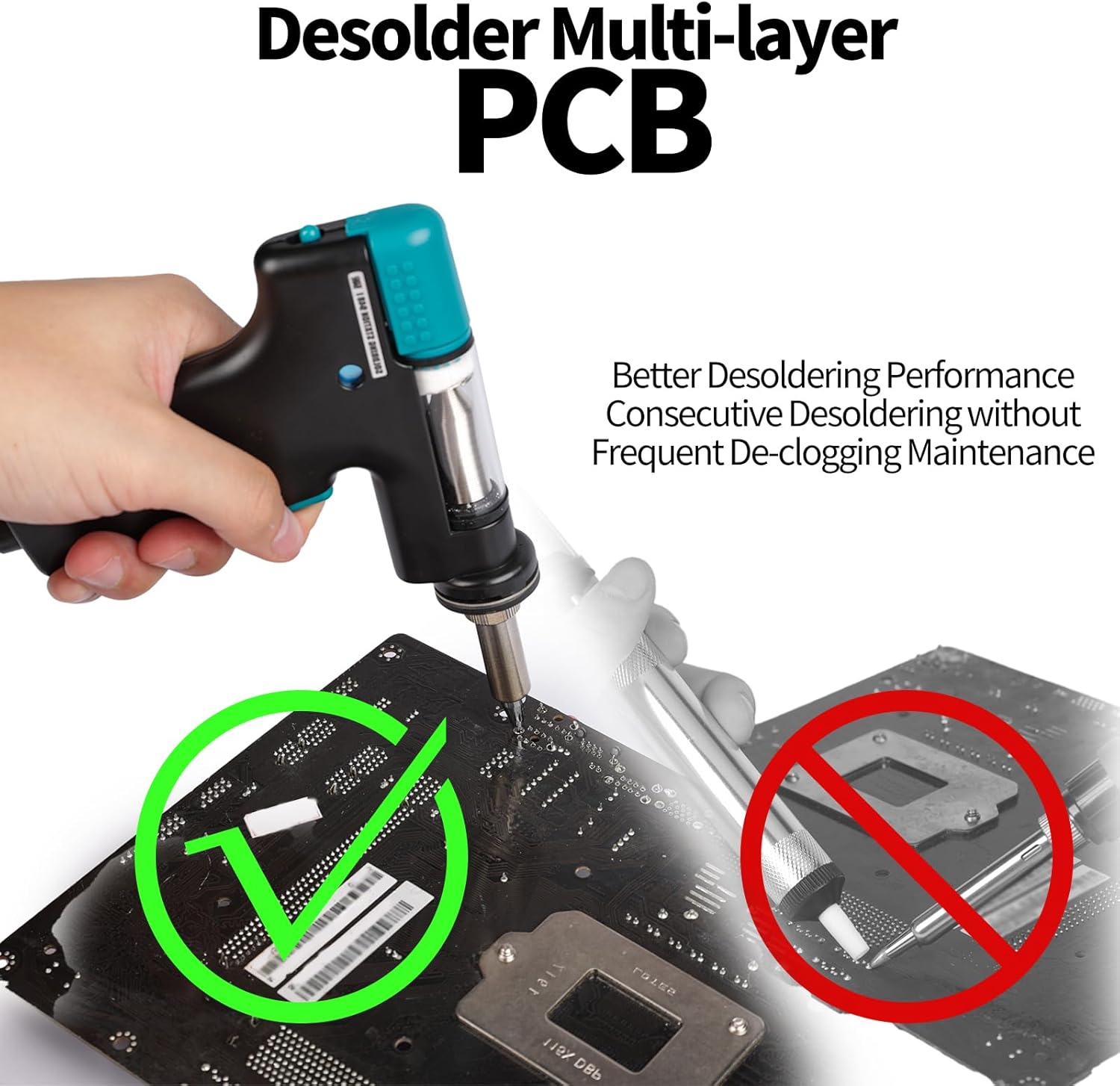
Figure 4.1: Effective desoldering on multi-layer PCBs.
- Precise Temperature Control & Easy Operation: The adjustable temperature range is from 716°F to 896°F (380°C to 480°C). A built-in PID program ensures fast and accurate temperature regulation. The desoldering gun allows for single-handed operation, simplifying desoldering tasks.

Figure 4.2: Adjustable temperature and PID control for stable heat.
- 3 Preset Channels: The station features three customizable preset channels (CH1, CH2, CH3). Each channel can store a user-defined temperature setting, allowing for quick switching between commonly used temperatures without repeated adjustments.
- Sleep & Auto Standby Mode: When the desoldering gun is idle for a user-adjustable duration (0 to 120 minutes), the station enters sleep mode to reduce wear and extend the lifespan of the nozzle and heating element. Further non-use for 30 minutes activates standby mode, enhancing safety.
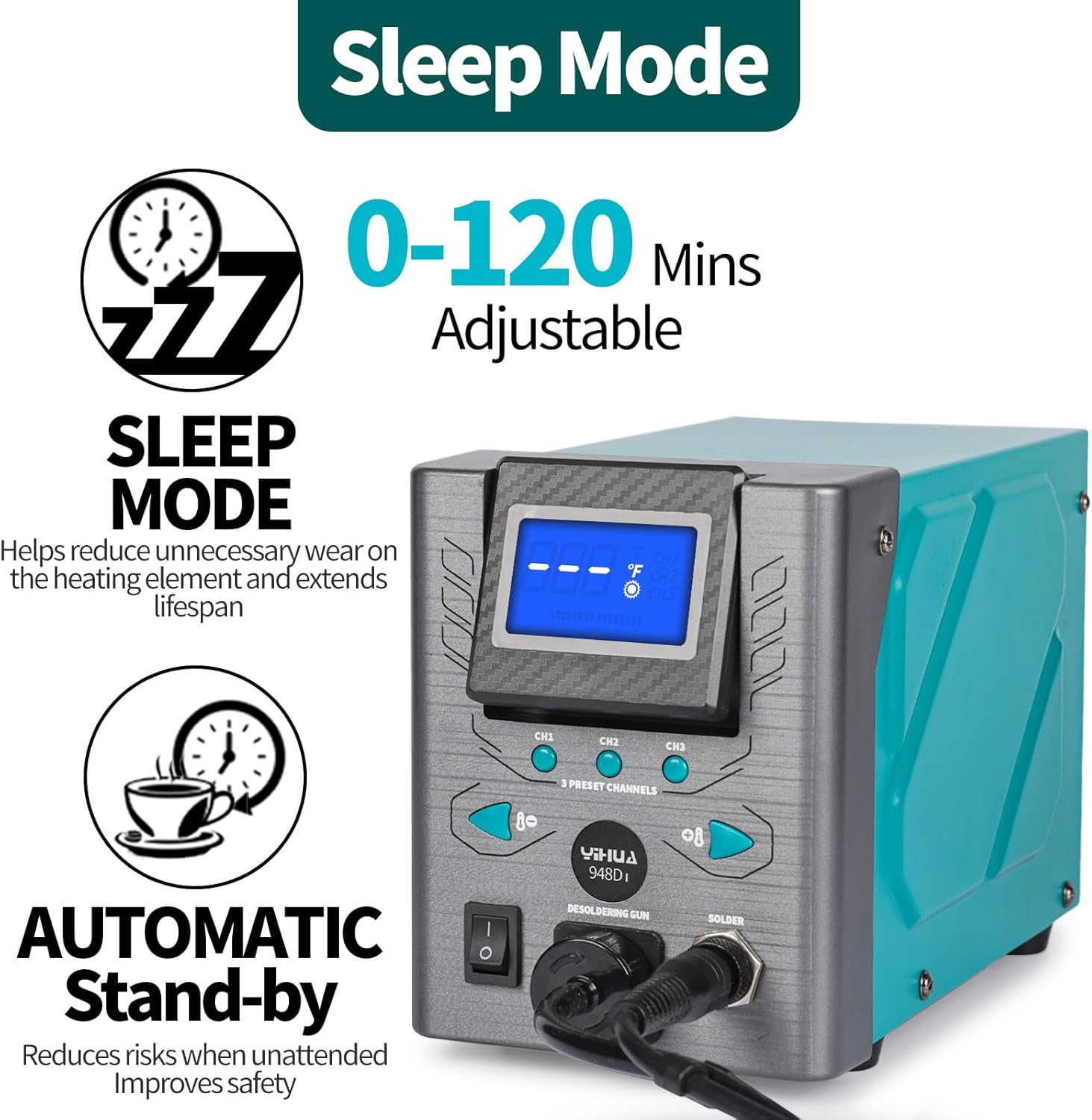
Figure 4.3: Sleep and Auto Standby modes for safety and longevity.
- Tiltable Display: The display angle can be adjusted to suit different viewing elevations, improving visibility and user experience.
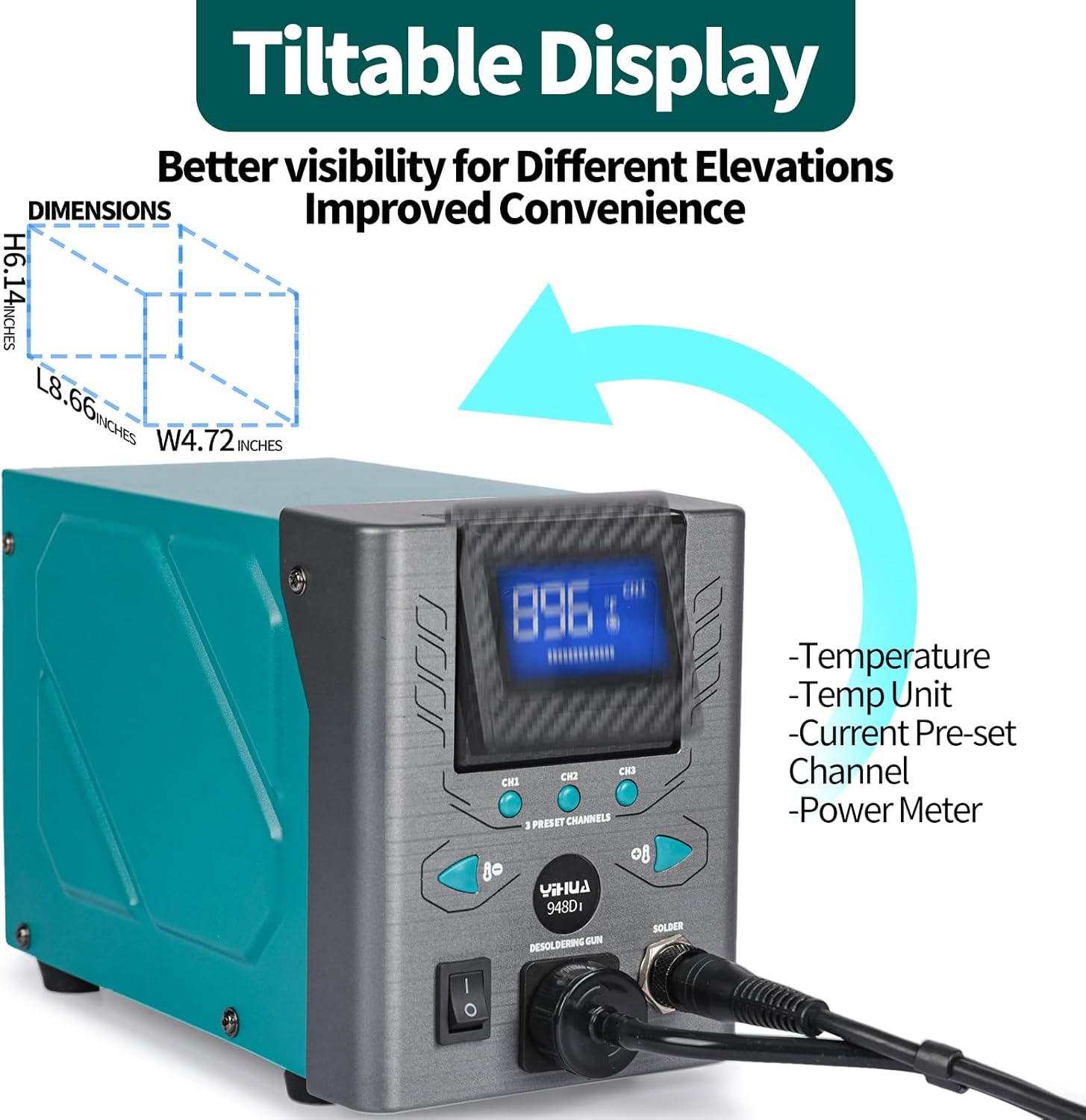
Figure 4.4: Tiltable display for optimal viewing angles.
- Upgraded Accessories: The included desoldering nozzles offer 80% higher thermal mass compared to previous generations, facilitating easier solder removal, especially for joints requiring more heat. Multiple nozzle sizes (0.8/1.0/1.2/2.0mm) are provided for various applications.
5. Setup
5.1 Unpacking
Carefully remove all components from the packaging. Inspect for any damage during transit. Retain packaging for future storage or transport.
5.2 Connecting the Desoldering Gun
- Connect the desoldering gun cable to the designated port on the front panel of the main station. Ensure a secure connection.
- Place the desoldering gun into its retainer stand.
5.3 Power Connection
Connect the power cord to the back of the main station and then plug it into a grounded 110-127V AC power outlet.
6. Operating Instructions
6.1 Powering On/Off
Flip the power switch on the front panel to the 'ON' position to power on the station. The display will illuminate. Flip to 'OFF' to power down.
6.2 Setting Temperature
Use the up/down arrow buttons on the front panel to adjust the desired temperature. The display will show the set temperature. The unit will automatically heat up to the set temperature.
6.3 Using Preset Channels
Press the CH1, CH2, or CH3 buttons to quickly switch to a pre-configured temperature setting. To save a new temperature to a channel, set the desired temperature, then press and hold the corresponding channel button until it beeps or the display confirms.
6.4 Desoldering Process
Follow these steps for effective desoldering:

Figure 6.1: Step-by-step guide for desoldering.
- Set Temperature and Preheat: Set your desired temperature and allow approximately 3 minutes for the unit to preheat. The station will beep when ready.
- Prepare Joint: Cover the solder joint with the desoldering gun nozzle. If necessary, add a small amount of fresh solder to the joint to improve heat transfer and ensure complete melting.
- Melt Solder: Allow the solder to melt completely around the component lead.
- Extract Solder: Press the trigger on the desoldering gun to activate the vacuum pump and extract the molten solder. Hold for a moment to ensure all solder is removed, then lift the gun.
6.5 Temperature Unit Conversion (°C/°F)
The station supports switching between Celsius and Fahrenheit. Refer to the specific button on your unit or consult the quick start guide for the exact procedure, typically involving a long press of a temperature adjustment button.
7. Maintenance
Regular cleaning and maintenance are crucial for optimal performance and longevity of your desoldering station.

Figure 7.1: Steps for regular cleaning of the desoldering station.
7.1 Regular Cleaning
- Clean Solder Chamber: Regularly empty the transparent solder residue chamber to prevent buildup.
- Clean Filter Spring: Remove and clean the filter spring to ensure proper airflow and suction.
- Clean Nozzles: Use the provided cleaning pins to clear any solder blockages from the desoldering nozzles.
- Clean Vacuum Receptacle: Ensure the vacuum receptacle is free of debris.
7.2 Nozzle Replacement
To replace a nozzle, ensure the unit is cool and powered off. Unscrew the retaining nut, remove the old nozzle, and insert the new one. Securely tighten the retaining nut.

Figure 7.2: Replacing a desoldering nozzle.
7.3 Filter Replacement
Periodically inspect and replace the filtration adsorbers and ceramic filters as they become saturated with solder flux and debris. Refer to the diagram in the package contents for filter locations.
8. Troubleshooting
This section addresses common issues you might encounter with your desoldering station.
- No Power: Check the power cord connection and ensure the power switch is in the 'ON' position. Verify the power outlet is functional.
- No Suction: Ensure the solder chamber is not full and the filter spring and filters are clean. Check for blockages in the nozzle or the desoldering gun's internal tubing.
- Temperature Not Stable/Not Reaching Set Temperature: Ensure the nozzle is clean and properly seated. Allow sufficient preheat time. If the issue persists, the heating element or sensor may require inspection.
- Solder Not Melting: Increase the temperature setting. Ensure the nozzle is clean and making good contact with the solder joint. Add fresh solder to the joint to aid heat transfer.
- Gun Not Heating: Check the connection of the desoldering gun to the main unit. If the problem persists, the heating element or cable may be faulty.
9. Specifications
| Model Number | YIHUA 948D-I |
| Power Source | AC |
| Voltage | 110 Volts (DC) |
| Wattage | 110 watts |
| Temperature Range | 716°F - 896°F (380°C - 480°C) |
| Display Type | Digital |
| Item Weight | 6.69 pounds |
| Package Dimensions | 15.59 x 9.17 x 6.22 inches |
| Manufacturer | Guangzhou Yihua Electronic Equipment Co.,Ltd. |
10. Warranty and Support
YIHUA provides a 12-month US-exclusive manufacturer technical coverage for this product. For professional assistance, please contact YIHUA customer support. Refer to your purchase documentation for specific contact details.


