
1. Introduction
This manual provides detailed instructions for the setup, operation, and maintenance of your Generic ET580 Smart Watch. Please read this manual thoroughly to ensure proper use and to fully utilize all features of your device. Keep this manual for future reference.

Image 1.1: The Generic ET580 Smart Watch, displaying its main interface with health metrics and time.
2. Getting Started
2.1. Package Contents
Verify that all items are present in your package:
- Generic ET580 Smart Watch
- Charging Cable
- User Manual (this document)
- Watch Band
2.2. Charging the Device
Before first use, fully charge your smart watch. Connect the magnetic charging cable to the charging contacts on the back of the watch and plug the USB end into a standard USB power adapter (not included). A full charge typically takes approximately 2 hours. The watch offers 4-7 days of normal use or up to 15 days of standby time on a single charge.
2.3. App Installation and Pairing
- Download the "H Band" app from your smartphone's app store (compatible with iOS 8.2 or higher and Android 4.4 or higher).
- Ensure Bluetooth is enabled on your smartphone.
- Open the "H Band" app and follow the on-screen instructions to create an account or log in.
- In the app, navigate to the device pairing section and select your ET580 Smart Watch from the list of available devices.
- Confirm the pairing request on both your watch and smartphone.
3. Setup and Customization
3.1. Initial Setup
Upon successful pairing, the watch will synchronize time and date with your smartphone. You can enter personal information such as age, height, and weight within the "H Band" app to improve the accuracy of health and activity tracking data.
3.2. Customizing Watch Faces
The "H Band" app provides access to over 150 watch faces. You can select and customize watch faces to personalize your device's appearance. Navigate to the watch face section within the app to browse and apply new designs.

Image 3.1: The ET580 Smart Watch displaying various functional icons, indicating its multifunctional capabilities.
4. Operating the Smart Watch
4.1. Navigation
The ET580 Smart Watch features a 2.04-inch AMOLED Retina touchscreen for navigation. Swipe left, right, up, or down to access different menus and functions. Press the side button to return to the home screen or access the app list.
4.2. Bluetooth Calling and Message Notifications
Once paired with your smartphone, the watch allows you to make and receive calls directly. The built-in microphone and speaker facilitate clear communication. You will also receive vibration alerts for incoming calls, text messages, emails, and notifications from various applications (e.g., Facebook, Twitter, WhatsApp). You can view caller names/numbers and read full messages on the 2.04-inch display.

Image 4.1: The smart watch demonstrating its seamless wrist connection for answering calls and receiving messages.
4.3. Smart Features
The watch includes several smart functions:
- Screen-off Display: Option for pointer or digital display when the screen is off.
- Stopwatch & Timer: For timing activities.
- Alarm Clock: Set multiple alarms.
- Calculator: Basic arithmetic functions.
- Flashlight: Uses the screen as a light source.
- Mini-games: Simple entertainment.
- Find Phone: Helps locate your paired smartphone.
- Camera Control: Remotely trigger your phone's camera.
- Do Not Disturb Mode: Mutes notifications.
- SOS Emergency Function: Initiates an emergency call or message (requires setup in the app).
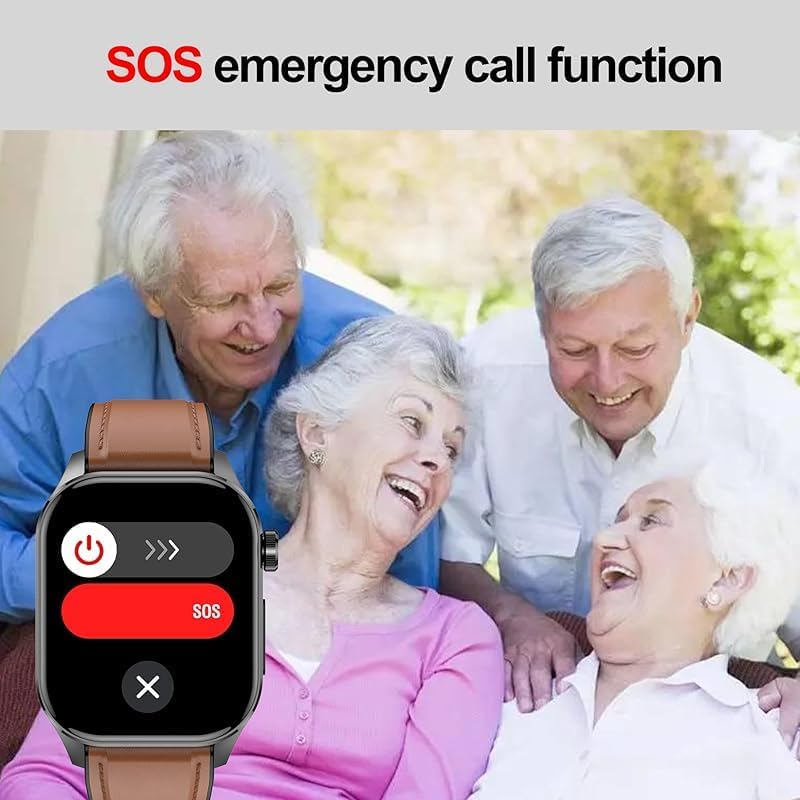
Image 4.2: The smart watch interface showing the SOS emergency call function, designed for quick access in critical situations.
4.4. Smart Voice Assistant
The ET580 Smart Watch integrates a voice assistant. Activate it to perform various tasks such as checking the weather, controlling music playback, or initiating calls through voice commands.

Image 4.3: A user interacting with the smart voice assistant on the watch, demonstrating commands like "Open Music" or "View Weather".
5. Health Monitoring
The ET580 Smart Watch provides continuous health tracking features:
- Heart Rate Monitoring: 24/7 real-time tracking of your heart rate.
- HRV (Heart Rate Variability): Monitors variations in heart rate.
- Stress Levels: Assesses your stress levels throughout the day.
- Blood Pressure: Provides estimates of blood pressure.
- Blood Oxygen (SpO2): Measures blood oxygen saturation using infrared and red light sensors.
- Sleep Tracking: Analyzes sleep quality, including deep sleep, light sleep, and wake times.
- Body Composition Insights: Offers data related to body fat, BMI, and muscle mass.
- Menstrual Cycle Reminder: For female users, tracks and predicts menstrual cycles.
- Breathing Training: Guided breathing exercises for relaxation.
- Drinking Water Reminder: Prompts you to stay hydrated.
- Sedentary Reminder: Alerts you to move after periods of inactivity.

Image 5.1: The watch interface showing a comprehensive overview of all-day health insights, including sleep, blood oxygen, HRV, heart rate, stress, and blood pressure.
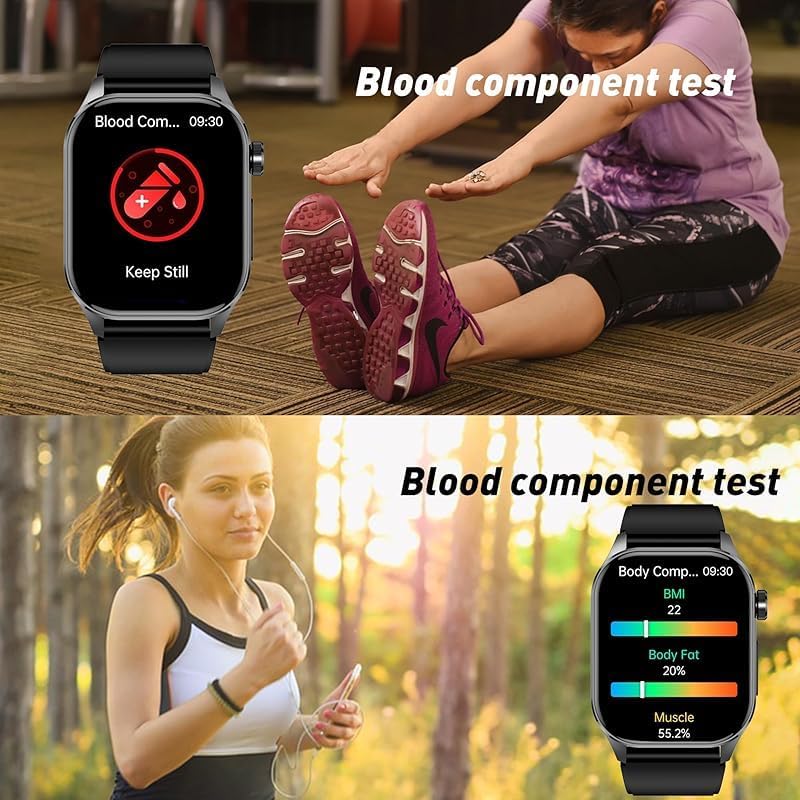
Image 5.2: The smart watch displaying blood component test results and body composition data, including BMI and body fat percentage.
Note: Health monitoring data from this device is for reference only and should not be used for medical diagnosis or treatment.
6. Sports Modes and Activity Tracking
The ET580 Smart Watch is equipped with advanced sensors to track your daily physical activity and supports 150 different sports modes.
- Daily Activity Tracking: Monitors steps taken, distance covered, and calories burned throughout the day.
- 150 Sports Modes: Access a wide range of workout options through the "H Band" app to track specific exercise durations and calorie expenditure.
- GPS Connection: For outdoor workouts, connect to your phone's GPS via the app to view exercise routes and pace.
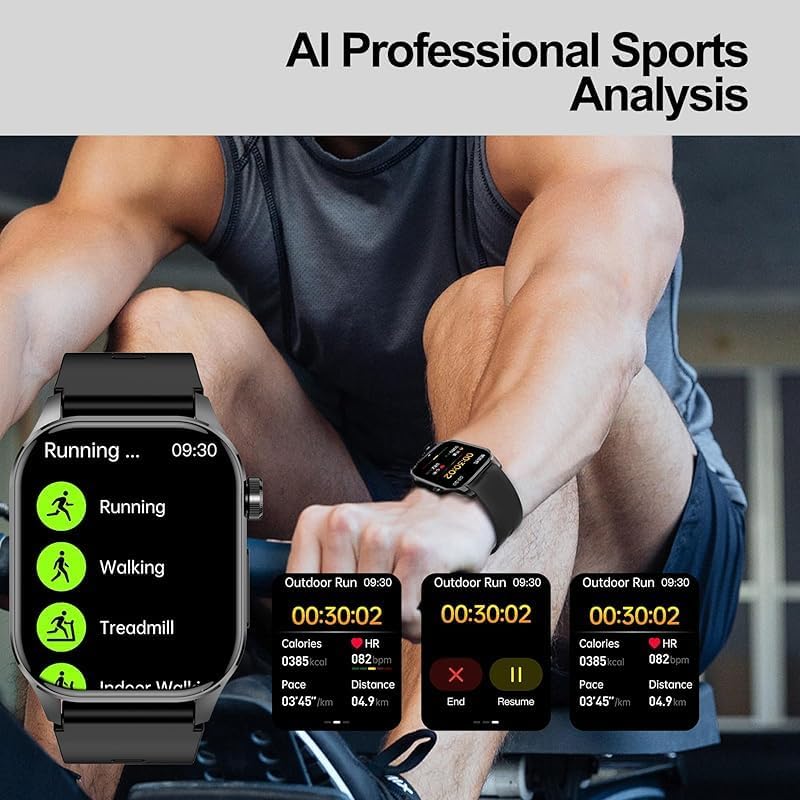
Image 6.1: The smart watch interface showing AI professional sports analysis, detailing metrics for running, walking, and treadmill exercises.
7. Maintenance
7.1. Water Resistance
The ET580 Smart Watch has an IP68 water resistance rating, meaning it is protected against dust and can withstand immersion in water up to 1.5 meters for 30 minutes. You can wear it confidently during daily activities such as washing hands or in light rain. However, it is not recommended for hot showers, saunas, or diving, as steam and high water pressure may compromise the seal.

Image 7.1: The smart watch demonstrating its IP68 waterproof capability, shown partially submerged in water.
7.2. Cleaning
Regularly clean your watch and watch band to prevent skin irritation and maintain device functionality. Use a soft, damp cloth to wipe the screen and body. For the watch band, you can use mild soap and water, then rinse thoroughly and dry completely before reattaching to the watch.
7.3. Battery Care
To prolong battery life, avoid exposing the watch to extreme temperatures. Charge the device using the provided magnetic USB cable. Do not use damaged chargers or cables.
8. Troubleshooting
- Watch not turning on: Ensure the watch is fully charged. Connect it to the charging cable for at least 10 minutes.
- Cannot pair with smartphone:
- Ensure Bluetooth is enabled on your phone.
- Make sure the watch is within range of your phone.
- Restart both the watch and your phone.
- Check if the "H Band" app is updated to the latest version.
- If previously paired, try unpairing and re-pairing the device through the app.
- Inaccurate health data:
- Ensure the watch is worn snugly on your wrist, not too tight or too loose.
- Clean the sensors on the back of the watch.
- Update your personal information (age, height, weight) in the "H Band" app.
- Notifications not received:
- Check app notification settings on your phone and within the "H Band" app.
- Ensure "Do Not Disturb" mode is not active on the watch or phone.
- Verify Bluetooth connection is stable.
9. Specifications
| Feature | Detail |
|---|---|
| Model | ET580 |
| Display | 2.04-inch AMOLED Retina, 368x448 resolution |
| Chipset | 7013A |
| Sensors | Contact temperature, Infrared + Red light blood oxygen, KXTJ3-1057 gravity sensor |
| Connectivity | Bluetooth |
| Water Resistance | IP68 |
| Battery Life | 4-7 days (normal use), up to 15 days (standby) |
| Charging Time | Approx. 2 hours |
| Compatibility | iOS 8.2+, Android 4.4+ |
| Dimensions (Package) | 5.51 x 3.94 x 3.15 inches |
| Item Weight | 10.6 ounces (approx. 300g) |
| Memory Storage Capacity | 32 GB |
| Operating System | Android Wear 1.0, 1.1, 1.3, 1.4, 1.5 |
10. Warranty and Support
This product comes with a standard manufacturer's warranty. Please refer to the warranty card included in your package or contact the seller for specific warranty terms and conditions. For technical support or further assistance, please reach out to the customer service provided by the seller or through the "H Band" app.
Manufacturer: CHina YXW